



Agentic email is the better choice for operations teams that coordinate vendors, clients, partners, or carriers over email. Email automation still works for predictable, single-step tasks, but it stops at the first exception. Agentic email reads each message, understands what it means for the business, and takes the next action across people and systems, with a human approving anything high-stakes.
The difference matters most in multi-party work. A freight coordinator, an agency account lead, or a deal desk manager spends the day chasing replies from outside parties who will never log into Slack or Asana. Email is where that work lives by necessity. The question is which layer on top of it actually carries the load.
What Is Email Automation?
Email automation is a set of fixed triggers and actions. When a message matches a condition, such as a sender domain, a keyword, or a label, the system performs a predefined step. Filters in Gmail, sequences in a CRM, and flows in Zapier or Make all follow this pattern.
It handles three kinds of work well:
- Sorting by known signals, like moving every invoice from a supplier domain into one folder.
- Scheduled sends, like a reminder 48 hours before a contract renewal.
- Simple handoffs, like forwarding any message with "RFP" in the subject to the bid team.
Where email automation breaks in operations
Operations email rarely matches a clean condition. A carrier writes "small update on the Rotterdam load" when the container is actually delayed by four days. A client sends a friendly note that quietly expands the scope of a retainer. A keyword trigger misses both, because the meaning sits in the context, not in the words.
Fixed workflows also have no memory. They cannot tell that this is the third delay from the same vendor this month, or that the client asking for a small change is up for renewal next week. Every exception lands back on a person, and in ops, exceptions are most of the job.
What Is Agentic Email?
Agentic email is an approach where AI agents monitor the inbox, interpret each message in context, decide on a plan, and act across email and connected tools. The agent checks its own result and hands the thread to a person when confidence is low. If you want the fundamentals first, our guide on what are AI agents covers how they differ from assistants.
In an ops context, agentic email usually runs as four coordinated automation agents:
- Triage reads the inbound message, classifies it, and pulls the relevant context: past threads, contracts, owners, and downstream impact.
- Routing assigns the work and loops in the right parties, internal or external, such as a broker, a plant, or a partner manager.
- Drafting proposes the next action, whether that is a reply, a quote, a scope change, or an escalation, preloaded with the context Triage found.
- Tracking watches threads, SLAs, and deadlines, then nudges, escalates, and rolls up patterns like vendor scorecards or account health.
The shift is already underway. A Gartner report predicts that by 2028, 15% of day-to-day work decisions will be made autonomously through agentic AI, and 33% of enterprise software applications will include it. For more numbers, see our roundup of agentic AI statistics.
Agentic Email vs. Email Automation: Side-by-Side Comparison
The clearest way to compare the two is by how each one handles a message that does not fit the plan.
Gartner's own guidance lines up with this split. Its analysts recommend AI agents where decisions are needed and plain automation for routine workflows, and they warn that over 40% of agentic AI projects will be canceled by the end of 2027 because of unclear value or weak risk controls.
Agentic Email in Action: Three Operations Scenarios
Freight and logistics coordination
A carrier emails that a shipment will miss its port cutoff. Email automation can label the message "Delay" if the word appears. An agentic setup goes further. Triage links the message to the booking, the customer, and the delivery commitment. Routing notifies the customer's account owner and the warehouse. Drafting prepares a revised ETA note for the client, and Tracking logs the delay against the carrier's on-time record for the next quarterly review.
Agency account management
A client replies to a status update with "could we also add two social cuts?" That is a scope change hiding inside a friendly sentence. The agent recognizes it, checks the statement of work, and drafts a change request for the account director to approve before anyone starts production. Over months, those patterns add up to a real view of which accounts drift out of scope and which stay profitable.
Deal desk and RFP response
An RFP arrives with a submission deadline in nine days. Triage extracts the requirements and due date, Routing assigns sections to legal, security, and pricing, and Tracking flags any owner who has not replied by day five. When the result comes in, the win or loss gets recorded, so the next similar RFP starts with what the team learned.
Why Context Decides Whether Agentic Email Works
An agent is only as good as what it knows about your operation. A single-user assistant like ChatGPT or Claude can write a strong reply to one thread, as our ChatGPT for email review shows. It cannot see who owns the account, what the vendor promised last quarter, or how the team usually handles a late shipment.
That missing layer is operational context. In Gmelius, it comes from Meli, a knowledge graph built from how your team's conversations actually get assigned, escalated, and resolved. Meli knows which response times tend to save an account and what usually happens right before a vendor relationship goes wrong. The agents draw on that graph, so a team starts from sensible thresholds and categories instead of a blank page.
That shared context is what allows Gmelius AI Agents to work together instead of acting like isolated assistants. Triage understands what an incoming message requires, Routing gets it to the right people, Drafting prepares the next response or action, and Tracking makes sure the thread does not disappear after the first reply. Each agent has a specific job, while Meli gives them the business context they need to carry it out.
This also matters as the interface to email changes. More people now pull threads and actions into Claude, ChatGPT, or Gemini through connectors. The inbox tab becomes less central, and the orchestration of agents on top of email, backed by shared context, becomes the part that holds value.
When Email Automation Is Still Enough
Agentic email is overkill for some work. Plain automation remains the right tool when:
- The input always looks the same, such as purchase order confirmations from one ERP.
- There is one correct action and no judgment involved.
- Only one person or system is involved, with no outside party to coordinate.
Most ops teams will run both. Fixed workflows cover the predictable edges, and agents take the messy middle where vendors, clients, and deadlines collide. Our list of the best AI agents can help you map which tools fit which layer.
How to Move from Email Automation to Agentic Email
The safest path starts narrow and earns trust in stages. The foundation is a structured inbox architecture where every thread has an owner, a category, and a deadline.
Step 1: Pick one ops workflow
Choose a single high-volume flow, like carrier updates or vendor invoices, tied to one label. A narrow scope makes accuracy easy to measure.
Step 2: Start read-only, then draft-only
Let the agent classify and summarize for two weeks without acting. Compare its calls with your team's. Then allow drafts that a person edits and sends.
Step 3: Add internal actions and approved sends
Once classification accuracy passes 90%, let the agent assign owners, create records, and propose outbound messages that a person confirms with one click.
Step 4: Grant conditional autonomy
Allow unapproved sends only for messages with one obvious answer, like delivery confirmations. Pricing, commitments, and complaints stay with a human. If you want to go deeper on the build itself, see how to build an AI assistant.
Frequently Asked Questions About Agentic Email
What does agentic email mean?
Agentic email is the use of AI agents that read, interpret, and act on email with a degree of autonomy. They classify messages, route work, draft responses, and track deadlines across connected systems, within permission limits a team defines.
Is agentic email the same as an AI email assistant?
No. An assistant writes or summarizes when a person asks. An agent starts on its own trigger, takes multi-step actions, and checks its results. Our comparison of AI assistants vs AI chatbots explains the related distinctions.
Can agentic email replace my current email automation?
It can absorb most of it, but many teams keep simple fixed workflows for predictable tasks and use agents for anything that needs judgment or involves several parties.
Is agentic email safe for client and vendor communication?
Yes, when it runs with clear permission levels. Start read-only, require approval for outbound sends, and keep sensitive topics like pricing and legal questions on a human refusal list.
The Bottom Line: Agentic Email Wins for Operations Teams
Email automation is fine for tasks that never change. Operations work changes constantly, and it runs across vendors, clients, partners, and carriers who all live in email. Agentic email handles that reality with agents that triage, route, draft, and track, grounded in context about how your team actually operates.
The teams that get the most from it start with one workflow, keep a human on high-stakes sends, and expand autonomy as the agents prove themselves on real threads.
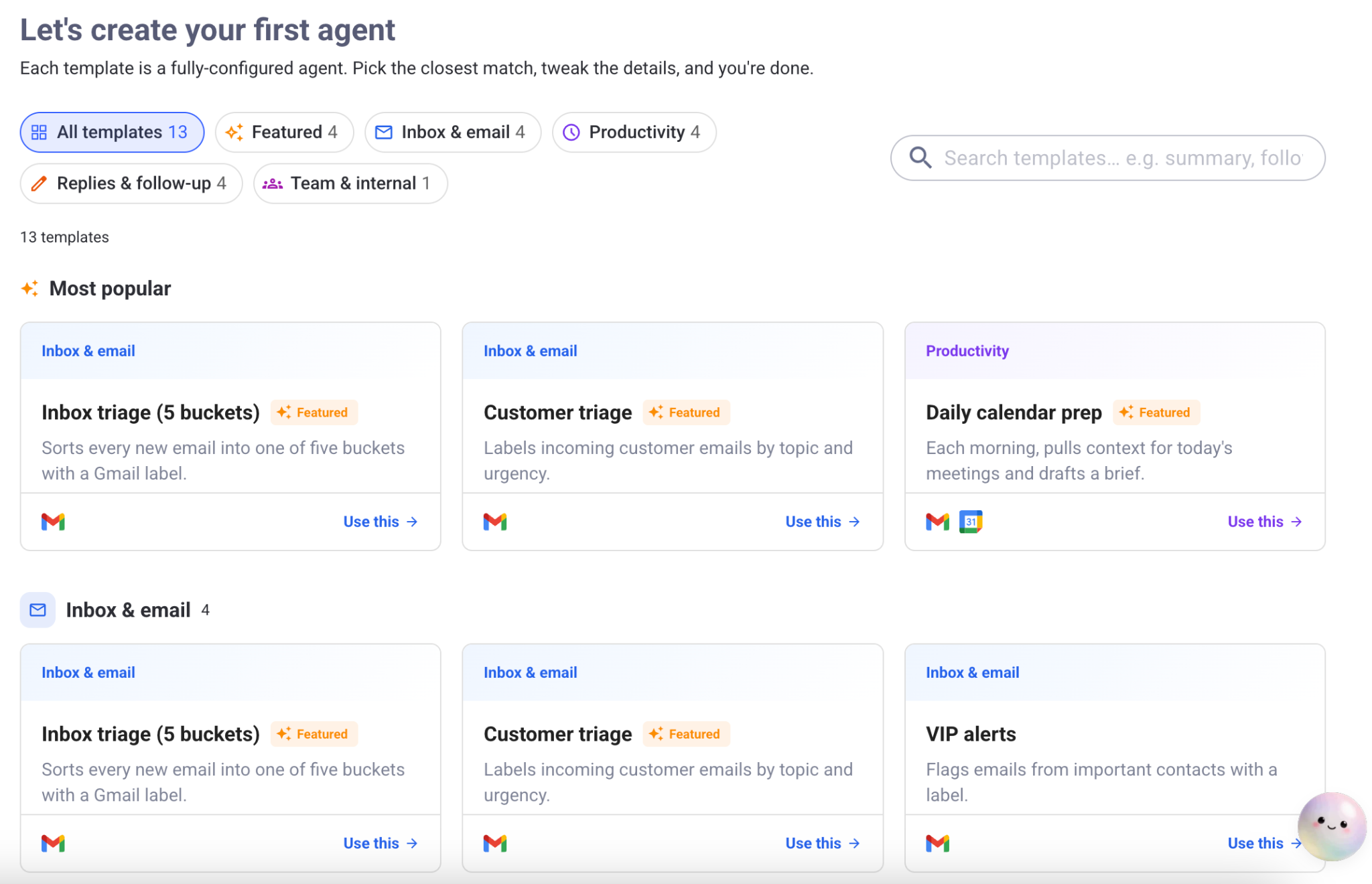
Gmelius gives ops teams those four agents on top of the email they already use, with Meli supplying the operational context no solo AI can reconstruct. Build your first agent against a single label and see how much of the setup is already done. Try Gmelius for free and launch your first agentic email workflow today.