
.png)



If you spend two or more hours every day managing email, you are not alone. According to CloudHQ's 2025 Workplace Email Statistics, knowledge workers devote up to 28% of their workweek to reading, writing, and sorting messages. That is more than a full workday every week, gone to inbox triage. AI email assistants have emerged as a direct response to this problem, and Fyxer AI is one of the tools promising to give that time back.
But does it deliver? This Fyxer AI review breaks down what Fyxer actually does, where it falls short, how it compares to broader AI productivity platforms, and whether it is the right fit for your workflow.
What Is Fyxer AI?
Fyxer AI is an AI email assistant designed for professionals who use Gmail or Outlook. It positions itself as a personal productivity layer inside your inbox, combining AI drafting, inbox organization, and meeting notetaking in a single app, without requiring complex backend setups.
How Fyxer AI Works
Once connected to your inbox, Fyxer analyzes your past emails to learn how you write and what kinds of messages you typically receive. From there, it uses that context to:
- Draft replies that reflect your tone and writing style
- Sort incoming messages into categories based on urgency and type
- Join meetings and generate summaries with action items afterward
- Suggest available times and create scheduling links
Everything happens inside Gmail or Outlook, with an interface that is genuinely intuitive and easy to get started with. The AI engine is also trainable — you can feed it custom documents so it drafts with the right context and information, which is a meaningful differentiator for professionals with specialized communication needs. But our Fyxer review found that the AI training feature isn’t available in entry-level plans, which is disappointing.
Fyxer AI Review: Key Features
We analyzed Fyxer AI’s features to see if it really lives up to its promise of saving 1 hour everyday.
AI Email Drafting
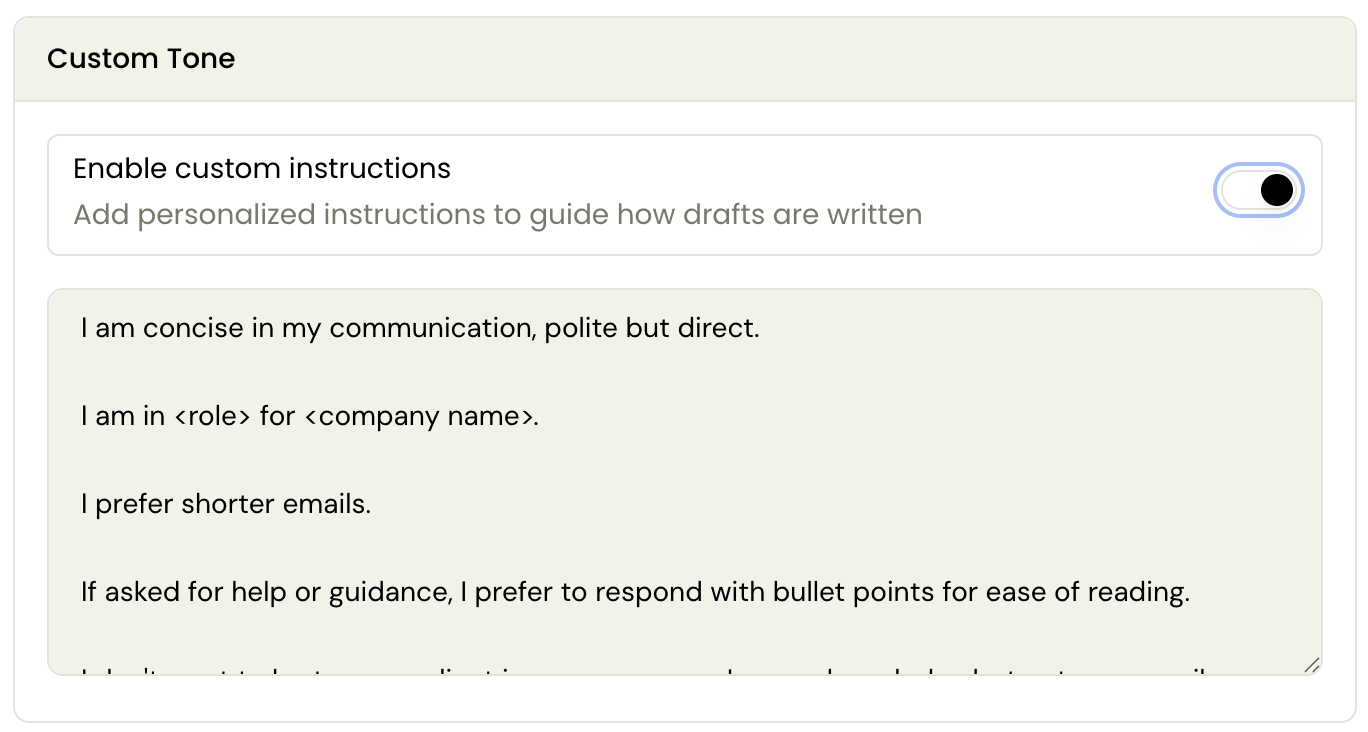
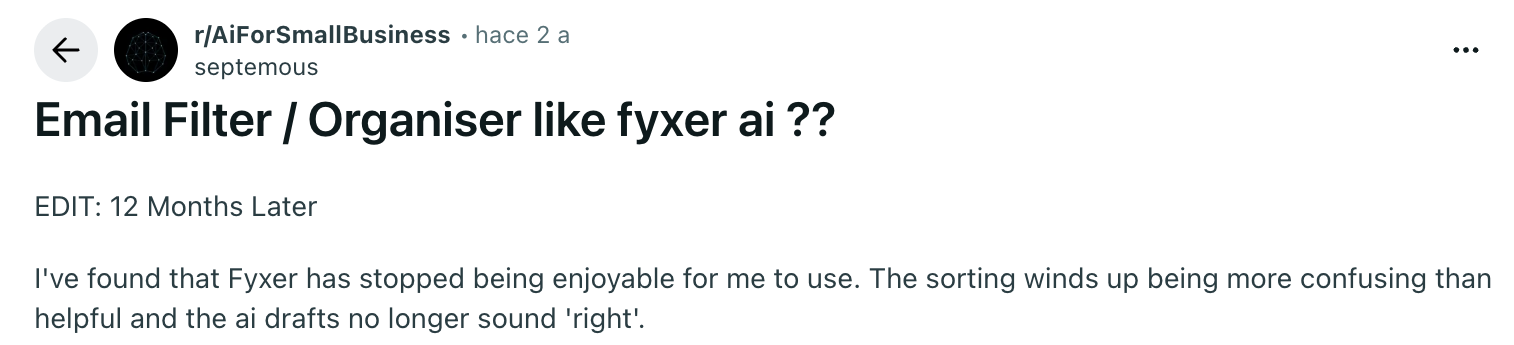
Fyxer's standout capability is generating reply drafts that sound like you rather than generic AI output. It studies your communication patterns (based on ~300 recent emails) and mirrors them, which reduces drafting time for high-volume, repetitive correspondence.
That said, AI draft quality is only as good as the inbox history it learns from, inconsistent or varied past emails can mean more editing, especially early in the learning period. Compare its ~300 emails based learning to Fyxer alternatives, like Gmelius, which learns from ~2 years of emails, and you quickly realize where Fyxer AI might fall short.
On the upside, Fyxer supports AI training with custom instructions, just like Gmelius.
Smart Inbox Organization
Fyxer automatically sorts incoming messages into preset categories to surface what needs a response and filter out noise. The categorization improves over time, which helps professionals who receive a constant mix of business-critical and low-priority messages.
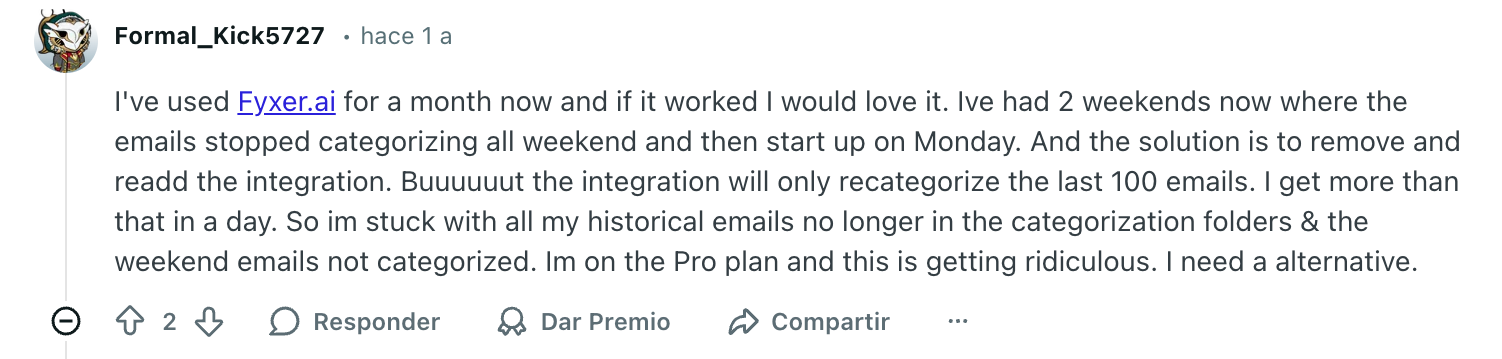
One notable limitation: the categories are fixed. You cannot create or customize your own, which restricts how well the tool adapts to unique or niche workflows. Some users have also reported inconsistencies in AI labeling: important emails like invoices are not always flagged accurately.
Meeting Notes and Follow-Ups
One of Fyxer's more distinctive features is its dual functionality as both an inbox assistant and a meeting notetaker. It can join meetings and automatically generate summaries and action items afterward, which is particularly useful for founders, consultants, or account managers moving through multiple calls per day.
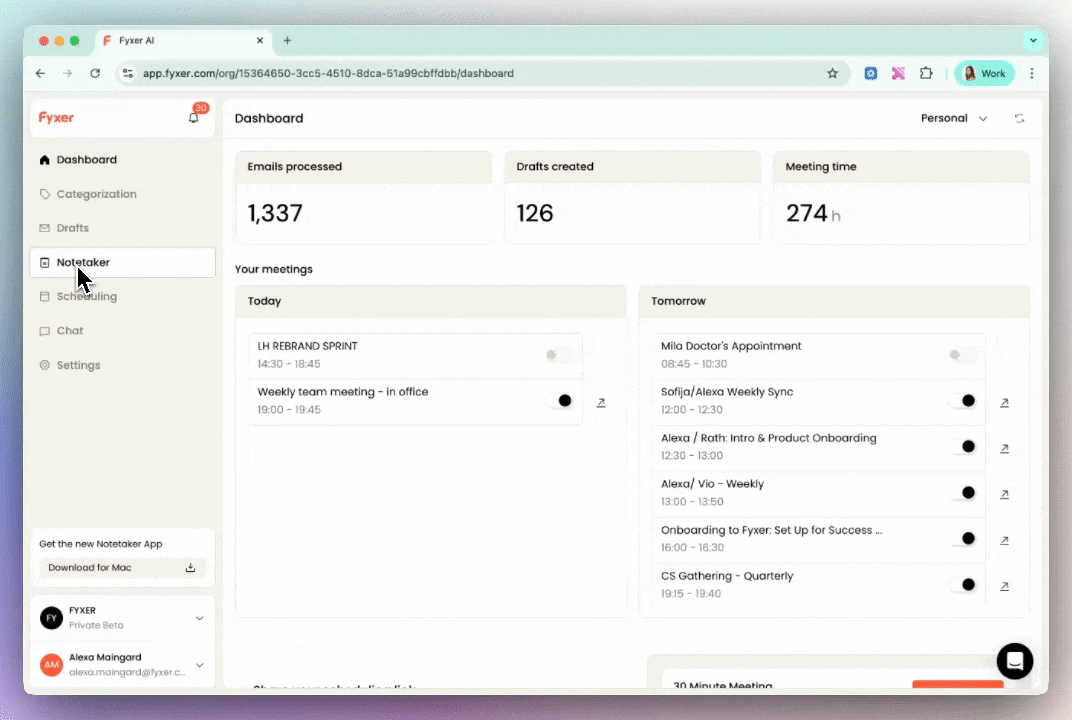
For an AI email assistant, the notetaker feature is suprisingly powerful. It has a Notepad for manual notes during meetings, a Notetaker desktop app that doesn’t show up as a meeting participant, and Snippets to share video + trascript for key parts of a meeting.
The tradeoff is that Fyxer AI’s notetaker doesn’t play nice with other apps. Running multiple meeting bots (Fireflies, Otter, Teams Intelligent Recap, Gong, etc.) in the same meeting can cause join failures or recording issues.
Scheduling Assistance
Fyxer analyzes your calendar, suggests available meeting times, and generates scheduling drafts that suggest possible slots. It also has a scheduling link option that allows recipients to choose their preferred slot and cut down on back-and-forth coordination. For professionals juggling calls across time zones, this removes a real source of friction.
Fyxer AI Pricing
Fyxer offers three plans, Starter, Professional, and Enterprise.
Individual Plans
Fyxer's entry-level plan starts at $30 per month (billed monthly).
It covers inbox organization, AI drafting, and the meeting notetaker.
Integrations, automation, and the AI chat assistant are locked behind the Professional plan, which costs $50 per month.
SSO and SCIM security features are only available on the Enterprise tier.
A Note on Hidden Costs
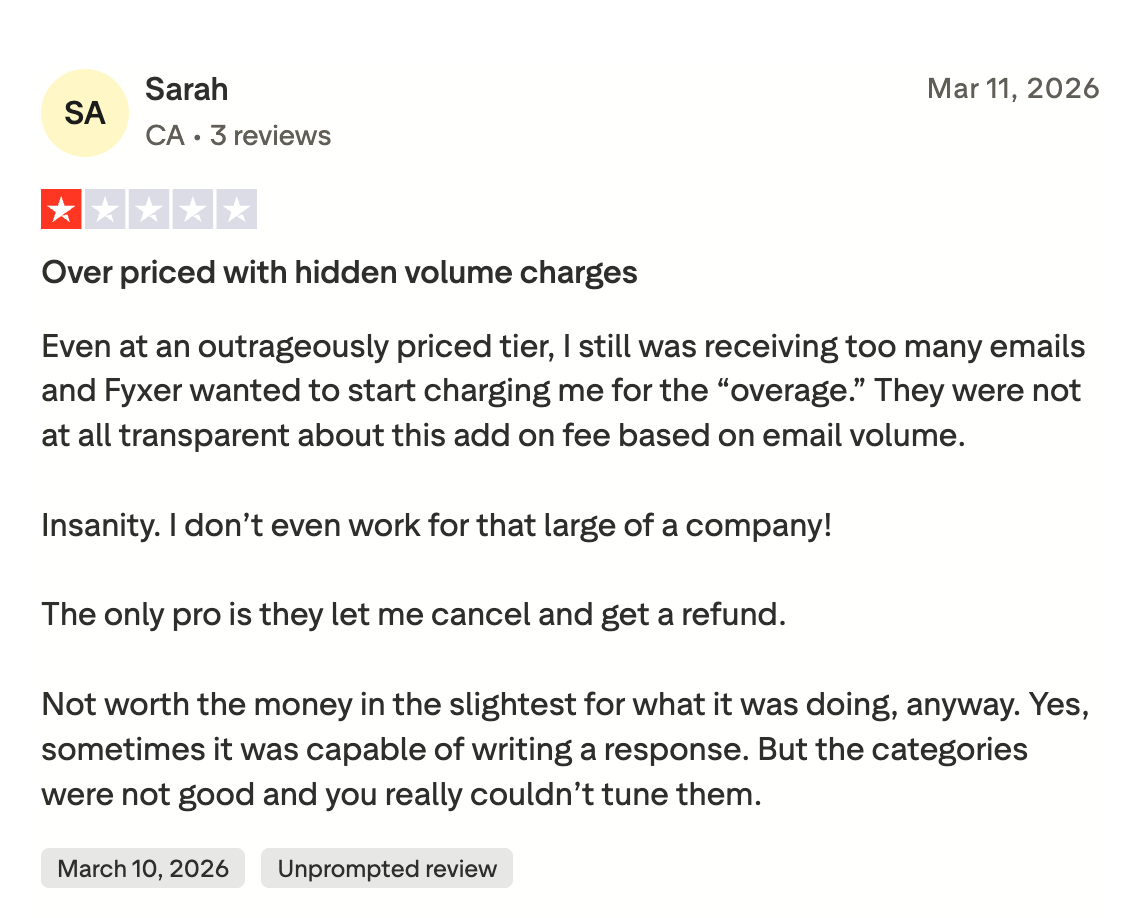
The base pricing looks reasonable at first glance, but this Fyxer review found that teams should read the fine print carefully. Fyxer charges overage fees when your incoming email volume exceeds the plan's monthly allotment.
For growing businesses, this means the tool effectively penalizes you for receiving more mail, an unpredictable cost structure that has frustrated a number of users. Several Fyxer AI reviews confirm this and If your team is scaling, this is worth factoring into any budget comparison.
Pros and Cons of Fyxer AI
Where Fyxer AI Stands Out
- Intuitive setup with no complex configuration required
- Combines inbox organization and meeting notetaking in one app
- AI drafts reflect your personal writing style
- Trainable with custom documents for context-aware drafting
- Works natively inside both Gmail and Outlook
Where It Falls Short
- Inbox categories are fixed, no customization for unique workflows
- AI labeling is inconsistent; important emails can be miscategorized
- Volume-based overage fees make costs unpredictable as teams scale
- AI chat assistant and integrations are gated behind higher-tier plans
- SSO security is enterprise-only, leaving smaller teams with fewer protections
- Limited workflow automation for teams with complex routing or assignment needs
Fyxer AI vs. Other AI Email Tools
Personal Inbox Assistant vs. AI Productivity Platform
Fyxer is built for individual professionals. Its strengths (drafting, sorting, meeting notes, scheduling) all center on making one person more efficient. Within that scope, it performs well. What it does not do is extend intelligence to team workflows. There is no email routing, no shared inbox management, no automation rules, and no way to coordinate responses across teammates.
This distinction matters because the AI email category is moving in two directions at once: tools that help individuals write faster, and platforms that use AI to automate entire workflows across teams and inboxes.
Gmail-Native AI Productivity: Gmelius
Gmelius takes a fundamentally different approach. Rather than focusing on personal inbox management, it functions as a full AI productivity layer inside Gmail, combining intelligent drafting, automation, and team coordination in a single platform built natively for Google Workspace.
Its AI assistant, Meli, goes well beyond drafting replies. It reads context, learns your tone from years of inbox history, and can be custom-trained using instructions, web content, or a company knowledge base. Crucially, it operates without prompting: drafts are ready each time you open Gmail, without you having to ask. Meli can also archive conversations, summarize old threads, schedule meetings, and send follow-up emails through simple chat commands.
Where Fyxer limits you to fixed inbox categories, Gmelius offers AI-powered tagging alongside configurable automation rules that run in the background: auto-assigning emails from VIP clients to specific team members, routing billing questions to the finance team, triggering SLA alerts, and more. Tags aren't preset: you define them, adjust them, and build your own organizational logic around how your team actually works.
Scalable Pricing and Workflow Coordination
On the team side, Gmelius allows entire teams to manage shared inboxes like support@ or sales@ directly from their personal Gmail accounts, with email assignments, internal notes, collision prevention, and shared drafts for team review. An Outlook integration is also in development for teams outside the Google ecosystem.
Pricing: Gmelius's Meli plan starts at $19/user/month and includes AI drafts, AI categorization, automation rules, and advanced scheduling.
The Growth plan at $25 per user per month adds shared inboxes, SLA tracking, and integrations with Salesforce and HubSpot.
For a broader look at how these tools compare in the Gmail ecosystem, this guide to the best Gmail AI assistants is a useful reference.
Who Should Use Fyxer AI?
Best for Busy Individual Professionals
Fyxer is well suited for founders, consultants, executives, and solo professionals who deal with high email volume and want AI to handle drafting and sorting without a steep learning curve. If your inbox is your biggest productivity bottleneck and your needs are individual rather than team-based, Fyxer covers that use case cleanly. The meeting notetaker adds genuine value for anyone moving through multiple calls per day.
Less Suited for Teams and Operational Roles
If you manage a shared inbox or work in a role that requires coordinating responses across multiple people, Fyxer's limitations become apparent quickly. The fixed categories, lack of automation depth, volume-based fees, and minimal collaboration features make it a poor fit for support teams, operations roles, or any team that needs shared visibility into who is handling what.
Teams in these situations benefit more from a platform like Gmelius, which is purpose-built for collaborative, AI-driven email workflows inside Gmail and designed to scale without penalizing you for growth.
Bottom Line
Fyxer AI is a capable personal inbox assistant with a genuinely intuitive setup, solid AI drafting, and a useful meeting notetaker built in.
This Fyxer review makes clear that for individual professionals who want to move faster through email without learning a new tool, it is worth trialing, though the volume-based overage fees and fixed category structure are real limitations to weigh before committing.
The ceiling becomes clear as soon as team workflows enter the picture. For organizations that need intelligent routing, configurable automation, shared inbox management, and predictable pricing as they grow, a platform like Gmelius will do substantially more, at a lower starting price and without the hidden costs.
Gmelius runs natively inside Gmail, learns how you write, and scales with your team from day one. Start your free 7-day trial today.
FAQs
1. Is Fyxer AI worth it for teams?
Yes, but with limitations. It works for small teams with simple needs, but there is no shared inbox management or email routing, categories are fixed, and overage fees make costs unpredictable as volume grows.
2. What are the main limitations of Fyxer AI?
Fixed categories, inconsistent AI labeling, and volume-based fees are the biggest friction points. Integrations, automation, and the AI chat assistant are also locked behind higher-tier plans.
3. Can AI email assistants actually learn my writing style?
Yes. They analyze your past emails to mirror your tone and phrasing, improving over time. Most also let you train the AI on custom documents for more context-aware replies.
4. What should I look for when choosing an AI email assistant?
Determine whether you need a personal tool or one that supports team workflows. Then check that pricing scales predictably, security features are accessible on your plan, and the tool works inside your existing email client.


.avif)
.avif)
.avif)

.avif)





