


It you're searching the perfect inbox assistant, then you've probably come across Fyxer. It's a popular AI assistant that sorts inboxes, writes replies, and summarizes meetings. However, it's expensive for what it offers (starting from $30) and has several limits under the hood (e.g., fixed categories).
That's why many users start looking for the best Fyxer alternatives after a few months. Today, we explore the top contenders on the market. Let’s dive deep into every viable Fyxer alternative available, comparing their features, pricing, and overall efficiency.
Should You Switch from Fyxer? Pros and Cons
Before evaluating any Fyxer alternative, you need to understand what the platform actually gets right, and precisely where it falls short. If you are actively hunting for a new Fyxer alternative, understanding these baseline metrics is essential for making an informed decision.
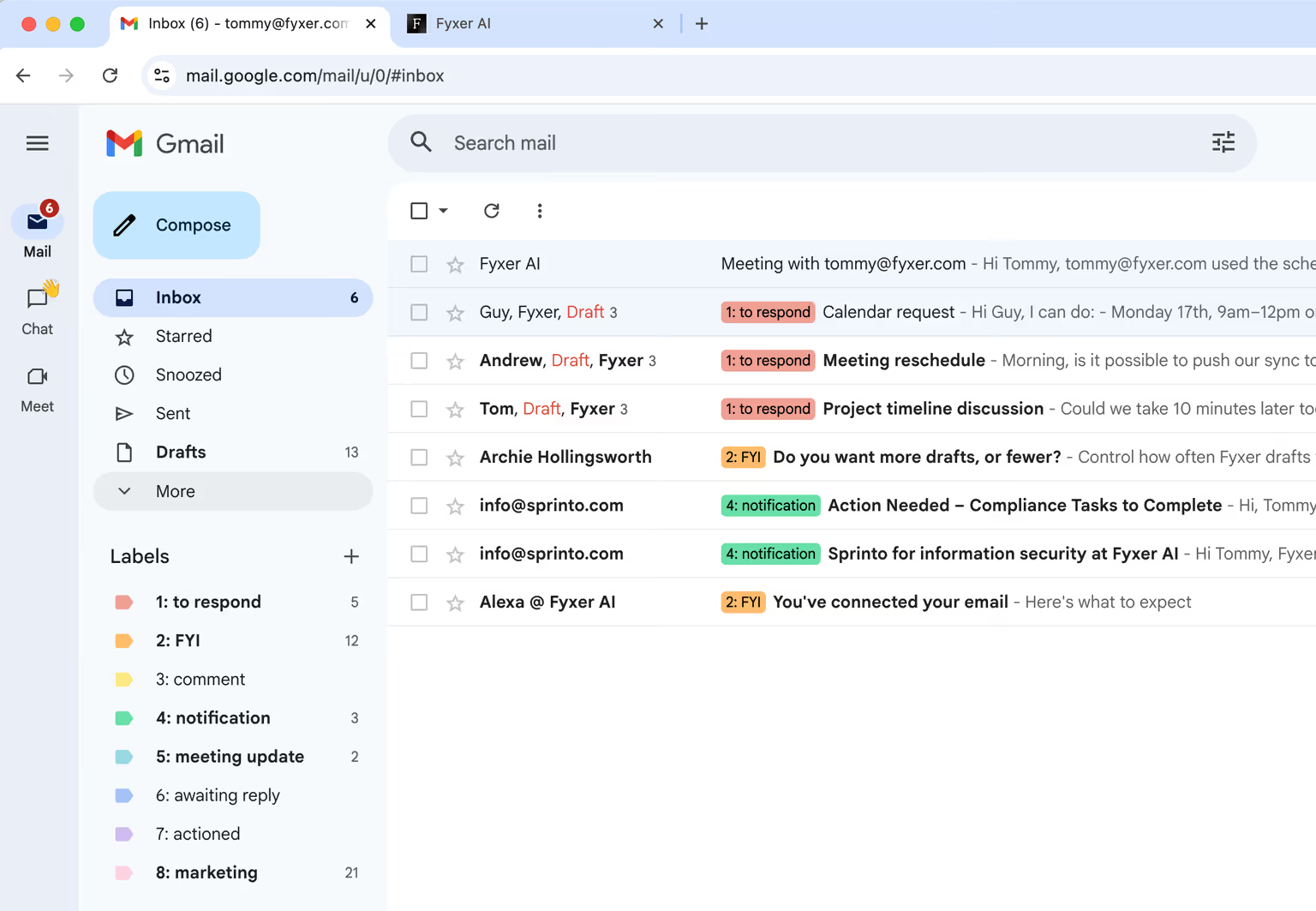
We tested the platform extensively over several weeks, and here is our honest Fyxer review breakdown of its main advantages and drawbacks.
Pros:
- Easy to use: The interface is highly intuitive and works natively with both Gmail and Outlook without requiring complex backend setups.
- Dual functionality: It combines a meeting notetaker and inbox organization directly in one unified app.
- Powerful AI: The artificial intelligence capabilities are strong, especially for drafting and summarizing daily emails.
- Trainable AI engine: You can train the AI with custom documents so that it knows the right information while drafting; it’s worth noting that Fyxer alternatives like Gmelius also offer this feature.
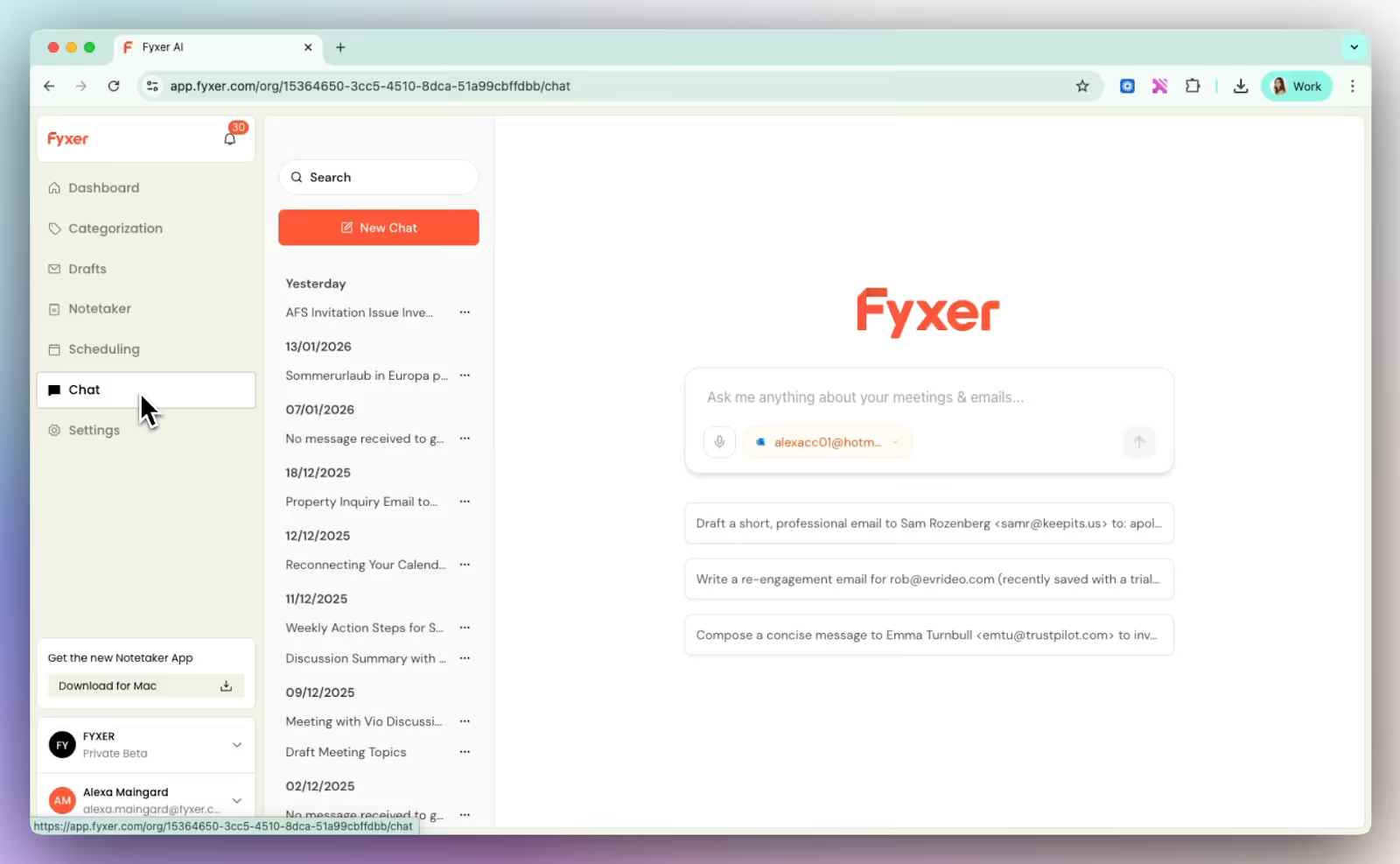
Cons:
- Rigid organization: The lack of customizable categories (you can’t create or edit your own) restricts your ability to manage unique workflows.
- Inconsistent AI labeling: The AI doesn’t always work perfectly; for example, customers note that important invoices aren’t always flagged accurately.
- Hidden volume charges: You will face extra fees for having too many incoming emails, which limits scalability.
- High cost: It is ultimately too expensive for what it offers when compared to newer competitors.
- May be unsuitable for power users: The simple setup might be too simple for users who want more powerful automations and specific workflows
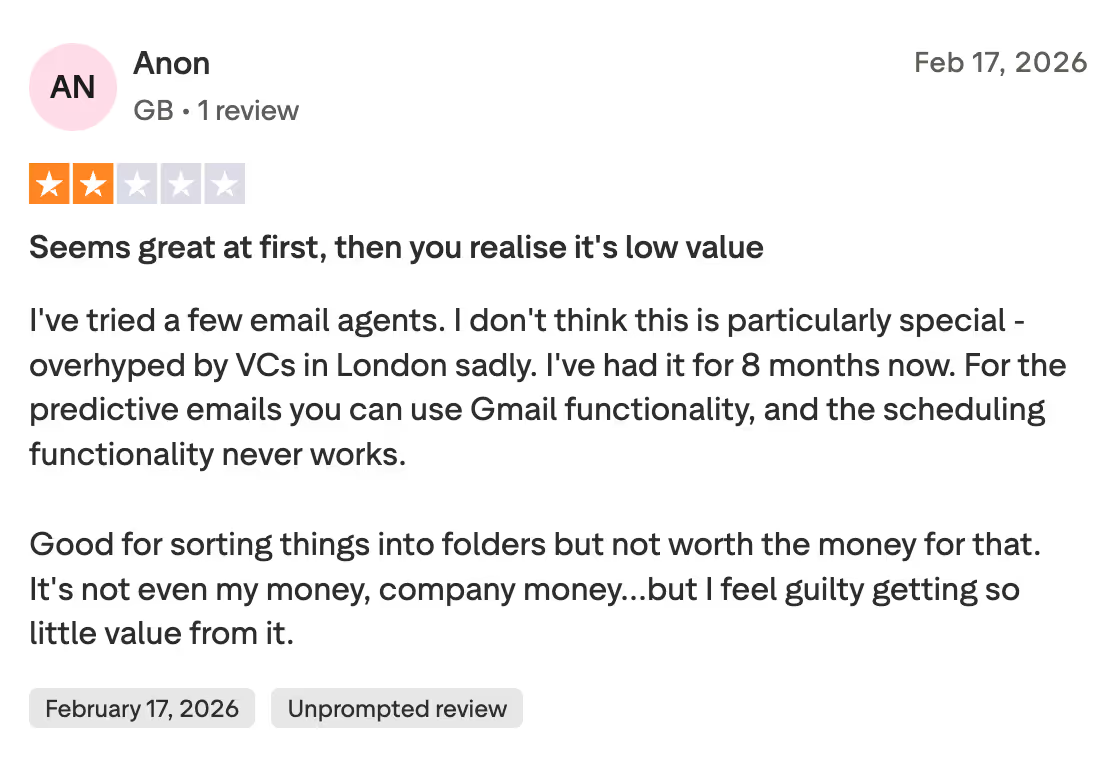
Given these cons, it is no wonder many productivity-focused teams seek out the best Fyxer alternative to manage their daily operations.
Fyxer Costs: A Common Reason to Look for Fyxer Alternatives
Fyxer starts at $22.50 (one inbox only); there’s a $37.50 plan and an enterprise option – and that’s if you bill annually.
On a monthly basis, Fyxer costs $30 for the entry-level plan (one of the most expensive among AI email platforms) and the mid-level plan costs $50.
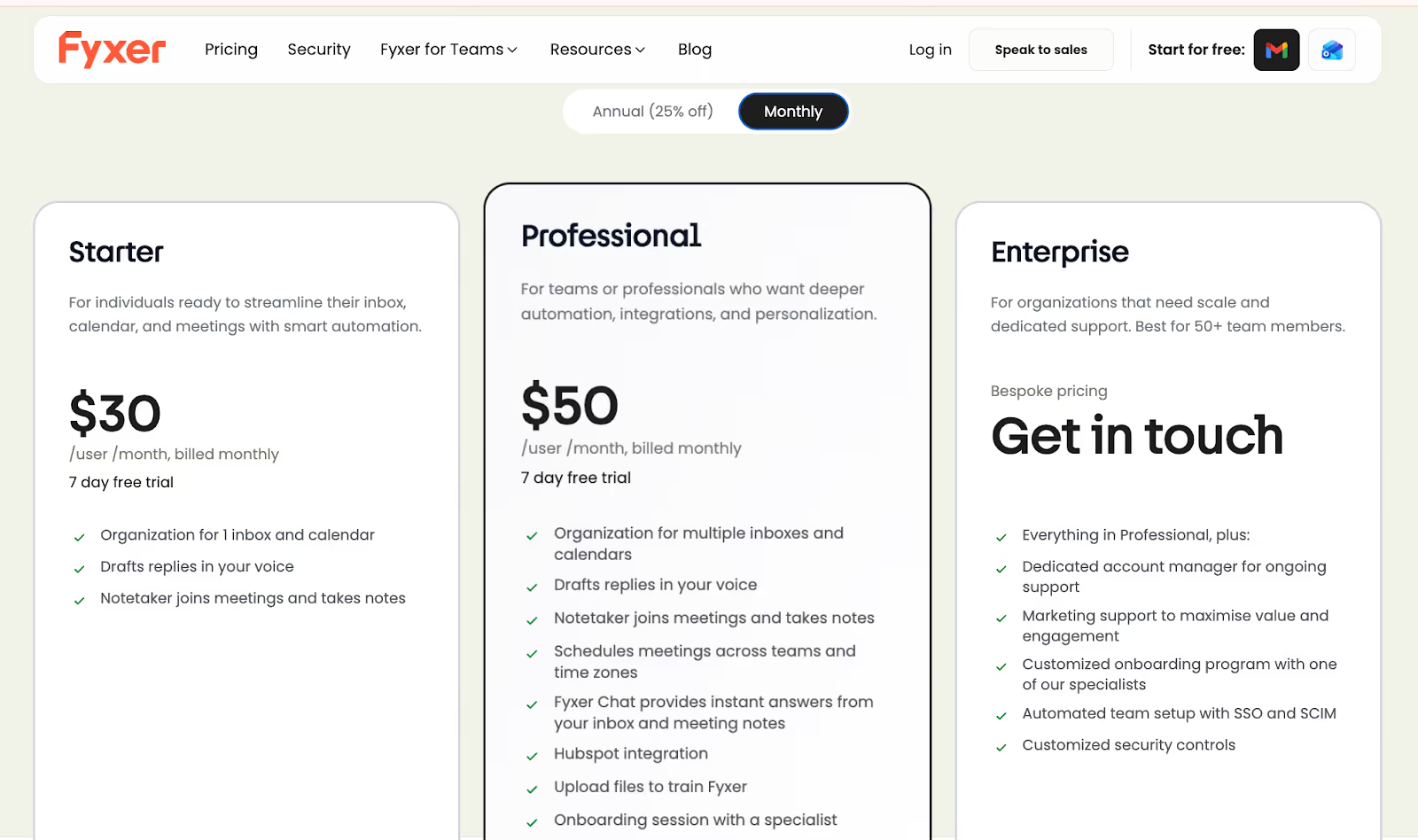
The entry-level plan only supports inbox organization, drafting, and the notetaker. Integration, automation, the AI chat assistant, and other features are only available in Professional. You need to upgrade to Enterprise to enjoy SSO and SCIM security.
Fyxer’s pricing modellooks reasonable at first glance, but the reality for growing teams can be quite different. Many users complain about the hidden fees explicitly tied to email volume.
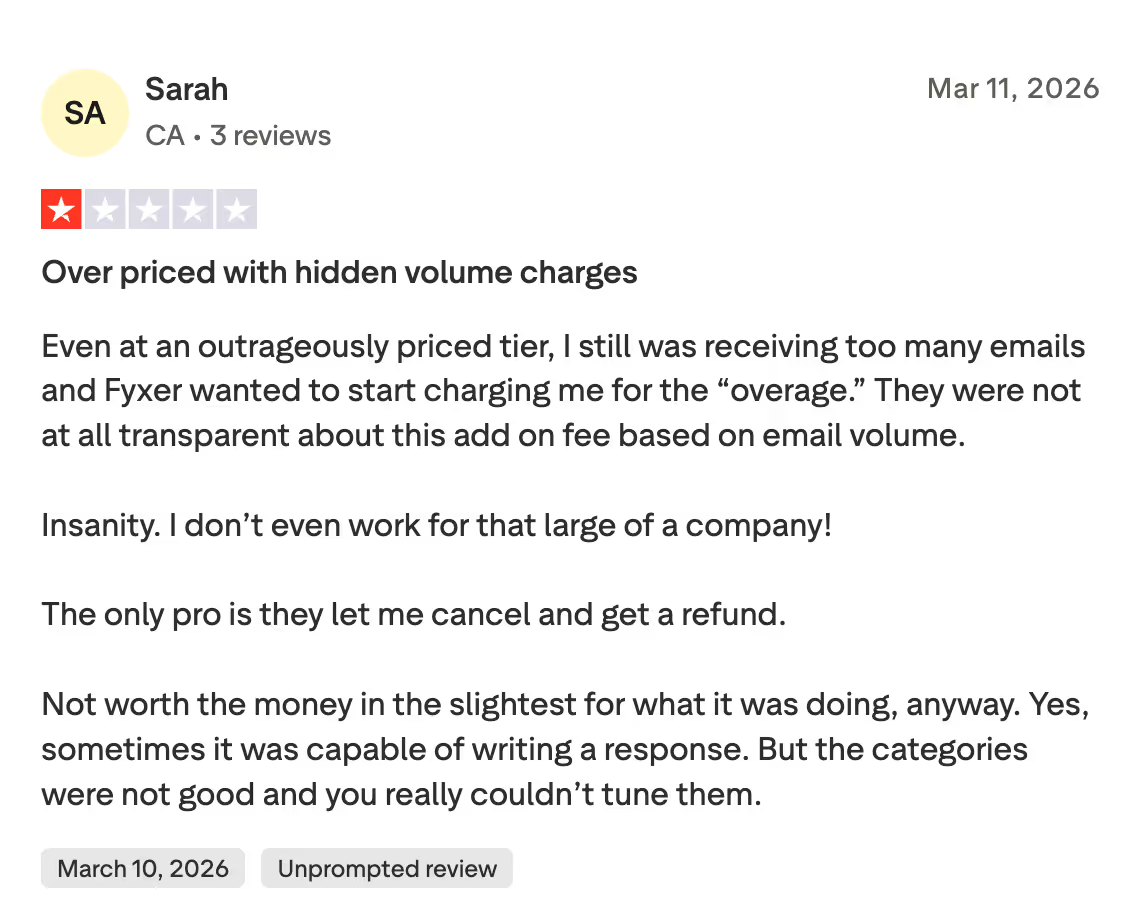
While the base subscription grants you access to core AI drafting and organizing tools, exceeding your monthly allotment of incoming or processed emails triggers unexpected overage charges.
For small businesses, these unpredictable costs can quickly drain a software budget.
We have found that when companies begin to scale, Fyxer effectively penalizes them for receiving more mail. This alone drives many businesses to look for a reliable Fyxer alternative.
If you want predictable billing without surprise volume limits, you need a transparent pricing structure. This is exactly why identifying the best Fyxer alternative is critical for cost-conscious teams.
What Are Your Options? Better Alternatives to Fyxer
Transitioning away from a familiar tool can be daunting. However, after reading yet another disappointing Fyxer review online, you might be ready to take the leap. We have compiled a list of platforms that outperform Fyxer in various categories.
1. Gmelius: The AI all-rounder
Looking for the absolute best Fyxer alternative? Gmelius might be exactly what you need. It is an email productivity platform that turns standard Gmail into an AI-powered workspace.
Based out of Switzerland, Gmelius offers Meli, an AI assistant that acts like your clone to autonomously complete email tasks, set up automated workflows, categorize your inbox, and more. Using Meli chat, you can achieve inbox actions like archiving conversations or summarizing old threads with a simple command.
The AI assistant works alongside and powerful team collaboration features, built directly into your familiar Gmail interface.
Instead of migrating your entire team to a whole new platform, everyone stays inside Gmail. We love how it works without forcing a new UI on you, significantly reducing the learning curve for new employees.
For just $19 per user per month (Meli plan), you get AI drafts, AI categorization, automation rules, and advanced scheduling, making it one of the most competent entry-level plans you’ll find among Fyxer alternatives.
Upgrading to the $25 per month Growth plan adds shared inboxes, SLA tracking, and integrations with other apps like Salesforce and HubSpot.
The pros are obvious: it merges seamlessly with existing Google workflows, provides deep analytics, and facilitates instant team collaboration through notes and tags. While it is a phenomenal Fyxer alternative, some users note minor sync delays when managing extremely high mail volumes.
Advanced AI assistants
The Meli AI assistant actively reads context and drafts replies that sound exactly like you. You can set up no-prompt reply generation and custom-train the AI using instructions, web content, or the company knowledge base. Here’s a quick demo of how the feature works:
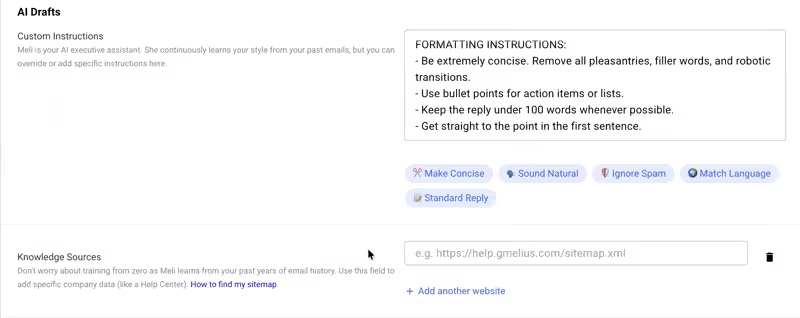
It’ll perform common tasks like finding old emails, scheduling meetings, getting rid of noise emails, summarizing threads, creating daily agendas, and more in a fraction of a second.
Better inbox efficiency
Unlike basic routing tools, Gmelius allows your entire team to manage group emails like sales@ or support@ directly from their personal Gmail accounts.
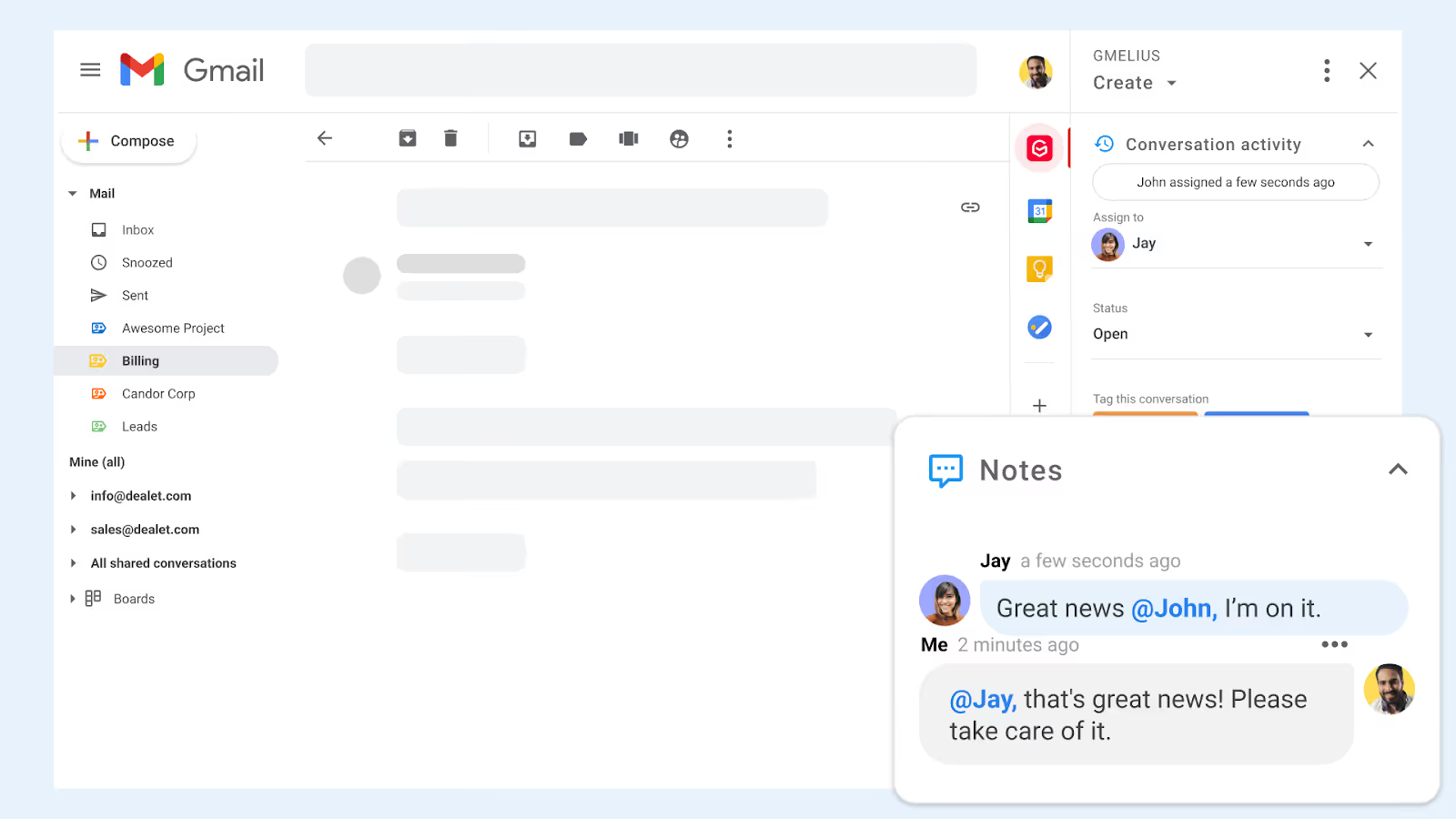
We found that you can easily assign emails to specific team members and leave internal notes on the side of the thread without ever forwarding a message. This ensures complete transparency and drastically reduces email clutter. Team analytics show each teammate’s productivity.
2. Superhuman Mail: The (literal) keyboard warrior
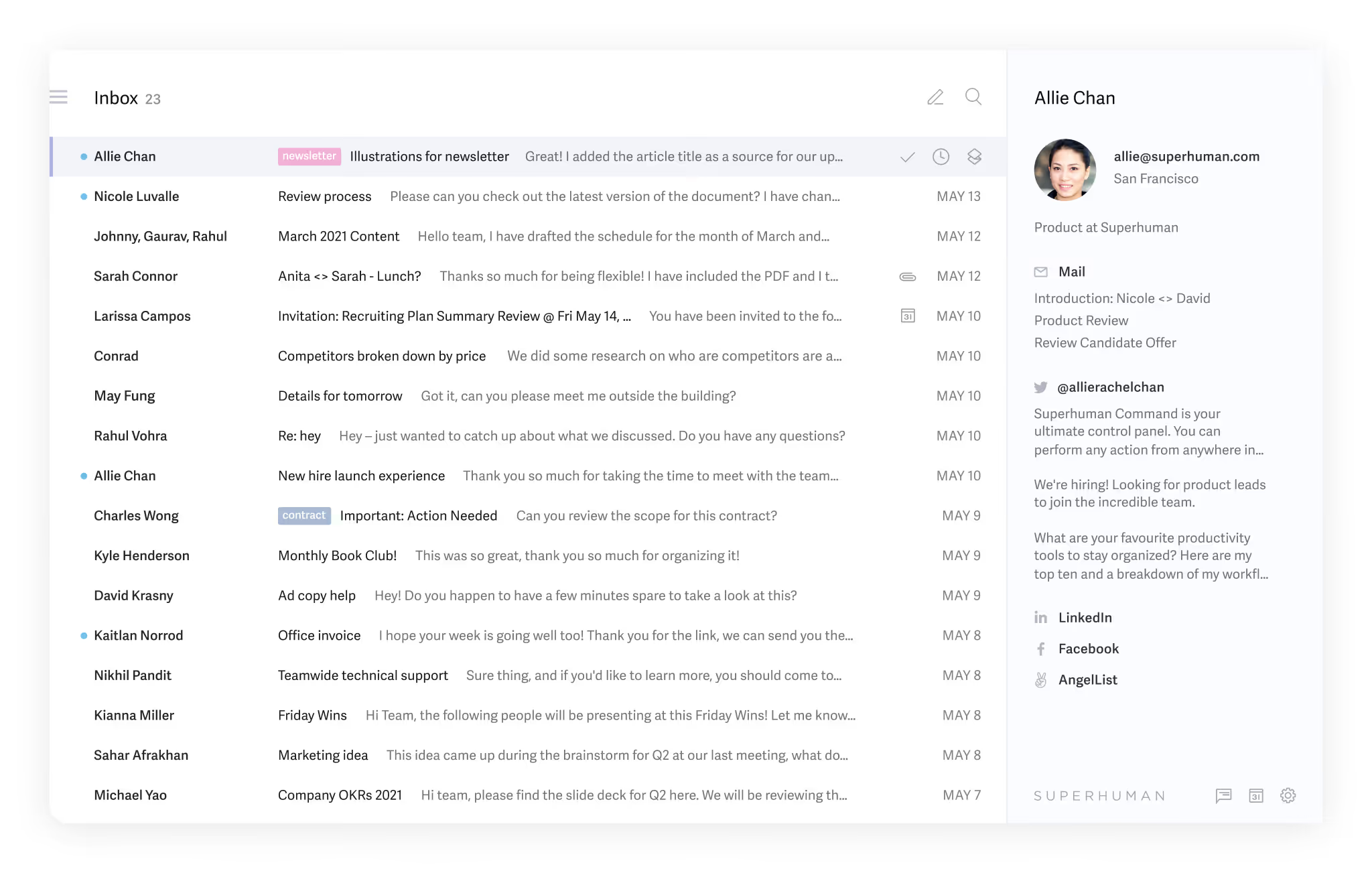
Superhuman is famously known as the fastest email experience ever made. This sleek Fyxer alternative targets founders, executives, and power users who want to fly through their inboxes using keyboard shortcuts.
Operating on both Gmail and Outlook, Superhuman relies on a minimalist UI and fast AI tools to draft and triage emails. It strips away the visual clutter, forcing a highly focused, shortcut-driven approach to email management.
Pricing starts at $25 per user per month for the Starter plan, which includes AI writing, split inboxes, read statuses, and instant intro functionalities. The Business plan ($33 per month) unlocks team scheduling and CRM integrations.
The pros include unparalleled speed, robust offline support, and a beautiful design. The cons? A steep learning curve for the shortcuts and a notoriously high price tag, especially if you need collaboration.
Teammates may end up paying individually for email AI, but lack the ability to work together with this Fyxer alternative.
We read a scathing Reddit review stating it is an "over hyped startup" and that charging high subscriptions for basic features is not sustainable (read the thread here). Despite this, if absolute speed is your top priority, it remains a compelling option among Fyxer alternatives.
Blazing fast shortcuts
Superhuman’s entire interface is built around navigating without ever touching a mouse. We learned that by simply hitting Cmd+K, you open a command line that lets you snooze, label, or forward emails in milliseconds.
If you commit to learning the keystrokes, your inbox zero routine will become more efficient, and the same goes for snippets, another key Superhuman feature.
Split inbox focus
Instead of one massive, overwhelming pile of mail, Superhuman lets you split your inbox into customizable streams, like VIPs, newsletters, or team updates.
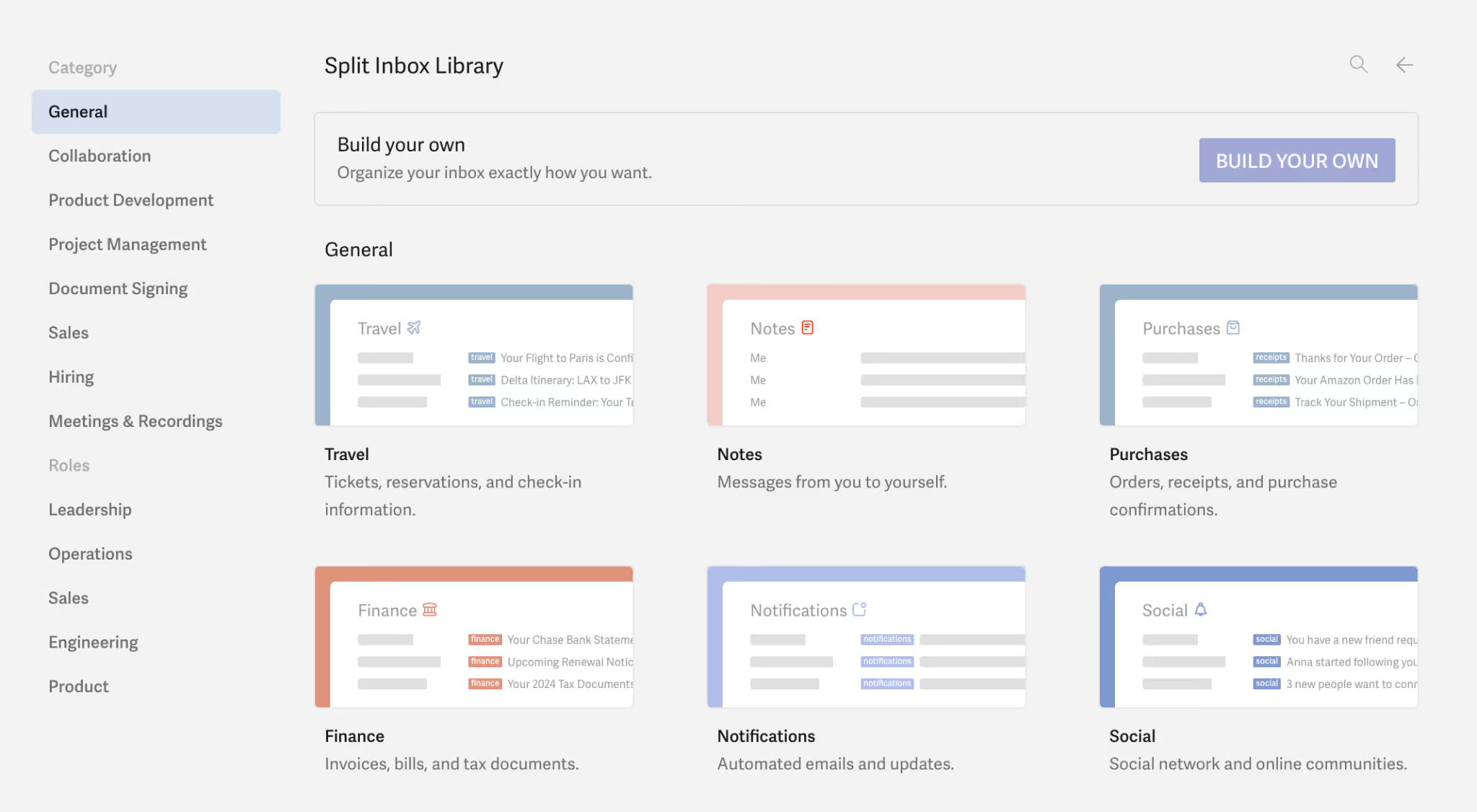
We like how this feature forces you to batch-process your communications, keeping distractions at bay while you focus on high-priority threads. On Gmelius, you have customizable and shareable “inbox views” that help achieve this functionality.
3. Missive: Teamwork inside email
If your biggest frustration with Fyxer is the lack of internal team chat, Missive could be your answer. Missive is a highly collaborative app that merges email, SMS, and social media messaging directly with internal chat — making it a standout Fyxer alternative for communication-heavy teams.
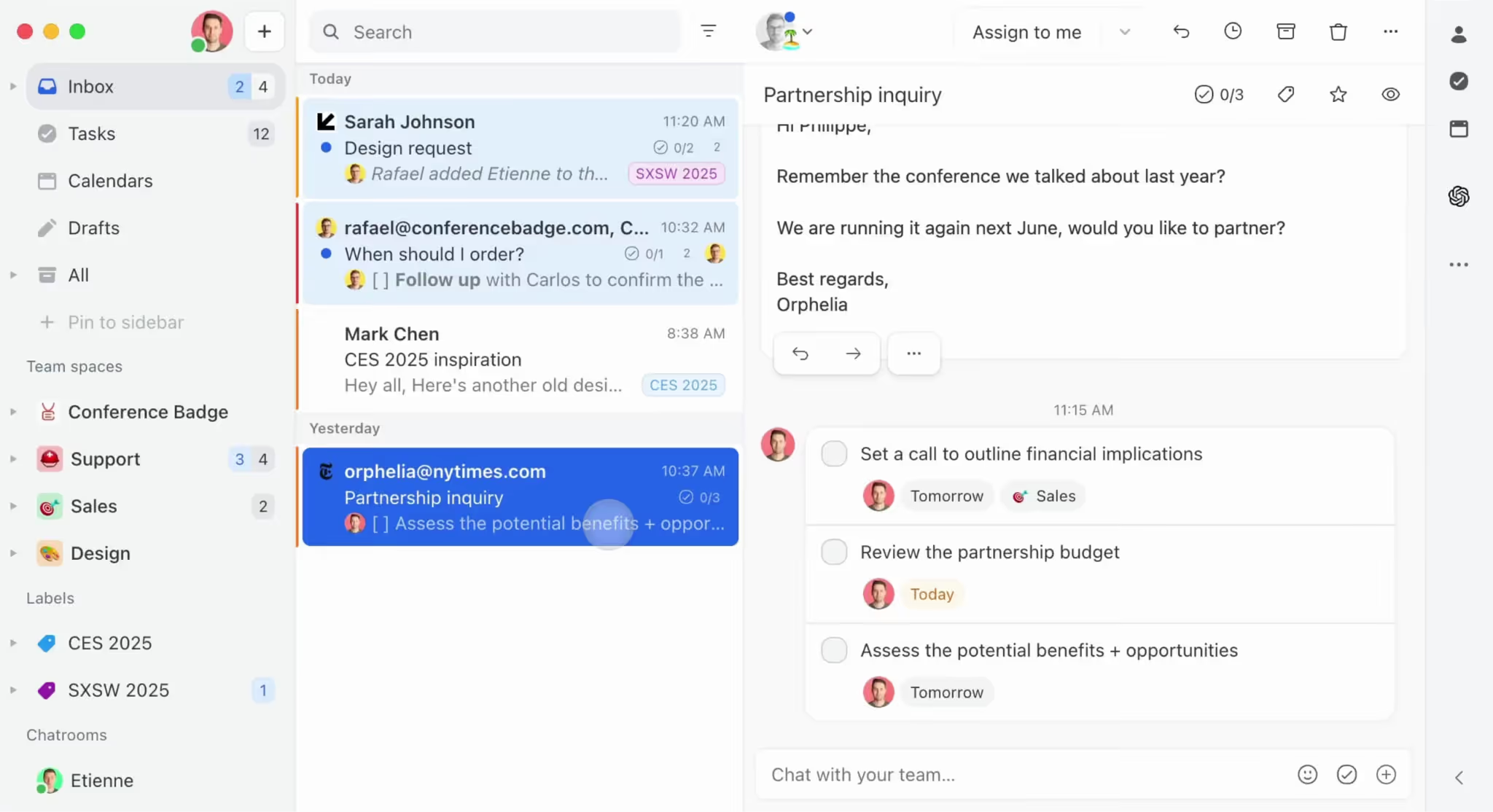
Instead of forwarding threads, your team chats inside the actual email thread. It acts as an overarching communication layer, allowing users to draft emails together in real time and assign tasks effortlessly.
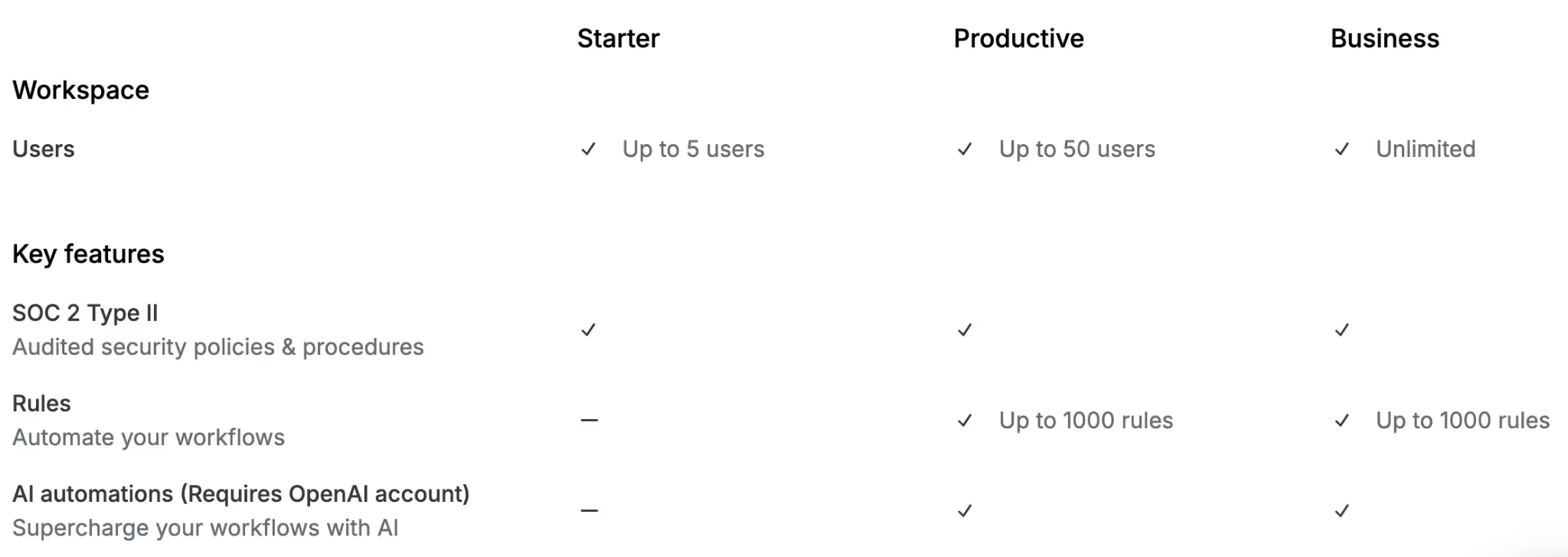
Pricing is competitive, but limits the number of users and doesn’t include AI costs.
The Starter plan is $18 per user per month for up to 5 users, while the Productive plan ($30 per month) supports up to 50 users and adds API access and rule creation. The Business plan sits at $45 per month.
Bear in mind that you have to bring-your-own AI resources, (an extra cost), which is what allows Missive to offer their services at a slightly lower rate.
Pros include fantastic cross-channel capabilities, collaborative drafting, and affordability, making it an excellent Fyxer alternative for support teams.
On the downside, general mail app Reddit threads complain about fragmented platforms and UI clutter, which can happen in Missive when too many communication channels are linked (read the thread here).
Overall, we think Missive excels as a collaborative hub, making it arguably the best Fyxer alternative for chat-heavy teams.
Internal chat streams
Missive replaces the need for Slack when discussing specific client emails. We found it highly actionable to just @mention a coworker right next to a client's email, discuss the strategy privately, and then reply directly, a feature that only a few other Fyxer alternatives like Gmelius offers.
Omnichannel support
Beyond just standard email, Missive seamlessly pulls in WhatsApp, Instagram, Messenger, and SMS. We setup a test environment and loved how a support agent can reply to an Instagram DM right next to a formal corporate email. It ensures your business maintains a unified voice across every single touchpoint.
4. Shortwave: Simple filters and tasks
Shortwave, built by former Google engineers, brings the beloved spirit of Google Inbox back to life. It is an AI-powered Fyxer alternative that automatically groups emails into bundles and transforms your inbox into a to-do list.
We were impressed by its AI assistant, which can analyze complex attachments, remember user preferences, and draft personalized replies using advanced Claude models.

Pricing starts with a Business plan at $24 per seat per month (billed annually), offering standard AI intelligence, 5 years of search history, and 3 AI filters. The Premier plan ($36 per month) upgrades you to unlimited search history and advanced AI logic.
The pros are its AI search functionality, fast keyboard navigation, and intelligent bundling. While it is a reliable inbox solution and a good Fyxer alternative, one con is that it is deeply tied to Gmail.
But more crucially, Shortwave limits you to just 3-10 AI filters, depending on the plan, which can be an issue for email categorization.
Smart email bundling
Shortwave automatically groups related emails (like promos, travel itineraries, or project updates) into single collapsible bundles.
We found this makes the inbox significantly less intimidating. You can bulk-archive an entire bundle of newsletters with one click, saving hours of manual sorting every week.
AI assistant integrations
The built-in AI is like having a tiny, hyper-efficient research assistant. We asked the Shortwave AI to summarize a long chain of legal documents attached to an email, and it successfully extracted the key bullet points within seconds.
You can also prompt it to search your email history for specific data, making retrieval completely effortless. Gmelius also offers this feature through Meli chat, along with the ability to automatically schedule meetings and send follow-up emails.
5. Front: Omnichannel unifier
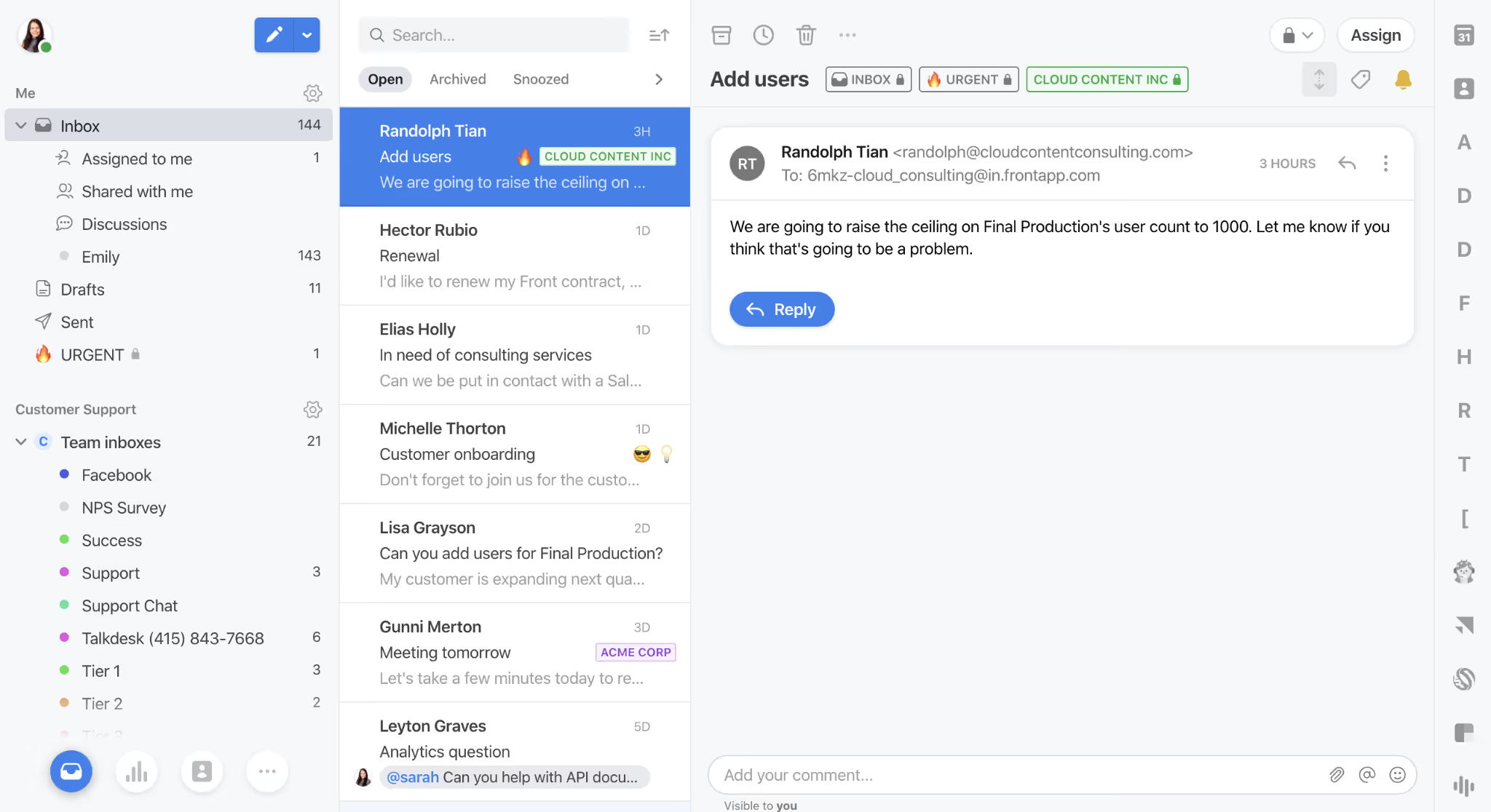
Front transforms your inbox into a powerful, enterprise-grade customer communication hub. As a robust platform, Front aggregates emails, SMS, live chat, and social media into one unified workspace.
It is perfect for customer support and operations teams that need to handle complex ticketing without the clunkiness of traditional helpdesks.
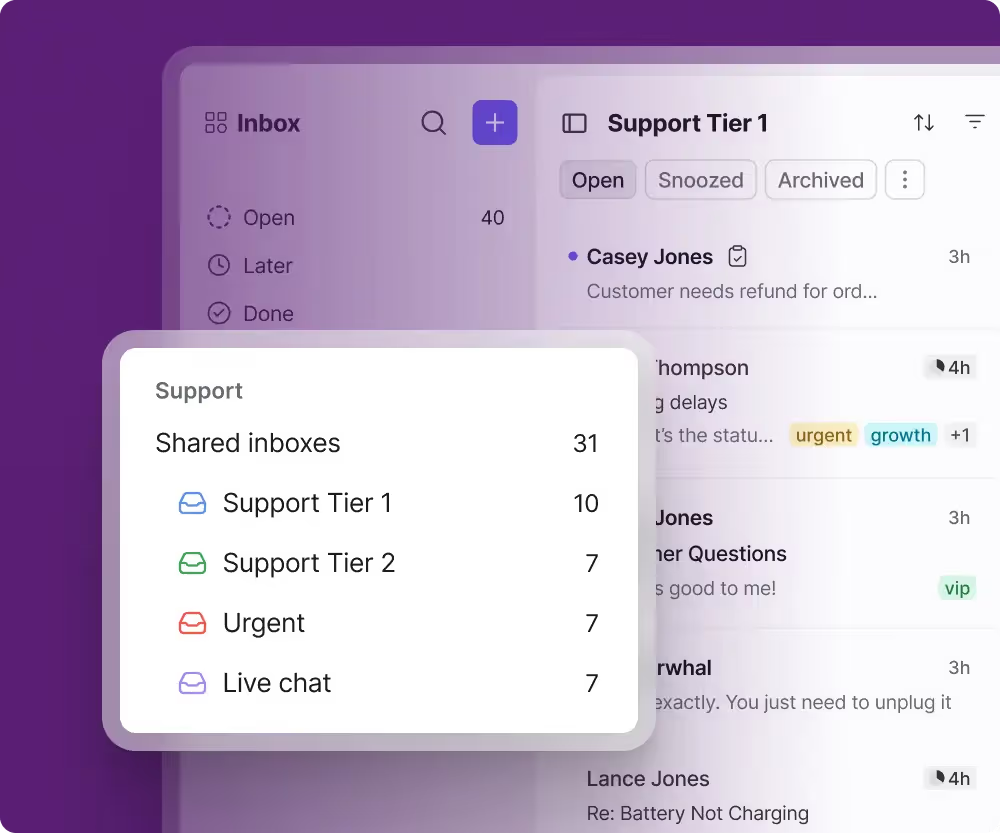
Their Starter plan is $25 per seat per month, covering basic shared inboxes and 10 automation rules. For true omnichannel capabilities, you need the Professional plan at $65 per seat per month. Front’s AI add-ons cost extra unless you are on the $105 per month Enterprise plan.
The pros include exceptional team visibility, deep analytics, and robust CRM integrations. However, we noticed the pricing is significantly higher than other Fyxer alternatives (especially for the $65 mid-tier plan), representing a major con.
Also, the entry-level plan is limited to 10 users and the mid-tier plan to 50, so you’re pretty much strong-armed into upgrading to enterprise after a point.
If you are comparing enterprise-grade Fyxer alternatives, Front is powerful but undeniably pricey. For well-funded enterprise teams, it's a solid choice.
Complete omnichannel inbox
Front doesn't just route emails; it seamlessly handles live website chats and SMS texts in the same view. We thoroughly tested its routing rules and found you can automatically assign high-value client texts directly to their dedicated account manager.
Advanced team analytics
If you manage a team, you need reliable metrics. Front provides data on reply times, resolution rates, and individual agent performance.
We believe this data is crucial for scaling a support team, allowing managers to identify bottlenecks and optimize their daily customer service workflows effectively.
Why Gmelius is a Preferred Alternative to Fyxer
When we evaluate the landscape of inbox management tools, comparing Fyxer to Gmelius reveals a stark contrast in value, scalability, and feature depth. While Fyxer functions as a competent personal sorting tool, Gmelius operates as a comprehensive, collaborative workspace engine.
Here is exactly why we consider Gmelius the superior Fyxer alternative for modern teams:
1. Value for money
Fyxer’s entry-level plan is surprisingly restrictive, offering just three core features: basic inbox organization, drafting assistance, and a meeting notetaker.
In contrast, for just $3 more per month, you unlock Gmelius’s mid-tier plan. This relatively tiny investment grants you access to multiple shared inboxes, full-suite AI features, and comprehensive team analytics, delivering an exponentially higher return on investment.
2. Enterprise-grade security from day 1
Security should never be locked behind a massive paywall.
Unfortunately, Fyxer is fundamentally less secure for small teams, restricting Single Sign-On (SSO) exclusively to their highest-tier enterprise plan.
We recommend Gmelius because it democratizes security by offering SSO across all of its plans, ensuring your data is protected regardless of your company's size or budget.
3. Advanced, configurable automation
If you want your inbox to work for you while you sleep, you need robust automation. Fyxer falls short here, whereas Gmelius offers deeply configurable IFTTT (If This Then That) automation rules.
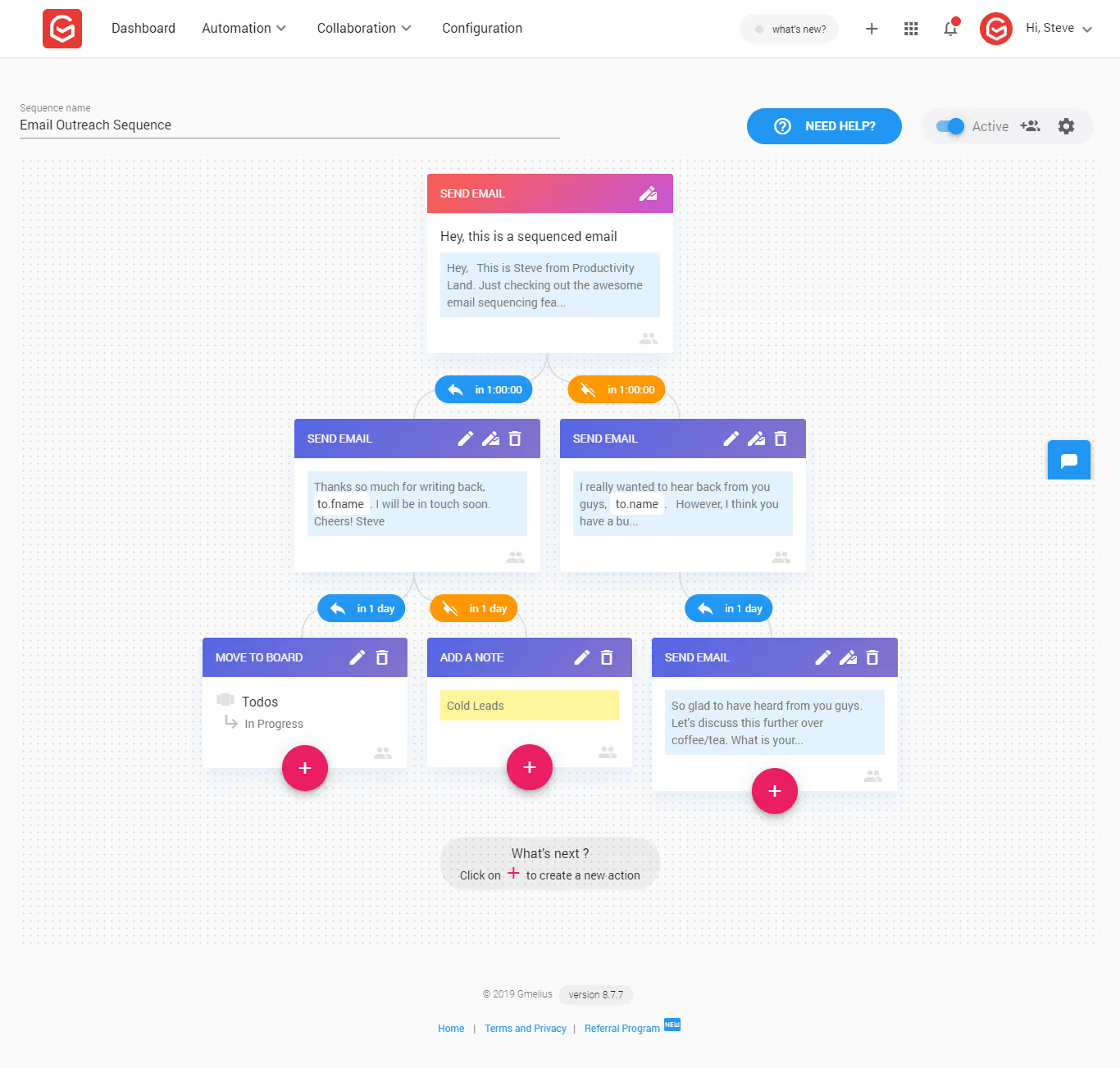
We love how this allows teams to set up complex, invisible background workflows—like auto-assigning VIP client emails to specific account managers or routing billing questions directly to the finance department.
4. Immediate access to AI chat assistants
Artificial intelligence is the main selling point of these platforms, yet Fyxer frustratingly gates its AI chat assistant out of its entry-level plans.
Gmelius, on the other hand, gives you immediate access through its dedicated Meli plan, empowering your team with conversational AI right out of the gate.
The bottom line
Ultimately, Fyxer operates strictly as a sorting and organization assistant. Gmelius is simply so much more. It transforms a standard inbox into a powerhouse by offering:
- Deep team analytics and reporting
- Custom API integrations
- Customizable, shareable email templates
- Shared AI-generated drafts for team review
- Automated AI follow-ups
- No-prompt reply generation
If you are looking for a platform that scales with your operations rather than just hiding the clutter, Gmelius is the clear upgrade.
How to Choose the Best Fyxer Alternative
Selecting the best Fyxer alternative requires a strategic, analytical approach. If you want to make the right choice for your business, we suggest actively following these five steps to ensure you pick the perfect Fyxer alternative for your specific workflow.
Step 1: Assess your budget and hidden fees
Carefully determine if you can handle per-user fees or if you need a flat rate. Avoid platforms with hidden volume charges that will punish your business as you scale your operations.
Step 2: Identify key integrations
Ensure the software connects seamlessly with your existing tech stack. Whether it is your CRM, Slack, or project management tools, native integrations are vital to unify your daily operations.
Step 3: Analyze team collaboration needs
If you only need solo AI drafting, a simpler, cheaper tool works fine. However, for internal team routing, ticket assignment, and chat, look for Fyxer alternatives that feature robust shared inboxes.
Step 4: Prioritize security and compliance
Always look for SSO, SOC 2 compliance, and GDPR readiness. Do not compromise on data safety or administrative controls, especially if you handle sensitive client information.
Step 5: Leverage free trials effectively
Always test the software in a real-world environment. We strongly recommend running a focused pilot program with a small segment of your team before fully committing financially to a new tool.
Try Gmelius for Free
Are you ready to completely transform your inbox experience? We firmly believe Gmelius is the ultimate Fyxer alternative for teams wanting seamless collaboration, powerful AI drafting, and fully transparent pricing. Don't just take our word for it—start your free 7-day trial today and experience the difference for yourself. No credit card is required to begin.





