

A workflow management system is the software and structure that takes a repeating type of request, such as a new vendor onboarding, an RFP response, or a client escalation, and moves it through defined steps, owners, and deadlines without anyone having to reconstruct the process from memory every time. Workflow management software is how that system gets enforced day to day: assignment, tracking, approvals, and a record of what happened.
For an ops coordination team, this isn't an abstract efficiency question. Coordinators sit at the intersection of sales, finance, legal, vendors, and customers, and the volume of cross-functional requests keeps climbing.
A joint study by Qatalog and Cornell University's Ellis Idea Lab found that people waste 59 minutes every day trying to find data in apps, just trying to locate information trapped across different tools. For ops teams, that overhead usually shows up as one question repeated endlessly: "who's got this?"
What a Workflow Management System Does for an Ops Coordination Team
What "workflow" means when the same kind of request comes in over and over
A workflow only exists because a request type repeats. A new vendor needs onboarding. A partner needs a contract reviewed. A customer needs a quote.
Each of these follows a similar shape every time: intake, assignment, review, approval, and resolution. A workflow management system captures that shape once and applies it automatically, instead of every coordinator improvising their own version.
Teams are still stuck on tracking spreadsheets and the "who's got this?" threads
Even teams with modern tools often fall back on a spreadsheet as the source of truth, updated manually, and usually out of date within a day. Requests get buried in personal inboxes, and status lives in someone's head.
The actual coordination happens through reply-all threads asking who owns what. This is the exact failure mode a workflow management system is built to remove.
The stakeholders involved: sales, finance, legal, the vendor or customer
An ops coordination workflow rarely stays inside one team. A single vendor request might need sales to confirm scope, finance to approve terms, legal to review the contract, and the vendor itself to sign off, all before the coordinator can close the loop.
Without visibility across those handoffs, the coordinator becomes the human router, manually pinging each party and hoping nothing slips.
Why an Ops Workflow Isn't a Project Management Workflow
A project ends, but an ops workflow fires every time a new request lands
A project management workflow is built around a start and an end date. A campaign launches, a product ships, and the board gets archived.
An operations workflow has no such finish line. Every new vendor request, every incoming RFP, and every client escalation triggers the same process again, on its own timeline, often overlapping with dozens of others already in flight.
Task boards and Gantt charts fit finite projects, not repeating cross-functional work
This is where tools built for project management workflow start to strain. A Gantt chart is excellent for sequencing a product launch with a defined critical path.
It is a poor fit for 40 simultaneous vendor requests, each at a different stage, each involving different people, arriving by email rather than by someone manually creating a card.
What ops coordination still borrows from project management
Not everything gets thrown out. Clear ownership, realistic deadlines, and visible dependencies are just as necessary in ops coordination as they are in any project.
The difference is how those elements get triggered. In ops, they need to fire automatically the moment a new request lands, not get set up by hand each time.

Where It Breaks First: The Document Management Workflow
The paperwork behind a single deal or vendor
Every ops request drags a stack of documents behind it: order forms, statements of work, NDAs, master service agreements, W-9s, and security questionnaires.
A single vendor onboarding can easily touch five or six separate documents, each needing review from a different stakeholder, each arriving as an email attachment that someone has to find later.
Routing documents without confusion and keeping records that hold up in an audit
A document management workflow is where a lot of ops teams first feel the pain of not having a real system. Attachments get buried in someone's inbox, and versions get confused.
When an auditor or a new hire asks "where's the signed MSA for this account," the honest answer is often "let me check."
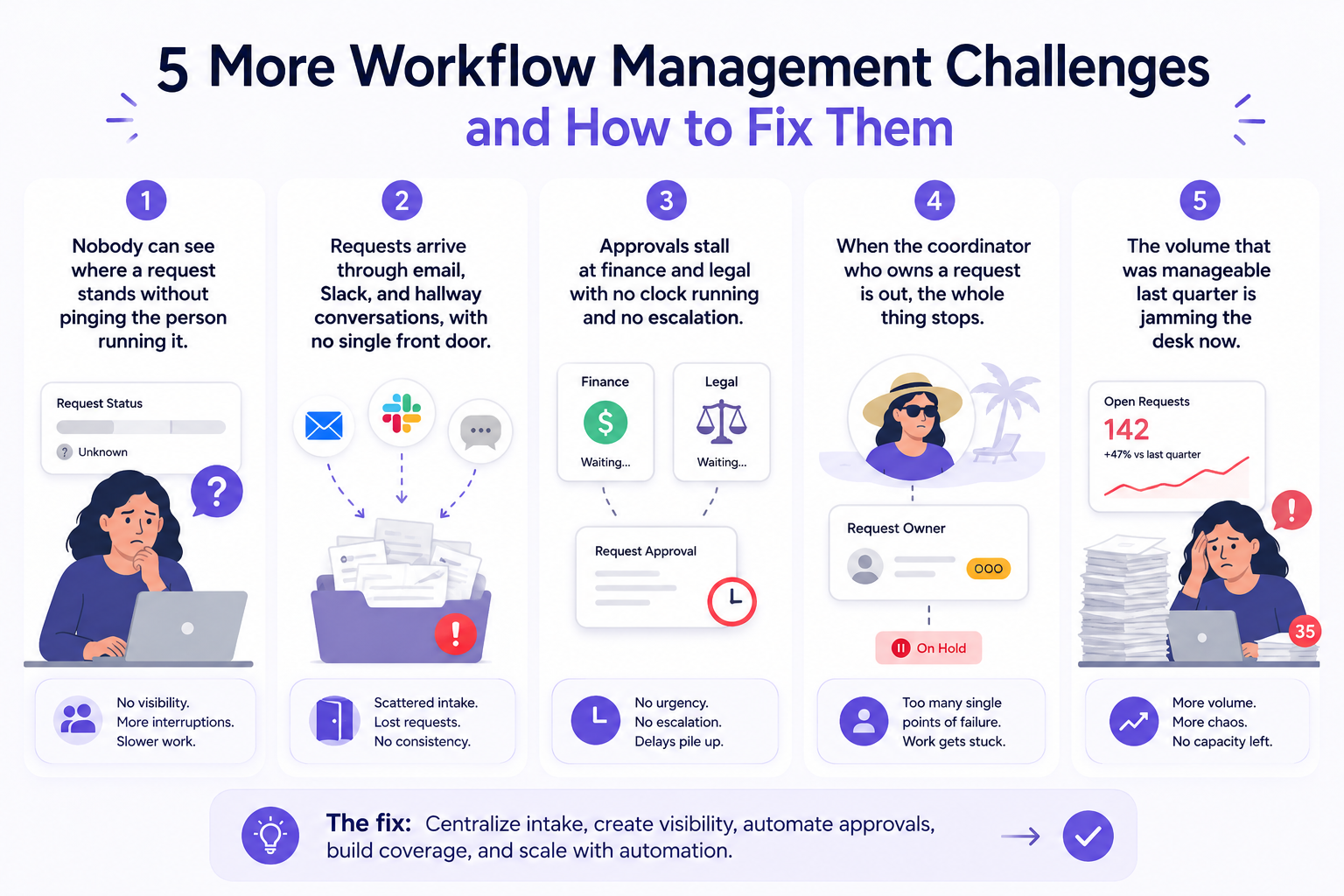
5 More Workflow Management Challenges and How to Fix Them
- Requests arrive through email, Slack, and hallway conversations, with no single front door. Fix this by consolidating intake into a shared inbox architecture that gives every incoming request one entry point, regardless of channel, so nothing depends on which inbox happened to receive it.
- Nobody can see where a request stands without pinging the person running it. Fix this with shared, real-time status that lives with the request itself rather than in one coordinator's head.
- Approvals stall at finance and legal with no clock running and no escalation. Fix this with automated reminders and time-based escalation rules that surface stuck approvals before they become a crisis.
- When the coordinator who owns a request is out, the whole thing stops. Fix this by making ownership a property of the request, not a person, so coverage during PTO or turnover doesn't require a manual handoff.
- The volume that was manageable last quarter is jamming the desk now. Fix this by moving repeatable steps like triage and routing off a human's desk entirely and onto automation agents that classify and assign the moment a request arrives.
What This Means for Choosing Workflow Management Software
The requirements the work itself dictates
Ops coordination work has specific requirements that generic task tools weren't built for: a shared inbox to catch incoming requests, rules-based assignment so work doesn't sit unclaimed, and approval routing that reflects how finance and legal actually sign off.
If a platform can't do all three, coordinators end up building workarounds anyway, which defeats the purpose of adopting one in the first place.
What it has to connect to
The request itself doesn't live in a vacuum. It touches a CRM record, a billing system, and almost always an email thread with an external party.
Software that can't connect to those systems forces someone to manually copy information back and forth, which reintroduces the exact coordination overhead the tool was supposed to remove.
Whether to run coordination in a dedicated platform or keep it where the work already happens
There's a real tradeoff between adopting a standalone ops platform and extending the tools a team already lives in. A dedicated platform can be powerful, but it also asks people to change where they work.
That's a hard sell when most B2B operations, vendor contracts, partner terms, and client requests, arrive and get negotiated in email by default, not by choice.
So What Is the Best Workflow Management Software for an Ops Coordination Team?
How to weigh options by team size and the functions each request touches
There is no single best workflow management software, because the right answer depends on team size and how many functions a typical request touches. A five-person agency account team coordinating creative approvals has different needs than a 200-person logistics operation routing freight exceptions across brokers, carriers, and customs.
The more external parties a workflow touches, the more the software needs to handle handoffs outside the company, not just inside it.
Evaluating categories: dedicated ops platforms, repurposed project tools, and email-native tools like Gmelius
Broadly, teams land in one of three categories. Dedicated ops platforms are purpose-built but often require the most change management. Repurposed project management tools are familiar but were designed for finite projects, not perpetual, multi-party request flow.
Email-native tools like Gmelius take a third path: they build the inbox architecture, assignment, and approval routing directly into the email coordinators are already using with vendors, partners, and clients, so the workflow forms around the work instead of asking the work to move somewhere new.
This is closer to how tools like ChatGPT and AI assistants get evaluated for email work, or how teams are comparing AI agents built for email coordination more broadly. The question isn't whether the technology is impressive, it's whether it fits the channel where the actual work already happens.
If you want a deeper primer on what these systems are doing under the hood, this breakdown of what AI agents are and how agentic AI adoption is trending is a useful starting point.
The Bottom Line
Workflow management for an ops coordination team isn't about picking a prettier task board. It's about giving repeating, multi-party requests a structure that doesn't depend on one person's memory, one spreadsheet, or one inbox to hold everything together.
The teams that get this right build workflows where triage, routing, approvals, and tracking happen automatically, around the email and documents that vendors, partners, and clients already send, instead of forcing that work into a new tool nobody outside the company will ever use.
That's the gap Gmelius is built for. Instead of asking your vendors, partners, and clients to adopt a new platform, Gmelius turns the inbox your team already runs on into a structured operations layer, with automation agents that triage, route, draft, and track multi-party requests from intake to close.
Try Gmelius for free and see what a real operations workflow looks like when it runs on the email you already have.


.avif)
.avif)
.avif)
.avif)