
![What Are AI Agents? [Updated Guide for 2026]](https://cdn.prod.website-files.com/6737568a4ac417efeb387e5a/69cb89297a80357bc4b23e5f_Curiosity%20and%20Discovery.avif)



We've been tracking the agentic AI space closely, and the shift is unmistakable. Anthropic's Model Context Protocol (MCP), sometimes called the "USB-C for AI," has become a de facto standard for connecting AI agents to external databases, APIs, and enterprise tools. OpenAI and Google have embraced it. The Linux Foundation is now stewarding its development. And suddenly, the friction that kept AI agents trapped in demo mode is dissolving fast.
But if you're still asking "what actually is an AI agent?" you're not alone. The term has been thrown around so loosely that it has started to lose meaning.
So we went back to fundamentals, tested the latest platforms, and put together this updated guide to cut through the noise.
What Is an AI Agent? Definition
An AI agent is a software system that can perceive its environment, reason about goals, make decisions, and take autonomous action, without requiring a human to micromanage each step.
That last part is the key differentiator. A chatbot waits for your prompt and gives you text. An AI agent takes your high-level instruction and goes off to do the work.
Think of it this way: when you ask ChatGPT to draft an email, it generates text and hands it back. When you ask an AI agent to handle your inbox, it reads your messages, drafts context-aware replies trained on thousands of your previous conversations, routes emails to the right teammates, schedules follow-ups on your calendar, and flags only the stuff that truly needs your attention.
At the architectural level, most AI agents combine a foundation model (typically a large language model like GPT-4o, Claude, or Gemini) with memory, tool access, and a planning loop.
The agent perceives input, reasons through a chain of thought, selects the right tool or action, executes it, evaluates the result, and iterates until the task is done. It's this perception-reasoning-action loop that distinguishes a true AI agent from a static model sitting behind an API.
Inside AI Agents Working: Explained with an Example
Let's make this concrete. Say you're a sales manager, and a warm lead just replied to your outreach email at 11 p.m. You're asleep. Here's what an AI agent does, step by step:
- Step 1: Perception - The AI agent detects the inbound email in your shared inbox. It reads the message, identifies the sender, and pulls context from your CRM: the lead's company size, the deal stage, and the last three interactions.
- Step 2: Reasoning - Using its language model backbone, the AI agent determines that the lead is asking about pricing for an enterprise plan and wants to schedule a demo call. The agent cross-references your calendar, finds open slots, and considers your timezone and the lead's timezone.
- Step 3: Action - The AI agent drafts a personalized reply with accurate pricing information pulled from your knowledge base, suggests three available time slots for a demo, attaches a relevant case study, and sends the email, all while you sleep.
- Step 4: Evaluation - The agent logs the interaction in your CRM, creates a follow-up task for you to review in the morning, and notifies your team on Slack that the lead has moved to the next pipeline stage.
That entire workflow, which would normally eat 15 to 20 minutes of a human's morning, happened autonomously. No prompt required. No one was sitting at a keyboard. The AI agent perceived, planned, acted, and self-corrected. That's the agentic loop in practice.
There Are 3 Types of AI Agents Based on Use
Not all AI agents are built the same. We find it useful to break them into three categories based on how they interact with the world.
What Are AI Chat Agents?
AI chat agents are the most common type and the one most people encounter first. These are text-based AI agents that live inside messaging platforms, email clients, or dedicated interfaces. They communicate through written language — reading your messages, understanding context, and responding with text or by triggering backend actions.
Gmelius's Meli is a good example. This AI chat agent lives natively inside Gmail, drafting replies, sorting incoming email, and dispatching conversations to the right team members, all via text-based interactions.
Lindy AI works similarly: you describe a task in natural language, and the AI agent builds and runs the workflow for you.
What Are AI Voice Agents?
AI voice agents take the same perception-reasoning-action loop and apply it to spoken conversation. These AI agents can conduct phone calls, handle customer inquiries, schedule appointments, and even run sales outreach through natural voice dialogue.
We're seeing this category explode in 2026. DiligenceSquared, a Y Combinator startup covered recently, uses AI voice agents to conduct customer interviews for private equity due diligence, work that previously cost firms half a million dollars when outsourced to McKinsey or BCG.
Lindy AI also offers voice agents through its Gaia platform, supporting over 30 languages for inbound and outbound calls.
What Are Multimodal AI Agents?
Multimodal AI agents can process and generate across text, images, audio, video, and even spatial data. They're the most ambitious category and the fastest-growing one.
Luma recently launched Luma Agents, built on its Unified Intelligence model family, which coordinates end-to-end creative workflows across text, image, video, and audio. These AI agents can plan a marketing campaign, generate ad creative, produce voiceover, and iterate on visual output, within a single agentic session.
OpenAI's Computer-Using Agent (CUA), which powers the agent mode now integrated into ChatGPT, is another example: it perceives screens visually, reasons about GUI elements, and takes actions by clicking, scrolling, and typing, just like a human at a computer.
AI Agents vs. LLMs (e.g., ChatGPT): How Are They Different?
This is the question we get asked most, and the confusion is understandable. ChatGPT is powered by a large language model, and ChatGPT now has agent capabilities. So where's the line?
Here's how we think about it. An LLM is a brain. An AI agent is a brain with hands, eyes, memory, and a to-do list.
A raw LLM takes a prompt as input and produces a completion as output. It's stateless, which means it doesn't remember previous interactions unless you feed them back in. It doesn't have access to your tools, and it can't take action in the real world. It's powerful, but passive.
An AI agent wraps that LLM in an architecture that gives it persistence (memory across sessions), perception (reading emails, seeing screens, hearing voice), tool access (APIs, databases, browsers, calendars), and autonomy (the ability to plan and execute multi-step tasks without human intervention at each step).
The practical difference matters enormously.
When we tested a standalone LLM against an AI agent built on the same underlying model, the agent completed a multi-step research and scheduling task in under four minutes. The LLM required seven separate prompts and manual copy-pasting between apps to accomplish the same thing. Same brain, wildly different outcomes.
Building Your Own AI Agent: Is It Worth It?
The honest answer: it depends on what you need and how much control you want.
Building a custom AI agent (like building an AI assistant) gives you full control over the reasoning logic, tool integrations, data flow, and security perimeter. If you're an enterprise with proprietary workflows, sensitive data, or edge-case requirements, building in-house makes sense.
The tooling has matured dramatically: you no longer need a PhD in machine learning to spin up an AI agent.
But the trade-offs are real. We've talked to teams that spent months building custom AI agents only to discover that an off-the-shelf tool handled 90% of their use case. Development time, maintenance burden, and the rapid pace of model improvements mean your custom agent can become outdated fast. Read about the cost of building AI assistants to understand this trade-off better.
Our recommendation: start with a pre-built AI agent that covers your primary workflow. Once you've identified the specific gaps, then consider building custom agents for those narrow, high-value use cases.
5 Best AI Agent Builders
If you've decided to build, here are the platforms we'd recommend evaluating in 2026.
1. Vertex AI (Google Cloud)
Google's Vertex AI has become a serious contender for enterprises that need to manage multiple AI agents in complex environments. It offers pre-built agent templates, integration with Google's ecosystem (BigQuery, Cloud Storage, Workspace), and robust MLOps tooling for monitoring agent performance in production.
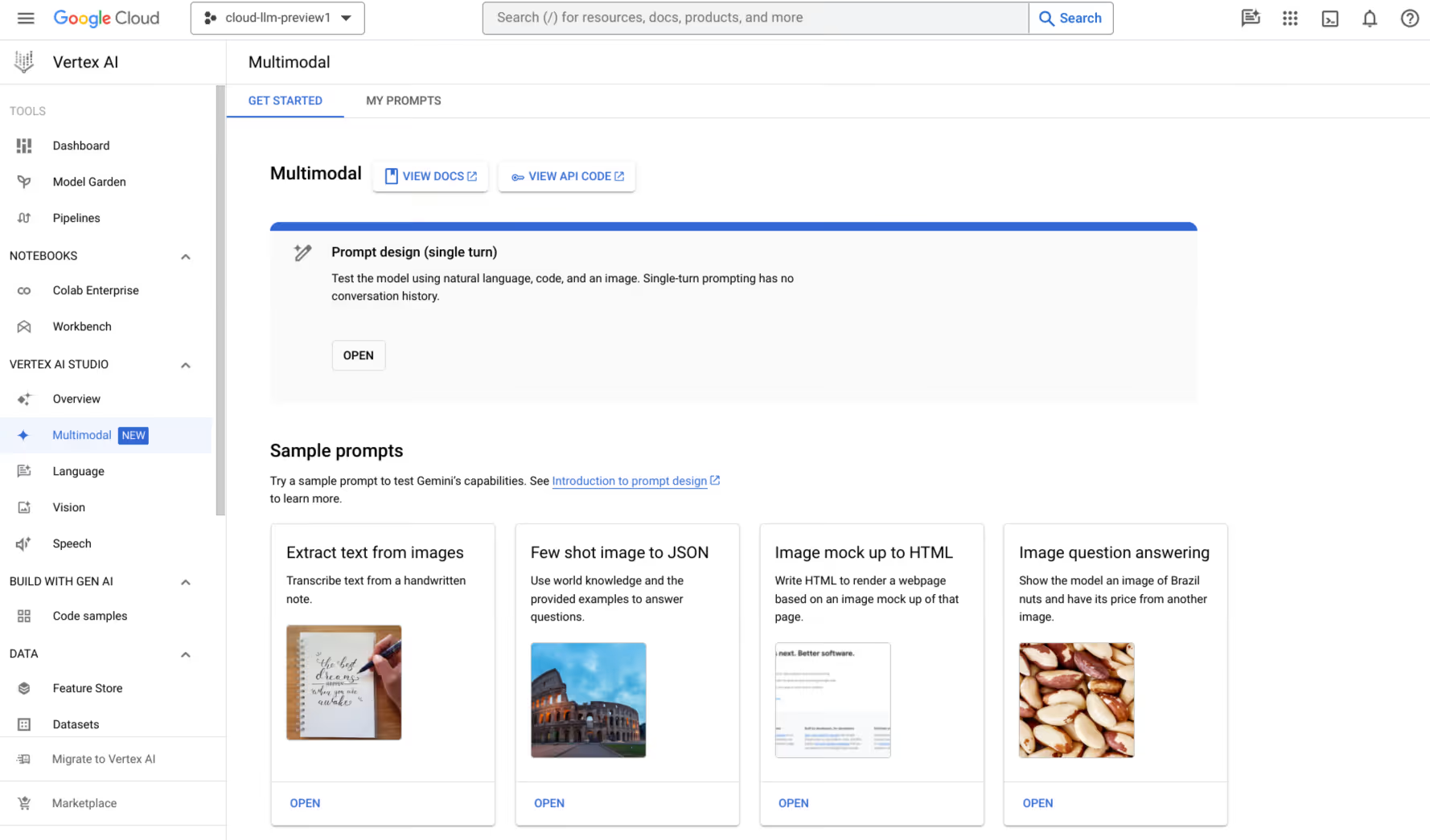
The managed infrastructure means you're not wrestling with server provisioning, and Google's latest Gemini models are available natively. If your organization already runs on Google Cloud, Vertex AI is the path of least resistance for deploying production-grade AI agents.
2. LangChain and Langflow
LangChain has become the open-source backbone of the AI agent ecosystem. It provides modular building blocks (chains, tools, memory modules, and retrieval pipelines) that let developers assemble custom AI agents from composable parts.
The LangSmith observability platform, which Replit notably uses for debugging its own agents, gives developers trace-level visibility into agent decisions and failures. You can also use it with Langflow, the AI agent builder that works on top of LangChain.
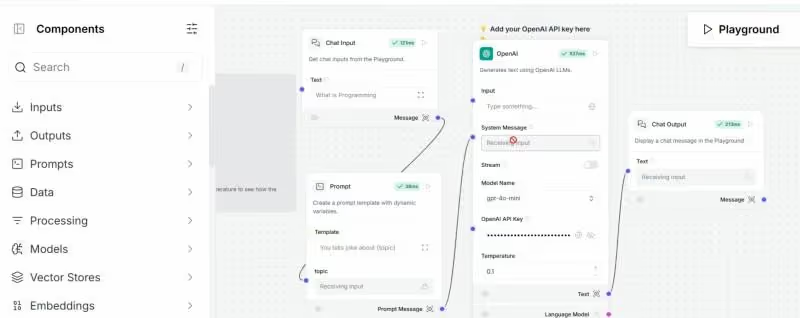
LangChain is best for technical teams that want maximum flexibility and don't mind writing code. The community is massive and the ecosystem is rich.
3. Agent Builder by OpenAI API
OpenAI's API platform now supports native agent construction through the Assistants API and the Computer-Using Agent model. Developers can create AI agents with persistent threads (memory), code interpretation, file search, and function calling — plus the new CUA capability for browser-based task execution.
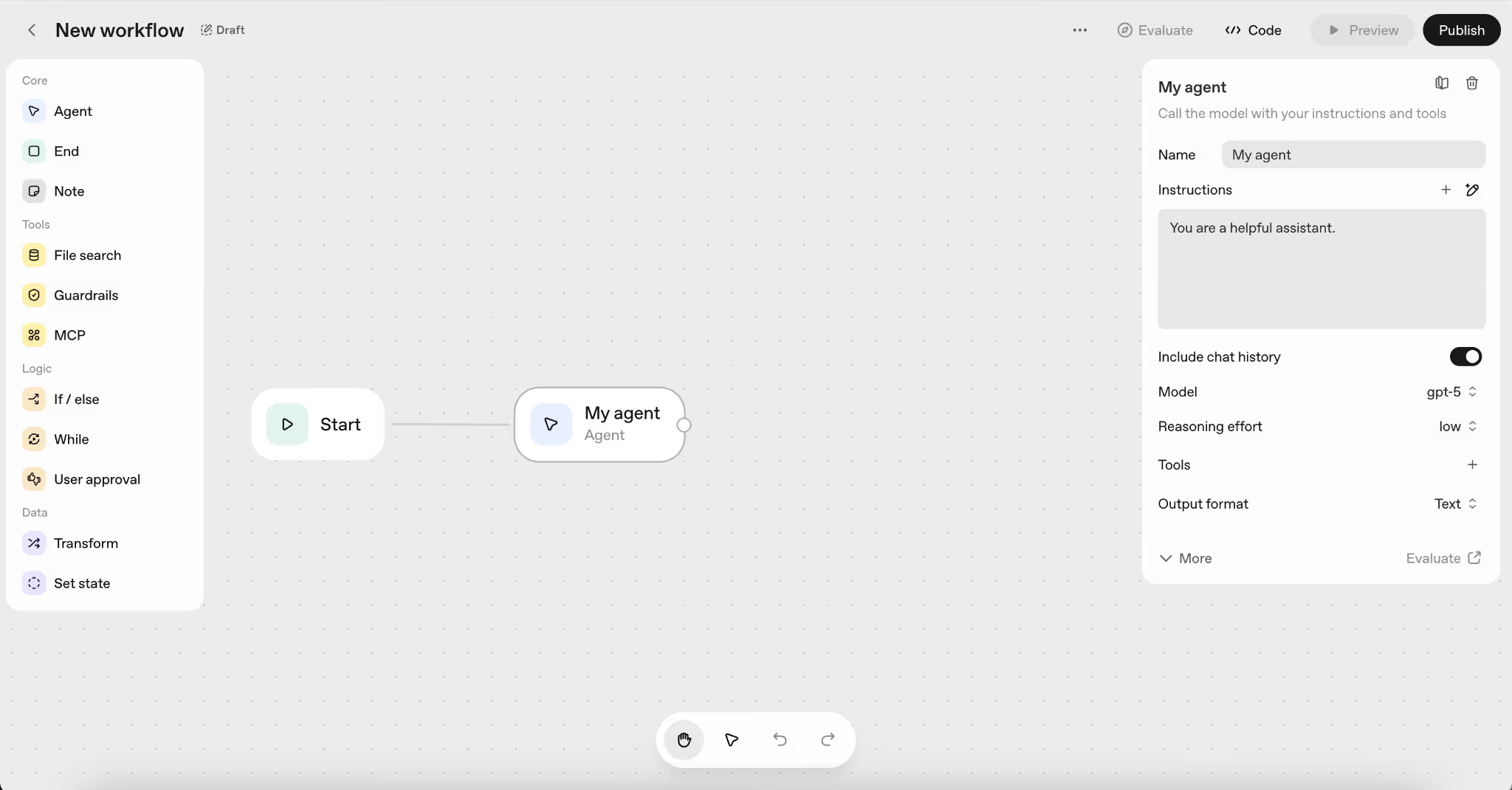
The Responses API has become the go-to for building agents that need to reason, act, and iterate. If you're already invested in the OpenAI ecosystem, this is the fastest route from prototype to production.
4. watsonx Orchestrate (IBM)
IBM's watsonx Orchestrate targets the enterprise segment with pre-built skill sets for HR, procurement, IT, and finance. The AI agent builder lets business users assemble workflows using natural language, while developers get API-level access for custom integrations.
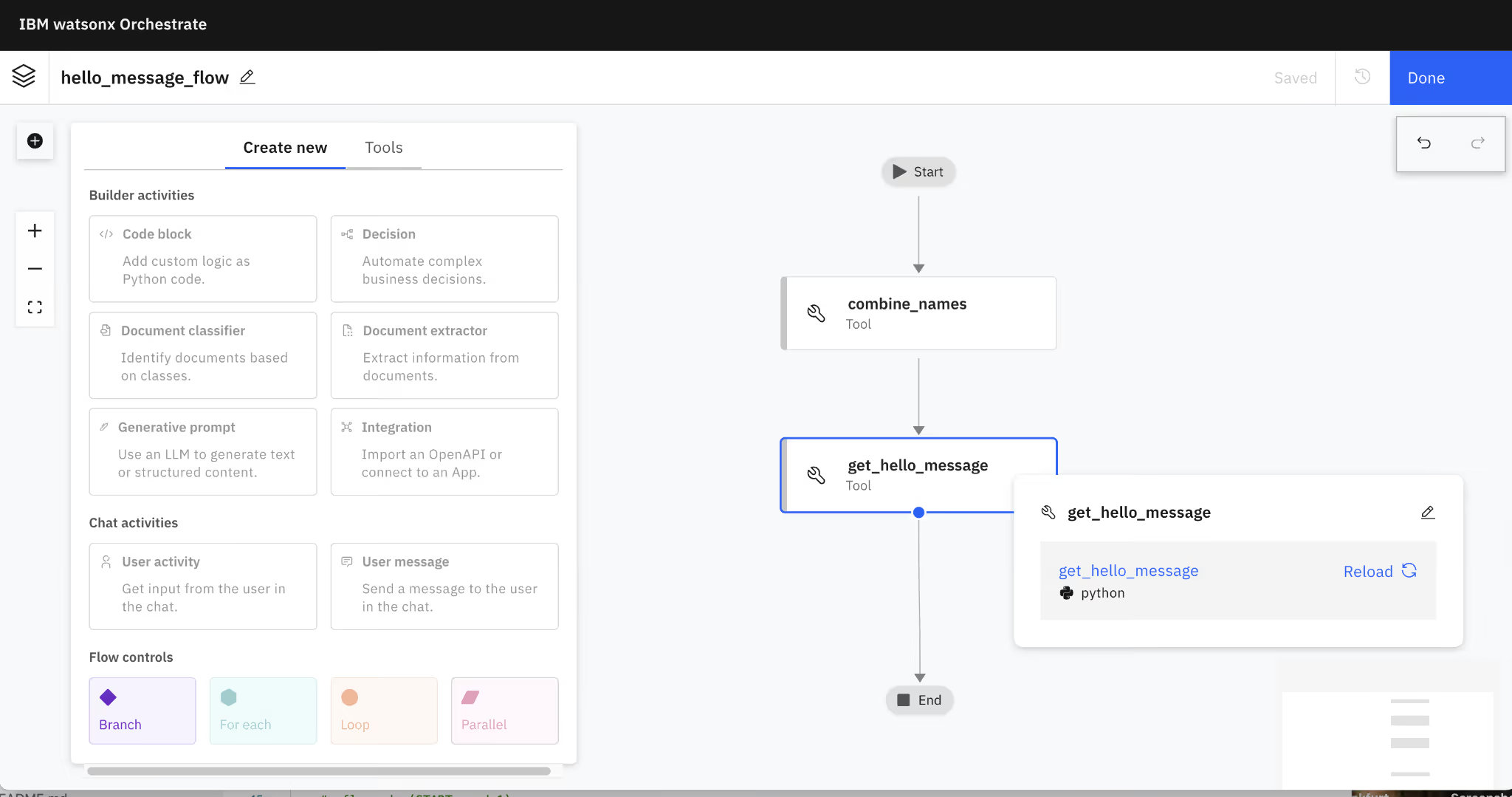
The platform's strength is governance: audit trails, role-based access, and compliance controls that matter in regulated industries. For companies that need their AI agents to meet strict enterprise requirements, watsonx Orchestrate remains a compelling choice.
5. Yellow Agent Builder (Yellow.ai)
Yellow.ai has carved out a niche in customer experience automation with its AI agent builder platform. It supports text and voice-based AI agents deployed across 35+ messaging channels and 135+ languages.
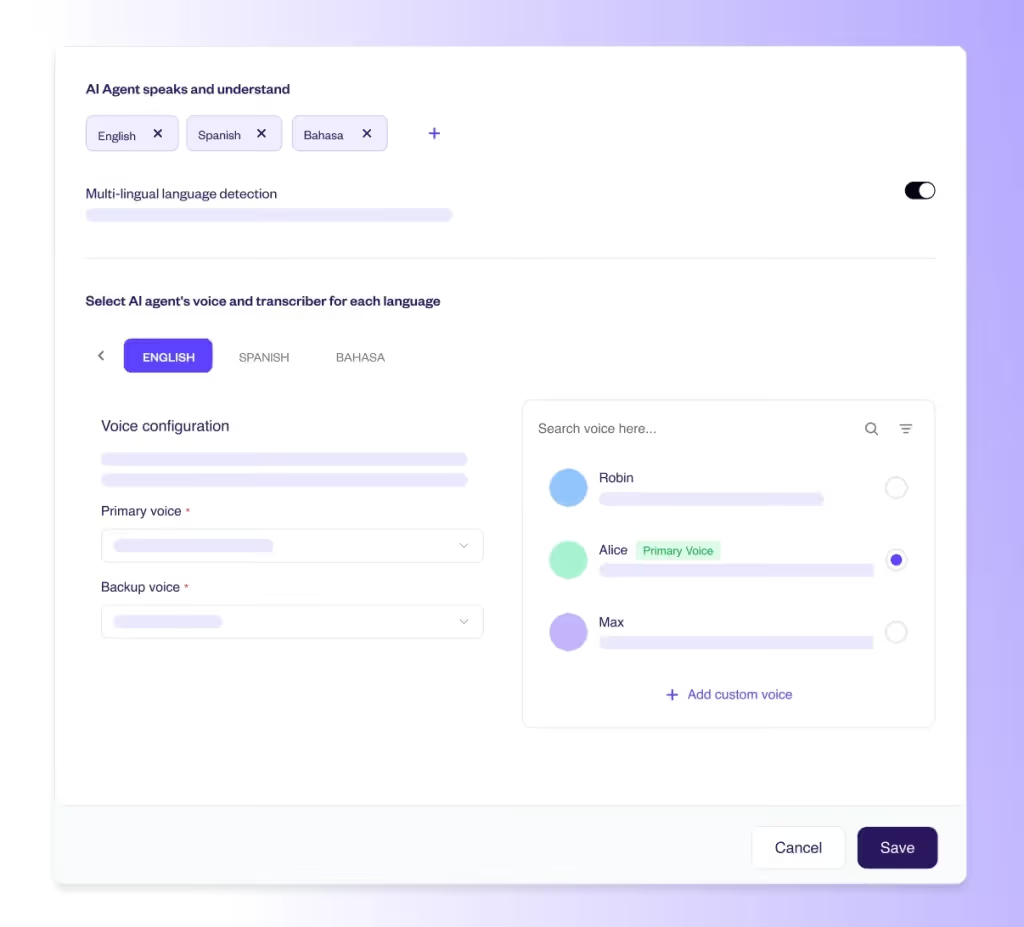
The no-code builder makes it accessible to CX teams without deep technical resources, while the underlying Dynamic AI Agents framework handles intent recognition, context management, and handoff to human agents when needed. For customer-facing AI agent deployments, particularly in multilingual environments, Yellow.ai is worth serious evaluation.
Bypass the Build: 5 Powerful AI Agents to Try for Free
Not everyone needs to build from scratch. These six tools deliver real AI agent functionality out of the box, and you can try all of them without reaching for your credit card.
1. Gmelius AI
Gmelius has evolved from an email collaboration tool into a full-fledged AI agent platform for Gmail.
Its flagship AI assistant, Meli, operates as a proactive executive assistant, drafting replies trained on thousands of your past conversations, sorting and classifying incoming email with precision, dispatching messages to the right teammates in shared inboxes, and even scheduling meetings through conversational interaction.
Gmelius's AI agents are powered by Google's latest Gemini models, with strict data privacy commitments (your data is never used to train models).
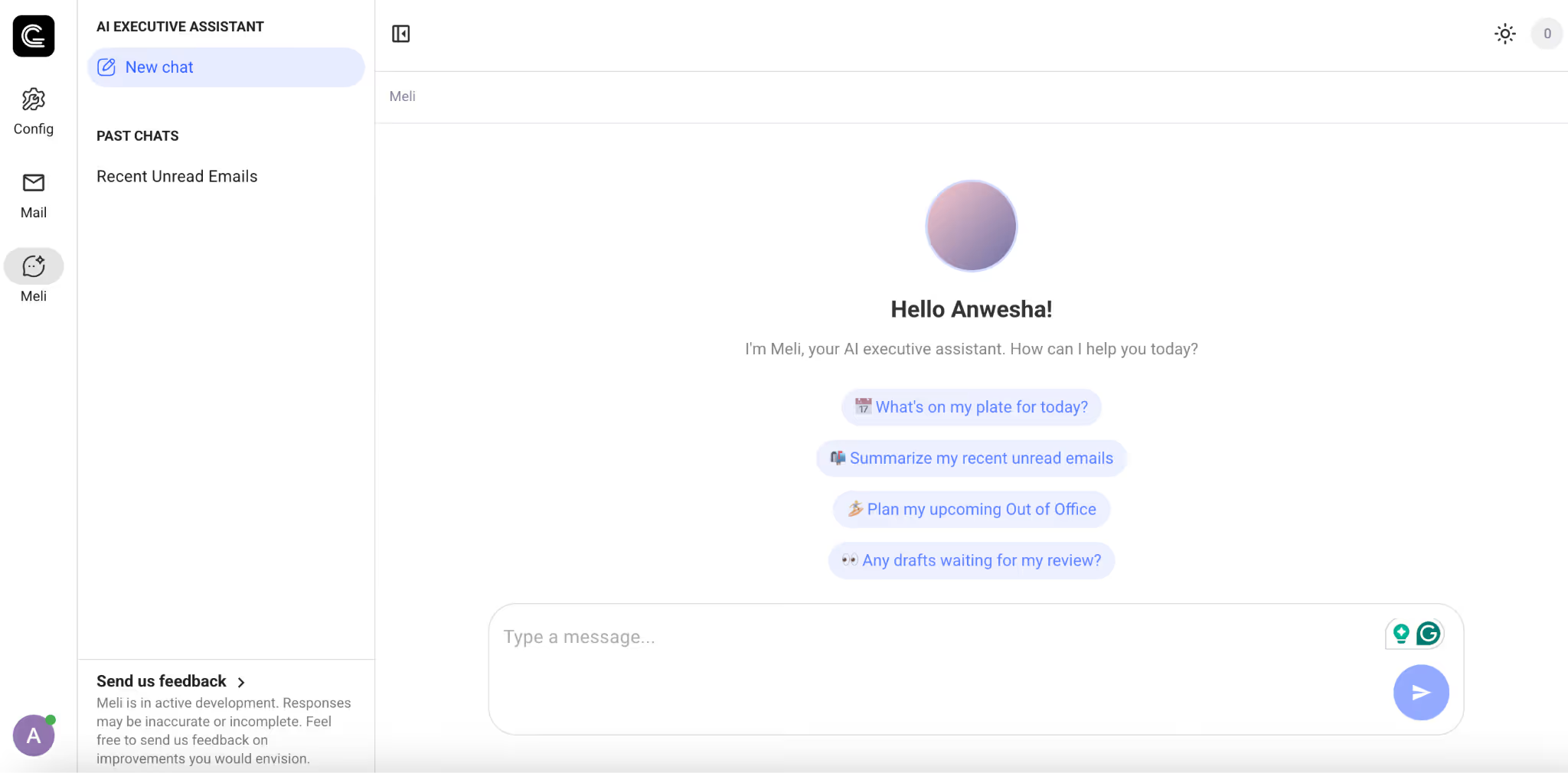
The platform also includes AI Automation Architects that design custom workflow automations from natural language descriptions. If your work lives in Gmail, Gmelius offers one of the most polished AI agent experiences available today, with a free trial to get started.
2. Reclaim.ai
Reclaim is an AI-powered scheduling agent that sits on top of your Google Calendar or Outlook and autonomously manages your time.
Reclaim t actively defends focus time, reschedules lower-priority events when conflicts arise, auto-schedules tasks based on deadlines and energy levels, and finds the best meeting times across multiple attendees' calendars.
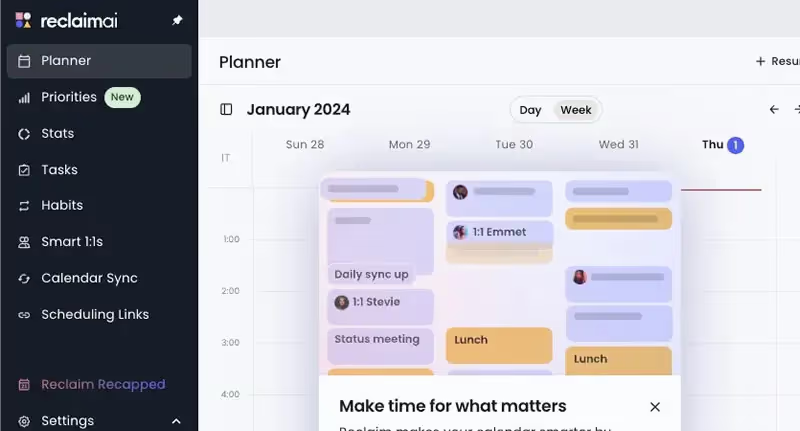
Acquired by Dropbox in 2024, Reclaim now serves over 320,000 users and reports saving an average of 7.6 hours per week per user.
The AI agent's priority-based scheduling intelligence (where it automatically bumps P4 events to accommodate P1 commitments) is genuinely clever. The free Lite plan is generous enough for individual use.
3. Saner.ai
Saner.ai positions itself as an AI productivity agent built specifically for knowledge workers drowning in context-switching — and especially those with ADHD.
It unifies notes, emails, tasks, and calendar events in a single interface, with a personal AI assistant called Skai that organizes your information, suggests tags, connects related ideas, and proactively builds a daily plan each morning based on your inbox, notes, and deadlines.
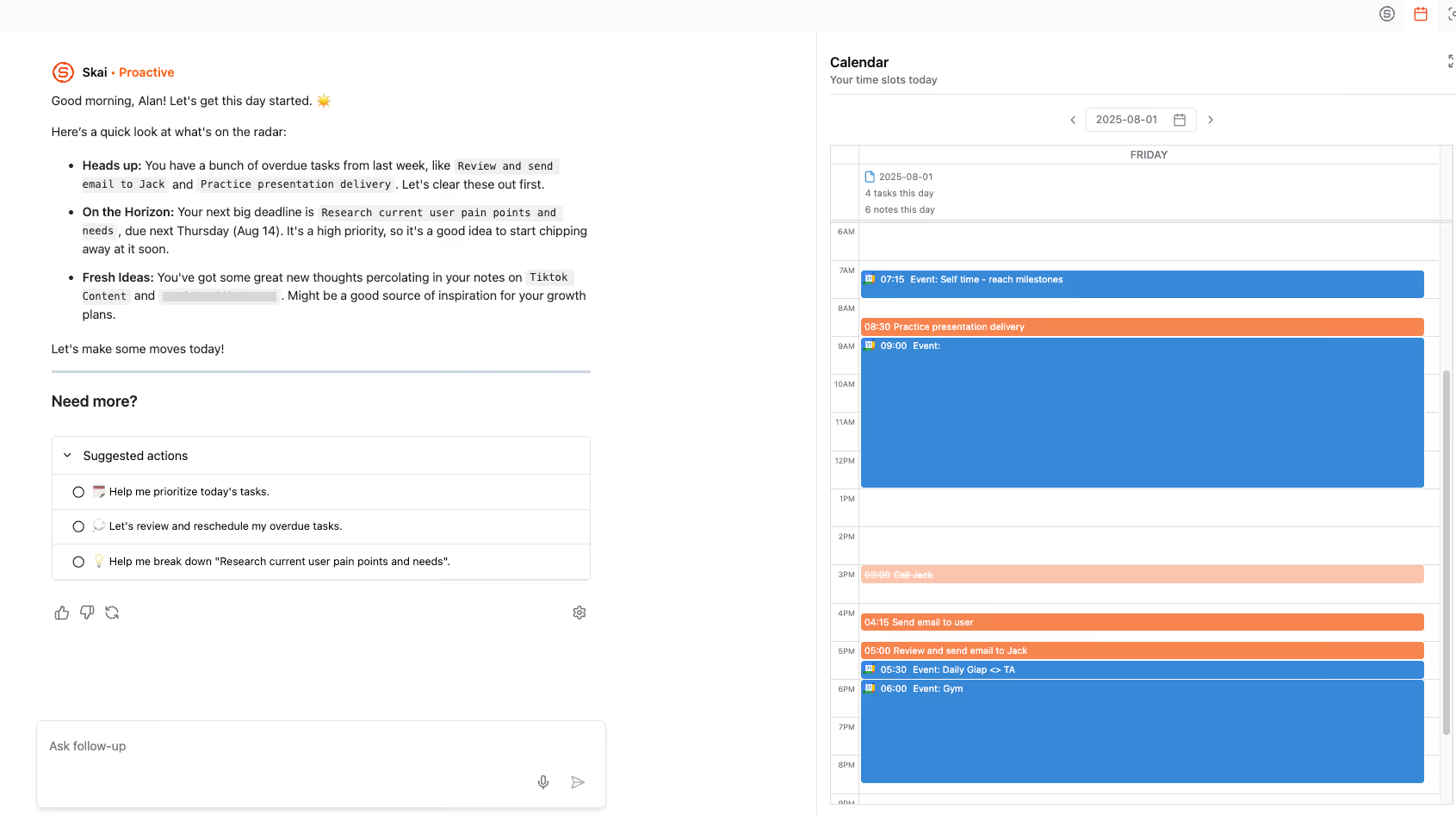
The semantic search feature lets you ask questions in natural language and get answers pulled from your own data, even if you can't remember exact wording. The free plan includes 30 AI requests per month and 100 notes.
5. Operator by OpenAI (now ChatGPT Agent Mode)
OpenAI's Operator launched as a standalone browser-based AI agent in early 2025, then evolved into ChatGPT's integrated agent mode by mid-2025.
The concept is straightforward: you give the AI agent a task, and it opens its own browser to navigate websites, fill out forms, make purchases, book reservations, and handle repetitive web-based workflows on your behalf.
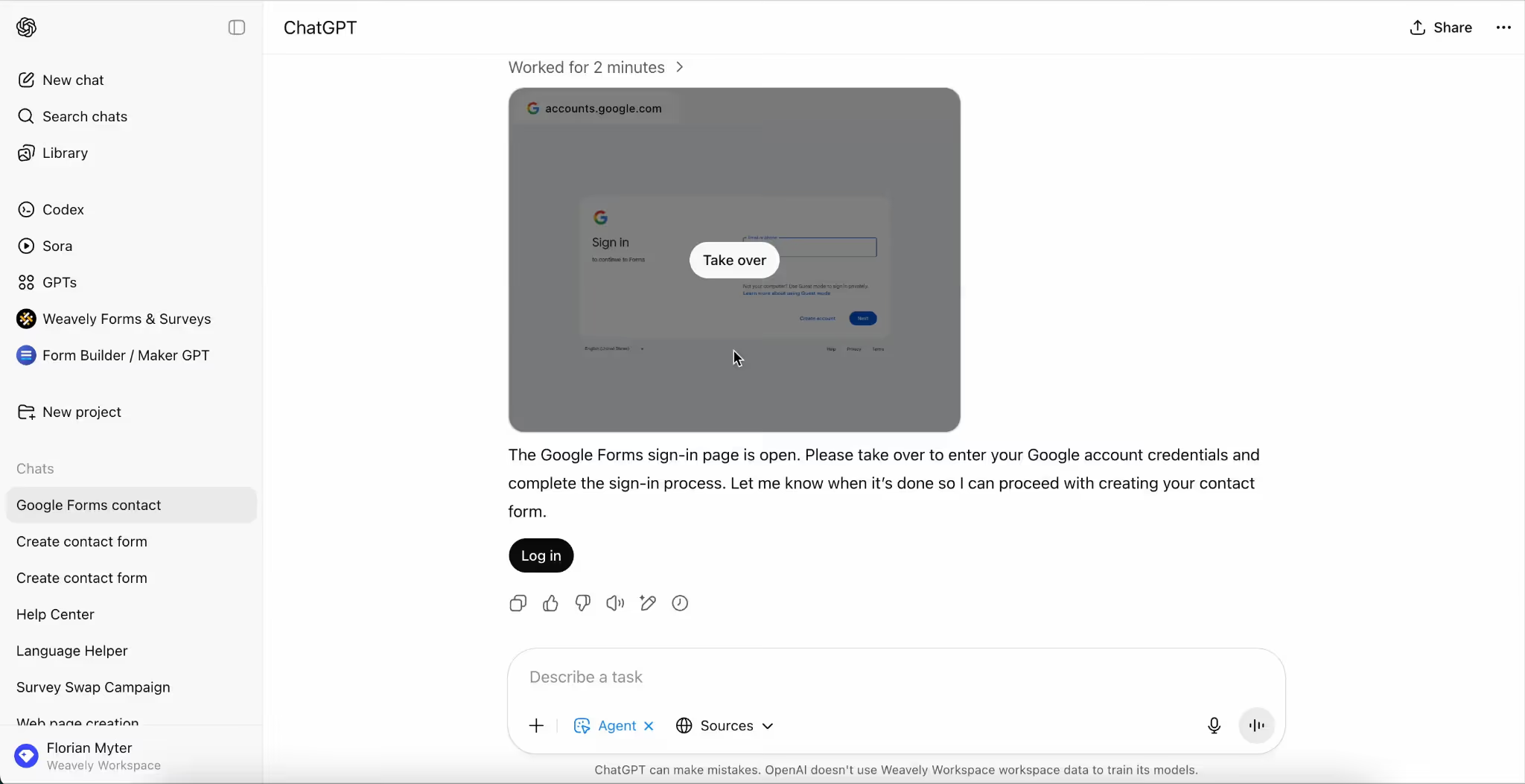
Powered by the Computer-Using Agent (CUA) model, it perceives screens visually and interacts with GUIs by clicking, scrolling, and typing — just like a human would. It requests permission before sensitive actions and can hand control back to you at any time. The agent mode is now available to Plus, Pro, and Team users directly within ChatGPT.
5. Replit Agent
Replit Agent takes the AI agent concept and applies it to software development. You describe an application in plain language, and the AI agent plans the architecture, writes the code, sets up the database, debugs errors, and deploys the finished product, all inside Replit's cloud-based IDE.
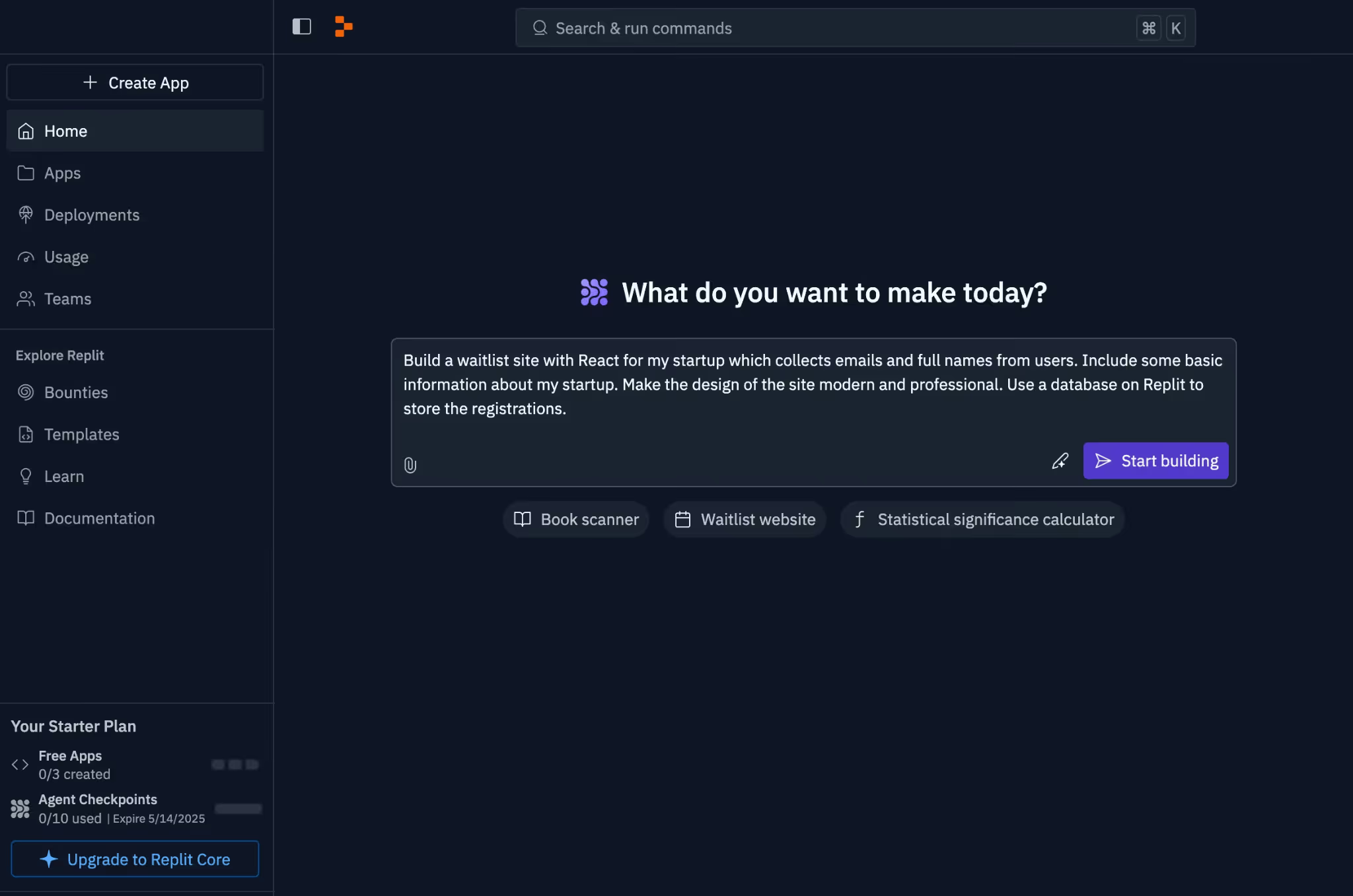
Agent 4, the latest version launched in early 2026, introduced a Design Canvas for visual planning, parallel task execution, and integrations with BigQuery, Linear, Slack, and Notion.
It supports 50+ programming languages and can build full-stack web and mobile applications from a single prompt. There's a free tier that includes your first 10 agent checkpoints, making it accessible for experimentation.
Understanding the Limitations of AI Agents
We would be doing you a disservice if we painted this as a frictionless utopia. AI agents in 2026 are powerful, but they come with real limitations that anyone deploying them needs to understand.
1. Hallucinations persist
AI agents inherit the hallucination tendencies of their underlying language models. An AI agent that confidently sends an email with fabricated pricing data or incorrect meeting details can damage client relationships fast. Human-in-the-loop review remains essential for high-stakes workflows.
2. Context windows aren't infinite
Even the best AI agents struggle with very long tasks that exceed the model's context window. Memory management (i.e., deciding what to remember and what to forget) is still an unsolved problem.
Trace, a Y Combinator-backed startup, is specifically attacking this "context engineering" challenge, arguing that whoever provides the best context at the right time will become the infrastructure layer for agentic AI.
3. Debugging is hard
When a traditional automation breaks, you can usually trace the failure to a specific step. When an AI agent fails, the reasoning chain is opaque. The agent might have misunderstood your instructions, hallucinated a fact, or made a bad judgment call in its planning loop. Observability tools like LangSmith help, but we're still early in developing robust debugging frameworks for AI agents.
4. Security is a real concern
Giving an AI agent access to your email, browser, and financial accounts creates an attack surface. Prompt injection, credential exposure, and unintended actions in production environments are active areas of security research for a reason. We strongly recommend starting with narrow permissions and expanding only as you build trust in the agent's behavior.
5. They're not always faster
For simple, one-shot tasks, opening a chatbot and typing a prompt can be faster than configuring an AI agent to handle it autonomously. Agents shine on repetitive, multi-step workflows where the setup cost is amortized over hundreds of executions. For a one-time task, sometimes the old-fashioned way is still quicker.
What Can You Do with Gmelius AI Agents?
Gmelius has built one of the most compelling AI agent experiences we've seen for email-heavy teams — and its flagship assistant, Meli, is the reason why.
Rather than bolting AI onto a separate app, Gmelius embeds Meli directly inside Gmail, where it functions as an autonomous personal secretary handling the coordination overhead drowning most professionals' days.
- AI Meeting Scheduler: Instead of forcing contacts to an external booking page, the AI agent reads your emails, detects when a conversation needs a meeting, identifies the best slots based on your calendar patterns, and drafts a reply proposing times. One click to send. Rescheduling and cancellations? Handled.
- AI Sorting and Dispatching: Meli tags every incoming email by content, context, and intent: action required gets flagged red, internal messages green, promotional noise auto-archived. For shared inboxes, the dispatching AI agent routes conversations to the right team member automatically. Unlike most competitors, the sorting categories are fully customizable.
- Pre-Written AI Drafts: Meli identifies which conversations need replies, then generates drafts using your past email history, your learned tone of voice, and data from connected knowledge bases. The drafts wait in your inbox until you're ready to review and send. Custom prompts let you fine-tune the AI agent's behavior — tone preferences, per-domain rules, whatever fits your workflow.
- Automatic AI Follow-Ups: The AI agent tracks unanswered emails that need replies (pending payments, stalled outreach, forgotten threads) and autonomously sends follow-ups after your chosen interval. No reminders to set. No tasks to forget.
- Meli Chat: You can chat with Meli directly to summarize threads, fetch attachments, archive old emails, review your calendar, or even compose and send a new email, all without opening your inbox.
Gmelius hasn't gated Meli behind an enterprise paywall; the AI assistant for email is available from the entry-level plan, a sharp contrast to competitors like Fyxer and Superhuman that lock advanced AI behind tiers at $37+/month.
And with Gmelius headquartered in Switzerland, your calendar and communication data stay under some of the strongest privacy protections in the world.
Are We Living in the Agentic AI Era?
We believe the answer is yes, but with caveats.
The infrastructure is finally in place. MCP gives AI agents a universal connector to the real world. Foundation models are powerful enough to reason through multi-step tasks. Browser automation lets AI agents interact with any website a human can. Voice capabilities are mature enough for real phone conversations.
But we're not in the "fully autonomous AI workforce" era that some breathless predictions promised. We're in something more interesting: the augmentation era.
The companies winning right now aren't the ones that hand everything to AI agents and walk away. They're the ones that carefully identify which workflows benefit from autonomy, maintain human oversight where it matters, and treat AI agents as force multipliers.
We're also seeing entirely new categories emerge. Agentic commerce — where AI agents browse, compare, negotiate, and purchase on behalf of consumers — is already prompting companies like World (Sam Altman's identity startup) to build verification systems that prove a human approves of an agent's purchasing decisions.
The bottom line: we've moved past the demo era. AI agents are in production, in inboxes, on phone calls, and inside codebases. The technology isn't perfect (we've outlined the limitations honestly) but it's functional, it's improving fast, and it's reshaping how work gets done.
If you haven't started experimenting with an AI agent yet, now is the time.


.avif)
.avif)
.avif)
.avif)

.avif)





