




An average professional spends 4.1 hours a day managing email. In a standard 40-hour work week, that represents more than half of your productive time lost to reading, sorting, drafting, and deleting.
By 2026, the volume of digital communication has not just increased; it has compounded in complexity. We are no longer simply "organizing" email; we are attempting to collaborate within a deluge of notifications, tasks, and external requests.
However, the sophistication of the tools designed to tame this chaos has also evolved.
The rise of Large Language Models (LLMs) and agentic workflows has transformed the inbox from a passive repository of messages into an active, intelligent workspace. We have moved beyond simple "spam filters" into an era of AI Email Assistants: intelligent agents capable of drafting responses, predicting priorities, managing calendar conflicts, and automating complex workflows.
We analyzed the market to bring you a definitive, objective list of the 15 most capable AI assistants, ranging from simple drafting plugins to complete inbox overhauls.
What is an AI Email Assistant? (Technical Specs & Mechanics)
An AI email assistant is sophisticated software that leverages Natural Language Processing (NLP) and Machine Learning (ML) to automate the heavy cognitive load of email management.
Unlike traditional "rules" or filters — which operate on simple, rigid if-then logic (e.g., "If sender is Bob, move to folder A") — AI assistants are designed to understand nuance, context, sentiment, and intent. They don't just sort mail; they read it, understand it, and help you act on it.
So, how do AI assistants work?
At its core, an AI assistant functions as a layer of intelligence that sits between you and the raw data of your inbox. It parses the unstructured text of your emails, identifies key information (dates, requests, urgencies), and offers actions that would typically require human thought.
Whether it is drafting a compassionate reply to an angry customer or summarizing a 50-email thread into three bullet points, the goal is to reduce the "time to action."
Core technical components
To understand how these tools function, let’s look under the hood at the four pillars of their architecture:
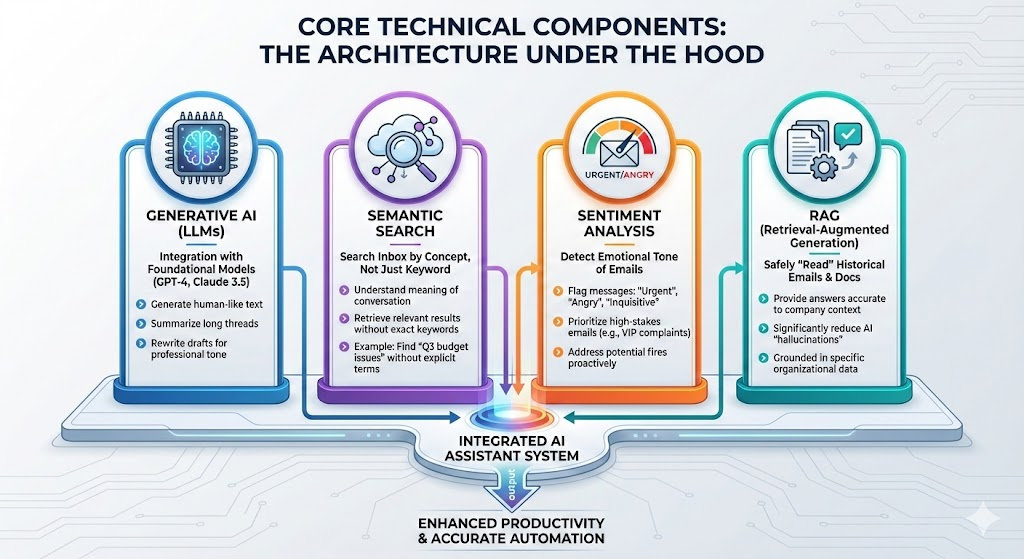
- Generative AI (LLMs): Most top-tier tools in 2026 integrate via API with powerful foundational models like GPT-4 or Claude 3.5. This integration allows the software to generate human-like text, summarize long threads into digestible bullet points, and rewrite rough drafts to match a specific professional tone.
- Semantic search: This technology transforms how you retrieve information. It allows you to search your inbox by concept rather than exact keyword. For example, a query like "Show me the emails where we discussed the Q3 budget issues" will return relevant results even if the specific keywords "Q3" or "budget" are missing from the subject line, because the AI understands the meaning of the conversation.
- Sentiment analysis: Advanced algorithms can now detect the emotional tone of an incoming email. The system can flag a message as "urgent," "angry," or "inquisitive." This allows the system to prioritize high-stakes emails—such as a complaint from a VIP client—over routine updates, ensuring you address potential fires before they spread.
- RAG (Retrieval-Augmented Generation): The most advanced assistants use RAG to safely "read" your historical emails and project documentation. This enables the AI to provide answers that are factually accurate to your company's specific context, significantly reducing the "hallucinations" common in generic AI models.
3 Types of AI Email Assistants
As expected, we found that not all AI tools are built the same. The market has segmented into three distinct categories, each serving a different user behavior and technical requirement.
1. The wrapper (integrated Layer)
These tools function as a sophisticated layer that sits directly on top of your existing Gmail or Outlook interface. They are ideal for users who do not want to learn a new UI or migrate data. We found this category to be the best combination of ease of use and powerpacked features.
- Examples: Gmelius, Fyxer
- Mechanism: They inject code into the browser's DOM to add buttons and sidebars directly into your familiar email view.
2. The client (standalone application)
These are standalone applications that replace your default email interface entirely. You log into them instead of Gmail or Outlook. These often offer speed benefits but require a change in habit.
- Examples: Superhuman, Shortwave
- Mechanism: They pull your email data via IMAP/API into their own proprietary interface, allowing for faster rendering and custom keyboard shortcuts.
3. The drafter (specialized Plugin)
These are dedicated writing tools that plug in solely to generate text, often via a browser extension. They do not manage the inbox; they simply help write the content.
- Examples: Writemail.ai, ChatGPT
- Mechanism: They usually function as a pop-over or sidebar that takes a prompt and pastes the resulting text into your compose window.
The Business Case: ROI, Statistics, and Pitfalls
Before investing in a tool, it is crucial to understand the return on investment (ROI). Our research conclusively shows that productivity gains from AI are no longer theoretical; they are measurable, significant, and can be the difference between a team that is drowning and one that is thriving. However, navigating the hype requires a clear look at the data.
AI assistant statistics for 2026
Our key findings paint a clear picture of a workforce in transition, where AI is moving from a novelty to a necessity.
- Adoption is spiking: The shift is undeniable. According to a Gallup Q3 2025 report, 45% of U.S. employees now use AI at work, with frequent usage rising to 23%. This suggests that nearly half of your competitors are likely already leveraging these tools.
- The productivity gap: There is a disconnect between usage and strategy. An EY 2025 survey reveals that while 88% of employees use AI, many companies miss out on up to 40% of productivity gains. This gap exists because companies buy tools but fail to implement the necessary training and strategy to use them effectively.
- Measurable ROI: When implemented correctly, the payoff is rapid. Organizations deploying specialized AI agents report seeing positive ROI within the first year. In sectors like higher education, for example, institutions have seen a 30% reduction in inquiry volume by automating responses, freeing staff to focus on high-value, complex problem-solving.
How to use AI assistants for email productivity: What not to do
While the benefits are clear, the path to adoption is not without its risks. Buyers must be vigilant to avoid common traps that can compromise security or user experience.
- Data privacy (The "Black Box" problem): This is the single biggest risk. You must ensure the vendor does not train their public models on your proprietary email data. Always look for SOC 2 Type II compliance and explicit "zero-retention" policies to ensure your sensitive internal communications remain private.
- The "uncanny valley" of tone: Early AI models often sounded robotic or overly formal. If your AI assistant sounds fake, your clients will lose trust. The best tools in 2026 offer "style mimicry" to sound exactly like you, avoiding the generic "AI voice" that is instantly recognizable and often alienating.
- Fragmentation: Avoid the "tool sprawl" trap. Buying a standalone AI tool that doesn't integrate with your CRM (Salesforce, HubSpot) or Project Management tool (Trello, Jira) creates data silos. The best AI should connect your email to your wider workflow, not isolate it.
Methodology: How We Selected the Top 15
In the spirit of transparent research, we did not just pick random names to fill a list. We conducted a rigorous evaluation of over 30 different tools to arrive at this final selection. Our selection process was governed by three strict criteria designed to filter out vaporware and ensure professional viability.
- Current relevance and active development: The tool must have received significant updates or new features in late 2024 or 2025. In the fast-moving world of AI, a tool that hasn't been updated in six months is effectively obsolete. We prioritized platforms that are actively pushing the boundaries of what is possible.
- Business utility over novelty: We explicitly excluded "fun" consumer apps in favor of tools built for professional, high-volume workflows. While many apps can write a funny poem, our focus was on tools that can handle the rigors of a B2B environment—managing threads, handling attachments, and respecting professional etiquette.
- Integration depth: The tool must integrate seamlessly with major providers (like Google Workspace). A standalone tool that requires complex workarounds or fails to sync correctly with your core email server was immediately disqualified.
The List: 15 Best AI Assistants for Email Productivity
We have tested, vetted, and analyzed the top contenders in the market. Below is our curated list of the 15 best AI email assistants for 2026, categorized by their primary strengths and use cases.
1. Gmelius
The AI platform for email power users
Gmelius transforms Gmail into a productivity powerhouse built on AI. Unlike other tools that provide generic results, Gmelius brings real context. It’s trained on years of inbox data to learn exactly how you write. Optionally, you can train it on a knowledge database to auto-generate highly informed messages. The AI is highly customizable, according to your needs.
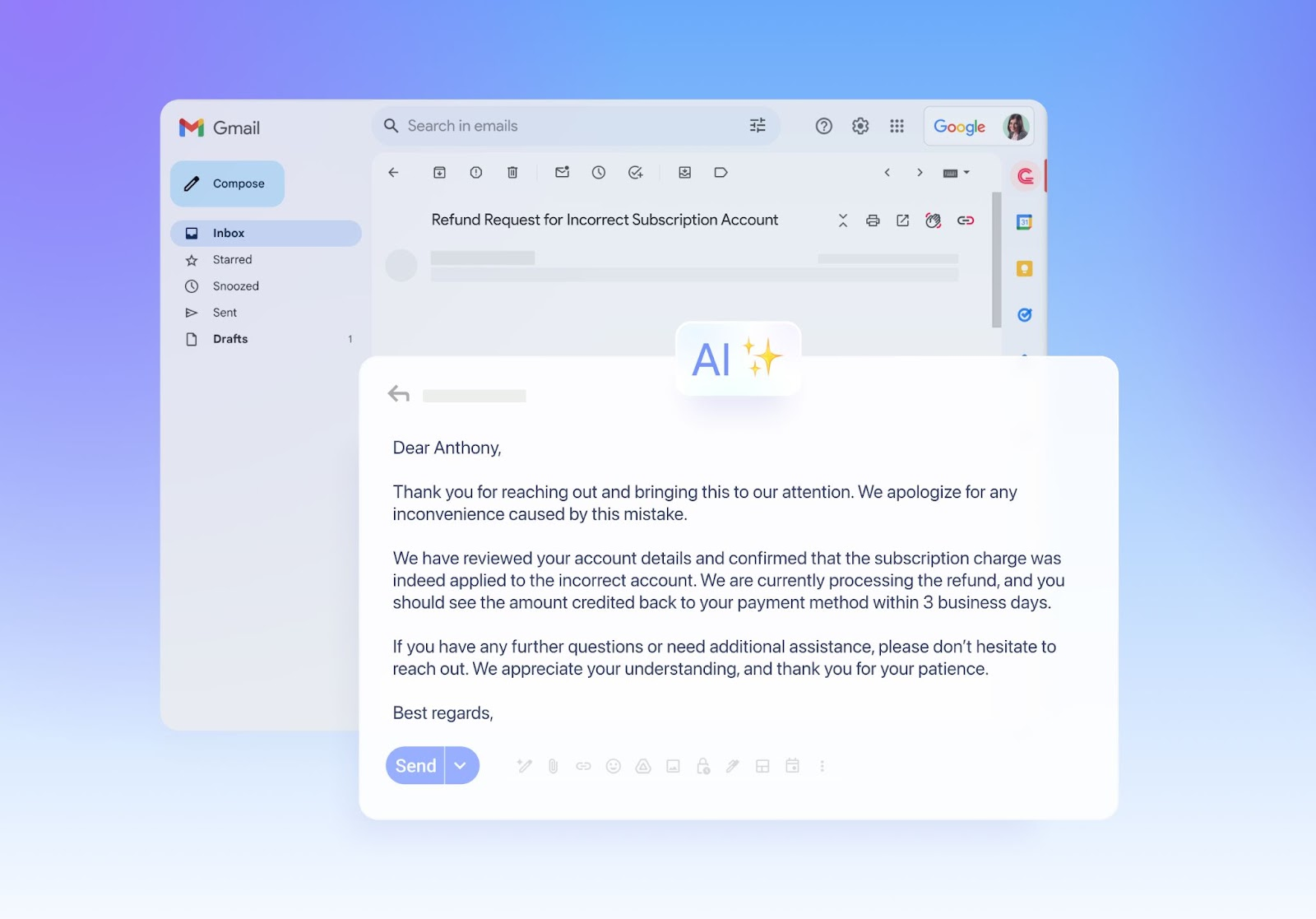
Its "Meli" AI assistant doesn't just summarize threads, like most platforms. It also helps manage shared inboxes (like support@ or sales@) directly inside Gmail using AI draft generators, automated assignments, notes, tasks and much more.
- Key features:
- Shared Inboxes: Manage group emails like support@ directly inside Gmail without colliding with teammates.
- Meli AI: An intelligent assistant that drafts replies, summarizes long threads, and suggests next steps based on conversation context.
- Best for: Teams and organizations that want Help Desk and CRM functionality without leaving the familiar Gmail interface.
- Pricing: Starts at $19/user/mo, making it a high-value option for teams consolidating multiple tools.
- Verdict: The best choice for busy executives and teams
2. Superhuman
The speed-first option
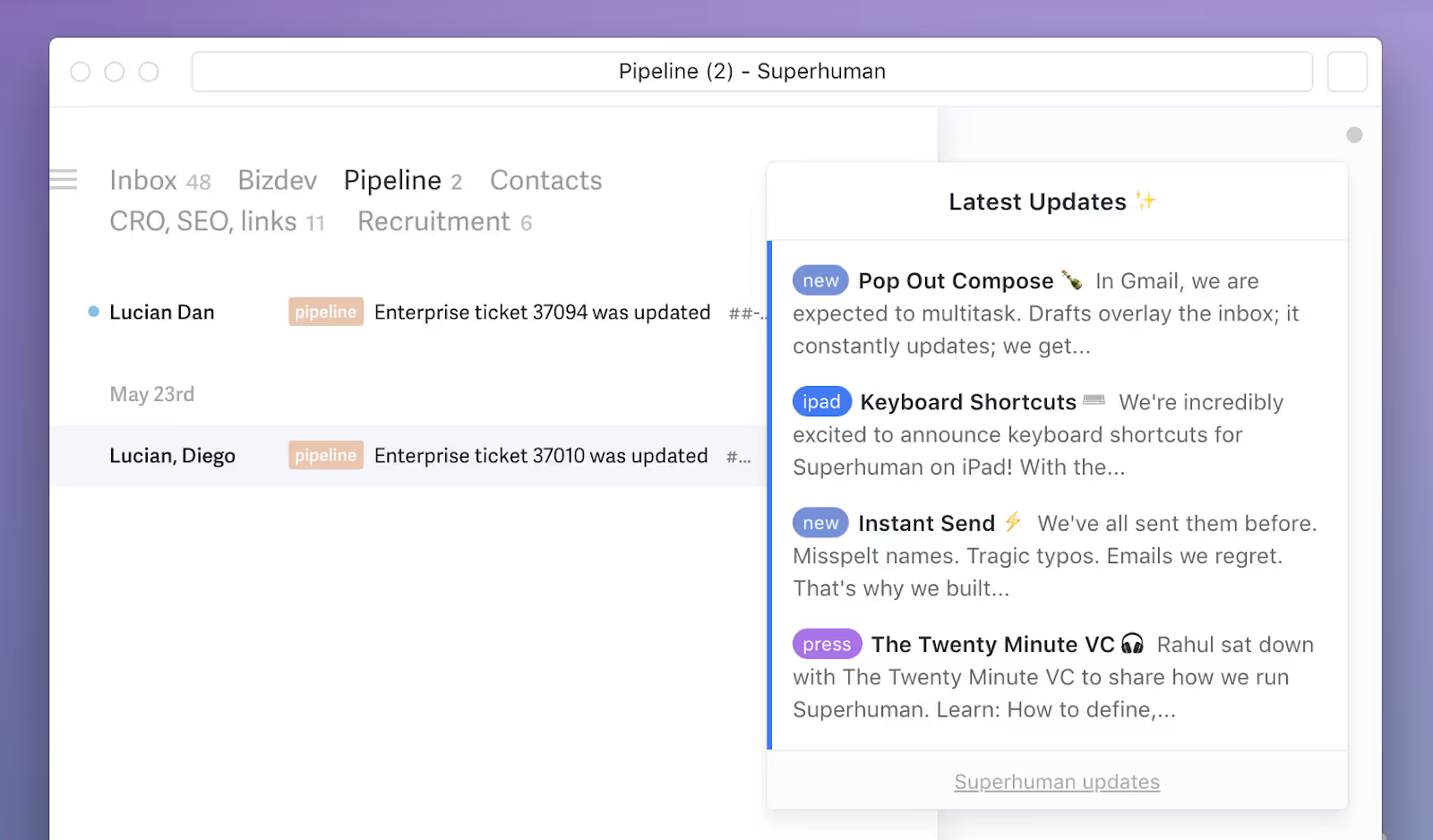
Superhuman is known for its "100ms rule," which means every interaction must happen in under 100 milliseconds. Its AI features (Superhuman AI) allow you to type a few phrases and generate a full email, or use "Instant Reply" to clear your inbox in seconds. It strips away all clutter for a purely keyboard-driven experience, which can, admittedly, be finicky at first.
- Key features:
- Split Inbox: Automatically triages important emails from newsletters and social updates.
- Read status: Built-in pixel tracking to see when and on what device your emails are read.
- Best for: Solo executives, founders, and power users who handle massive volume and crave raw speed over collaboration.
- Pricing: Flat rate of $30/user/mo, positioning it as a premium luxury tool.
3. Shortwave
The Gmail transformer
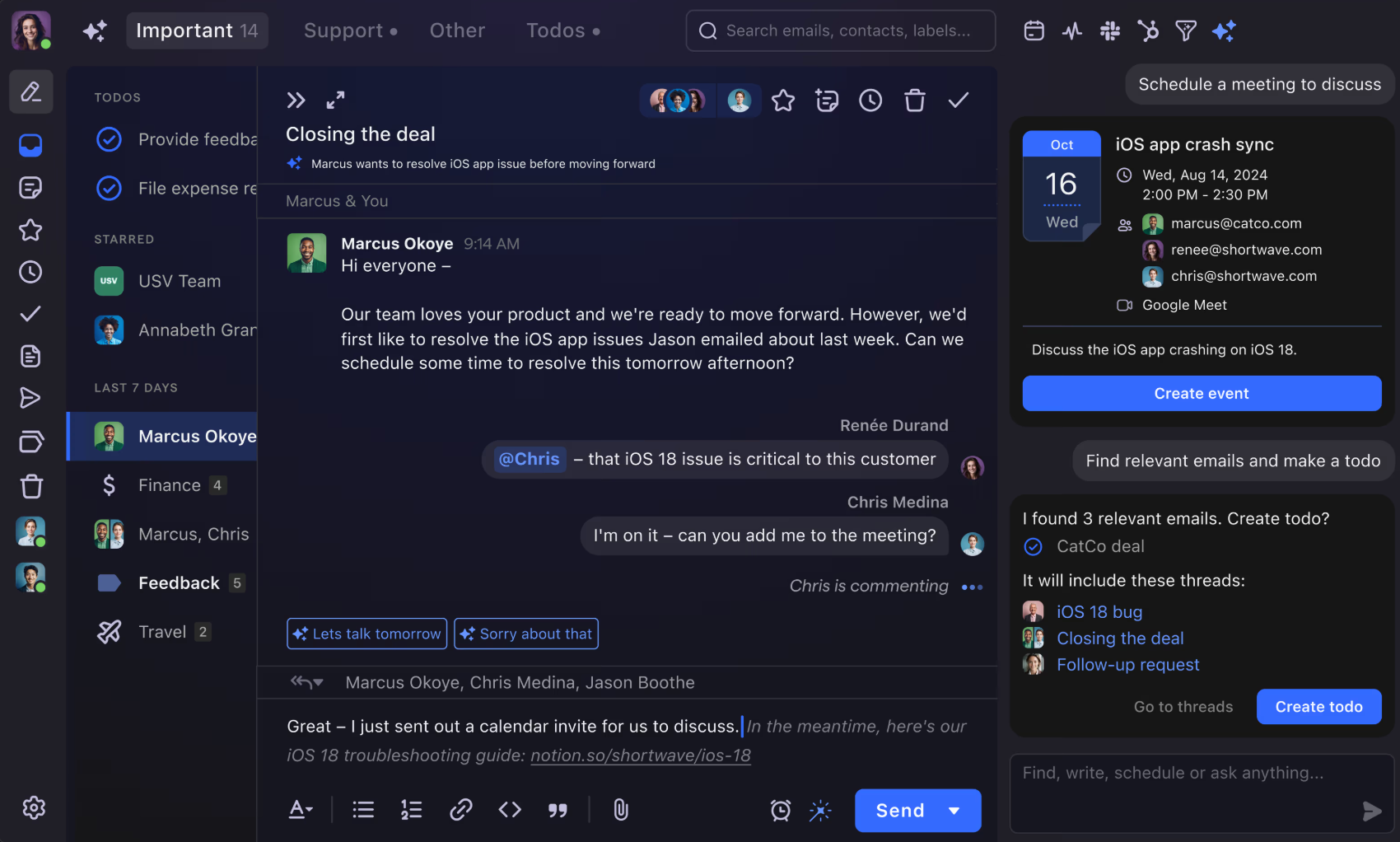
Founded by ex-Google engineers, Shortwave reimagines Gmail with a modern, chat-like interface. Its "Ghostwriter" AI learns your unique writing style by analyzing your sent folder, ensuring drafts actually sound like you. It groups threads intelligently to keep your inbox tidy. However, AI usage is limited and you have to pay $100/mo for “6x more AI usage” (still not unlimited).
- Key Features:
- Smart summaries: AI automatically summarizes lengthy threads so you can catch up in seconds.
- Bundles: Intelligently groups related emails (like newsletters or calendar invites) into single actionable rows.
- Best for: Early adopters and tech-forward professionals who want a "chat-like" email experience and are willing to leave the standard Gmail UI.
- Pricing: Free tier available; Pro starts at $ 14/mo, offering an accessible entry point, but most advanced features are blocked until you level up to a more expensive business plan.
4. Missive
The chat-mail hybrid
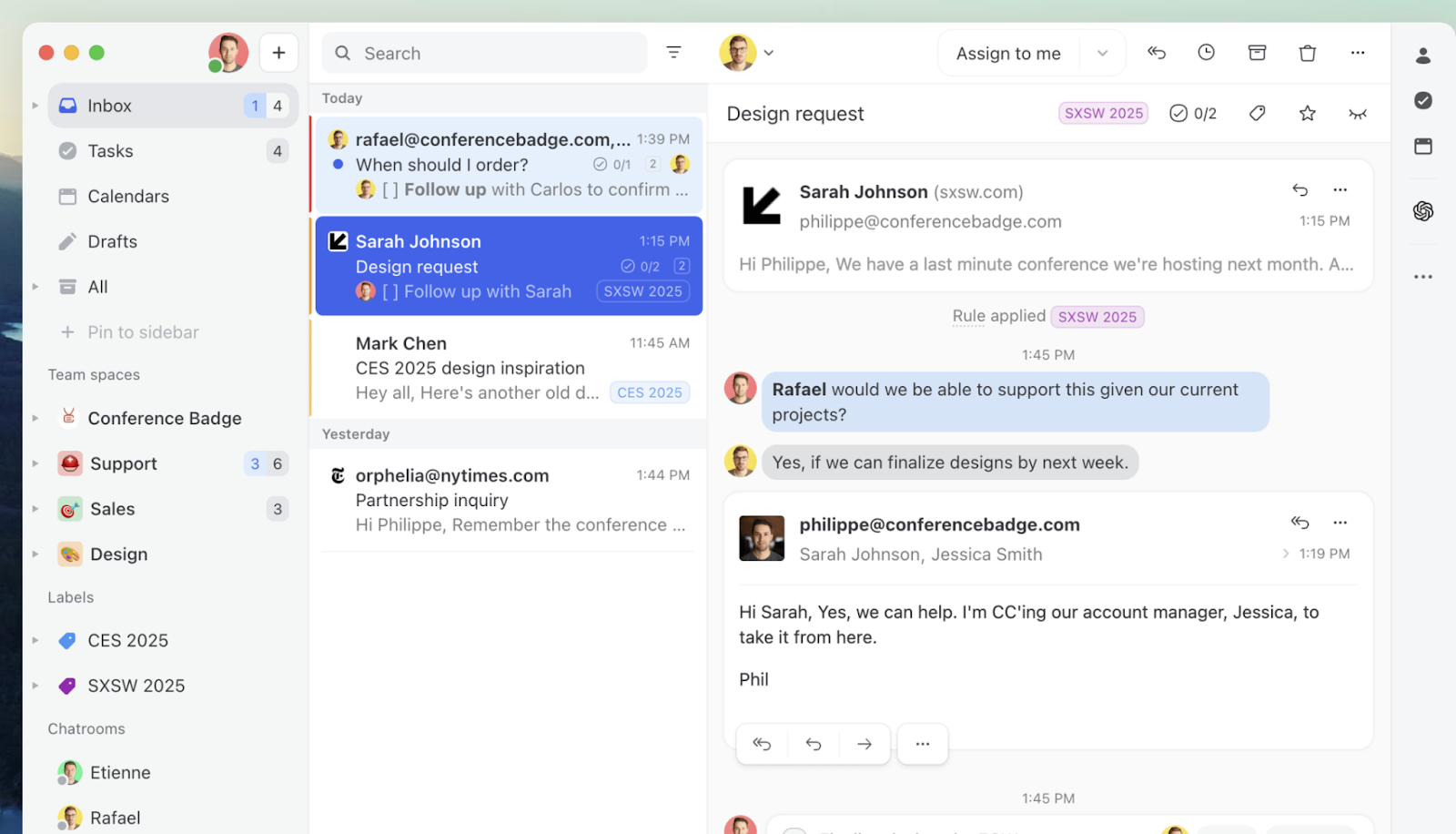
Missive blends email, chat, and tasks into one app. It allows you to chat internally with your team inside an email thread before replying to the customer. Its OpenAI integration lets you bring your own API key for unlimited generation, but it will cost you for every new generation – a model that’s already hurting ClickUp AI users, also forced to operate on the subscription-based model.
- Key features:
- Team chat: Discuss emails privately with colleagues within the context of the email thread itself.
- OpenAI integration: Connect your own OpenAI API key to customize the AI's generation capabilities.
- Best for: Operations and Customer Support teams that need to discuss and collaborate on complex email replies frequently.
- Pricing: Free for 3 users; Productive plan starts from $14/user/mo.
5. Hiver
The helpdesk specialist
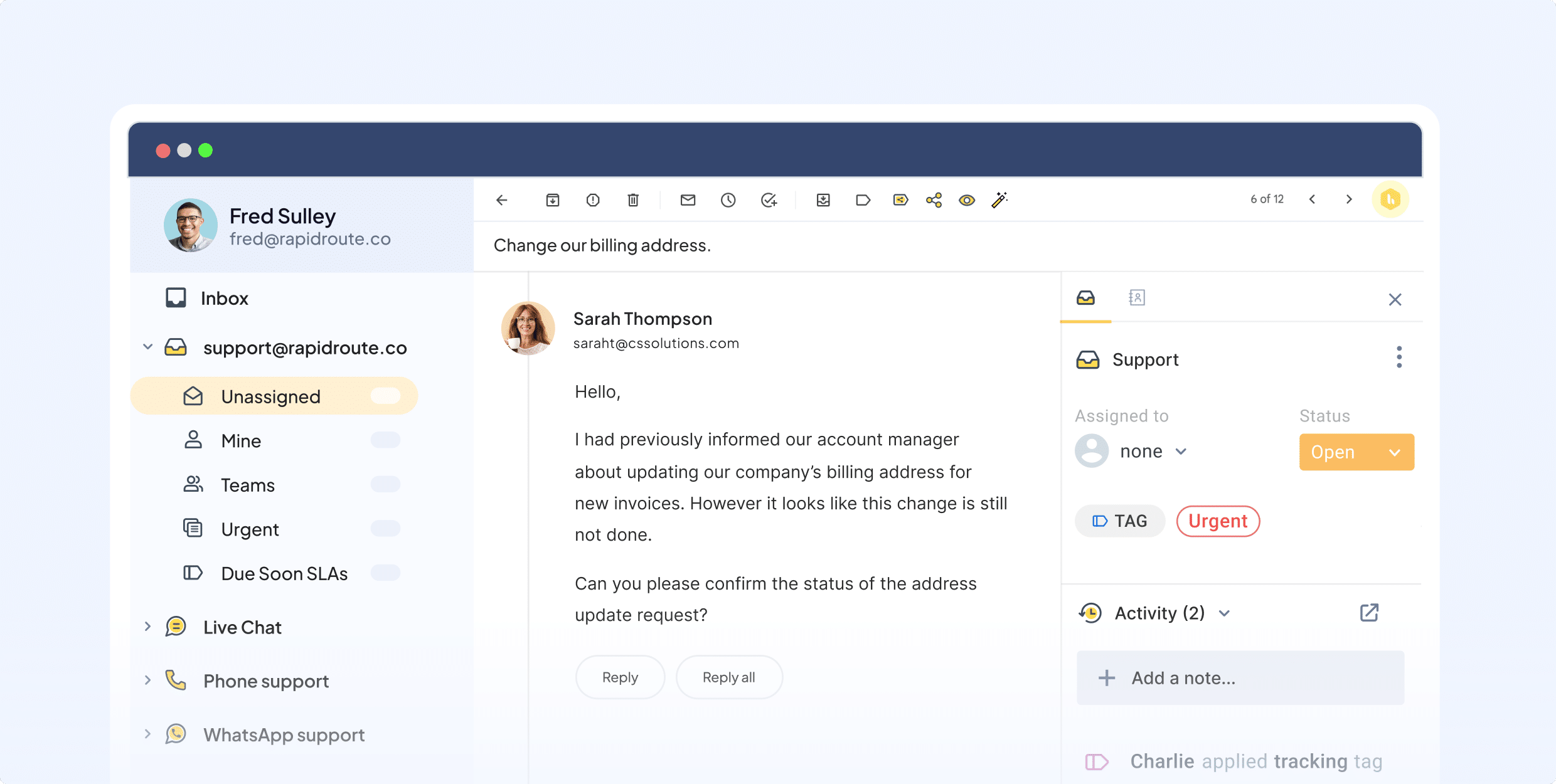
Hiver is a direct competitor to traditional help desks like Zendesk, but it lives inside Gmail. Its AI features focus on customer support: suggesting answers based on past tickets and detecting "CSAT" (customer satisfaction) risks in incoming emails before an agent even opens them. However, it’s not the best value for users who want to use AI for email productivity.
- Key features:
- Email assignments: Assign emails to specific team members with a single click so nothing gets missed.
- Harvey AI: An AI bot that detects key phrases to close loops or suggest template responses.
- Best for: Customer Support teams who are committed to Gmail and need robust ticketing features without a separate platform.
- Pricing: Starts at $19/user/mo, scaling up for enterprise features.
6. Front
The enterprise hub
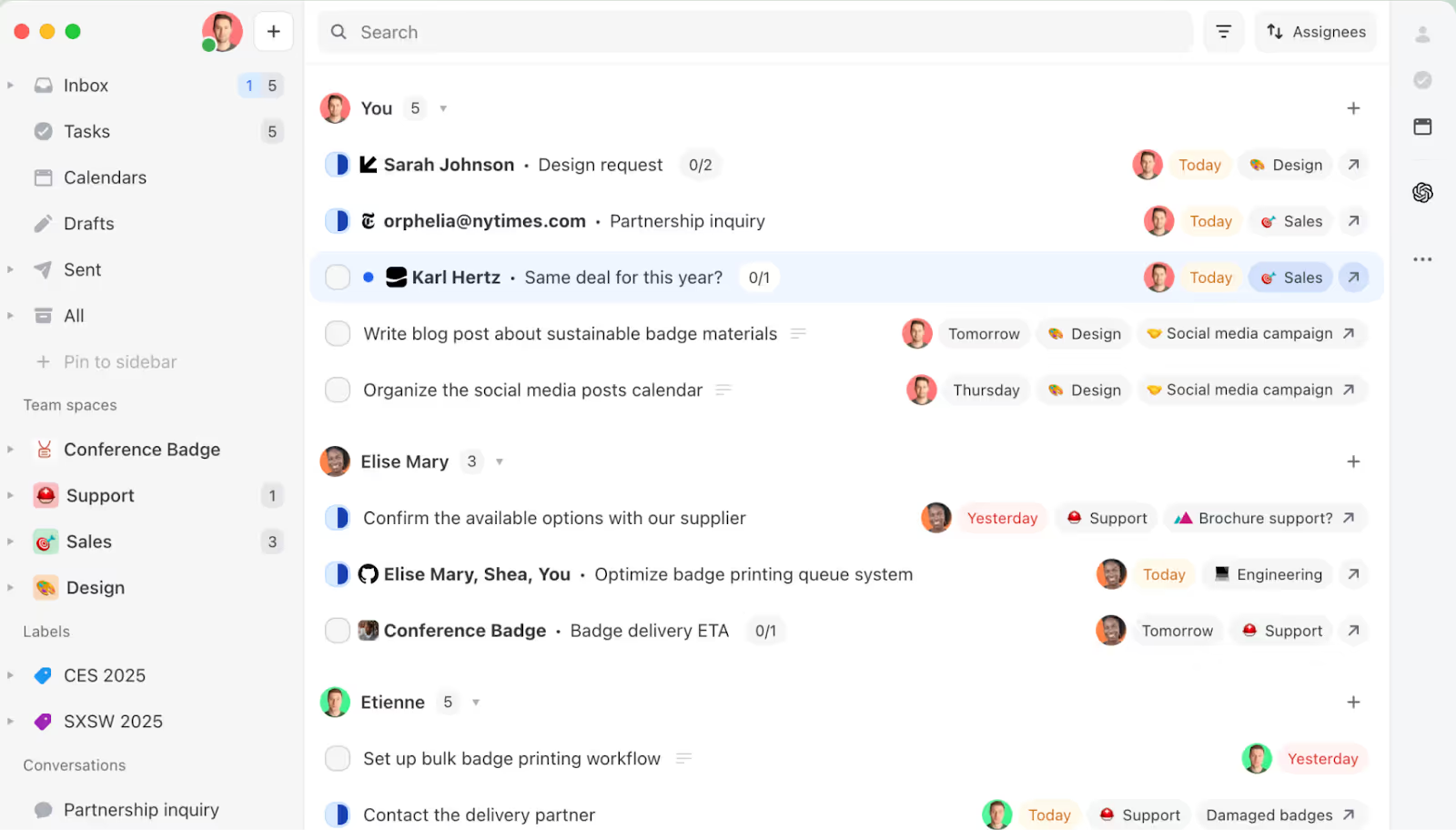
Front is a heavyweight shared inbox solution that unifies email, SMS, and social media. It is less of an "email client" and more of a communication platform. Its AI focuses on routing, automatically tagging and assigning emails to the right department to ensure nothing falls through the cracks. Again, like Hiver, its ideal use case is for running full-fledged contact centers and not AI for email productivity.
- Key Features:
- Omnichannel Inbox: Manages email, SMS, WhatsApp, and social media messages in one unified view.
- AI tagging and routing: Automatically categorizes messages and routes them to the correct department.
- Best For: Large organizations and enterprise teams handling high-volume external communication across multiple channels.
- Pricing: Starts at $19/seat/mo, but typically requires higher tiers for full AI functionality.
7. MailMaestro
The Outlook enterprise choice
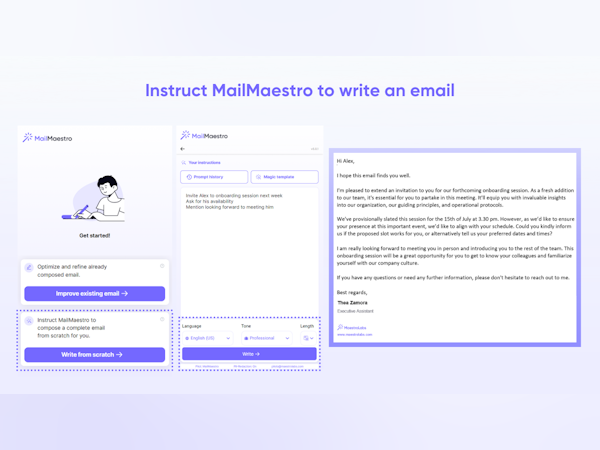
While many tools focus only on Gmail, MailMaestro (by MaestroLabs) is a top-tier AI assistant that also works with Microsoft Outlook. It emphasizes enterprise-grade security (SOC 2, GDPR) and ensures your data is not used to train public models. It drafts high-quality emails with adjustable tone and length directly within the Outlook pane.
- Key features:
- Enterprise security: Guarantees that no customer data is used to train public AI models.
- Tone and length control: Allows precise adjustment of the output, from succinct professional to detailed explanatory.
- Best for: Corporate environments and enterprises that are strictly tied to the Microsoft 365 suite.
- Pricing: Pricing starts at $12/seat/mo for a basic plan.
8. SaneBox
The dedicated organizer
SaneBox doesn't write your emails; it keeps them away from you. It uses AI to analyze your history and automatically moves unimportant emails to a "@SaneLater" folder. It creates a "focused" inbox experience in any email client, regardless of the provider. However, it doesn’t do much else.
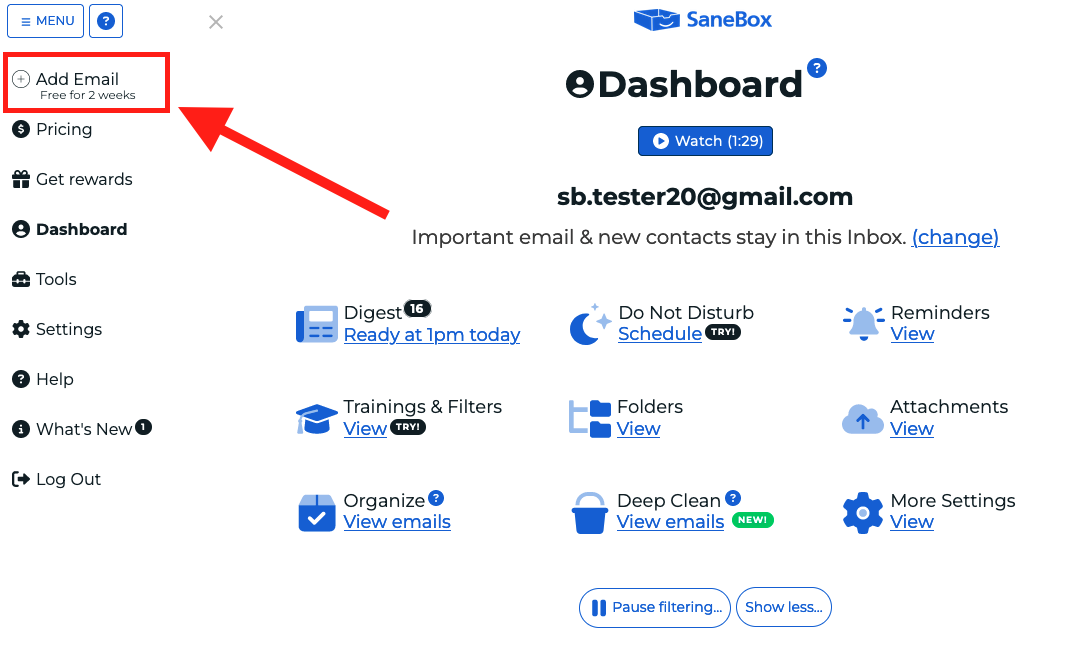
- Key Features:
- SaneLater: Automatically filters distractions and newsletters into a separate folder for later viewing.
- SaneBlackHole: One-click unsubscribing that ensures you never see emails from that sender again.
- Best for: Individuals drowning in newsletters, CCs, and cold outreach who need immediate relief.
- Pricing: Plans start at 2-3/mo.
9. Friday AI (Friday-email.ai)
The content generator
Friday AI acts as a dedicated writing assistant. It excels at generating marketing copy, cold outreach emails, and blog posts from brief prompts. It is less about "inbox management" and more about "creation," making it a good tool for individual users and newbies. However, it’s less useful for team productivity or connected workflows.
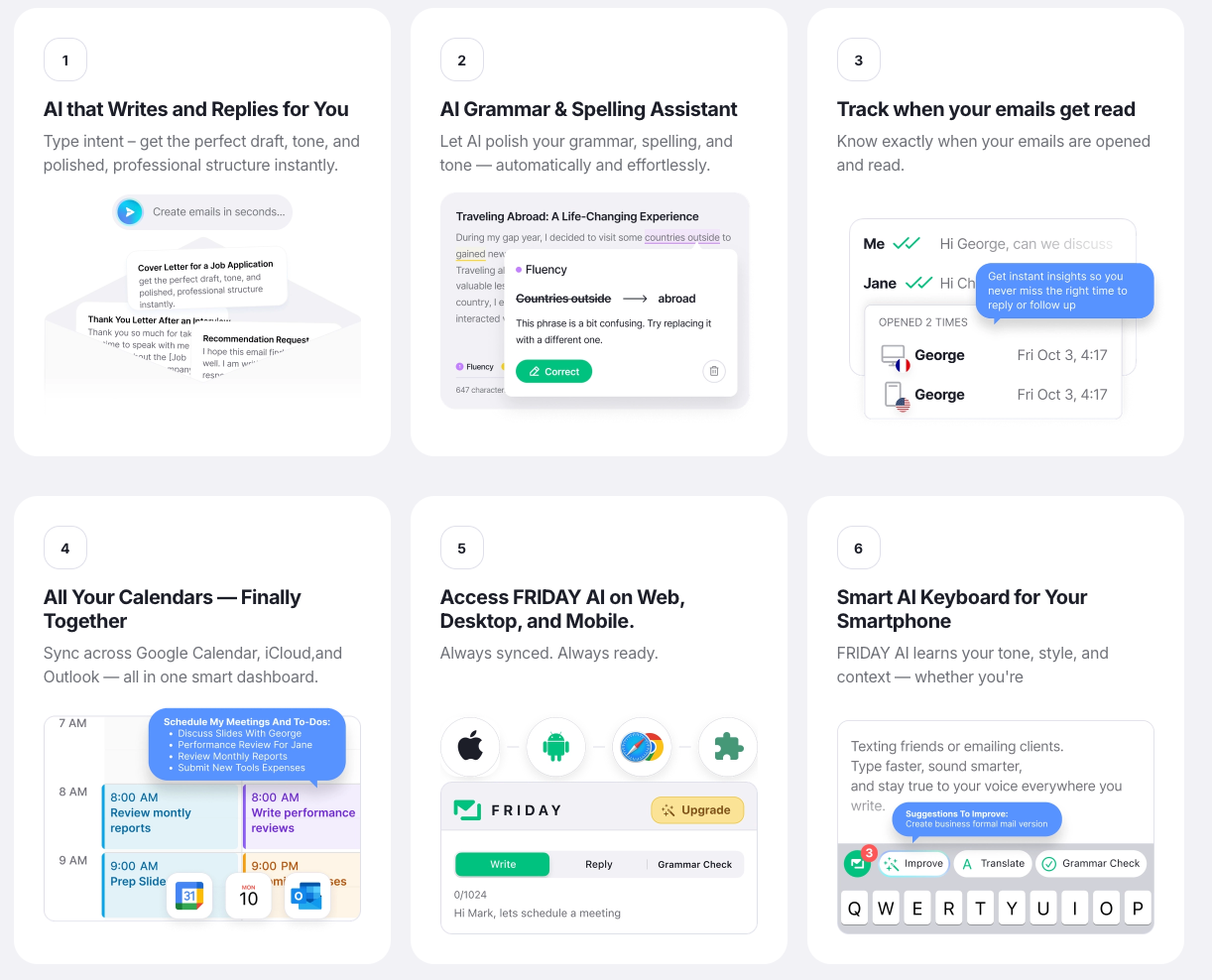
- Key Features:
- Cold email templates: Pre-built frameworks for sales outreach that are proven to convert.
- Multi-language support: Generate content in multiple languages for international outreach.
- Best for: Marketers and sales development reps (SDRs) who need to generate a high volume of outbound copy.
- Pricing: Free trial available; the company isn’t always transparent about pricing.
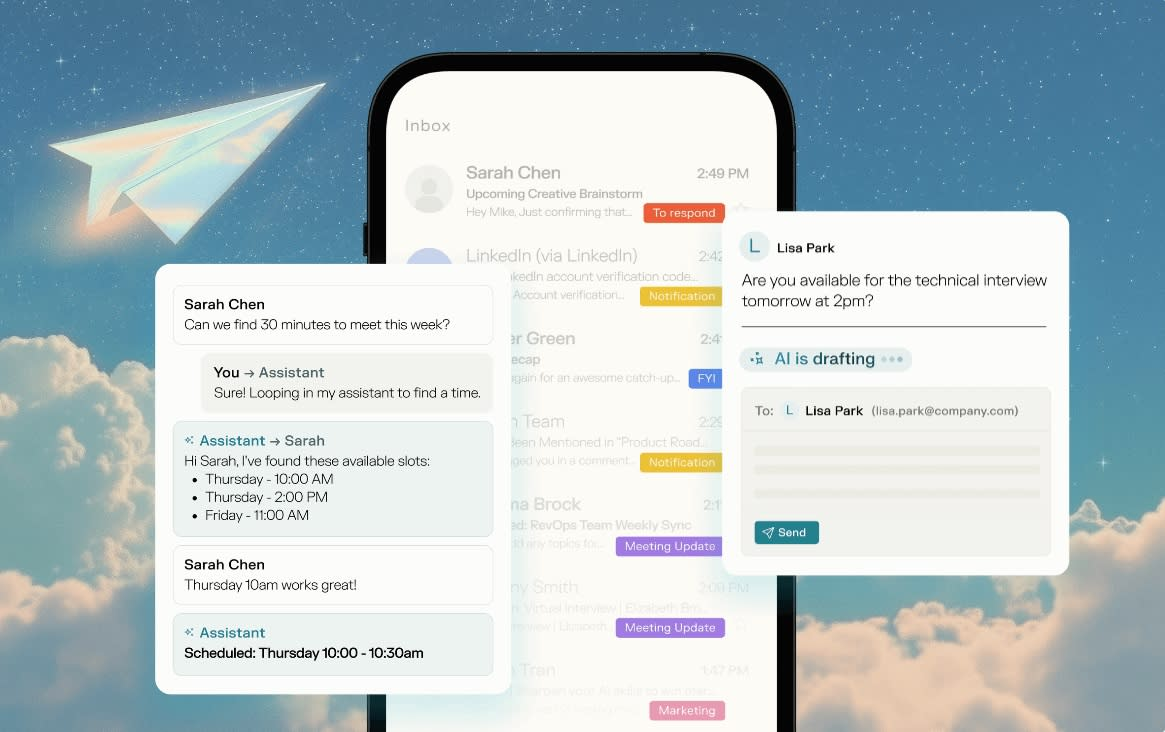
10. Fyxer
The executive assistant
Fyxer positions itself as a digital executive assistant. It combines human-in-the-loop services with AI to manage your calendar, draft replies, and organize your inbox. It is designed to feel like a real human assistant, handling the nuance that pure software sometimes misses.
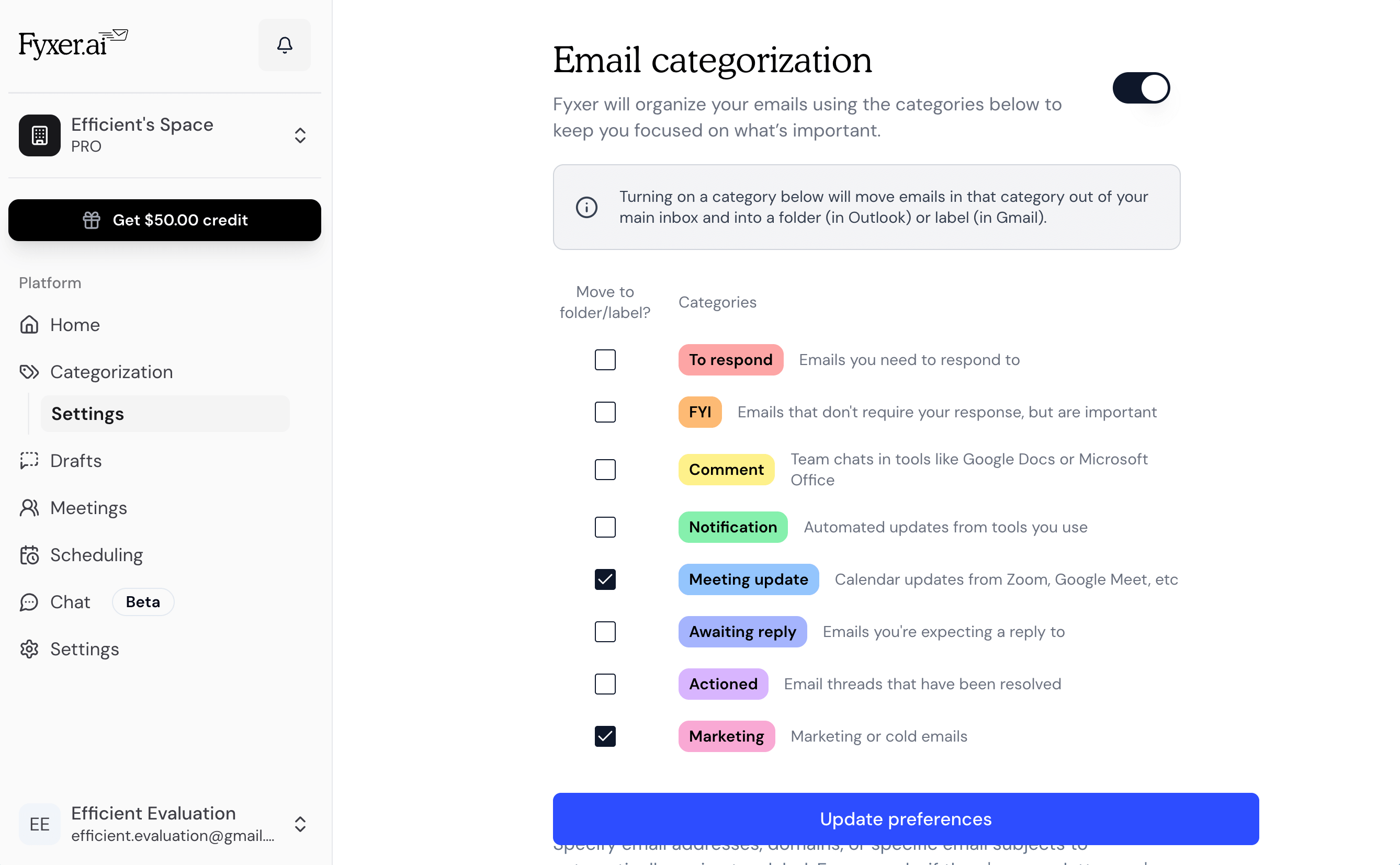
- Key Features:
- Calendar Management: Proactively manages scheduling, rescheduling, and invites.
- Inbox Triage: Sorts and highlights the most critical emails that require your personal attention.
- Best for: C-Level executives and busy founders who need a high-touch service rather than just a software tool.
- Pricing: Starts at $22.50/mo; integrations and AI cost more.
11. Perplexity Email Assistant
The researcher’s choice
A newer entrant for 2025/2026, Perplexity has expanded its search dominance into the inbox (for Pro/Enterprise users). It can draft answers that require external research — e.g., "Reply to this client confirming we can meet their specs," where it checks the specs against your files and the web. Importantly, that’s a unique feature you’ll also find in Gmeliu, which includes in-app AI search and context training.
- Key Features:
- Research-backed drafting: Pulls live data from the web to ensure email drafts are factually current.
- Fact-checking: Verifies claims in incoming emails against known data sources.
- Best for: Consultants, researchers, and analysts who need to provide evidence-based answers in their emails.
- Pricing: Included as part of Perplexity Pro ($200/mo).
12. Canary Mail
The secure app
Canary Mail is an app focusing on security (PGP encryption) and AI (Copilot). Its "Copilot" can summarize long threads, find files, and draft replies, all while keeping data local or encrypted. It is one of the few tools that prioritizes privacy as much as productivity. However, its features are pretty limited.
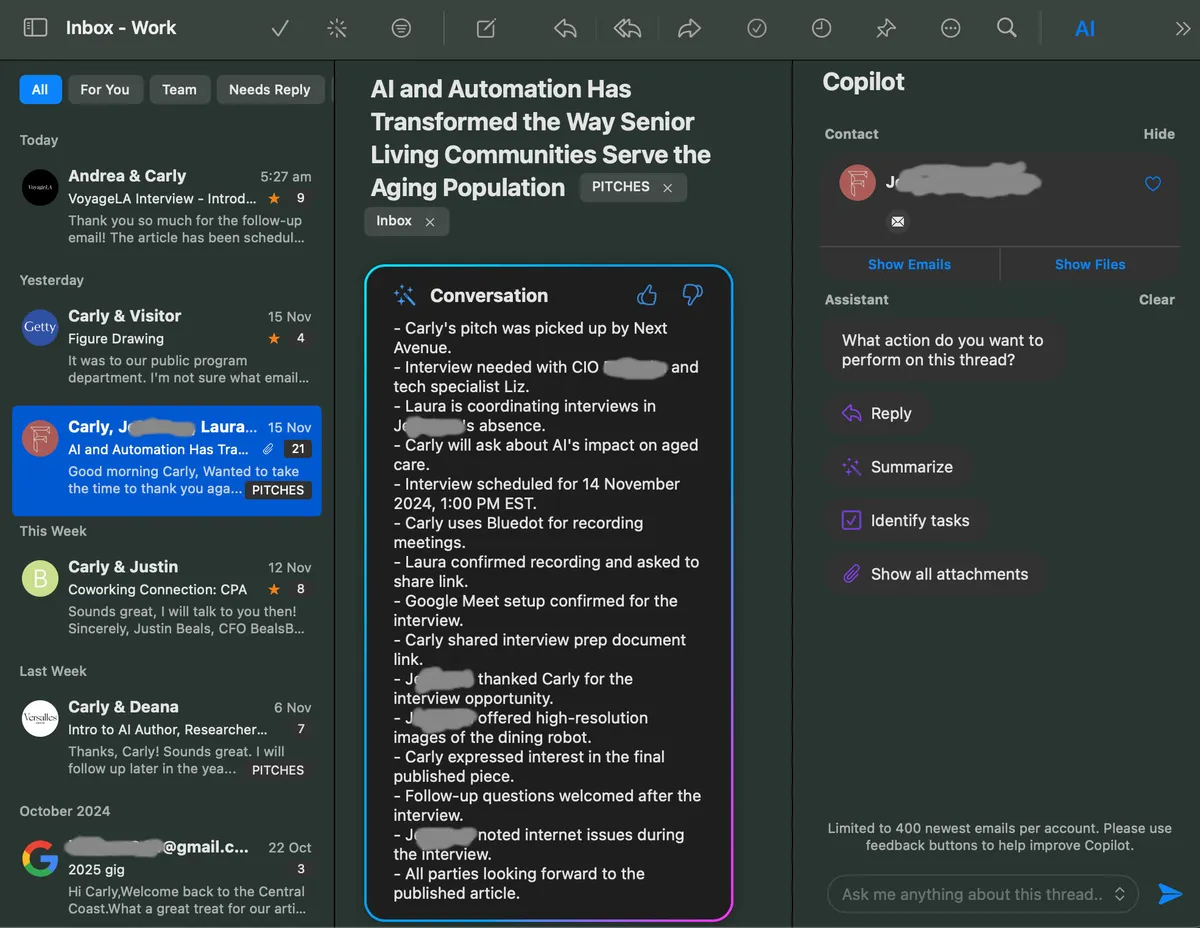
- Key Features:
- SecureSend: State-of-the-art encryption ensures that only the intended recipient can read your message.
- Copilot AI: An on-device assistant that summarizes threads and drafts replies without exposing data.
- Best For: Security-conscious industries (Legal, Health, Finance) where data privacy is non-negotiable.
- Pricing: Free basic version; Growth version starts from $3/mo.
13. Writemail.ai
The drafter
Writemail.ai is a straightforward, no-nonsense tool. You paste the email you received, select your desired tone (Professional, Funny, Angry), and it generates a reply. It is a standalone web tool rather than an integrated plugin, making it useful for one-off drafting needs.
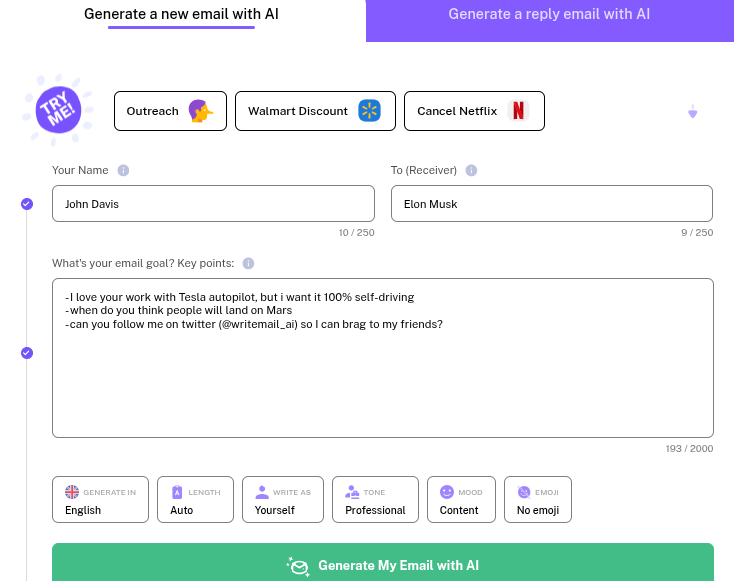
- Key Features:
- Tone selector: Offers a wide variety of emotional tones to perfectly match the situation.
- Grammar correction: Automatically polishes your input for perfect syntax and flow, like Grammarly.
- Best for: Occasional users or freelancers who need help phrasing a difficult email but don't want a full subscription.
- Pricing: Free usage limits (10/mo); paid plans start from $6.95/mo for 50 emails.
14. Ellie (tryellie.com)
The style mimic
Ellie is a browser extension that prides itself on learning your writing style better than others. It allows you to define "Knowledge Base" snippets so it knows about your product or company when drafting replies. It works across Gmail and Fastmail. However, you only get a limited number of replies unless you upgrade to their most expensive plan ($79/mo).
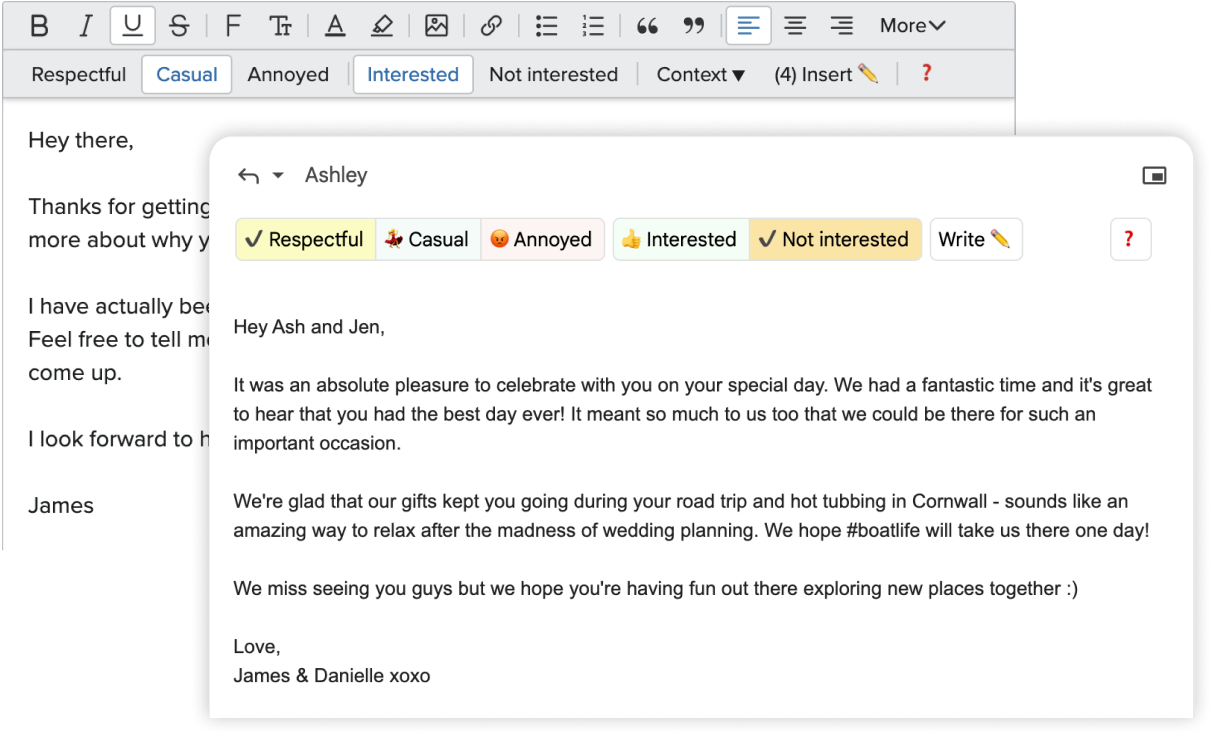
- Key Features:
- Style learning: Analyzes your writing patterns to produce drafts that sound authentic to you.
- Browser extension: Works lightly in the background of Chrome or Firefox without slowing down your browser.
- Best for: PR professionals who need to maintain a highly personal voice in their communications.
- Pricing: Starts from $19/mo for 25 replies a day.
15. Mailbutler
The smart add-on
Mailbutler is a robust extension for Apple Mail, Gmail, and Outlook. Its "Smart Assistant" feature handles drafting, summarizing, and task creation. It also includes tracking (read receipts) and "Snooze" functionality, adding a layer of productivity to basic clients without replacing them. However, we found that pricing is transparent only for individuals and teams must contact the team for custom pricing and collaboration features.
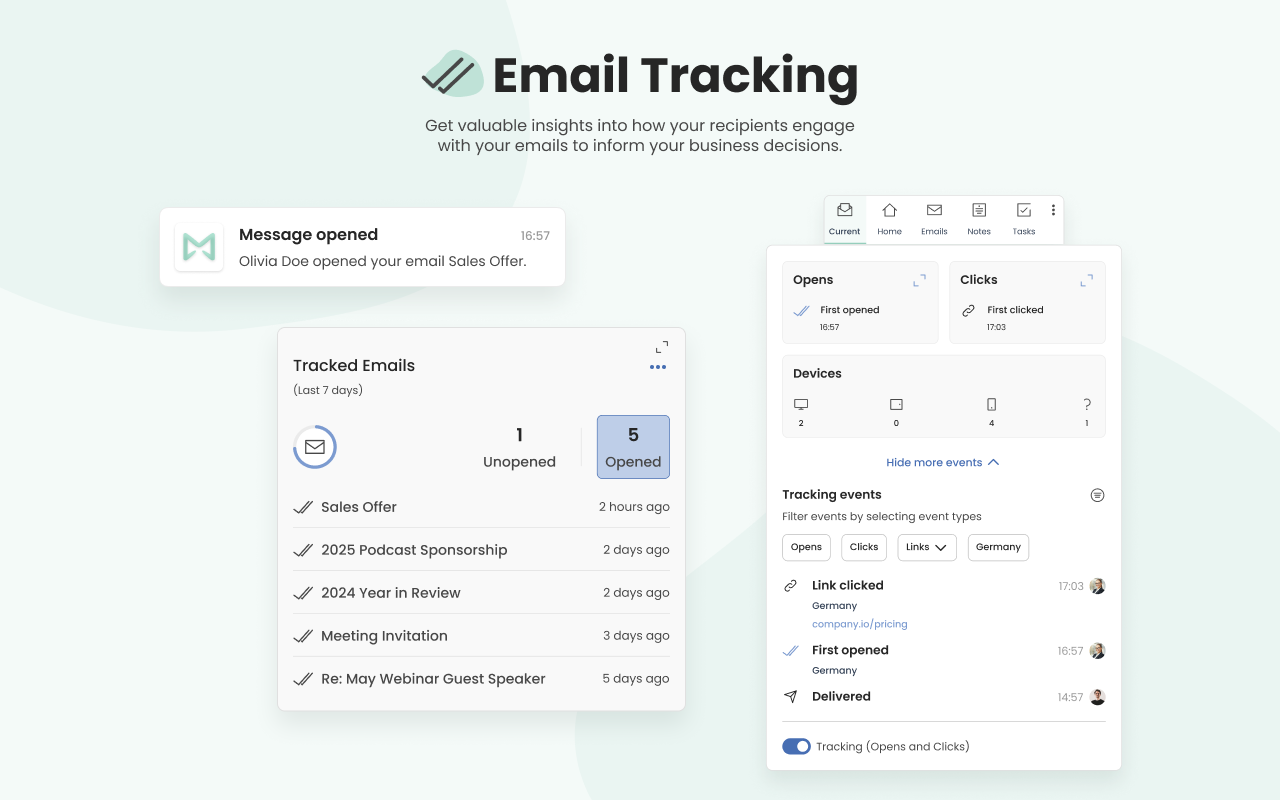
- Key Features:
- Smart Assistant: AI-driven drafting and summarizing that lives inside your existing mail client.
- Email Tracking: See when, where, and how many times your email was opened.
- Best For: Apple email users (an often underserved market) and Outlook users who want extra functionality.
- Pricing: Starts from $4/mo for entry-level, single-user features.
The Gmelius Difference
The market in 2026 is flooded with tools that can write emails. However, as this guide has illustrated, the ability to generate text is fast becoming a commodity.
The real challenge for modern businesses isn't just producing content—it is managing process, context, and collaboration.
The danger of siloed intelligence
While tools like Superhuman and Shortwave are excellent for the individual, optimizing your personal inbox often comes at the cost of team visibility.
If you use an AI to speed up your own workflow by 50%, but your team cannot see the context of those conversations, bottlenecks simply shift; they don't disappear.
You risk becoming a "superhuman" island in a disconnected sea, where information is trapped in private inboxes rather than shared across the organization.
The future is contextualized
The next generation of work isn't about how fast you can type; it's about how well your workflows move.
The most successful companies in 2026 are those that view the inbox not as a mailbox, but as a project terminalL a place where assignments are made, tasks are tracked, and clients are managed.
This is why Gmelius stands alone.
We didn't just build an AI writer; we built an intelligence layer for teams.
- Context meets AI: Our "Meli" assistant operates within your shared Inboxes and multiple years’ worth email data. It understands the status of a project, the history of a client ticket, and who is assigned to what before it ever suggests a reply.
- No-migration friction: Unlike Front or Missive, which require moving your entire team to a new, unfamiliar platform, Gmelius lives natively inside Gmail. You keep the interface you know and love, simply upgraded with the power you need.
- True collaboration: We bridge the gap between "Project Management" and "Email." You can assign an email to a colleague, and let AI summarize daily updates, all without ever leaving your inbox.
For the C-suite looking to modernize their communication stack without disrupting their workflow, Gmelius offers the perfect balance of individual productivity and team alignment.
The Final Verdict
The 2026 AI email assistant market is no longer about simple spam filters; it's a sophisticated landscape driven by LLMs, semantic search, and RAG technology. We analyzed the top 15 tools available today and segmented them into three categories: integrated wrappers (like Gmelius), speed-first standalone clients (like Superhuman), and specialized drafters (like ChatGPT).
While adoption is high, you need to remember that true productivity gains are often missed due to poor strategy and pitfalls like data privacy and tool fragmentation.
The core decision lies in choosing the right architecture: solo users may prefer a client, while executives and teams may need the contextualization, intuitiveness, and integration-readiness of a wrapper.
The "best" tool ultimately depends on balancing speed, security, and team-wide utility, a balance that Meli by Gmelius strikes particularly well.
Start your free trial of Gmelius today.
References
- Gallup. (2025). U.S. Workplace AI Use Jumps to 45%. https://allwork.space/2025/12/u-s-workplace-ai-use-jumps-to-45-according-to-gallup-data/
- EY (Ernst & Young). (2025). EY 2025 Work Reimagined Survey. https://www.ey.com/en_gl/newsroom/2025/11/ey-survey-reveals-companies-are-missing-out-on-up-to-40-percent-of-ai-productivity-gains-due-to-gaps-in-talent-strategy
- Gravyty. (2025). ROI of AI Virtual Assistants for Higher Education. https://gravyty.com/blog/roi-of-ai-virtual-assistants-for-higher-education/
- McKinsey & Company. (2025). The state of AI in 2025. https://www.mckinsey.com/capabilities/quantumblack/our-insights/the-state-of-ai


.avif)

.avif)

.avif)
.avif)





