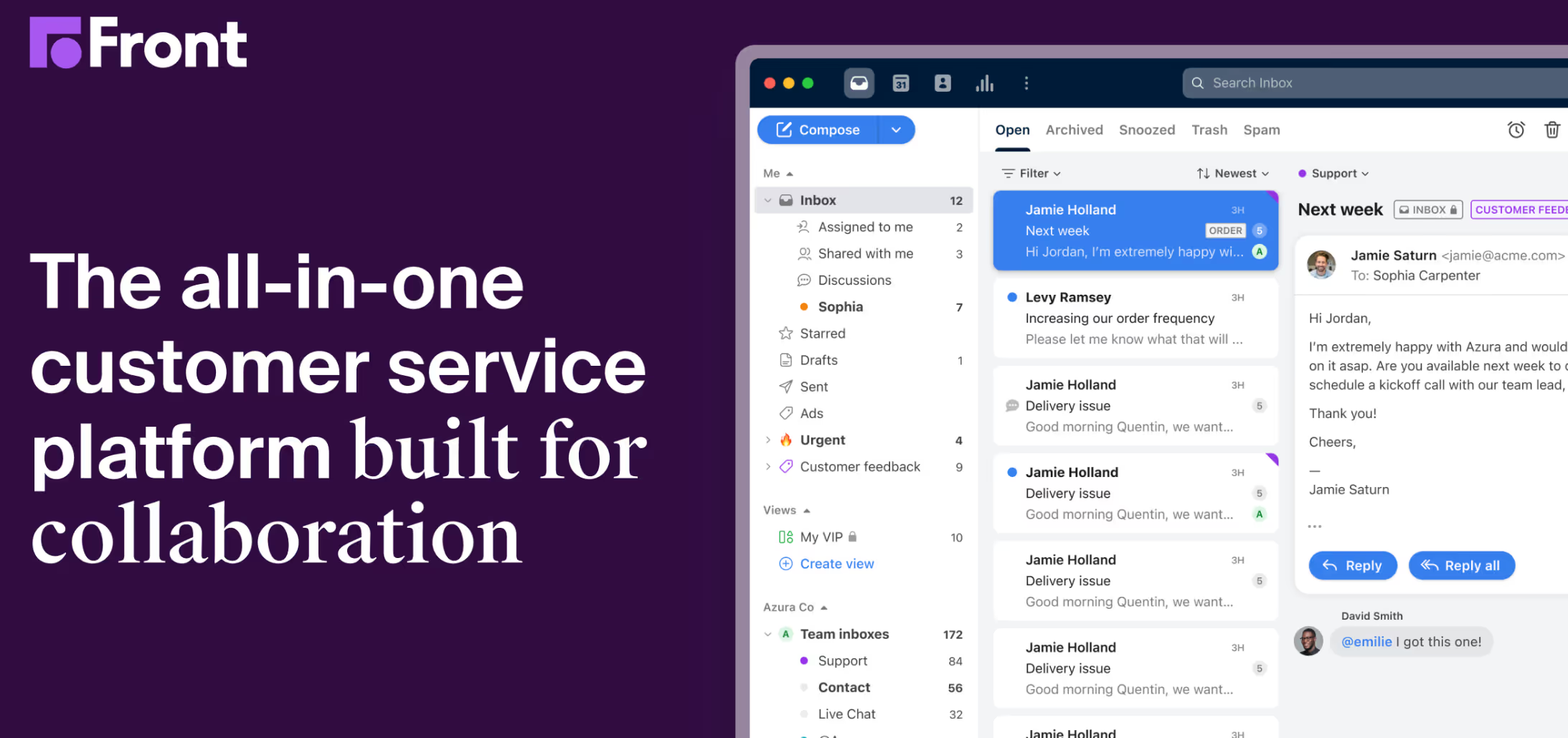


Front Alternative: Addressing Common Complaints About Front
Front email has been popular for its multi-channel communication features, but it isn't without its drawbacks. Many users have shared their negative experiences, particularly around pricing, complexity, and usability, which has led them to look for alternatives. Below are some of the most common issues users have reported:
- High Pricing: Front's pricing is often cited as one of its biggest downsides. The Starter plan begins at $25 per seat/month but is capped at 10 users and limited to a single communication channel. To unlock omnichannel support across email, SMS, social, and WhatsApp, teams must upgrade to the Professional plan at $65 per seat/month — a 160% jump. The Enterprise tier reaches $105 per seat/month.
- On top of base pricing, AI features are sold as add-ons: the AI Copilot costs an extra $20 per seat/month, and Smart QA and Smart CSAT are priced separately. For a 10-person team that wants AI assistance, the real monthly bill can easily exceed $850 — far beyond what many small businesses expect.
Our conversations with Front users revealed that once a team crosses 10 users, per seat pricing jumps from $25 to $65, which is a big increase.

- Outlook Sync Breakdown: A significant change in early 2026 — Front removed true two-way Outlook sync. Emails pulled into Front no longer reflect back in Outlook, meaning actions like reading, archiving, or tagging done in Front leave messages sitting as unread in shared Outlook mailboxes. For mixed teams that rely on both platforms, this has become a deal-breaker.
- Overwhelming Feature Set: Many users feel that Front's feature set can be overwhelming. While it offers a lot of capabilities, they often end up unused, leading to a bloated experience that slows down workflows rather than enhancing them.
- Learning Curve and Complexity: Front's interface can be difficult for new users to learn, with a steep onboarding process and numerous features that require significant time to understand and use effectively.

- Performance Issues: Some users report that Front can be slow, especially when handling large volumes of emails or multiple channels, which impacts overall team efficiency.
These limitations have driven many teams to search for more straightforward, affordable, and user-friendly alternatives. Here are the best Front alternatives worth considering, each with unique strengths that make them stand out:
Top 3 Alternatives to Front
Whether you need more flexibility, tighter Gmail/Outlook integration, or just want to cut down the learning curve, there are strong alternatives that deliver.
1. Gmelius
📌 Best for: Gmail-based teams that want native collaboration tools without switching platforms.
Gmelius layers shared inboxes, workflow automation, task management, and AI directly into Gmail — so your team doesn't need to learn a new system or change how they work.
Its biggest 2026 update is Meli, an AI executive assistant built on Google's Gemini models that works proactively: before you open an email, Meli has already drafted a reply in your tone, sorted your inbox, and routed conversations to the right teammate. Unlike Front's AI Copilot (a $20/seat add-on), Meli is included in base plans.
Gmelius is especially strong for teams already using Google Workspace who want to streamline email workflows without switching platforms. It’s more than just a shared inbox: it’s a workspace built into the inbox you already use every day.

Pros:
- Native to Gmail—no new interface, no onboarding friction for Google Workspace teams.
- Meli AI drafts replies, sorts inboxes, schedules meetings, and tracks follow-ups proactively.
- Granular visibility and audit trail for every conversation.
- Workflow automation with rule engines included from the Growth plan.SOC 2 Type II certified with Swiss privacy-by-design data processing.
Cons:
- If someone on your team isn’t already comfortable with Gmail’s labels, filters, and UI quirks, adapting to Gmelius may take extra time.
- It doesn’t support channels like SMS, WhatsApp, or Facebook Messenger.
Pricing: Starts at $29/user/month.
2. Help Scout
📌 Best for: Customer support teams that need live chat, help desk, and email in one platform.
Help Scout combines shared inboxes with help desk features — without feeling like a traditional ticketing system. It includes live chat, a built-in knowledge base, automation workflows, and strong reporting tools, all in a clean interface that's easy to get up and running. It's purpose-built for customer-facing teams, not internal collaboration.
While it’s not ideal for internal team collaboration or cross-department workflows, Help Scout is a powerful, focused solution for customer-facing teams.

Pros:
- Clean UI, minimal onboarding time
- Built-in knowledge base and live chat
- Excellent reporting and CSAT tools
- Works well for remote or growing support teams
Cons:
- Limited internal collaboration, since it's optimized for external support, not cross-functional team communication.
- Pricing increases as your user base or support volume grows, especially with add-ons like chat.
Pricing: Free up to 50 contacts, Standard plan from $55/month.
3. Missive
📌 Best for: Teams who want chat-style collaboration directly inside their inbox.
Missive takes a different approach by blending email and real-time chat into one interface. It’s built for teams that need to collaborate around messages and manage multiple communication channels from a single place.
Every email thread in Missive includes a built-in chat sidebar, allowing teammates to discuss replies, assign ownership, or co-edit responses in real time. While Missive leans more into chat-style collaboration than traditional inbox structure, it excels in fast-paced environments where speed, flexibility, and multi-channel visibility are key.

Pros:
- Real-time internal chat on each thread
- Multiple channels: email, SMS, WhatsApp, Messenger
- Custom workflows and canned responses
- Mobile and desktop apps are well-designed
Cons:
- Steeper learning curve if you are coming from Gmail/Outlook.
- Conversations can get noisy in larger teams.
Pricing: Starts at $18/user/month.
What to Look for When Choosing a Front Alternative
Not all shared inboxes are built for the same purpose—some serve support teams, others focus on sales, project tracking, or email cleanup. The right choice depends on your team’s workflow and how email fits into it.
Here are five key factors to consider:
- Native environment support: Do you want to work inside Gmail or Outlook, or are you okay switching to a new platform entirely? Some tools, like Gmelius, enhance the inbox you're already using. Others, like Front or Missive, offer a separate interface. If your team lives in Gmail and you don’t want to disrupt their daily flow, native integration can save training time and reduce resistance.
- AI & automation: Are the AI features just a novelty or do they actually help? Look for tools that use AI to triage emails, suggest replies, and reduce repetitive work, not just for flashy features. Automation should feel like a silent assistant, not a system you constantly have to manage.
- Transparent pricing: Watch for add-on costs. Front's list price looks reasonable until you factor in AI Copilot, Smart QA, Smart CSAT, and WhatsApp fees — the real all-in cost is often 1.5–2× higher than the base rate. Look for tools where AI and core features are bundled into base plans.
- Visibility & control: Does the tool give you clear oversight or just another feed to manage? The right solution should show who’s working on what, offer audit trails for messages, and provide internal notes or assignment tools. Bonus points if it includes SLA tracking or priority views for urgent conversations.
- Scalability: Will the tool still work when your team doubles its size? Today you might be a five-person support team. Next year you could have 25 across sales, onboarding, and operations. Look for flexible permission structures, role-based access, team-specific inboxes, and reporting that scales with you.
Final Thoughts
Front is a solid choice for many, but it’s not the only one. Gmelius is ideal if your team works in Gmail and wants smooth communication and native automation without adding a new platform. Help Scout shines for customer support teams who need live chat, reporting, and a knowledge base. Missive suits small teams who thrive on real-time discussion across multiple channels.
Each tool has its strengths and trade-offs. The key is understanding how your team communicates, what oversight you need, and how much complexity you're willing to manage. The best tools don’t force you to adapt—they streamline what you’re already doing.
Whether it’s managing emails, assigning tasks, or staying aligned, the right platform should feel like an extension of your process—not a replacement.
If you're ready to streamline collaboration without leaving Gmail, try Gmelius for free.





