




Most AI tools make big promises. Fewer actually reduce the time you spend in your inbox.
The average professional spends roughly three hours a day managing emails. That's over a third of the workday dedicated to a communication tool that, for most teams, still runs on manual effort. The result? Slower decisions, missed follow-ups, and context-switching that kills focus.
The shift in 2026 is so dramatic that it’s reshaping how businesses communicate. In fact, a recent report by McKinsey found that generative AI could automate up to 70% of business activities across functions like communication, planning, and documentation.
Yet most teams are still waiting to see that potential turn into daily time savings.
The gap isn't about AI capability. It's about usability, context, and integration. Below are the five features that separate genuinely productive AI assistants from the ones that just add noise.
Feature #1: A seamless, intuitive interface
The most powerful AI assistants today are designed with a principle of zero friction. If you need to open a separate app, log in, or navigate a different UI to generate a reply or draft a follow-up, the AI quickly becomes a blocker rather than a productivity enhancer.
Here's what that means when you're using AI for productivity tasks like email management:
- Email is still the primary mode of business communication.
- Switching between tools causes context loss and disrupts focus.
- Teams want intelligence embedded directly into their daily workflows.
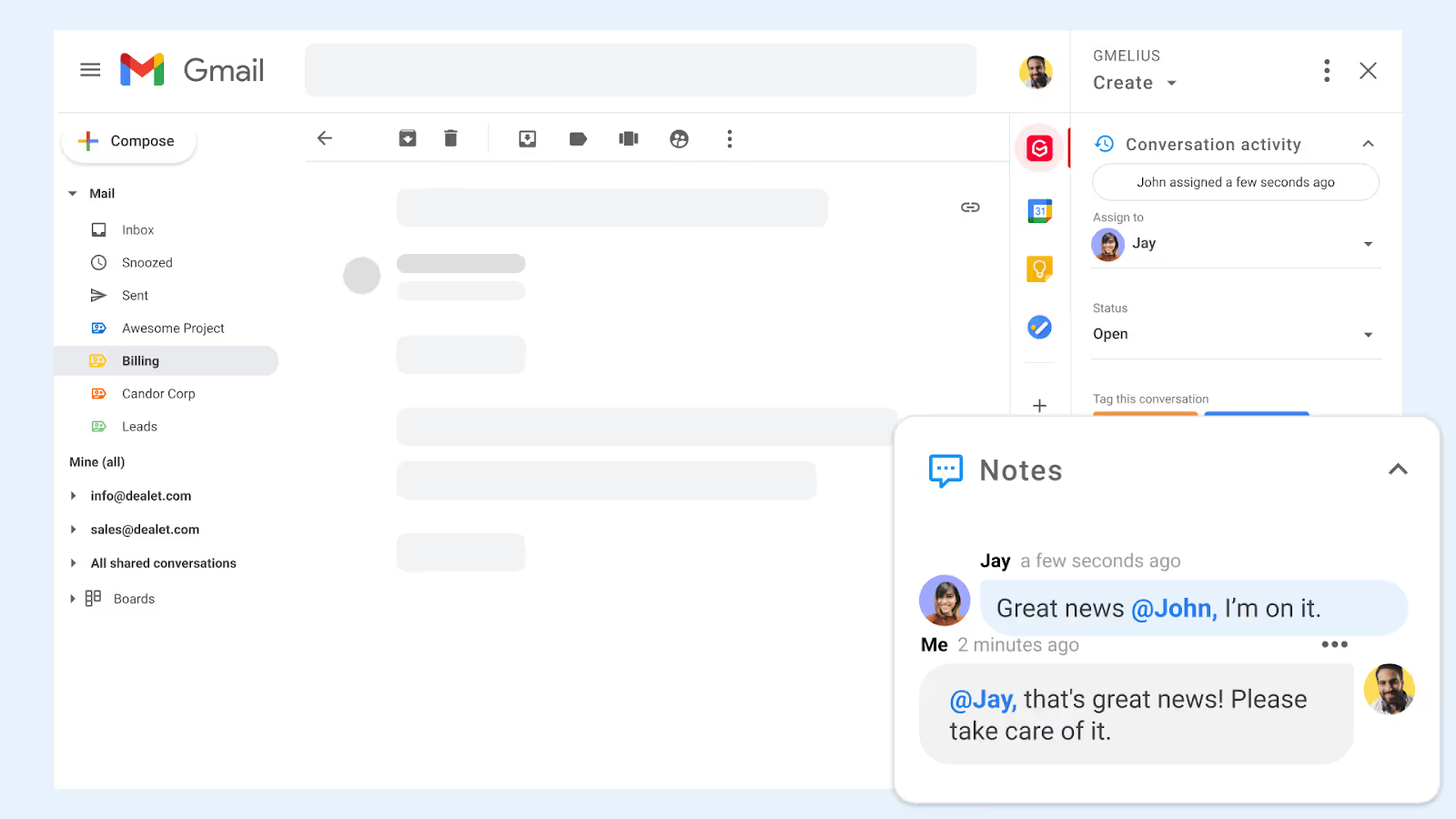
The best AI assistants integrate directly into your email platform.
Whether you're composing, replying, or managing tasks, the AI should quietly work in the background, surfacing suggestions, learning from interactions, and adapting on the fly.
And this isn’t just about saving you a few clicks. A seamless UX eliminates cognitive overhead. It also means fewer training sessions, reduced user resistance, and faster onboarding.
Example: Meli by Gmelius runs natively inside Gmail as an official Google Partner. The moment you open an email, Meli is already working, no prompts needed, no separate interface to navigate.nbox.
Feature #2: Drafts Ready Before You Even Ask
The goal of an AI productivity tool isn't to help you write emails faster. It's to make writing emails something you barely have to think about.
The best AI assistants in 2026 don't wait to be prompted. They read incoming messages, understand the context, and surface a draft reply before you've even decided how to respond. By the time you open a thread, the work is already mostly done.
What separates contextual drafting from a generic writing assistant?
Generic AI writing tools generate text from prompts you write. Contextual AI drafters generate text from the conversation itself, reading the sender, the thread history, the tone, and the intent behind the message. The output requires minimal editing because it starts from a position of understanding, not a blank slate.
This matters most for high-volume inboxes where repetitive replies consume the largest share of time: customer questions, vendor coordination, internal requests, and follow-ups. Learn more about how AI is transforming productivity workflows.
Feature #3: Trainable with your own company data
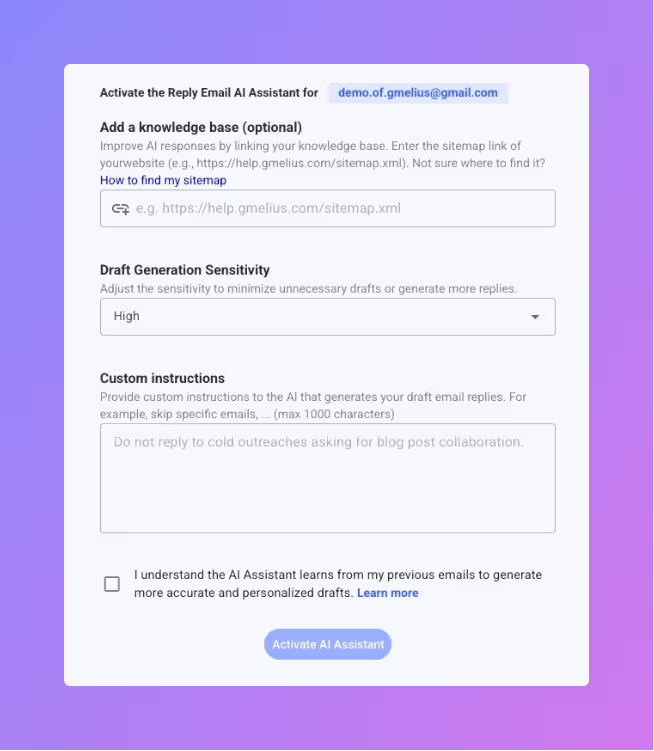
Today, companies expect AI assistants that can be trained on internal SOPs, playbooks, templates, and customer FAQs.
- Accuracy improves when AI knows your business.
- Repetitive requests can be answered consistently.
- Time-to-onboard new hires drop when AI has built-in org knowledge.
With company-specific knowledge, AI can go beyond surface-level suggestions. It can draft proposals in your brand voice, suggest next steps in line with your escalation policies, and pull in relevant documents when replying to clients.
Imagine an assistant that references your refund policy and cites internal documents all within a single reply. That’s what AI assistants like Gmelius make possible.
Feature #4: Meeting Scheduling Without the Back-and-Forth
Scheduling meetings is one of the most disproportionately time-consuming tasks in business communication. The average coordination takes three to five emails just to confirm a time. Multiply that across a week and it becomes a significant, largely invisible drain on productivity.
AI assistants that handle scheduling end-to-end remove this entirely from your plate. Rather than manually checking availability, writing out time options, and waiting for a reply, the right tool finds an open slot, sends the invite, and books the meeting without leaving your inbox.
For sales teams, account managers, and executives who coordinate multiple calls daily, this is one of the highest-leverage features an AI assistant can offer. It eliminates a whole category of back-and-forth before it starts. Meli by Gmelius does exactly this, acting as an AI secretary that finds the right time, sends the invite, and books the meeting directly from Gmail.
Feature #5: Continuous Learning and Self-Improvement
AI tools that deliver the same generic output in month six as they did in month one aren't actually learning. The most valuable AI productivity tools improve with use, adapting to your communication style, your team's vocabulary, and the patterns of your day-to-day operations.
The best assistants use machine learning that updates continuously, refining draft quality, sorting accuracy, and routing logic over time. The more a team uses the tool, the more precisely it reflects how that organization actually communicates.
What this looks like in practice
- Draft suggestions that gradually mirror your preferred tone and phrasing
- Sorting rules that get sharper at distinguishing signal from noise in your specific inbox
- Routing logic that becomes more accurate as it learns each team member's responsibilities
This compounding improvement is what separates a genuinely intelligent assistant from a static automation tool, and it's the reason the value of a good AI assistant grows over time rather than plateauing. For a deeper look at how AI agents reason and improve autonomously, this guide on AI agents is worth reading.
What Gmelius Does That Most AI Tools Don't
Most AI tools add a layer on top of your workflow. Meli AI (Gmelius AI assistant) removes layers from it. Here's a side-by-side of what that means in practice:
1. Drafts emails: without waiting to be prompted, based on thread context and your writing history.
2. Sorts your inbox: filtering out noise automatically so your primary view contains only what's actionable.
3. Schedules meetings: finding available slots and booking them without the usual email chain.
4. Dispatches emails to teammates: routing conversations to the right person based on content and team structure, without manual assignment.
5. Tracks follow-ups: monitoring open threads and surfacing timely reminders so nothing slips through.
6. Plans your day: summarizing key conversations and mapping priorities each morning through a conversational chat interface.
All of this runs inside Gmail, powered by Google's Gemini models, and with a clear privacy commitment: your data is never used to train external AI models.
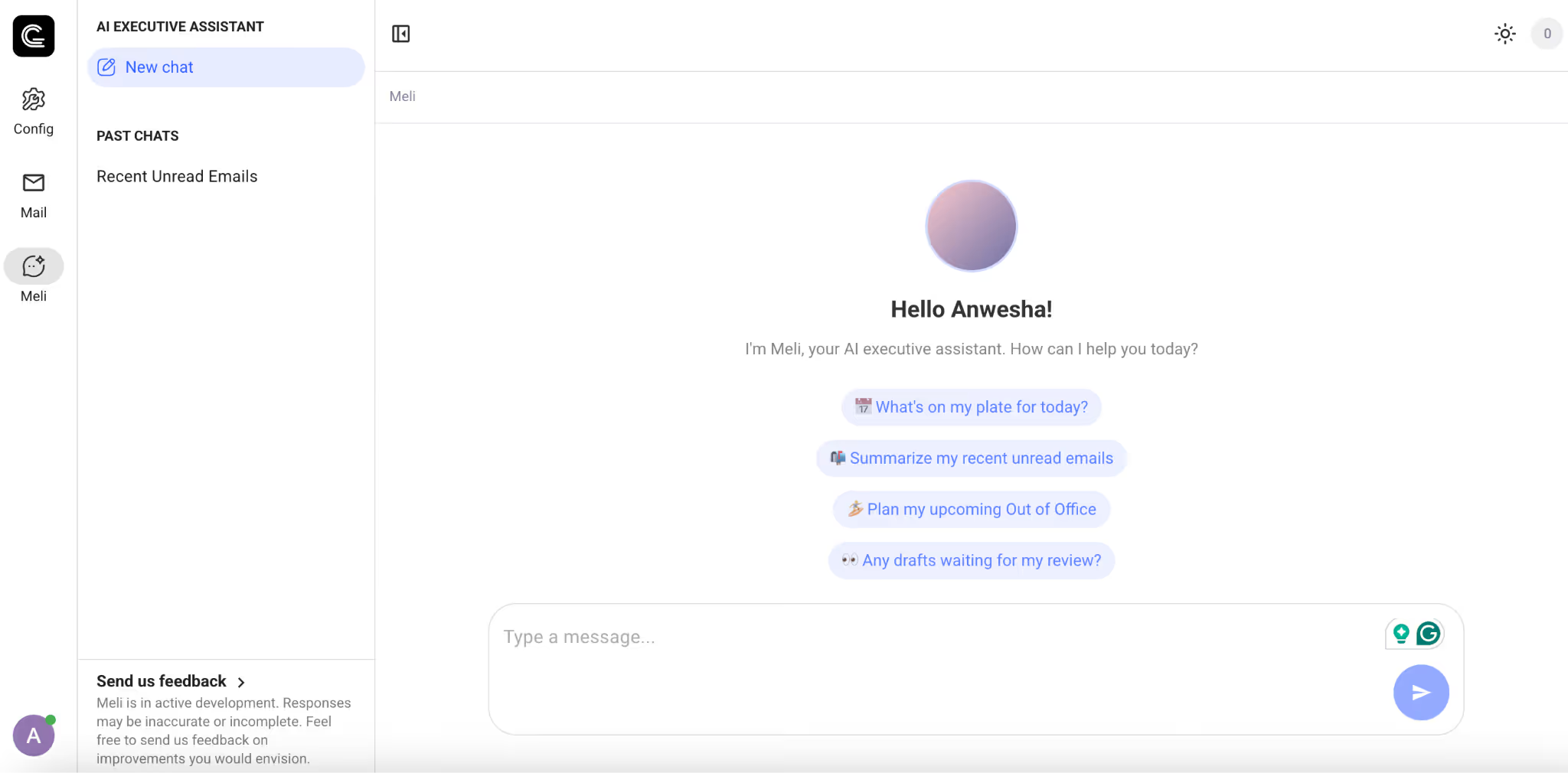
Ultimately, the best AI assistants are invisible, smart, fast, and contextually aware. They empower teams, not overwhelm them. If your current AI tool still needs heavy prompting or lives outside your inbox, it may be time to explore a solution that’s built for how teams actually work.
Have you tried Gmelius yet? Try it here, for free today!


.png)
.png)
.png)
.avif)





