




The AI gold rush of 2023 has matured into the "Deployment Era" of 2026. We’ve moved past the novelty of chatbots that can write poems and entered an age where AI assistants are the glue holding our fragmented digital workflows together. From collaborative inboxes to OS-level integration, the market is saturated with tools promising to "give you your time back."
But with SaaS sprawl becoming a genuine threat to operational efficiency, you shouldn't be paying for what you haven't stress-tested. We’ve vetted the current landscape to find the 15 most powerful AI assistants you can deploy today – for free.
1. Gmelius
Gmelius transforms your Gmail inbox into a collaboration hub. It is less of a "chatbot" and more of a workflow layer that sits on top of Google Workspace, allowing teams to manage shared inboxes (like support@ or sales@) without leaving Gmail.
How does the Gmelius AI assistant work? Gmelius uses its "Meli" AI agent to draft responses (no prompt needed), summarize threads, fetch your calendar, sort your inbox, perform routine actions (like archiving) and automatically assign emails to specific team members based on context.
It also works with shared inboxes, so you can collaborate with teammates, other departments, and executives using AI.
The pros and cons
- Pros: Seamless Gmail integration (no new tab to open); excellent for teams with shared inbox access (supports multiple email IDs); robust automation rules; powerful AI.
- Cons: It is strictly for Google Workspace users (no Outlook support); the interface can feel cluttered if you turn on every feature at once.
Free trial: ✅ (7-day free trial; no credit card needed)
Pricing:
- AI Assistant (Meli) plan: $19/user/month (billed annually)
- Growth plan: $25/user/month
Is Gmelius’s AI assistant worth it? Absolutely. If you run a team inside Gmail, Gmelius is the gold standard. It eliminates the "CC/BCC" nightmare and makes email collaborative using a powerful AI assistant that’ll do 95% of the grunt work.
Meli is also great value as a standalone AI assistant, since it draws from the full power and context of your inbox, something that most hyped-up Gen AI assistants struggle with today.
2. Missive
Missive is a unified inbox that blends email, chat, and task management. Unlike Gmelius, it is a standalone app that pulls in your emails (Gmail, Outlook, iCloud) and lets you chat about emails with your team internally before replying.
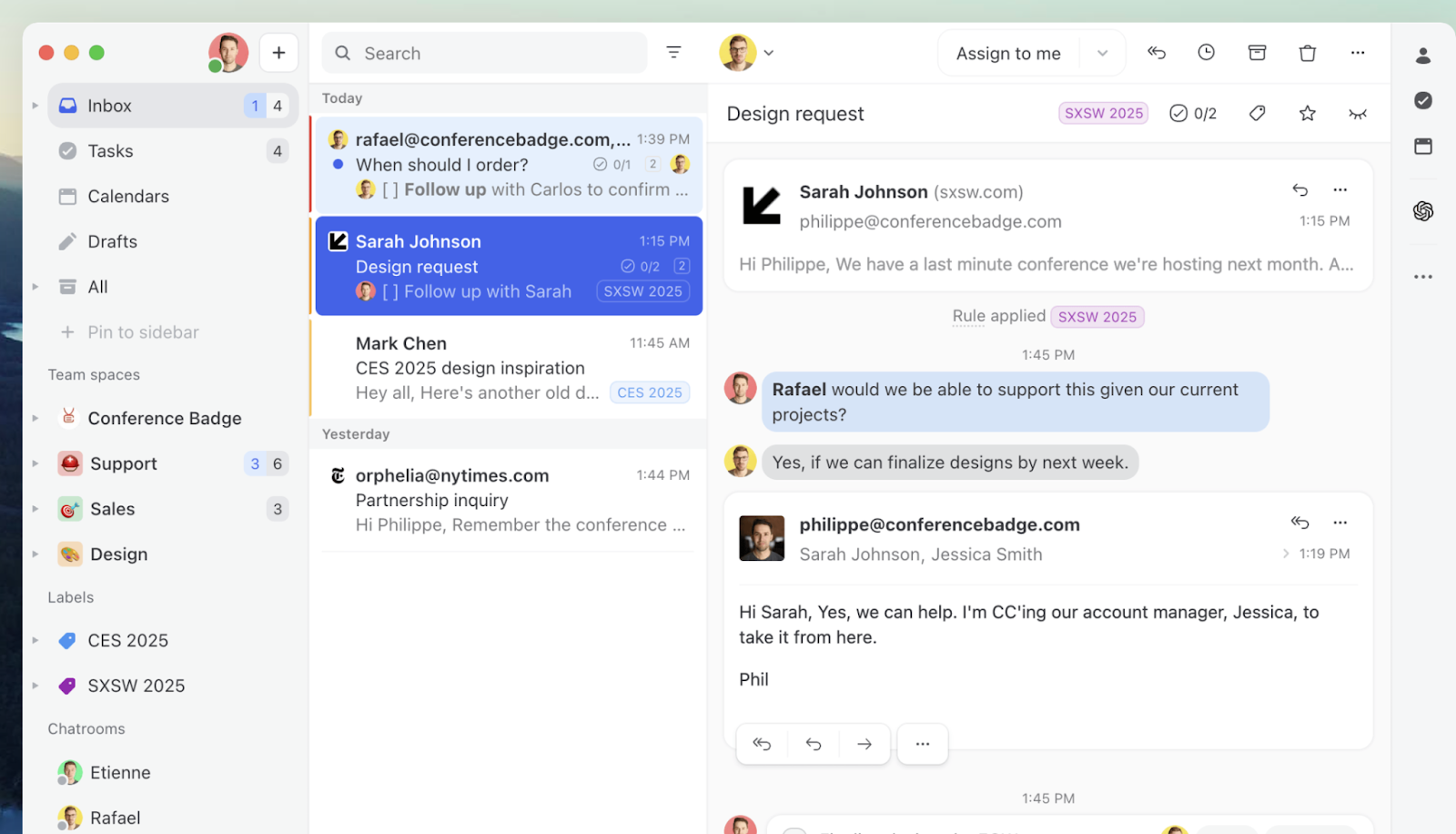
How does the Missive AI assistant work? Missive integrates with OpenAI to let you use ChatGPT directly inside the composer. You can prompt it to translate emails, fix grammar, or change the tone of your draft from "angry" to "diplomatic" with one click.
The pros and cons
- Pros: Clean, fast unified interface for all accounts; internal chat prevents "reply-all" disasters; highly customizable.
- Cons: The AI is essentially a wrapper for OpenAI, so it lacks deep proprietary "agent" features found in specialized tools.
Free trial: ✅ (hidden free-forever plan for 3 users, limited to 15 days history)
Pricing:
- Starter: $14/user/month
- Productive: $24/user/month
Is Missive’s AI assistant worth it? Maybe. It is worth it if you need a shared inbox for a small team. However, if you are a solo user, the free plan's 15-day history limit is a dealbreaker, and the AI features are standard commodity wrappers you could get elsewhere for free.
3. ChatGPT
The tool that started the revolution. By 2026, ChatGPT has evolved into a multi-modal powerhouse that can see, hear, and browse the web with high accuracy.
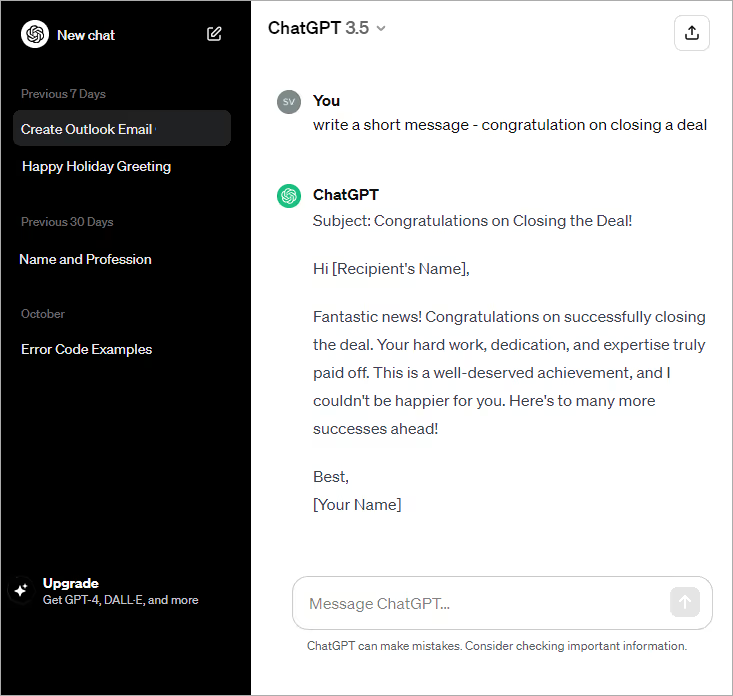
How does ChatGPT work? It uses OpenAI’s latest models (GPT-4o and o1-series) to engage in human-like conversation, analyze data uploads, generate images, and execute Python code for complex math or data tasks.
The pros and cons
- Pros: The most versatile "generalist" on the market; massive knowledge base; "Memory" feature allows it to remember your preferences across chats.
- Cons: It is not integrated into your workflow—you have to copy-paste everything in and out; privacy concerns for enterprise data on the free tier.
Free trial: ✅ (Free tier available with GPT-4o mini and limited GPT-5 access)
Pricing:
- Plus: $20/month
- Pro: $200/month (for heavy research/engineering use)
Is ChatGPT worth it? Yes, but... The free tier is now so good that casual users do not need to pay. The $20 Plus plan is only worth it if you use it daily for heavy coding, data analysis, or image generation.
4. Hiver
Hiver is a direct competitor to Gmelius, focusing on turning Gmail into a Help Desk.

How does the Hiver AI assistant work? Harvey, Hiver's AI bot, suggests templates for responses, summarizes discussions, and can automatically close conversations that don't need action (like "Thank you" emails).
The pros and cons
- Pros: extremely intuitive for customer support teams; excellent analytics to track response times.
- Cons: Expensive for small teams; feature-set is overkill if you just want an "email helper" and not a full help desk.
Free trial: ✅ (7-day free trial)
Pricing:
- Lite: $25/user/month
- Pro: $65/user/month
Is Hiver’s AI assistant worth it? No, unless you are running a support team. For individual productivity, Hiver is too expensive and complex. Tools like Shortwave or MailMaestro are better suited for personal email management.
5. Gemini Agent
Google’s answer to ChatGPT, deeply integrated into the Google ecosystem.
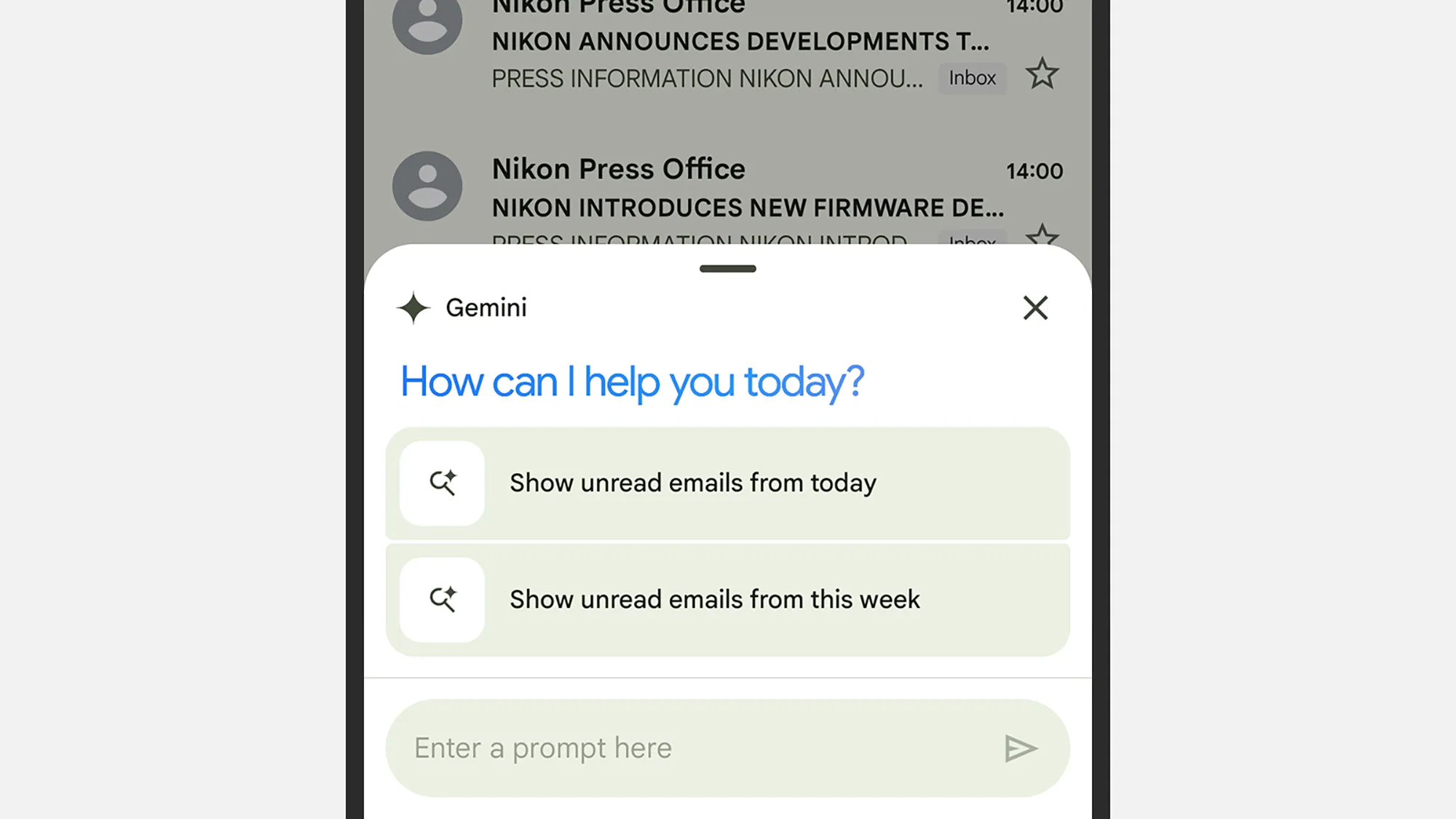
How does Gemini Agent work? Gemini lives inside your Google Docs, Gmail, Drive, and Slides. You can ask it to "find the document from last week about Q3 marketing and summarize it in a bulleted email."
The pros and cons
- Pros: Unbeatable integration with Google Workspace; massive context window (can read huge PDFs); excellent at creative writing.
- Cons: Can still hallucinate facts; the interface inside Workspace apps can sometimes feel intrusive, whereas tools like agentic tools like Gmelius can act without being constantly prompted
Free trial: ✅ (Free version available; Advanced is a 1-month trial)
Pricing:
- Gemini (Basic): Free
- Gemini Advanced: $20/month (includes 2TB storage)
Is Gemini’s AI assistant worth it? No, if you aren't a Google power user. If you use Outlook or store files in Dropbox, Gemini loses its main advantage (integration). The standalone chat is good, but often trails ChatGPT in coding and logic tasks.
6. Superhuman
The "Ferrari" of email clients, known for keyboard shortcuts and speed, now heavily infused with AI.
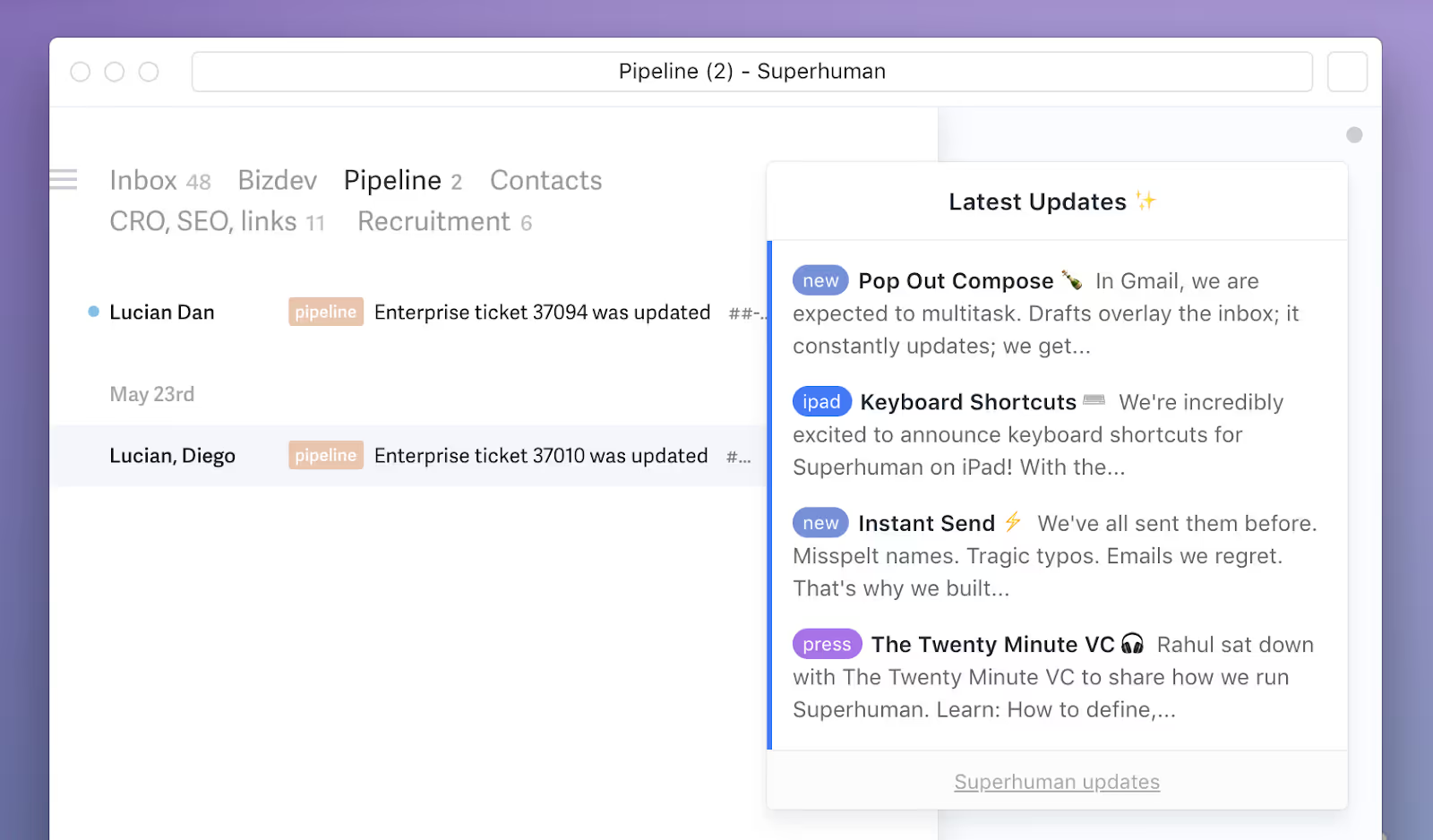
How does the Superhuman AI assistant work? Superhuman AI drafts emails in your unique voice and tone. It can also "Split" your inbox automatically, summarizing newsletters and low-priority streams so you only see what matters.
The pros and cons
- Pros: The fastest email experience on earth; AI writing actually sounds like you, not a robot; beautiful, minimalist design.
- Cons: Expensive; no free tier; steep learning curve for the keyboard shortcuts.
Free trial: ✅ (Free month via referral, otherwise paid upfront)
Pricing:
- Starter: $25/user/month
Is Superhuman’s AI assistant worth it? Probably not for most people. $360 a year is a steep price for email. Unless your income is directly tied to how fast you reply to emails (e.g., VC, high-stakes sales), alternatives like Gmelius offer more value.
7. Friday AI
Friday is a specialized writing assistant designed to break writer's block and generate marketing copy.
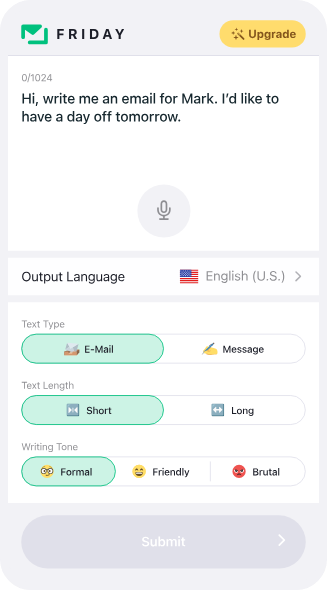
How does the Friday AI assistant work? It offers workflows for blog posts, social media captions, and ad copy. Unlike general chatbots, it guides you through a step-by-step process to build long-form content.
The pros and cons
- Pros: structured templates make content creation fast; cheaper than hiring a copywriter.
- Cons: The output can feel generic; limited utility outside of marketing/writing tasks.
Free trial: ✅ (Limited free requests)
Pricing:
- Undisclosed unless you sign up
- Lifetime: One-time payment options often available
Is Friday’s AI assistant worth it? No. By 2026, tools like Claude and ChatGPT have become so good at writing that specialized "copywriting AI" wrappers like Friday offer diminishing value. You can get similar results prompting Claude 3.5 Sonnet for free.
8. Grammarly
Grammarly has moved beyond spell-check to become a full communication coach.
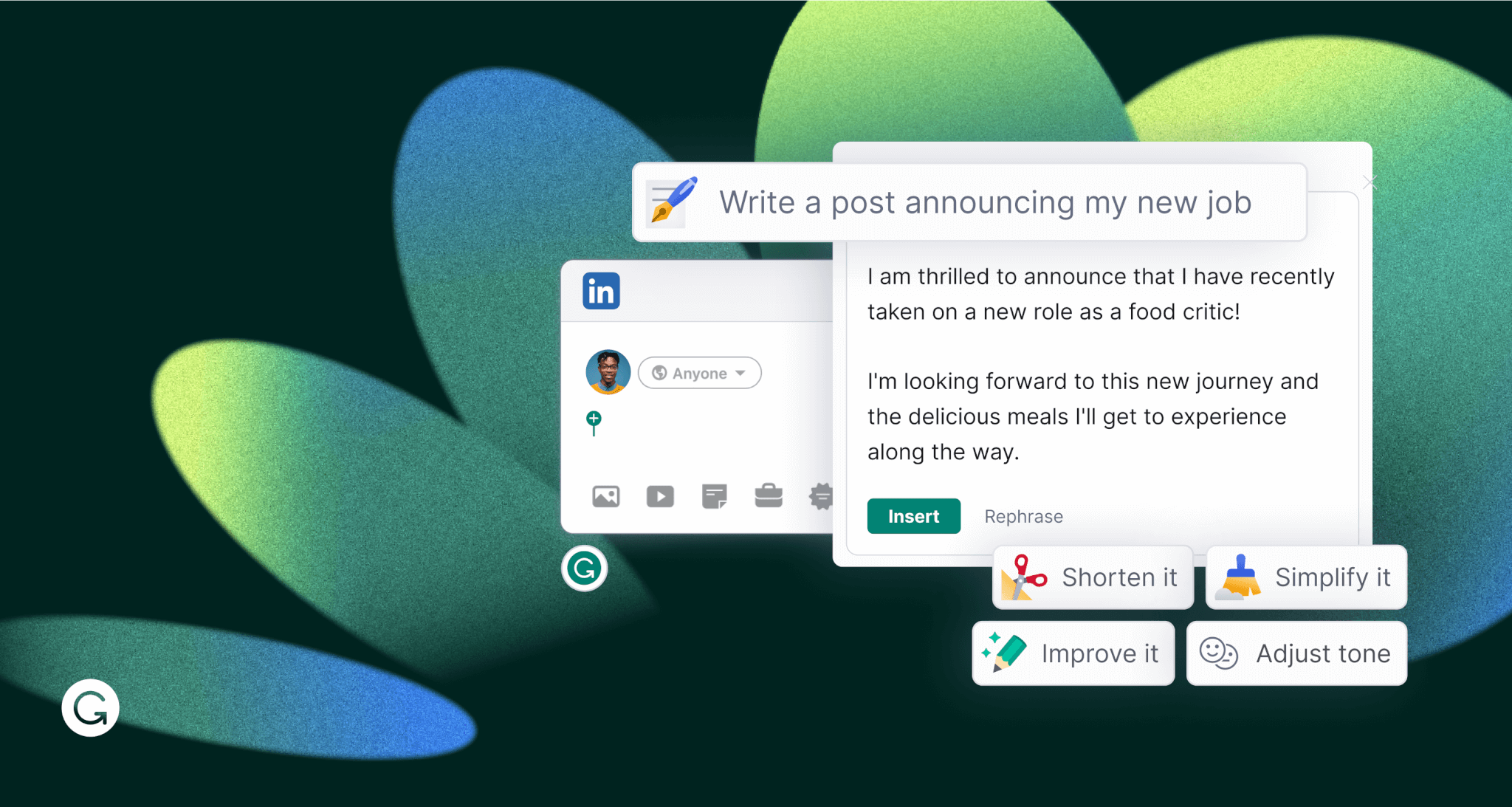
How does the Grammarly AI assistant work? GrammarlyGO (their AI) travels with you across apps (Slack, Word, Email). It rewrites text for clarity, shortens lengthy paragraphs, and adjusts tone on the fly.
The pros and cons
- Pros: Works everywhere you type; excellent privacy and security standards; highly accurate grammar and style corrections.
- Cons: Can be overly prescriptive; the AI suggestions sometimes strip the "personality" out of your writing.
Free trial: ✅ (Generous free forever plan)
Pricing:
- Premium: $12/month (billed annually) or $30/month
Is Grammarly’s AI assistant worth it? No, if you only buy it for the generative AI. The free version of Grammarly + a free ChatGPT tab is a powerful enough combo for 90% of users. The Premium plan is only worth it for professional editors or non-native English speakers needing advanced nuance.
9. Microsoft Copilot
The AI layer for the Windows and Office 365 ecosystem.
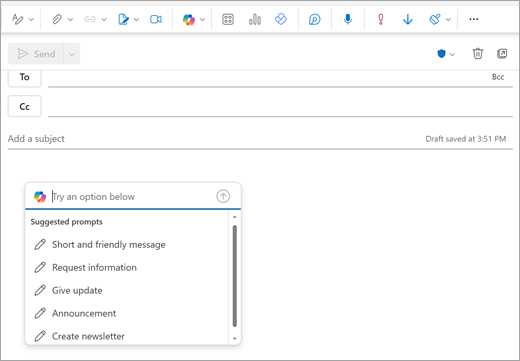
How does Microsoft Copilot work? It is built into Word, Excel, PowerPoint, and Teams. It can turn a Word document into a PowerPoint deck, analyze Excel trends with natural language, and summarize Teams meetings you missed.
The pros and cons
- Pros: Enterprise-grade security; incredible for corporate productivity (Excel/PPT); uses GPT-4 tech.
- Cons: Can be slow within Office apps; "Pro" features for individuals are confusingly tiered separate from business plans.
Free trial: ✅ (Free web version available)
Pricing:
- Copilot Pro: $9.99/user/month for Microsoft 365 Personal
Is Microsoft Copilot worth it? No, if you don't use Microsoft 365 apps heavily. If you use Google Docs or Notion, Copilot Pro is a waste of money because its main value is manipulating Office files.
10. Fyxer
Fyxer is an AI executive assistant service that combines AI efficiency with human quality assurance.
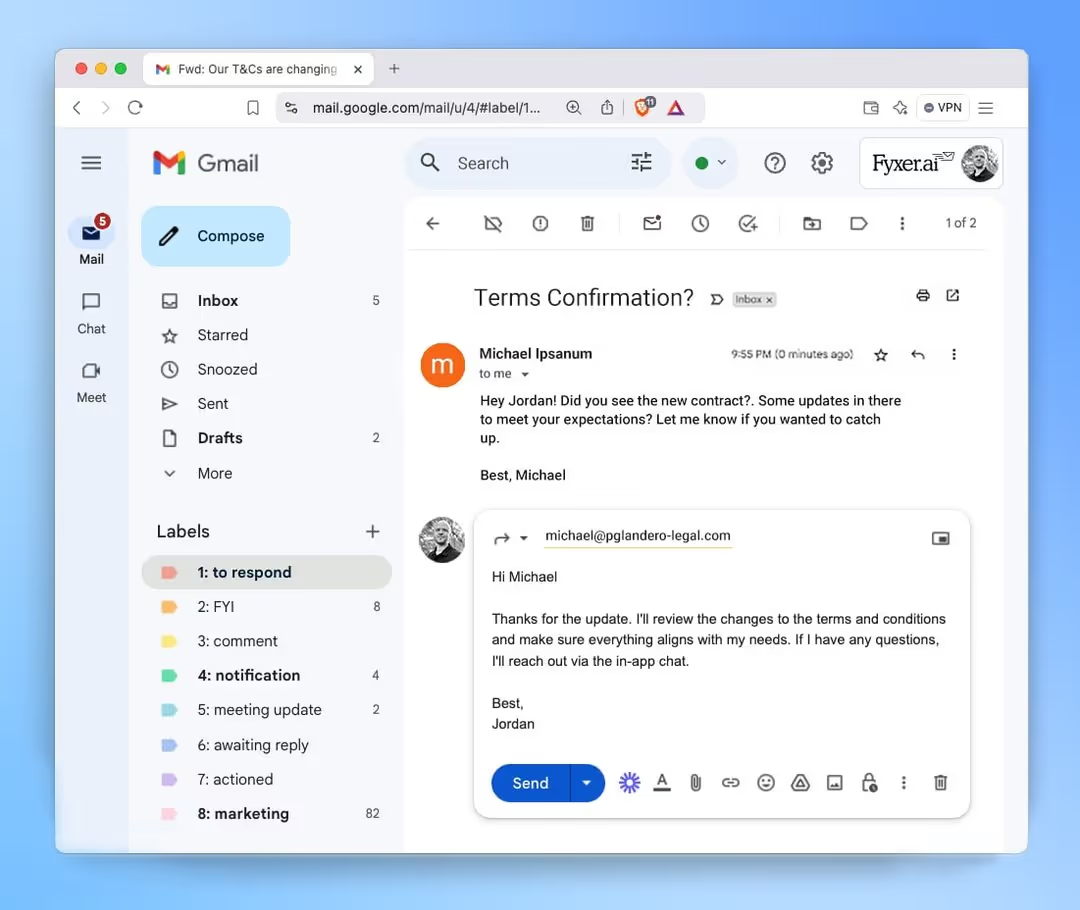
How does the Fyxer AI assistant work? It connects to your email and calendar to draft replies, schedule meetings, and organize your day. It focuses on the "Executive Assistant" role—handling logistics and scheduling battles.
The pros and cons
- Pros: specialized in scheduling and triage; feels more like a human assistant than a chatbot.
- Cons: Monthly subscription is high for an individual; requires granting deep access to your inbox.
Free trial: ✅ (7-day free trial)
Pricing:
- Starter: $30/month (monthly) or $22.50 (annual)
Is Fyxer’s AI assistant worth it? No, for casual users. This is a tool for busy executives. If you schedule fewer than 5 meetings a week, you can manage your own calendar or use free tools like Calendly + a standard AI.
11. Claude
Built by Anthropic, Claude is purportedly the "smartest" AI for reasoning and coding as of 2026.
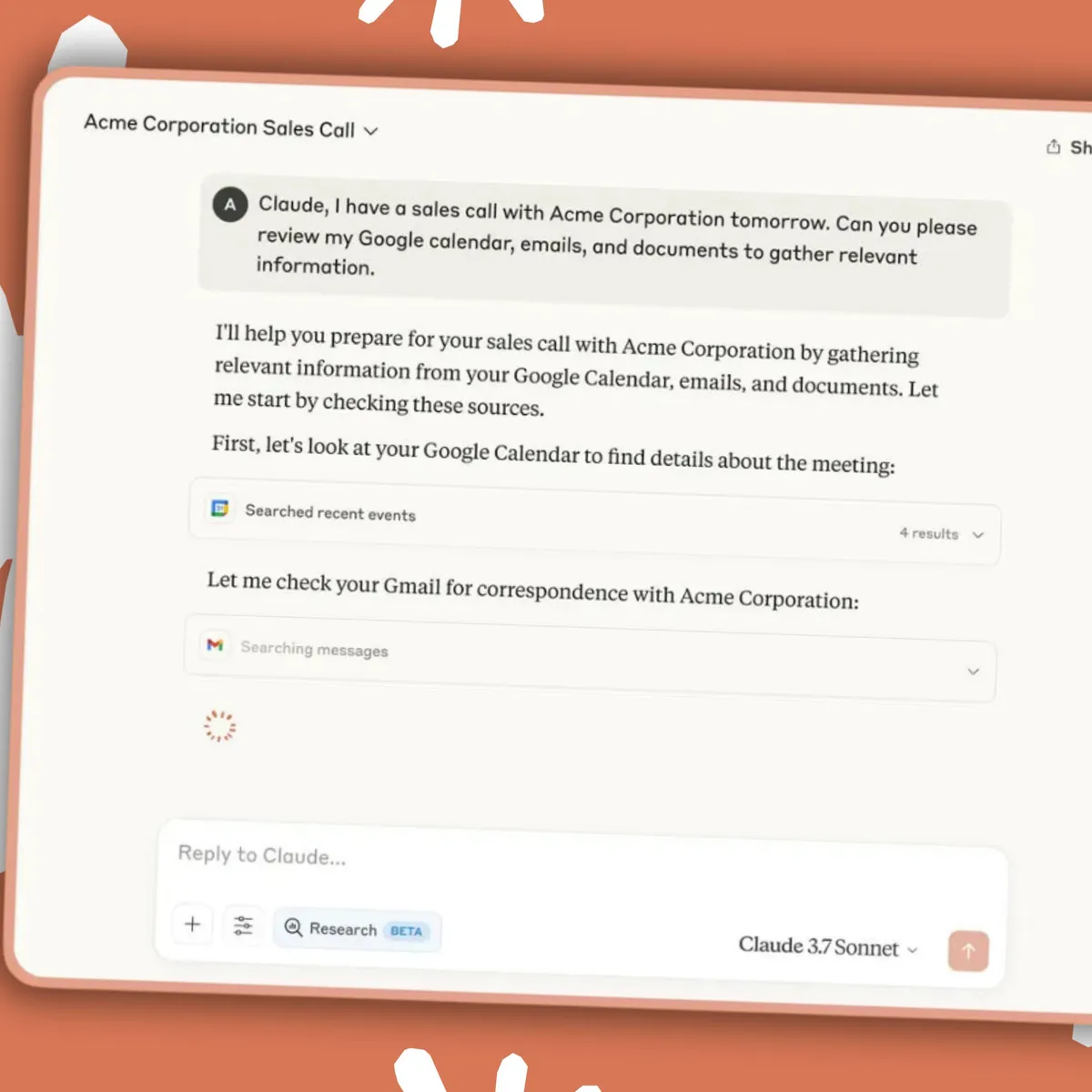
How does Claude work? Claude operates like ChatGPT but with a focus on safety and large contexts. You can upload entire books or codebases, and Claude can analyze them in seconds. Its "Artifacts" feature lets you view code and documents side-by-side with the chat.
The pros and cons
- Pros: Best-in-class coding and writing abilities; huge context window (can read hundreds of pages); less "robotic" writing style than GPT.
- Cons: No image generation capabilities (yet); fewer third-party integrations than ChatGPT.
Free trial: ✅ (Free tier available with daily limits)
Pricing:
- Pro: $20/month
Is Claude worth it? No, if you need multi-modal features like image creation or voice mode. Claude is strictly a text/code genius. If you need a "do it all" assistant, ChatGPT is a better buy.
12. Shortwave
Shortwave is the spiritual successor to "Google Inbox," rebuilt with AI at its core.

How does the Shortwave AI assistant work? It groups emails into bundles and uses AI to summarize threads. Its standout feature is "AI Search," which lets you ask questions like "When is my flight to Chicago?" and it scans your emails to give you the answer, not just a list of search results.
The pros and cons
- Pros: Incredible design; AI search is a game changer; excellent free tier.
- Cons: Gmail only (no Outlook); the "bundling" approach takes time to get used to.
Free trial: ✅ (Free plan available)
Pricing:
- Personal: Free (very limited use)
- Business: $24/month
Is Shortwave’s AI assistant worth it? Yes, but only if you are willing to change how you email. Shortwave forces a new workflow (triaging bundles). If you just want a standard inbox with AI, this will frustrate you.
13. Aichat.fm
Aichat.fm is an aggregator app that gives you access to multiple AI models in one interface.

How does AI Chat work? Instead of paying for ChatGPT and Claude and Gemini, you pay one subscription to Aichat.fm and get access to all of them. It also includes "Husky AI," an uncensored web search agent.
The pros and cons
- Pros: Cost-effective way to access multiple top-tier models; single interface for text, image, and video generation.
- Cons: Usage limits apply to the top models; interface is less polished than the native apps.
Free trial: ✅ (7 days)
Pricing:
- Monthly: $14.99
Is AI Chat worth it? No, if you prefer stability. Aggregators often rely on APIs that can change or break. You are often better off paying $20 directly to the specific provider (like OpenAI or Anthropic) for the most reliable experience and latest features.
14. Monica (Monica.im)
Monica is a "copilot for your browser." It lives as a sidebar in Chrome or Edge.
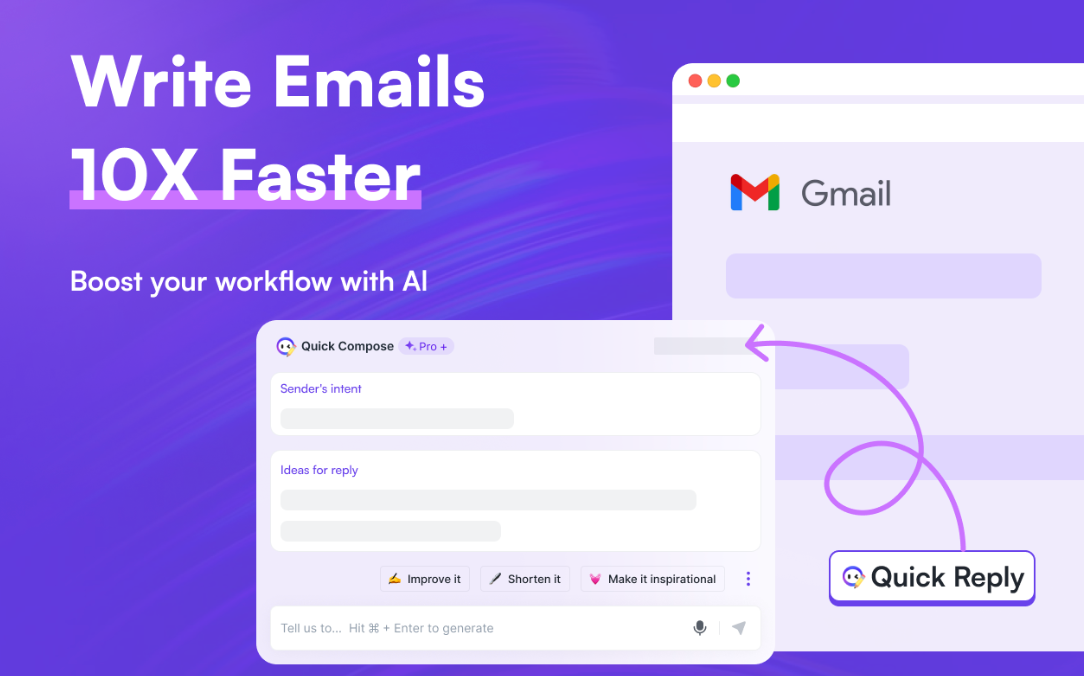
How does the Monica AI assistant work? It can summarize the web page you are reading, translate text, or explain complex technical terms. It aggregates models like GPT-4, Claude, and Gemini into that sidebar.
The pros and cons
- Pros: Always there when you browse; excellent for research and summarizing YouTube videos.
- Cons: Can slow down your browser; privacy risk (it can "read" the pages you visit).
Free trial: ✅ (Free daily usage limits)
Pricing:
- Ultra: $82.90/month
Is Monica’s AI assistant worth it? No, if you use Edge. Microsoft Edge has a free "Copilot" sidebar that does almost exactly the same thing for $0. Same if you download Gmelius, for a fraction of the cost. Monica is only worth it if you are a die-hard LLM fanatic who wants to use all the models at once.
15. MailMaestro
MailMaestro is an enterprise-focused AI email drafter that prioritizes security.
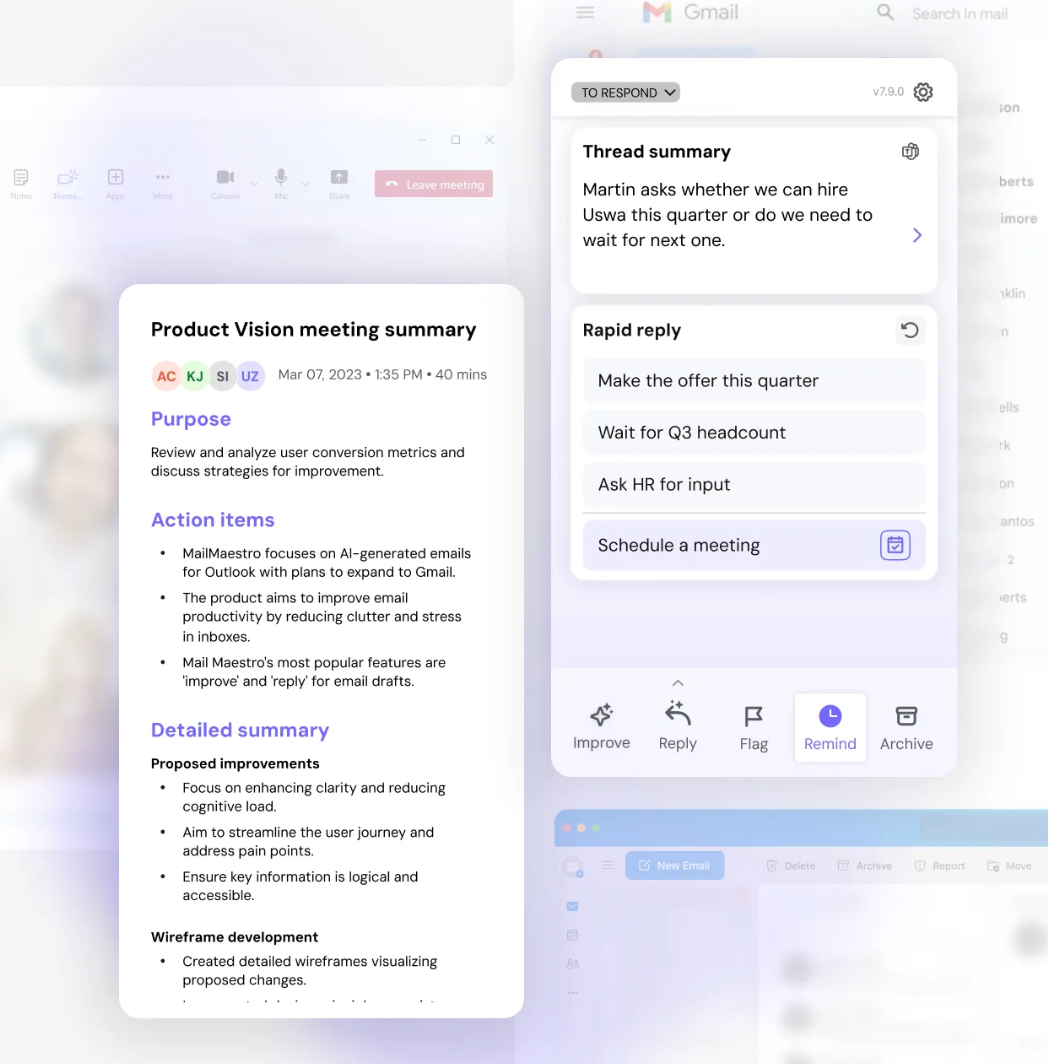
How does the MailMaestro AI assistant work? It integrates into Outlook and Gmail to draft high-quality emails. It focuses heavily on security, ensuring your private company data isn't used to train public AI models.
The pros and cons
- Pros: Enterprise-grade security (GDPR, encryption); high-quality output; adapts to your professional tone.
- Cons: Limited feature set compared to full suites like Copilot; primarily just a "writer."
Free trial: ✅ (Free plan with 3 requests/week)
Pricing:
- Starts from: $12/user/month
Is MailMaestro’s AI assistant worth it? No, for individuals. It is built for corporate teams with strict compliance needs. Besides, apart from writing and summarizing, the AI can’t do much else.
As an individual, you can get similar drafting capabilities from free tools without the enterprise price tag. Or, you can go for something like Gmelius, which offers pro features like no-prompt generation and custom AI training, in addition to drafting.
Build or Buy? The Cost of AI Assistants in 2026
The "Buy" side of the equation has never been more competitive. For $20–$30 a month, you are essentially renting a PhD-level intern. However, "Build" is becoming an attractive alternative for enterprises. With the rise of open-source models (like Llama 4), companies are increasingly hosting their own "local" assistants to avoid the "SaaS tax" involved in an AI assistant’s cost and keep data behind a firewall.
The Verdict: If you are a startup or an individual, Buy. The speed of innovation in these 15 tools outpaces any internal development. If you are a Fortune 500 company, Build the infrastructure, but Buy the UI (via plugins like Missive or Gmelius).
Get Started With AI Assistants: A Quick Primer
- Audit your friction: Don't buy an AI because it's cool. Buy it because you hate writing follow-up emails or summarizing meetings.
- Start with "free": Every tool on this list has a free entry point. Use a "Burner Week" to test one tool at a time in your real workflow.
- Prompt once, use twice: Learn to create "System Prompts." Tell the AI your tone, your goals, and your "hard nos." Or better yet, configure your preferences into a no-prompt interface like Gmelius.
- Consolidate: By the third month, you should be moving from five AI tools down to two. Integration beats isolation.
Try Gmelius AI assistants to access cutting-edge LLMs at no extra cost.




%20(1).avif)
.avif)
.avif)





