

Small teams have more AI tools to choose from than ever, because the apps they already use, from project managers to design suites, have added AI agents of their own over the past year. The twelve below are the best AI tools we’d recommend to a team of two to fifty people in 2026. Each of them saves hours on a job that small teams do every week, and they don’t need a developer to configure.
1. Zapier, the Best AI Automation Platform for Connecting Apps
No other tool on this list connects to as many apps as Zapier, which three co-founders started in Columbia, Missouri, in 2011. It now links more than 8,000 of them, so it usually becomes the layer that joins the rest of a small team's stack.
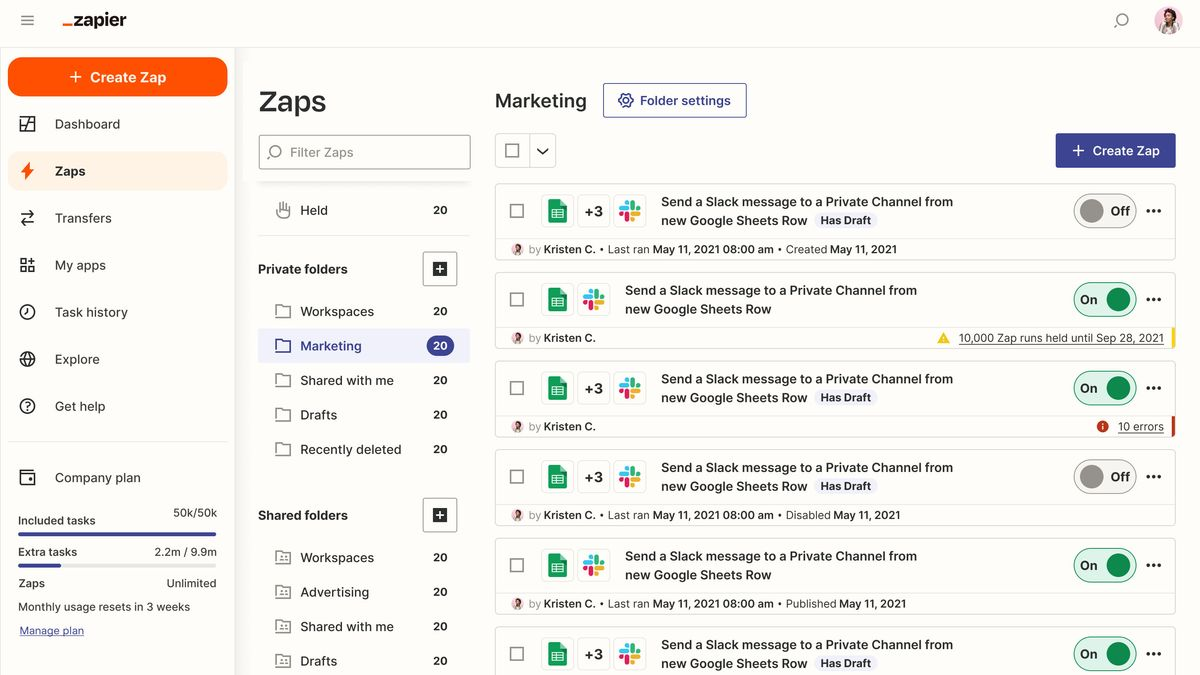
A Zap begins with a trigger in one app, such as a new form entry, and then completes steps in others, while AI by Zapier steps can classify or summarize the data along the way. Since June 15, 2026, those steps have been priced by AI model tier, worth noting when budgeting for AI tools.
Zapier Agents, meanwhile, are AI agents that browse the web and take actions in connected apps around the clock. For instance, a team can give one of them the job of researching every new lead before a salesperson calls. Tables and Forms are free on every plan, letting teams store and collect data without a separate database, and Zapier MCP is free as well, so AI assistants can use any of those 8,000 apps for two tasks per call.
All of that usage adds up, however, and one developer on G2 found that, after a few months, "your automations have been working a lot harder than you thought." Professional costs $19.99 a month on an annual plan for 750 tasks, while Team costs $69 a month for up to 25 users, and Agents are billed separately, with a free tier for light use.
4. Gmelius, the Best AI Agents for Teams That Work from Gmail
Gmelius puts AI agents inside Gmail, where each agent handles a defined job, such as triaging a shared inbox or chasing unpaid invoices, and acts across connected tools such as HubSpot and Notion.
Teams that want to build AI agents for email can do so in plain language, without writing any code, and then decide which actions each agent may take on its own.
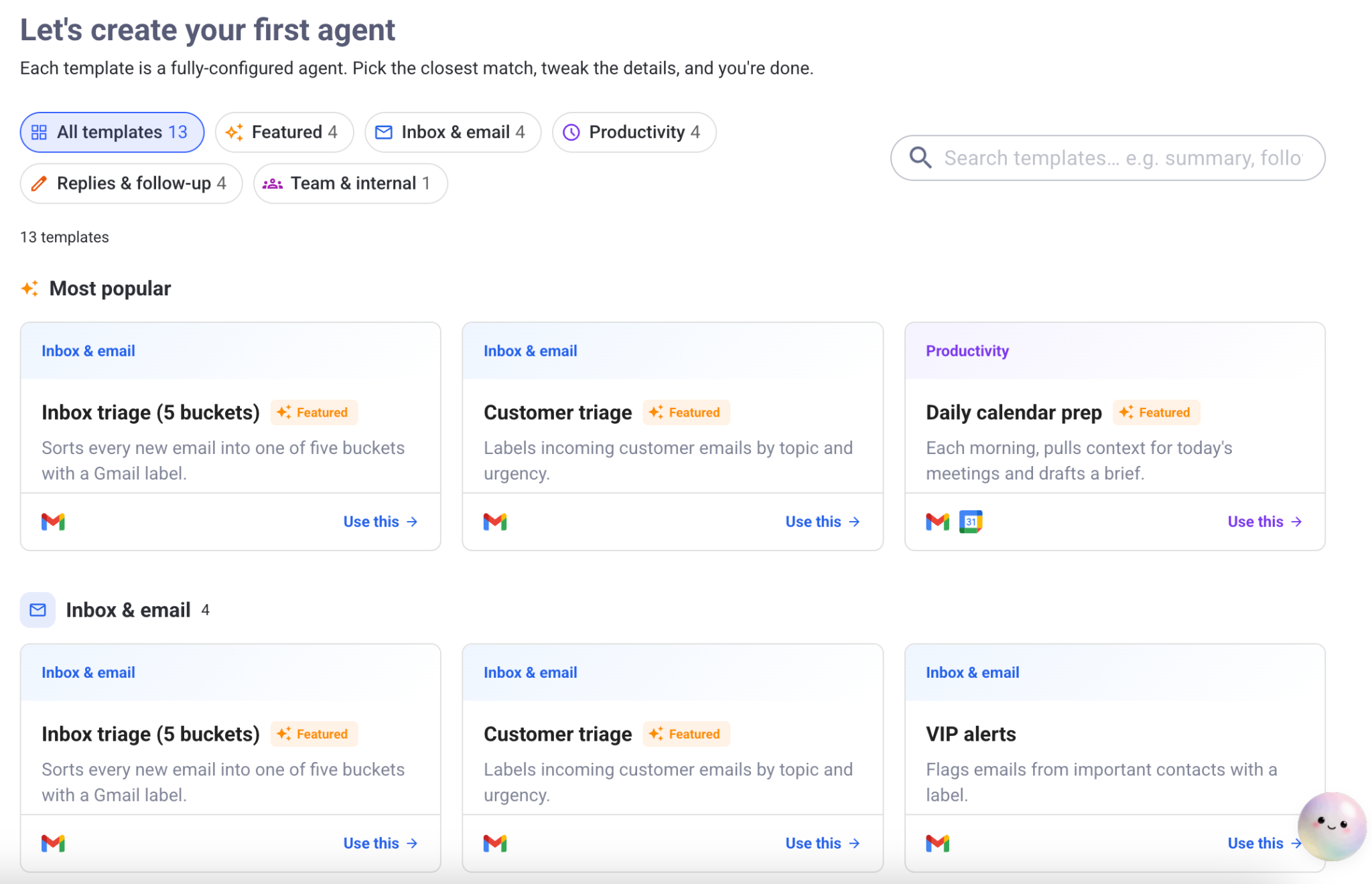
Every agent draws on Meli, Gmelius's AI Chief of Staff, which builds and maintains a model of the company's clients and the way its team works. So, every agent that answers a question – say, about a delayed shipment – already knows the client's open orders before it checks the tracking system. Agents act when they are confident and hand the conversation to a person when they are not, with their reasoning and sources visible.
Gmelius, a Google Cloud Partner, says that more than 10,000 teams now use the platform and that 71% of their routine client requests are resolved without a human touch, while MCP support and a REST API let the agents work with almost any other system. Because the agents work from Meli's model of how the business operates, they can complete a request, such as updating a CRM record, instead of only drafting a reply to it.
One reviewer on ITreview noted that "Gmelius does not really have an effective training path," and every trial now comes with a free 30-minute onboarding call. Plans start at $19 per user a month for Meli on an annual plan, and Growth, which adds shared inboxes, costs $25, while Pro costs $40, with a seven-day free trial on each of them.
3. ClickUp, the Best AI Project Manager for Growing Teams
ClickUp keeps a team's tasks and documents in one workspace, and Brain, its AI layer, can search across that workspace and the apps connected to it. This means a question about a client will return the right task, along with the conversation around it.
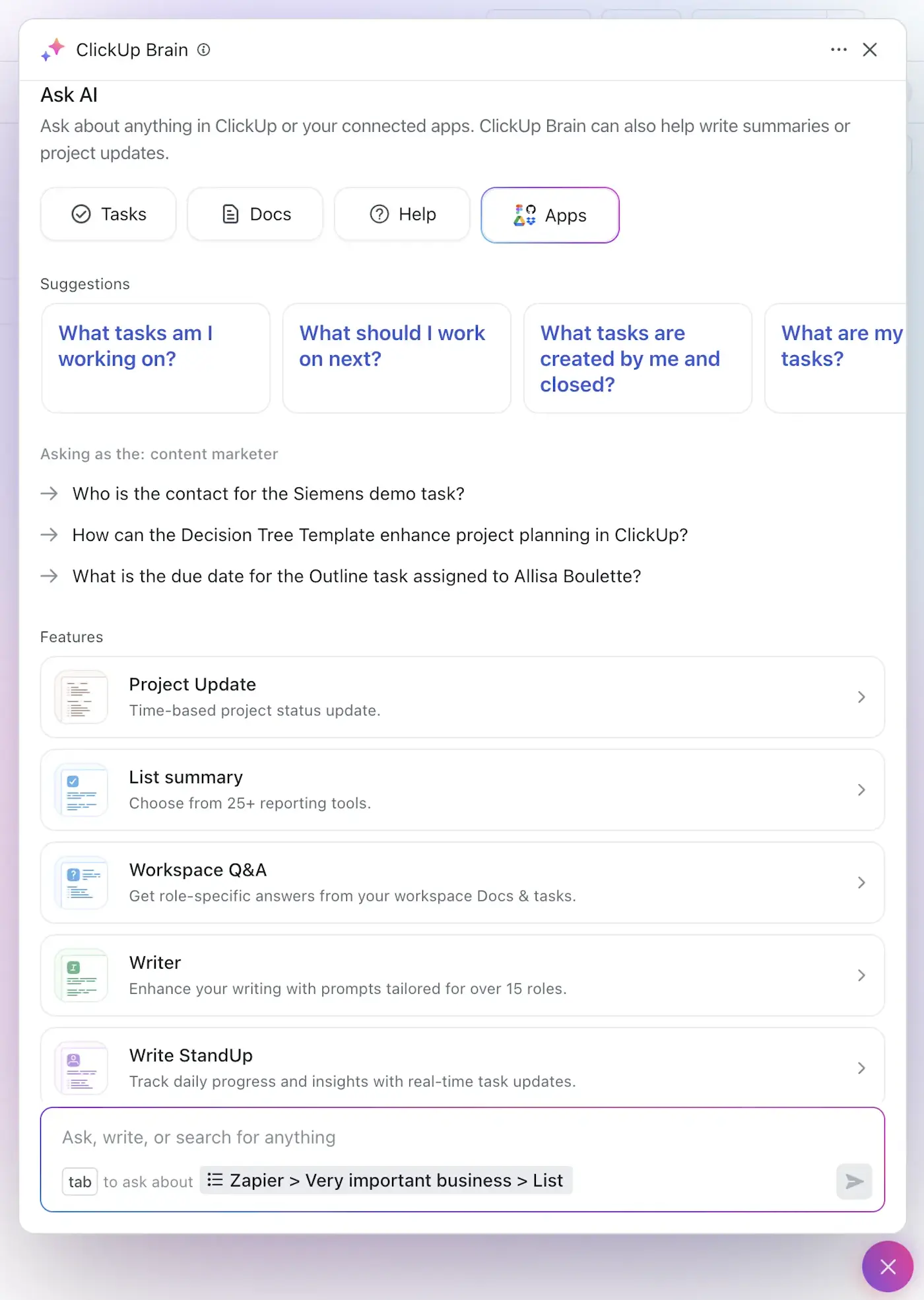
The company, founded by Zeb Evans in 2017, released version 4.0 of its platform in March 2026, a month after it had launched Super Agents, which handle recurring work such as weekly status reports.
The Brain AI Automation Builder lets a team describe an automation in plain language instead of building it step by step, while Brain MAX, a desktop app on the Everything AI plan, adds web search and Talk to Text, and teams can also choose the AI model that Brain uses.
Because those agents already know every task in the workspace, a small team can avoid buying a separate tool for each job, although one small-business reviewer on G2 noted that token limits "sometimes cause replies to cut off right when you're deep into complex work." Model costs and feature limits can also be an issue for small teams on lower-tier plans.
Unlimited costs $7 per user a month on an annual plan and Business $12, while Brain AI adds $9 per user and Everything AI adds $28, and both are charged on every paid seat.
4. HubSpot, the Best AI CRM for Small Sales and Service Teams
Since April 14, 2026, HubSpot has charged for two of its Breeze agents by outcome, at $0.50 for each resolved support conversation and $1.00 for each lead recommended for outreach. This means a small team pays only for the work that the agents complete, but costs can grow quickly with usage.
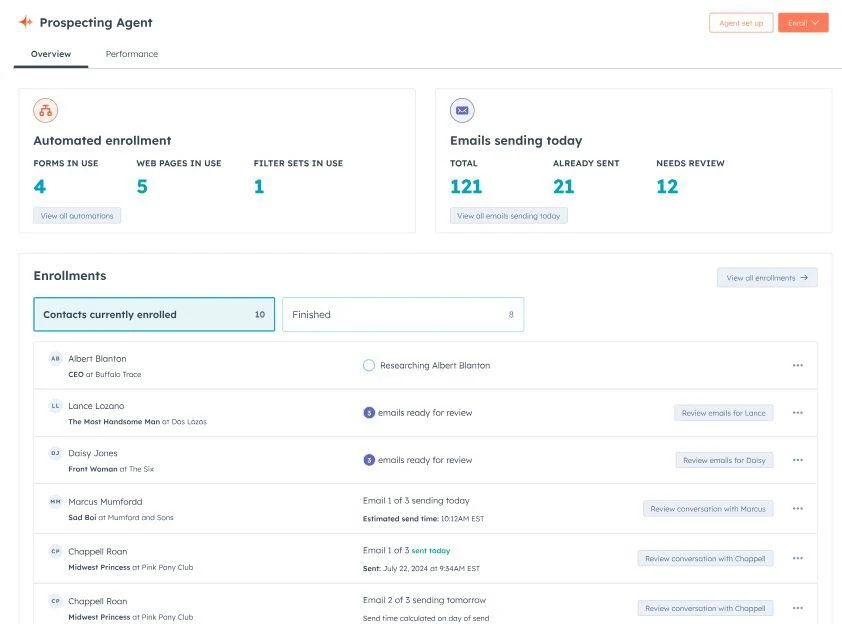
These AI agents belong to Breeze, the AI suite inside the CRM that Brian Halligan and Dharmesh Shah founded in Cambridge, Massachusetts, in 2006. HubSpot’s Customer Agent answers support questions while the Prospecting Agent researches leads and drafts outreach.
Because every agent works inside the CRM, it can read a customer's full history before it replies to them or recommends them as a lead, something a standalone AI tool cannot do.
Breeze Studio lets a team customize agents or install new ones from a marketplace, and Breeze Intelligence enriches contact records with company data and signals about buyer intent.
Starter plans cost $20 per seat a month and include 500 HubSpot credits, although the Customer Agent requires a higher Service Hub plan, and the agents still have rough edges, since one reviewer on Gartner Peer Insights said that Breeze sometimes "feels like you're going around in circles" instead of learning from the information it is given.
5. Notion, the Best AI Workspace for Documents and Projects
Notion keeps a team's documents and projects in the same place as its agents, so an agent can read the project plan before it updates the tasks inside it.
Ivan Zhao co-founded the company in 2013. Now, it sells its full AI suite only on Business and Enterprise plans. On Business, Notion AI Agents draft pages and updates databases across the workspace, and AI Meeting Notes transcribes calls in 16 languages, while Enterprise Search (still in beta), finds answers across connected apps such as Slack and Google Drive.
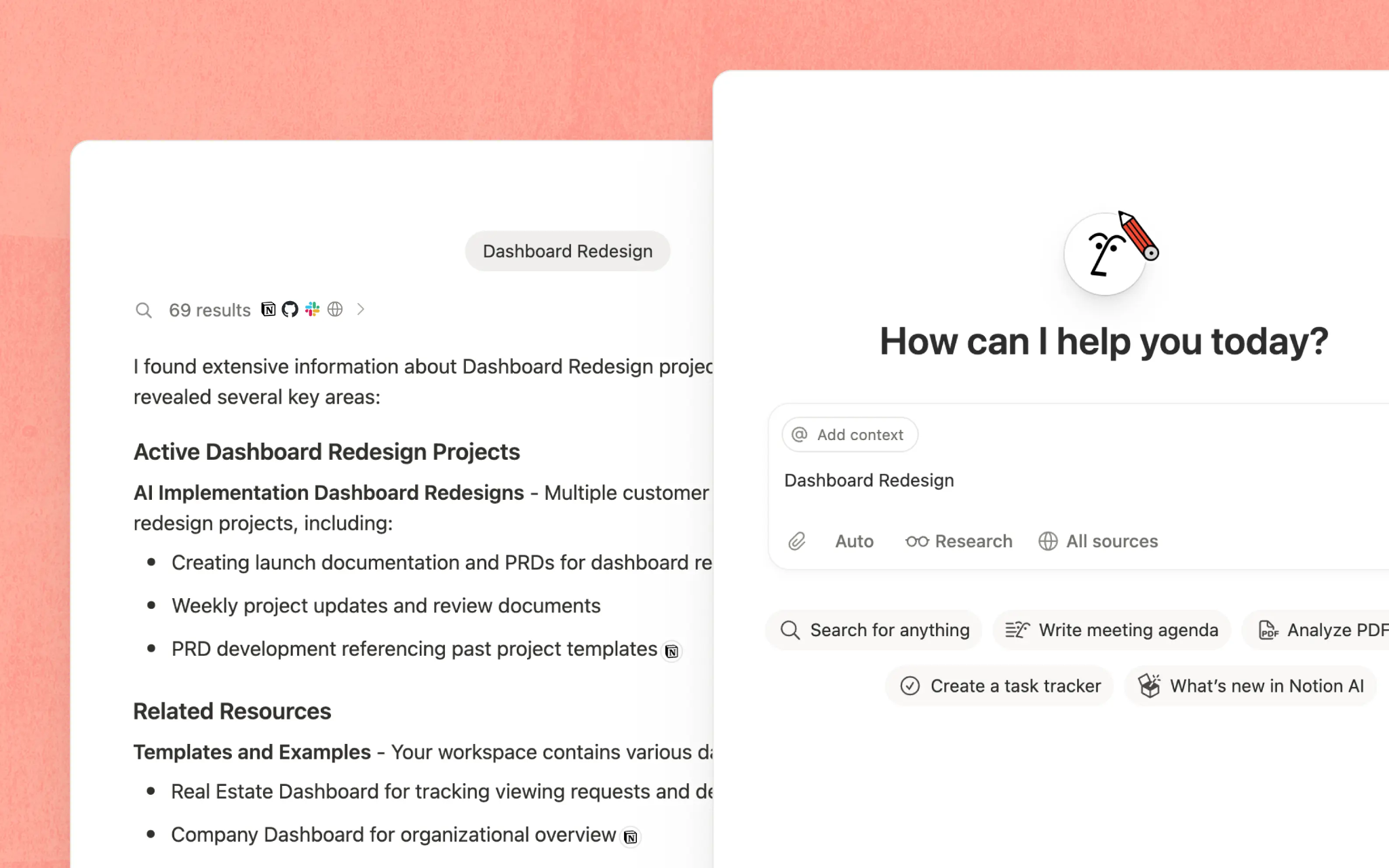
Custom Agents became generally available on May 4, 2026 and they start on a schedule or a trigger without anyone in the loop, so a team can ask one to sort incoming requests every morning or to compile a status page every Friday. They draw on Notion credits (available for $10 per 1,000), on top of the Business plan, priced at $20 per member a month on an annual plan, or $24 monthly.
Workers, Notion's way of running custom code on its own infrastructure, began billing through the same credits on October 15, and teams can also choose between models from several AI providers. All of that power has a cost in simplicity, however, since one reviewer on G2 wrote that "the main thing I dislike about Notion is that it can sometimes feel overwhelming."
6. Canva, the Best AI Design Suite for Marketing Teams
2012-founded Canva groups its AI features under the Magic Studio name, and Magic Design produces a first draft of a social post or a presentation from a short prompt.
In April 2026, Canva AI 2.0 added Magic Layers, which splits an AI-generated poster into layers that can be edited one at a time.
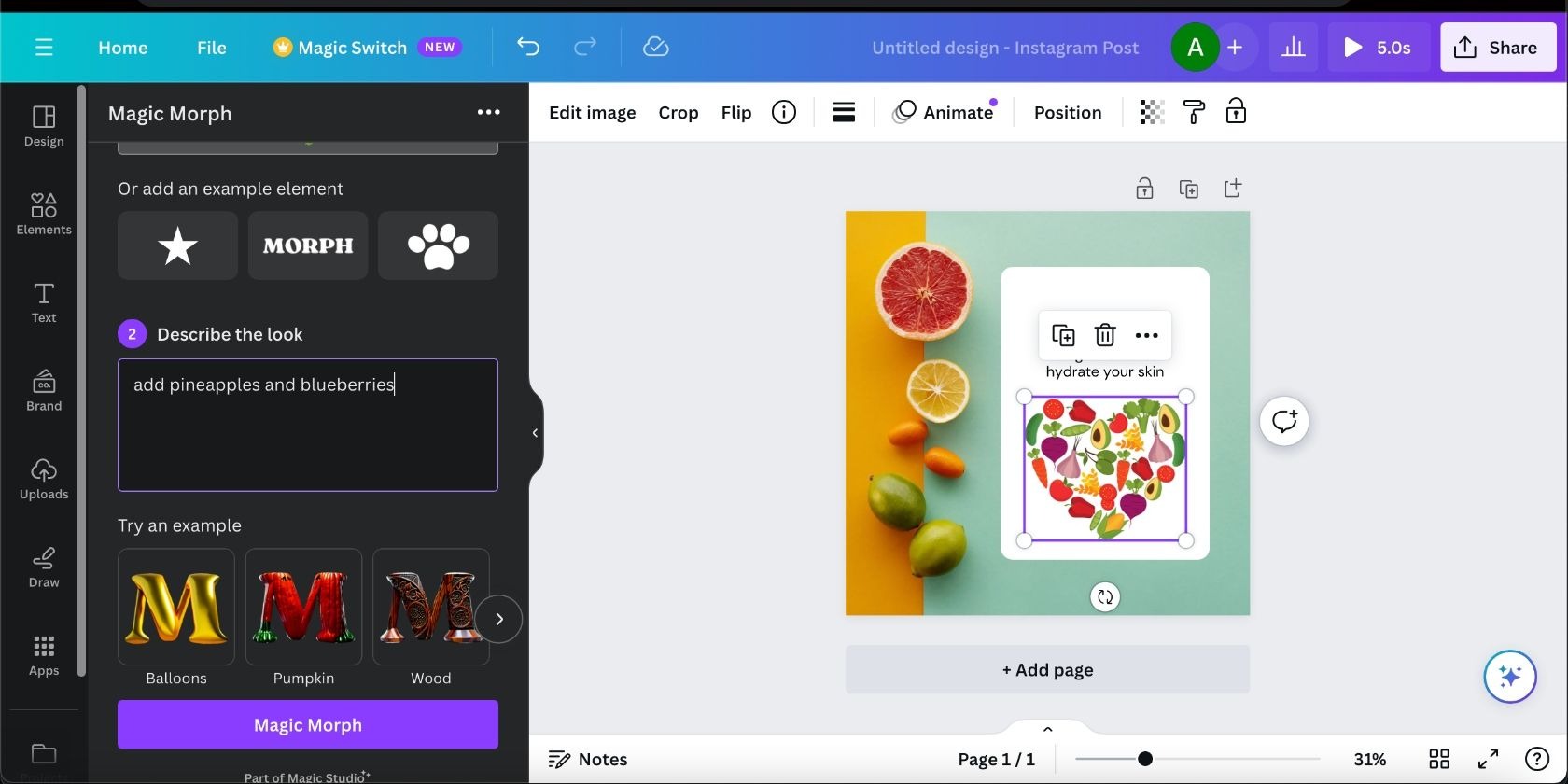
Those drafts still need checking, since one reviewer on G2 found that the AI tools "are not always very precise, so you still need to manually adjust things," but Canva's AI now extends well beyond images.
Canva Code builds small interactive pages and tools from a description, while Canva Sheets brings Magic Formulas and Magic Charts into a spreadsheet, so a campaign report can be designed in the same place where its figures are kept.
Brand Kits store a team's logos and colors, so every member's designs follow the same rules, and Affinity, the professional design suite that Canva bought in 2024, has been free to use since 2026. Among the AI tools for marketers, Canva requires the least design skill, allowing a small team can produce on-brand work without waiting for a designer.
Pro costs $18 a month for one person, or $144 a year, while Business costs $25 per person a month, or $250 a year, with a separate AI Pass for teams that use the AI heavily.
7. Gamma, the Best AI Tool for Presentations and One-Page Sites
Gamma produces a presentable deck from a rough outline in about a minute, suitable for small teams that pitch often and rarely employ a designer. The company behind it, which launched in 2020 as a slide editor, has been profitable for more than two years with a team of about 50 people.
From a single prompt, it generates a fully designed deck or document, or a small website, and the finished work is shared as a link, with analytics that show how many people viewed it and how long they spent on each card.
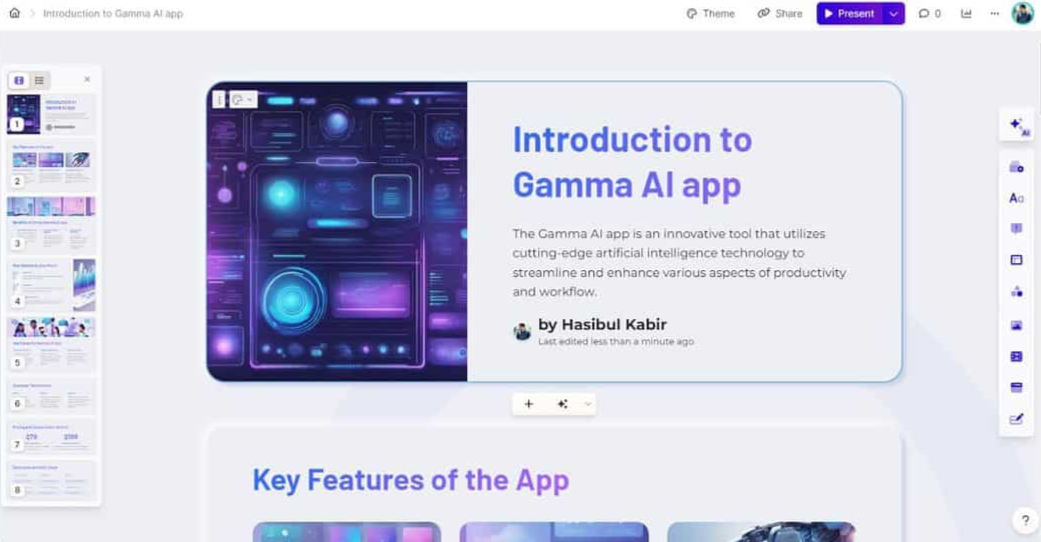
The Gamma Agent, introduced with version 3.0 in September 2025, researches a topic on the web with citations and applies style changes across a whole deck at once.
Since January 2026, AI Animations have brought movement to slides that would otherwise be static, and Gamma Imagine, launched on March 17 2026, generates charts and infographics for marketing material. The Pro plan adds API access, so a team can create decks automatically from its other tools, and it costs $15 a month on an annual plan, while Plus costs $8 and team plans start at $20 per seat.
The first draft is rarely the last, however, and one reviewer on G2 noted that "it is required manual adjustment instead of full AI version."
8. Fireflies.ai, the Best AI Note-Taker for Meetings
Fireflies.ai, founded by Krish Ramineni and Sam Udotong in 2016, says that more than a million companies use its meeting assistant.
Once it has been connected to a Google or Outlook calendar, it joins scheduled calls and transcribes them in more than 100 languages, with each speaker identified, before it writes a summary of the decisions.
As a result, every spoken decision becomes searchable later, saving a small team from taking notes during its most important calls. AskFred, the built-in assistant, can answer questions across past meetings, so a manager can ask what a client said about pricing in March without opening a single recording. “Talk to Fireflies”, powered by Perplexity, can even search the web during a live call.
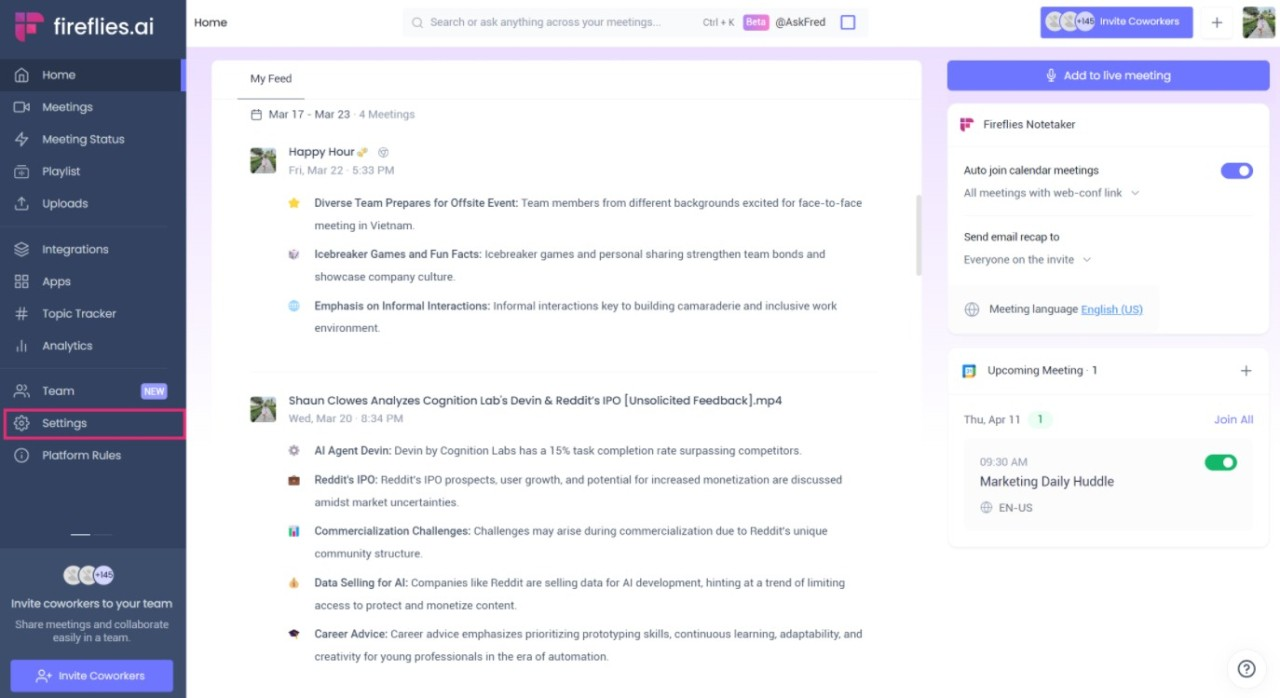
Voice Agents can attend calls and speak on a team's behalf, and the Business plan adds CRM Autofill, which copies meeting details into a sales CRM automatically. Business costs $19 per seat a month on an annual plan, or $29 monthly, while Pro costs $10, or $18 monthly, and some advanced features draw on separate AI credits.
Sharing still has some friction, though, because some reviewers on G2 complained that colleagues must sign up "just to view the transcripts of a meeting that somebody shares with you."
9. Superhuman, the Best AI Writing Assistant Across Apps
Superhuman Go, an AI assistant inside the Grammarly browser extension, works wherever a person writes, and because Grammarly AI already integrates with a million apps and websites, its agents follow a team from one tool to the next instead of waiting in a separate app.
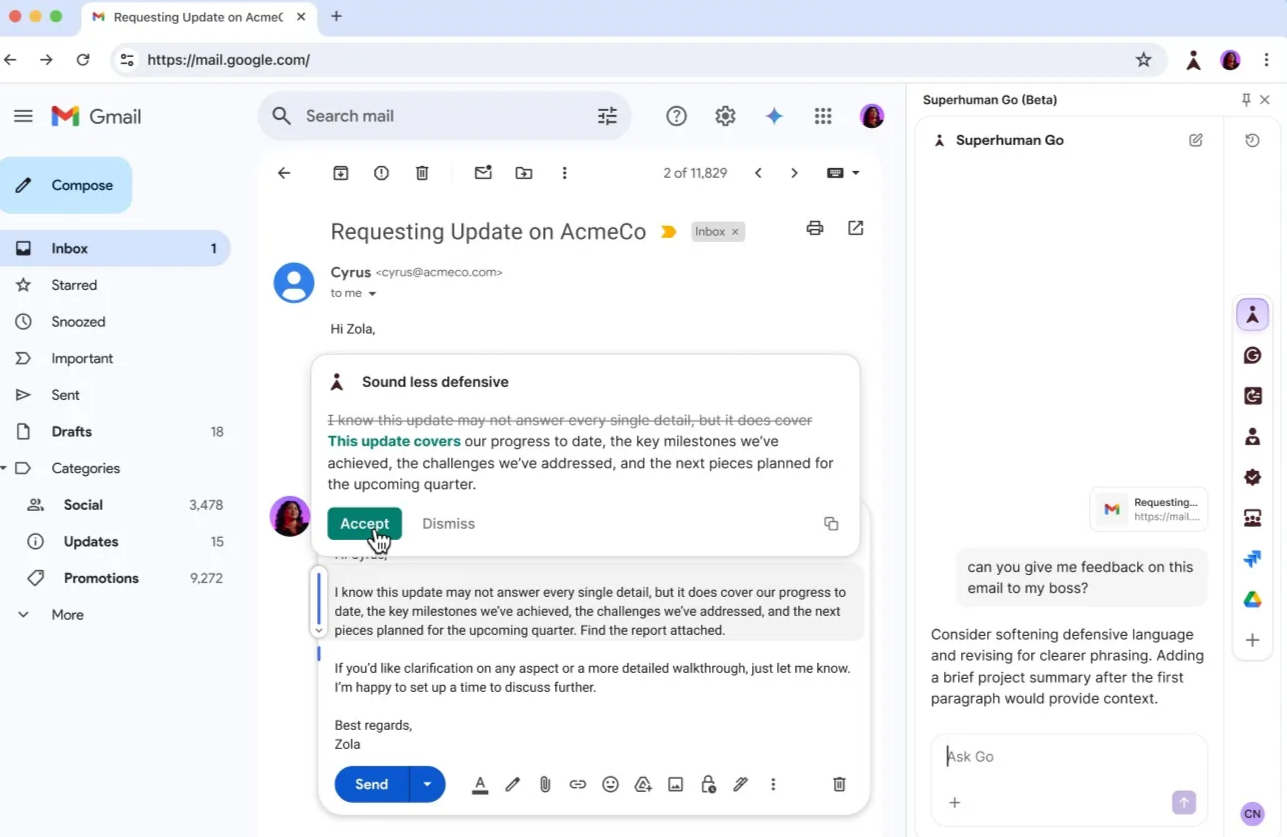
The assistant belongs to a suite that Grammarly assembled after it had bought the Superhuman email app, and in October 2025 the company renamed itself Superhuman. The suite now combines Grammarly's writing help with the Coda workspace and Superhuman Mail.
Go draws on agents from the Superhuman Agent Store, including connector agents for apps such as Gmail and Grammarly's own writing agents, so it can fetch details from a calendar or a CRM and add them to a draft before anyone asks for them. Teams can also build custom agents for their own processes, and in Superhuman Mail, agents draft replies and highlight the key details in long threads, which places it among the more capable AI email assistants.
Pro costs $12 a month on an annual plan, and Business, which adds Superhuman Mail, costs $33 a month, although the writing suggestions still need a human check, since one reviewer on G2 warned that they "can be overly aggressive and change the intended meaning of a sentence."
10. Descript, the Best AI Video and Podcast Editor
Descript lets a marketer with no video training edit a podcast or a product demo as easily as a document, because a recording is edited through its written transcript, so deleting a sentence on the page removes it from the video. Studio Sound, meanwhile, cleans background noise from a voice that was recorded in an ordinary room.
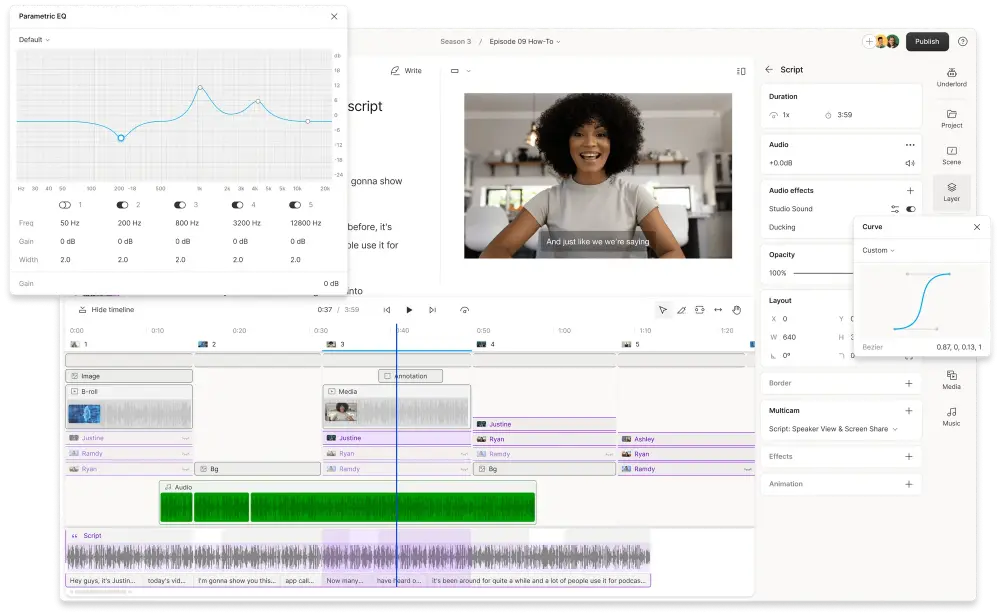
Underlord, Descript's AI co-editor, was introduced in April 2025 and has been expanded throughout 2026, and it completes multi-step requests written in plain language, such as removing every silence longer than two seconds or cutting a long episode into vertical clips with captions.
Eye Contact corrects a speaker's gaze toward the camera, while the public API, in open beta since earlier this year, lets other tools trigger Underlord through MCP.
Descript, which Andrew Mason founded in San Francisco in 2017, releases updates often, and one reviewer on G2 found that "the constant changes to the software can sometimes make it difficult to keep up." Creator costs $24 per person a month on an annual plan, with 30 hours of media and 800 AI credits, while Business costs $50 and Hobbyist starts at $16.
11. Lovable, the Best AI App Builder for Internal Tools
A team can describe an app in plain language, and Lovable will write a full-stack web application in React with a Supabase backend, which can be published to a lovable.app address or a custom domain within minutes.
In a single session, it can produce a working internal tool, such as a client portal or a booking form, something that would take a developer and several weeks to build.
Plan Mode scopes a feature before anything is built, and the finished code can be synced to GitHub, so the team owns it outright and can host it with another provider later. Lovable Cloud hosts the database and storage, while its AI gateway lets a deployed app call AI models, so a small team could build an AI assistant for its customers without hiring a developer.
AI penetration testing, added in March 2026, even checks an app for security flaws before it is shared.
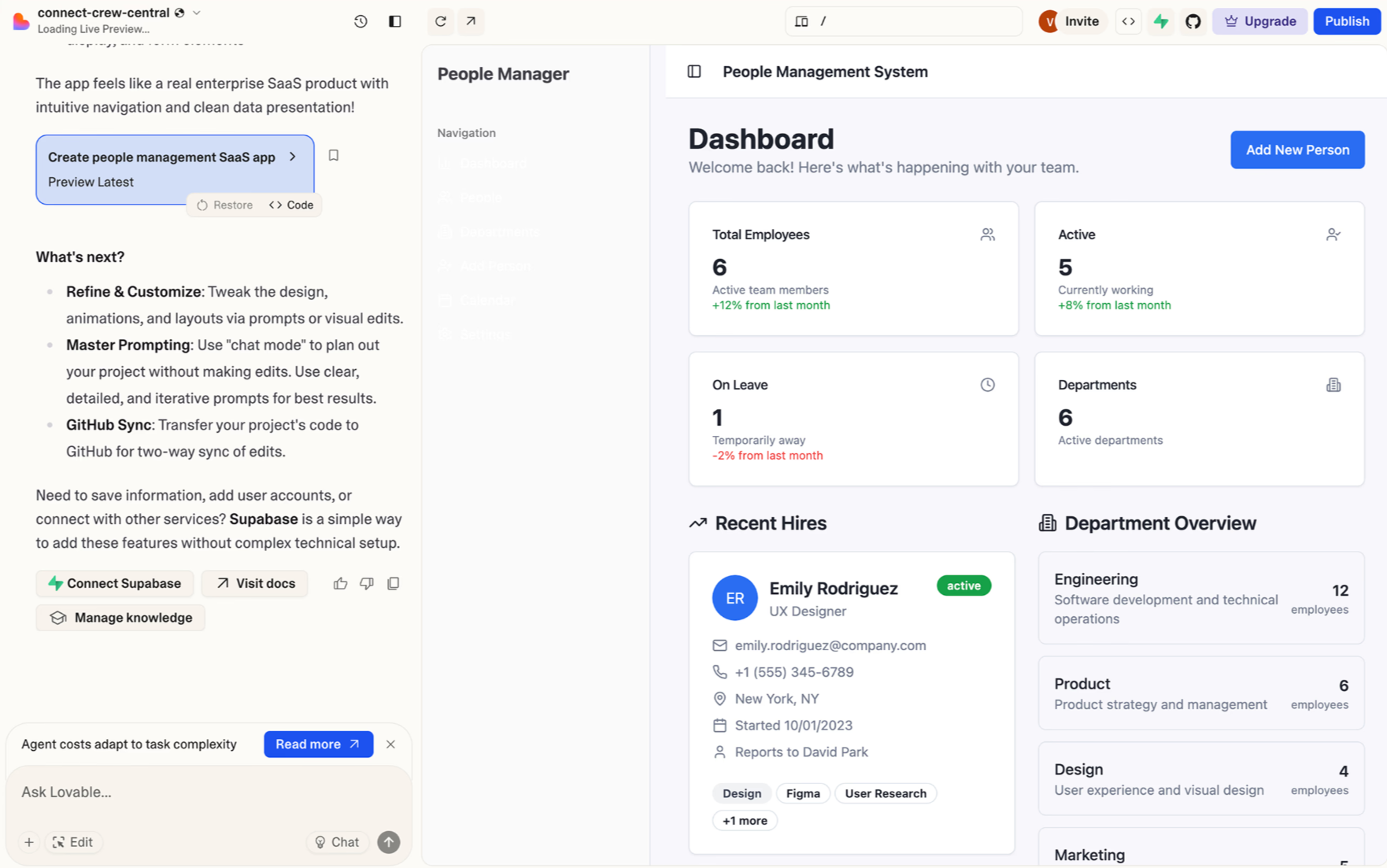
The Stockholm company behind Lovable (founded in 2023 under the name GPT Engineer) raised $330 million at a $6.6 billion valuation in December 2025. Its pricing has also been simplified, because building an app and running it have drawn on one credit balance since August 2026, with Pro at $25 a month, or about $21 on an annual plan, and Business at $50.
Detailed designs remain the hardest part, however, and one reviewer on G2 found that once there are very precise ideas about how the app should look and function, "you quickly reach the limits."
12. Intercom Fin, the Best AI Agent for Customer Support Chat
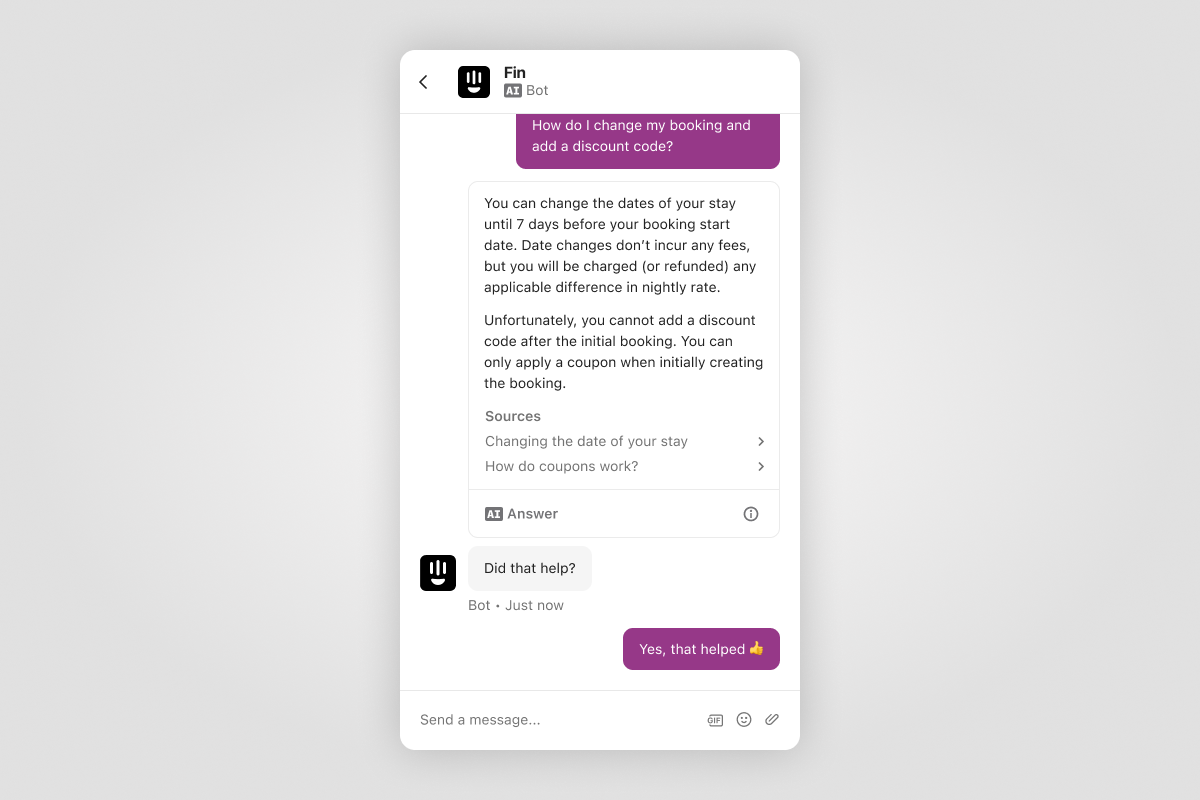
Intercom charges only when Fin resolves a conversation, at $0.99 per resolution on top of a seat, so a small support team pays for answers instead of attempts. The company (which four co-founders started in Dublin in 2011) says that Fin resolves 67% of the conversations it handles, across more than 40 million so far.
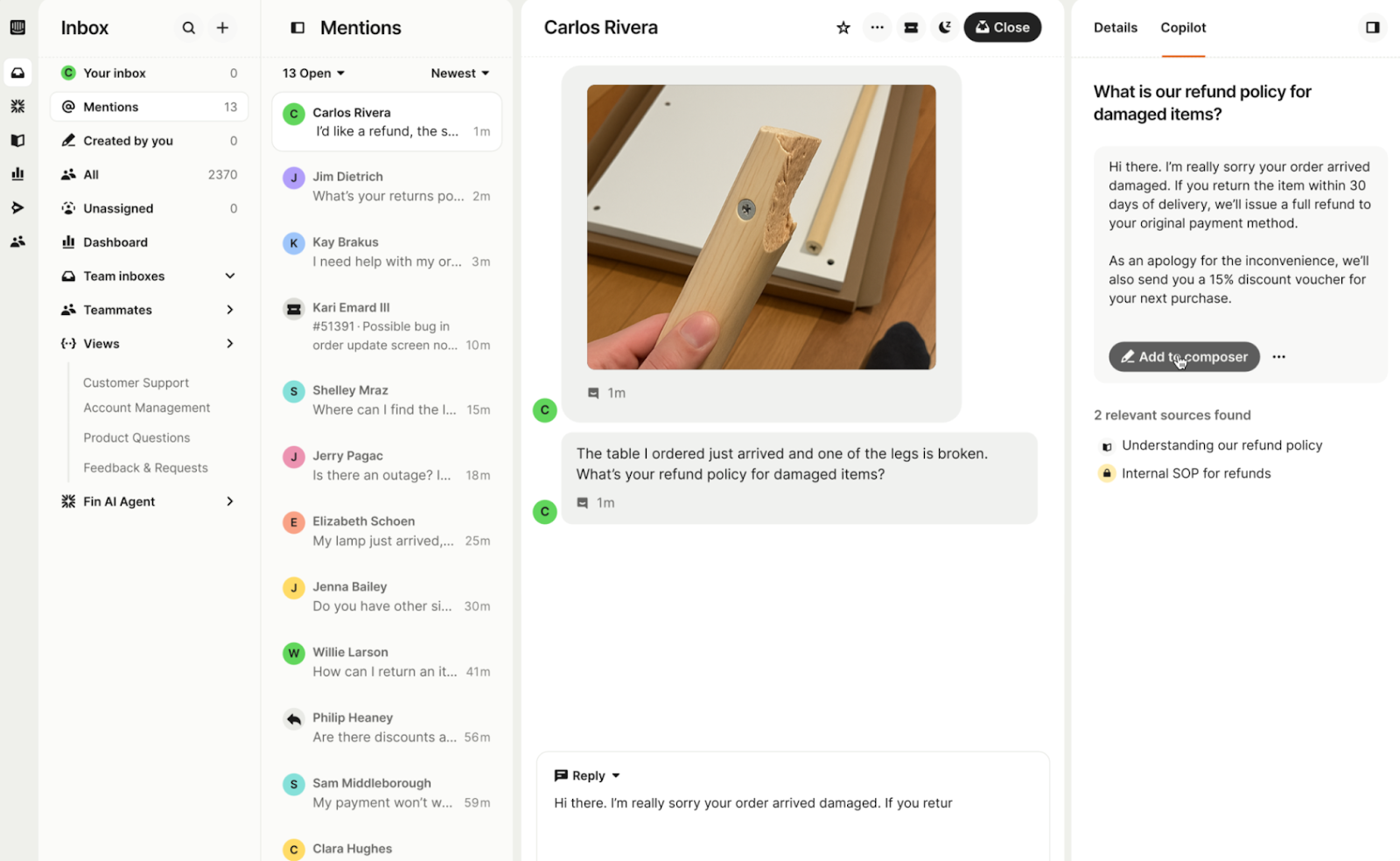
Fin answers customers in chat and email, and Fin Voice extends it to phone calls, while Procedures let it complete multi-step tasks, such as a refund or a transaction dispute, by combining AI with fixed business rules.
Simulations let a team test Fin against sample conversations before customers ever see it, and the Fin Optimize dashboard shows the questions it failed to resolve, so the help center can be improved where the gaps appear.
Fin can also work as a standalone agent on top of Zendesk or Salesforce, so a small team does not need to change its help desk to use it, and among the AI chat helper tools that businesses use, it has collected more reviews on G2 than any other AI agent. The Essential plan costs $29 per seat a month on an annual plan, or $39 monthly.
Some reviewers still find the handoffs to human agents awkward, and one reviewer on G2 described their experience as "Efficient AI Support with Some Routing Challenges."
The Best AI Tool in 2026-27 Is One That Works With Existing Tools
Every tool on this list has added agents in the past year, and most small teams will pay for four or five of them, since a CRM and a design suite solve very different problems. That stack will grow again in 2027, so the best AI tool will be the one that connects to the others instead of replacing them.
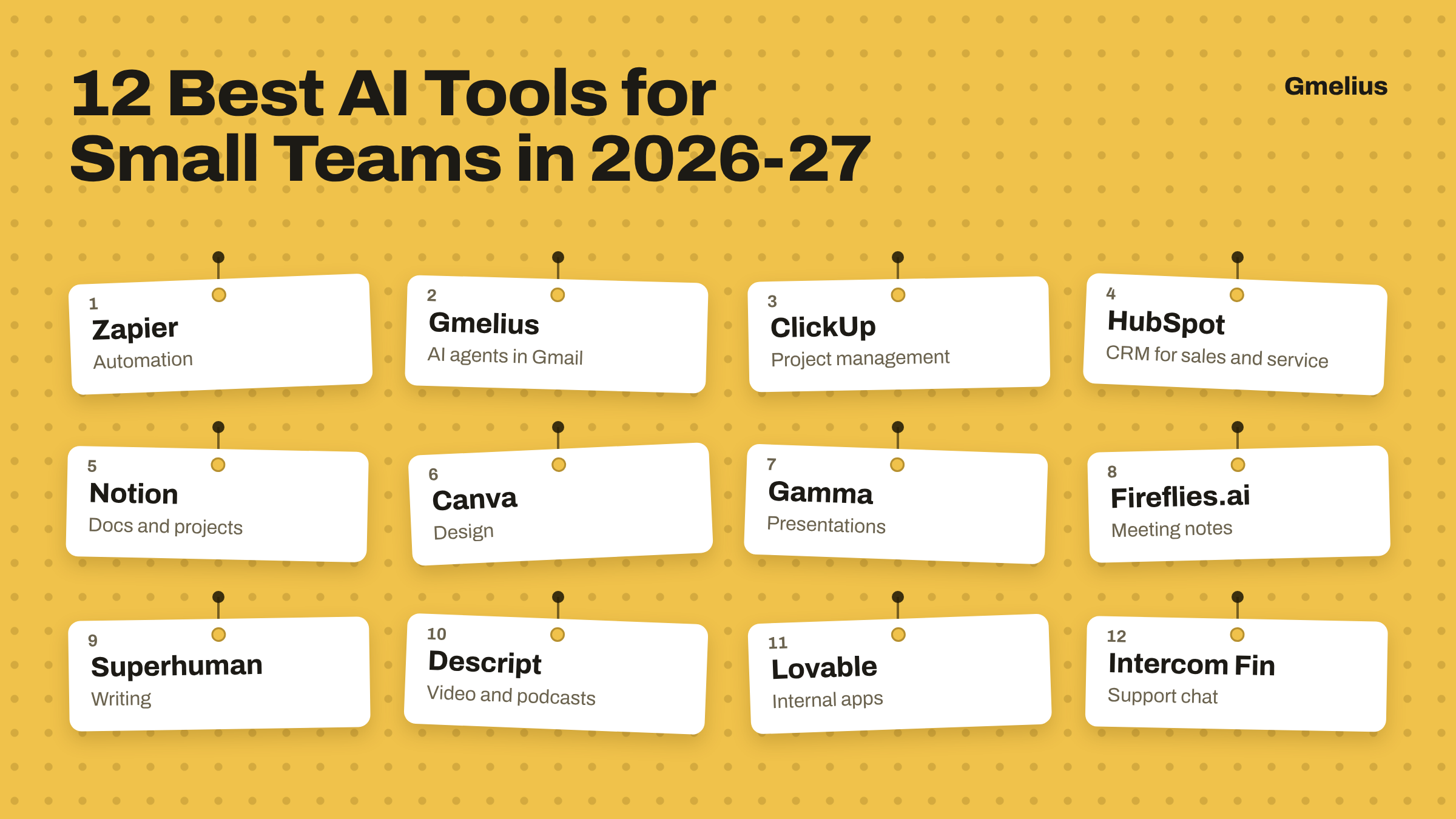
Gmelius's agents work inside Gmail, where most client requests still begin, and they act across tools such as HubSpot and Notion through MCP, with Meli supplying the business context that a standalone app doesn't have. It’s comprehensive nature plus predictable pricing makes Gmelius one of the best AI tools for small businesses in 2026-27.
Install Gmelius for free to give the tools your team already uses an army of AI agents with business context.