


If you work with AI, you probably know that most AI tools still wait for someone to type a prompt. They write a reply, summarize a thread, or clean up a paragraph, and then they stop. That helps one person move a little faster, but it doesn’t do much for an operations team juggling forty vendors, a dozen client accounts, and three open RFPs, all running through email at the same time.
Fortunately, AI agents for work operate differently. They’re autonomous, meaning they react to events, take actions across systems, and occasionally, hand work to people when a decision needs a human. For operations leaders, the question has shifted from "should we use AI?" to "where should AI agents take over, and where should people stay in the loop?"
Our guide covers five AI agent use cases built for teams that run multi-party work out of email, along with a simple way to roll them out.
What Are AI Agents for Work?
An AI agent for work is software that watches for a trigger, decides what needs to happen, and completes the task using connected tools, escalating to a person when it reaches the edge of its authority. ChatGPT Work is a good example, as is Claude Cowork.
The difference from an assistant is autonomy. An assistant answers when asked but an agent keeps working while nobody is looking at it. We break that distinction down further in AI assistants vs AI agents.
How AI agents work in a business setting
Every useful agent has four parts:
- A trigger that starts the process without anyone giving an instruction, such as a new message from a supplier or a deadline approaching.
- Tools that let it act, like assigning a thread, updating a CRM record, or notifying a partner.
- A decision loop that reads the situation, picks a plan, executes it, and checks the result.
- An authority boundary that defines which actions need human approval.
Using these four components, an AI agent knows exactly when to act and the action it has to execute. Next, it selects the right tool from its set of integrations (for example, Gmelius agents can work using 70+ integrations with business apps). The decision loop allows it to execute the action, check the result, and raise an exception, if needed – working almost like a human being.
Why AI Agents for Business Belong in Email Operations
McKinsey's State of AI 2025 survey found that 62% of organizations are at least experimenting with AI agents, and 23% are already scaling an agentic AI system in at least one part of the business. You can find more numbers like this in our roundup of agentic AI statistics.
Meanwhile, the inbox keeps growing. Microsoft's 2025 Work Trend Index found that the average worker receives 117 emails a day and gets interrupted by an email, chat, or meeting every two minutes.
For operations teams, the load is usually heavier, because email is where the outside world lives. Vendors, freight brokers, agency clients, channel partners, and procurement contacts will never join your Slack workspace. Contracts, quotes, scope changes, and delivery confirmations arrive by email out of necessity.
That makes the inbox the natural place to deploy AI automation for teams.
While AI-enabled inboxes are becoming more common, the truth is that coordination across many parties is a complex problem, which a single-user AI writing tool cannot solve on its own. That’s precisely why growing businesses need agentic email.
Run AI agents on your ops email. Gmelius adds Triage, Routing, Drafting, and Tracking agents on top of your existing inbox, powered by Meli, the knowledge graph that remembers every vendor, client, and commitment. Try Gmelius for free and launch your first agent in minutes.
5 Ways to Use AI Agents for Work
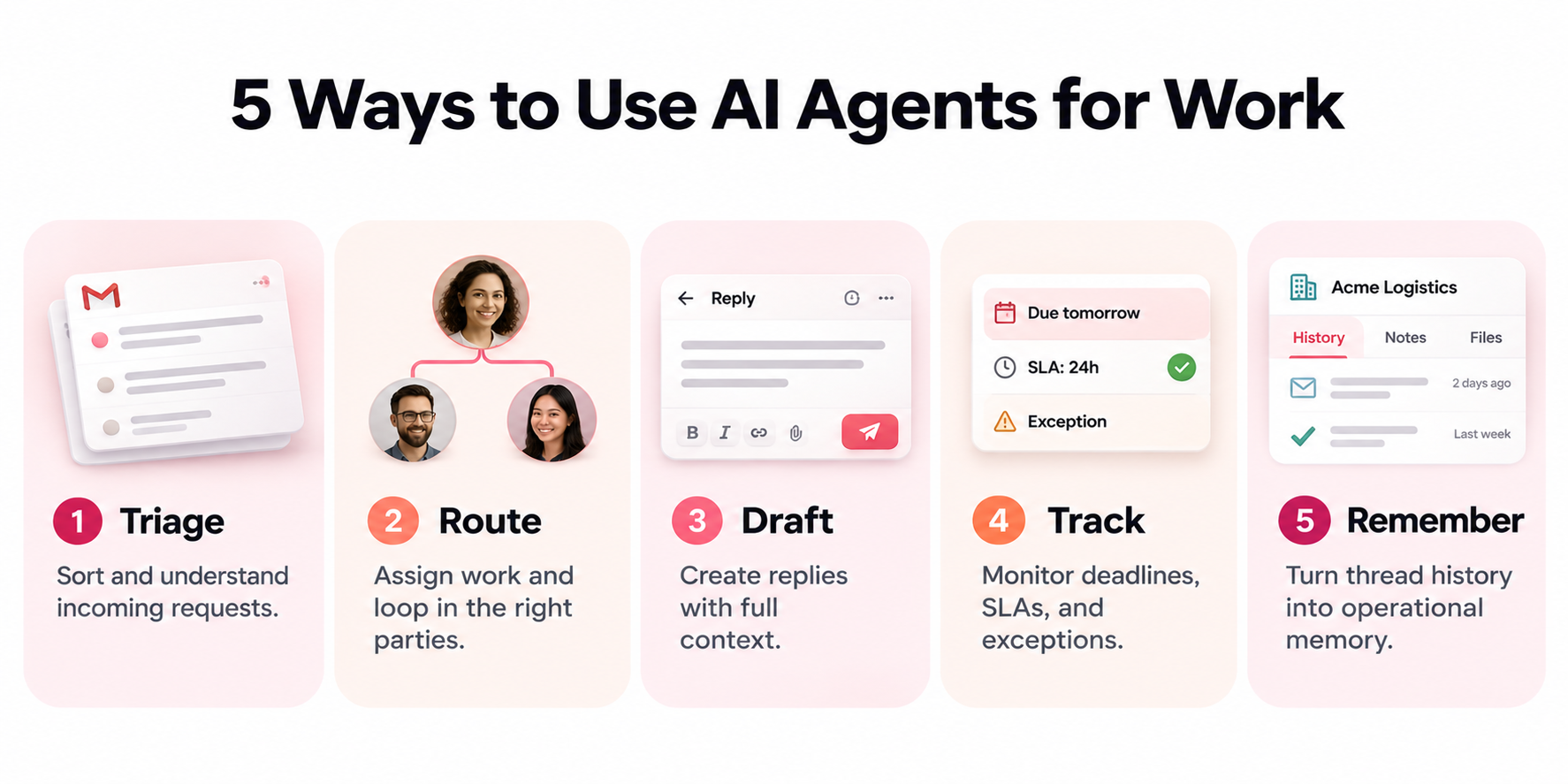
The five use cases below map to the four core agents that make up an operations workflow: Triage, Routing, Drafting, and Tracking, plus the memory layer that connects them.
1. Triage inbound requests from vendors, clients, and partners
A Triage agent reads every inbound message, classifies it, and pulls the context needed to act on it: account history, the relevant contract, the current owner, and any downstream impact.
Scenario: A freight coordination team receives a carrier email reporting a two-day delay on a container. The Triage agent tags it as a delivery exception, links it to the open shipment, flags the three customer orders that depend on it, and surfaces the carrier's on-time record from the last quarter.
Keep the category list short. Six categories or fewer tends to produce consistent results, and anything the agent cannot classify with confidence should land in a review queue.
2. Route work and loop in the right parties
A Routing agent assigns the work and brings in whoever needs to be involved, internal or external. It handles team handoffs, time zones, workload balance, and outbound notifications to brokers, partners, or plants.
Scenario: At a marketing agency, a client emails asking to add a video deliverable to an active campaign. The Routing agent assigns the thread to the account manager, loops in the production lead, and notifies the finance contact that a scope change is coming. Nobody has to forward anything.
This works best on top of a structured inbox architecture where ownership rules are already defined, so the agent knows who owns which client, vendor, or region.
3. Draft the next action with full context
A Drafting agent proposes the next step, which might be a reply, a quote, a scope change summary, a document, or an escalation. The draft comes pre-loaded with the context the Triage agent already retrieved.
Scenario: A deal desk team receives an RFP from a prospect in a regulated industry. The Drafting agent assembles a first response using answers from the last five similar RFPs, flags the security questions that changed since the previous version, and leaves the pricing section for a human to complete.
Generic AI writers can produce fluent text, as we found in our review of ChatGPT for email. What they lack is your team's history, so the drafts sound right but miss the specifics that matter.
4. Track deadlines, SLAs, and exceptions
A Tracking agent monitors threads for commitments, deadlines, and silence. It nudges the owner before a response window closes, escalates when an exception appears, and keeps a running view of what is at risk.
Scenario: A partner operations team promised a co-marketing partner a signed agreement by Friday. On Thursday morning, the Tracking agent notices legal has not replied, pings the legal owner, and alerts the partner manager that the commitment is at risk.
Useful tracking also checks whether the other party already replied through another thread, so reminders never go out after the work is done.
5. Turn thread history into operational memory
Every thread an ops team handles contains signals: which vendors miss deadlines, which clients escalate before they churn, which RFP answers win. Over time, a Tracking agent can roll those patterns into vendor scorecards, account health views, and RFP win and loss memory.
This is where Meli, the Gmelius knowledge graph, comes in. Meli connects people, accounts, contracts, and conversations across your team's email, so every agent works with context no solo AI tool can reconstruct from a single inbox.
Scenario: A supplier coordination lead asks which packaging vendor has had the most late shipments this quarter. Meli answers from the actual thread history, with links to the relevant conversations.
How to Roll Out AI Agents for Teams
Agents earn trust in stages. A practical permission ladder looks like this:
- Read-only: the agent classifies and summarizes while the team compares its judgment to their own.
- Draft-only: replies are saved as drafts for a person to review and send.
- Internal actions: labels, assignments, and internal notifications, all reversible.
- Send with approval: the agent proposes an external send and a person confirms with one click.
- Conditional autonomy: the agent acts alone only on message types with an unambiguous right answer, such as delivery confirmations.
Start with one workflow and one function. If you are still mapping where agents fit, how to use AI assistants for work and pros and cons of AI assistants are useful companions.
What Separates AI Agent Use Cases That Work From Ones That Stall
The wiring is rarely the problem. Connecting a trigger to an action has been easy for years, but judgment is the hard part.
Two almost identical vendor emails can mean very different things. One is a routine update. The other comes from a supplier who has slipped three times this quarter and is about to slip again. An agent without history treats them the same way, so either it escalates everything and the team ignores it, or it escalates too little and something breaks with a client.
Operations teams that succeed with AI agents for business tend to share three habits:
- They define a clear authority boundary before granting any autonomy.
- They test against a set of real threads with known outcomes before going live.
- They give agents shared context from the whole team, instead of one person's inbox.
For a broader view of the market, our guide to the best AI agents compares the main options.
Frequently Asked Questions
What is the best way to use AI agents for work?
Start with high-volume, repeatable workflows where there is a clear right answer, such as triaging vendor emails or tracking response deadlines. Expand to drafting and external actions once the agent proves accurate.
Are AI agents safe for client-facing work?
Yes, when they follow a permission ladder. Keep external sends behind human approval until the agent has a proven record on real threads.
Which teams benefit most from AI agents for business?
Teams that coordinate many outside parties through email see the biggest gains: agency account management, vendor and supplier coordination, deal desks and RFP teams, partner operations, and freight and logistics coordination.
Bottom Line: Put AI Agents Where Your Operations Already Run
The most valuable AI agents for work sit inside the workflows your team already depends on, and for most B2B operations teams, that means email. Triage, Routing, Drafting, and Tracking agents cover the full lifecycle of a request, from the moment a vendor or client writes in to the moment the work closes. Meli ties them together with the context of every past conversation, contract, and commitment.
The result is an operations layer that keeps multi-party work moving without adding another tool for your team to check.
Ready to see automation agents run your email operations? Try Gmelius for free and set up your first agent on a single workflow today.