




Teams rely on email for everything from customer support and sales outreach to internal collaboration and vendor coordination. As inbox volumes increase, many of us are turning to automated writing tools that help draft, edit, and refine messages without disrupting our workflows.
Google has already introduced its own built-in writing assistant through Gemini, which can help generate emails or polish drafts directly inside Gmail. But the needs of modern teams often extend beyond basic drafting assistance.
You might need more contextual writing support, workflow awareness, and integrations with collaboration tools that operate alongside email. That’s where a reliable Google AI writer tool comes in.
Isn’t Gemini Enough? Where Google’s Built-in AI Writer Tool Falls Short
Gemini represents Google’s first major step toward automated email writing inside Gmail. Integrated across Google Workspace applications, it generates message drafts, summarizes email threads, and suggests edits based on simple prompts.
The tool is embedded directly within Gmail’s compose window, which allows users to generate responses without switching apps.

But despite these capabilities, Gemini’s functionality remains focused primarily on drafting assistance rather than workflow-aware communication:
- It helps users compose emails, but it does not track conversations across teams, manage shared inbox responsibilities, or personalize responses based on prior customer interactions.
- For teams handling large volumes of inbound messages, those capabilities can be just as important as the writing itself.
This gap has created demand for specialized Google AI writing tools that combine automated drafting with more features – like chat, workflow automation, analytics, and custom prompting.
7 Google AI Writer Tools to Use Instead
If you’re looking for deeper email assistance, it’s a good idea to evaluate tools that integrate directly with Gmail while offering additional functionality around collaboration, automation, or contextual writing support.
These seven tools represent a mix of dedicated Gmail clients, email productivity platforms, and integrated writing assistants designed to work alongside Gmail accounts.
1. Gmelius
Gmelius is a power-packed AI writer tool for Gmail that combines automation, inbox management, and contextual drafting controls. Rather than just writing a message for you, the platform connects writing assistance with the broader workflow. For instance, it can analyze several years of email history to mimic just how you write.
You can also train Gmelius's AI writing tool with you own documents and websites.
Meli, the AI assistant by Gmelius, lets you send AI-written emails, manage your inbox, and set up your daily schedule through a seamless chat flow. It can fetch your old emails, summarize agendas, write replies without your prompting, and even send emails for you.
Here is a quick preview of how the AI writer tool works, without any prompting:
Why Gmelius is among the best AI writer tools for Gmail
Gmelius operates directly within Gmail. This means you can generate AI drafts, assign conversations, and automate responses without opening another app.
Another advantage of Gmelius is collaboration. Teams can share inboxes, assign conversations to specific members, and automate routing rules that ensure incoming emails reach the appropriate person – using the same powerful AI engine that auto-generates drafts for you.
AI generated drafts are also shared across team members for easy, unified access.
Organizations that rely heavily on Gmail for customer communication often find that this level of integration improves both response speed and message quality.
While other tools emphasize standalone drafting features, Gmelius embeds its AI writing tool within the broader operational structure of email management.
Why it might not be for you
Gmelius currently uses Gemini, so if you want to use your own AI engine, you’re out of luck. However, our analysis shows that this approach actually saves you money by not having to spend for extra AI resources, which is the approach some AI email tools like Missive take.
How much it’ll cost
Paid plans start at $19 per user per month.
Unlike some other AI writer tools, Gmelius doesn’t gatekeep AI features and all entry-level plans include advanced AI writing.
2. Mimestream
Mimestream is a Gmail-focused email client and AI writer tool built specifically for Apple users who want a native desktop experience while maintaining full compatibility with Gmail accounts.
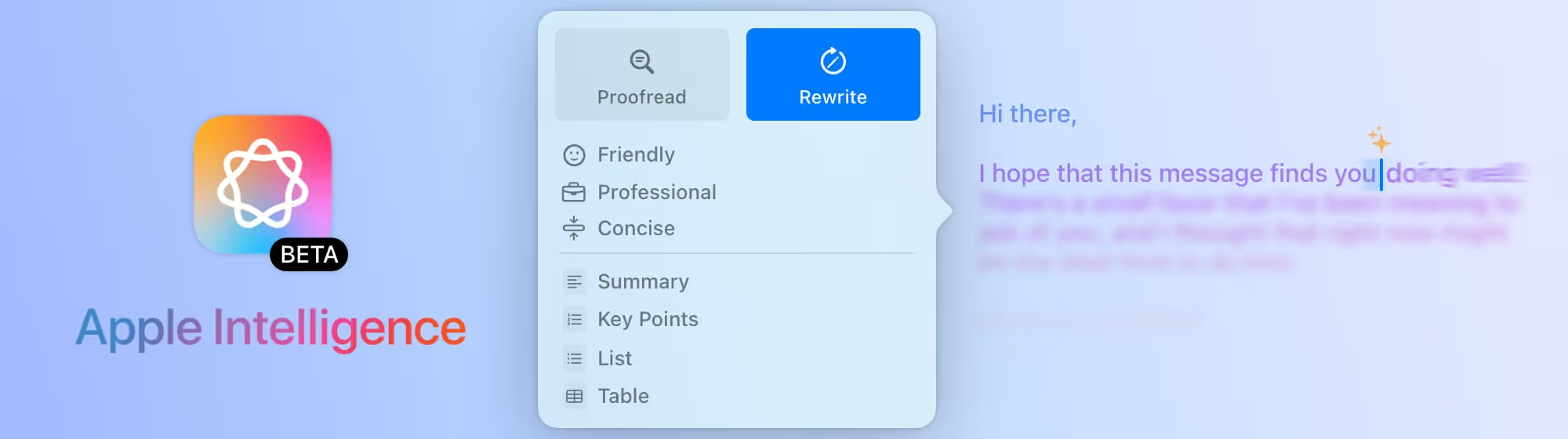
Unlike browser-based Gmail interfaces, Mimestream provides a dedicated desktop app designed that uses Apple Intelligence to power the AI writer tool.
Why Mimestream is among the best AI writer tools for Gmail
The platform includes built-in writing assistance (thanks to Apple Intelligence and ChatGPT) that helps users compose and refine messages on a desktop environment.
You also get a streamlined writing interface that mirrors Gmail’s core functionality while offering additional productivity enhancements. Users can draft responses, manage conversations, and organize messages through a desktop app that reduces the need to manage multiple browser tabs.
For professionals who spend most of their day working in Gmail but prefer a dedicated but lightweight email client, Mimestream is a good choice for a Google AI writer tool.
Why it might not be for you
Mimestream is currently available only for macOS, which limits its accessibility for teams using Windows or Linux systems.
And, the tool functions primarily as an email client rather than a productivity platform. Teams looking for inbox management or workflow automation may need additional tools to supplement their capabilities.
How much it’ll cost
Mimestream costs $49.99 per year after a free trial period, which includes full access to the macOS email client and its productivity features.
3. Fyxer
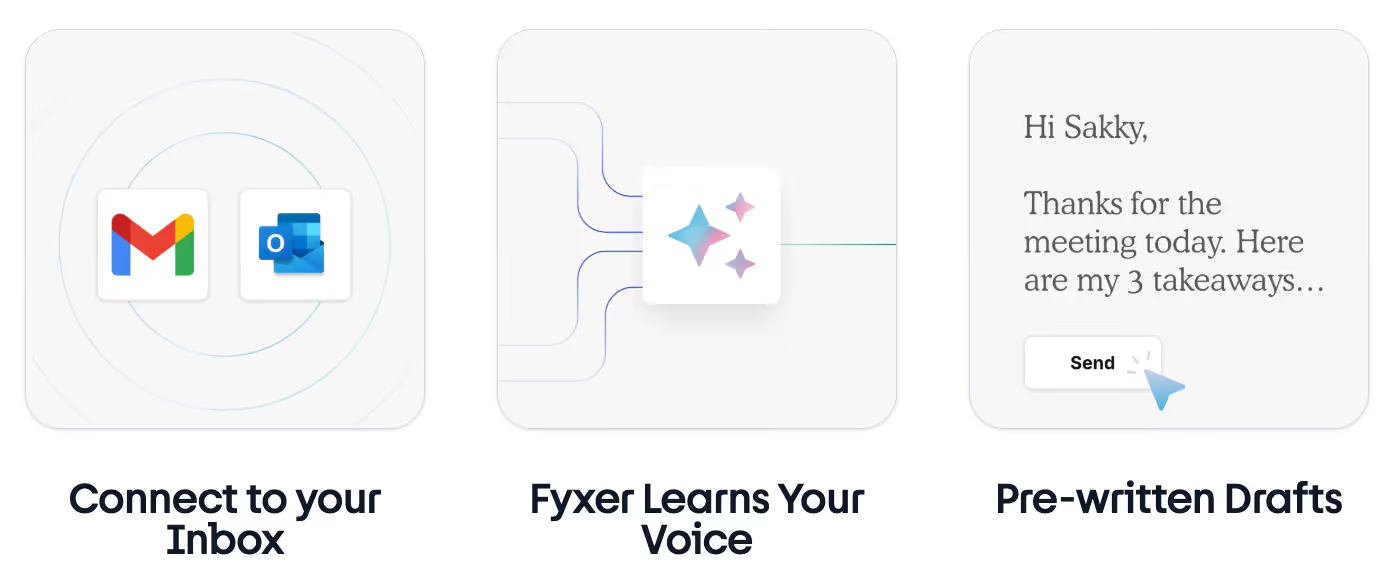
Fyxer is an AI email assistant and meeting notetaker that helps professionals manage and respond to large volumes of messages more efficiently. Its AI writer tool connects directly to Gmail and Outlook accounts and drafts replies based on the context of incoming conversations.
Why Fyxer is among the best AI writer tools for Gmail
One of Fyxer’s top featues is its ability to analyze old communication patterns and generate responses that reflect your typical tone and style. This maintains consistency across messages while reducing the time you spend drafting replies manually.
The platform is particularly useful for founders, consultants, and executives who receive large numbers of inbound emails each day. By automating portions of the response process, Fyxer allows users to prioritize decision-making while delegating repetitive tasks to automated systems.
Why it might not be for you
Fyxer is designed primarily for individual professionals rather than large teams (although a team version does exist). Organizations that require inbox management, workflow automation, or team analytics may find that the platform does not address those needs.
Also, several AI writing features, like the ability to train the AI or chat with the AI assistant, are not available in Fyxer's entry-level plans.
How much it’ll cost
Pricing begins at $22.50 per month for individual users, though this entry level plan is quite limited in functionality.
4. Jotform Gmail Agent
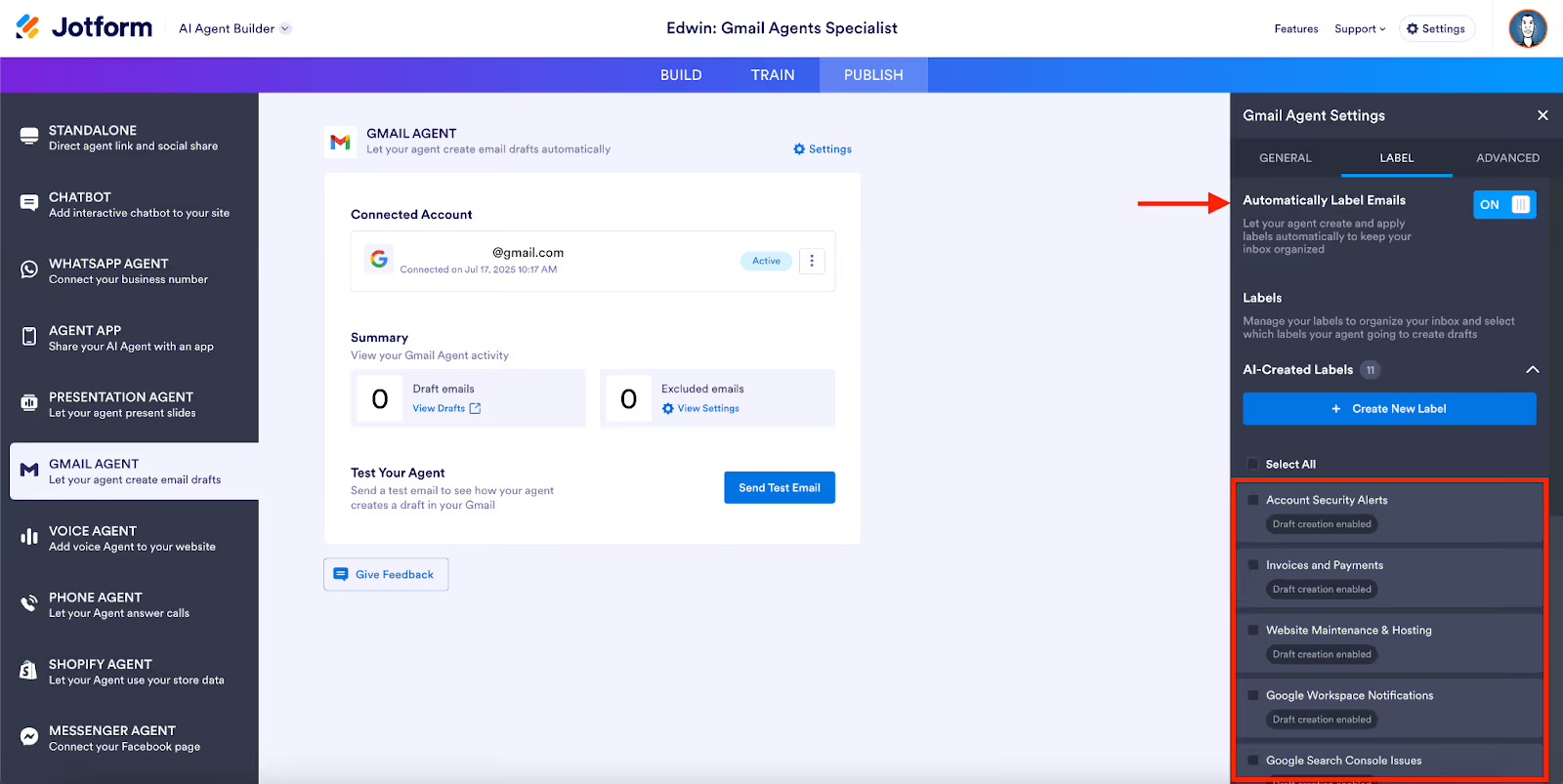
Jotform is widely known as an online form builder, but the company has expanded its ecosystem to include automated email response tools connected to form submissions. Through its new Gmail agent, the platform can generate responses to inquiries submitted through forms and route them directly into email workflows.
Why Jotform is among the best AI writer tools for Gmail
Jotform is particularly useful for businesses that rely on contact forms for lead generation, customer inquiries, or support requests. Instead of manually writing responses, teams can configure automated replies that incorporate the details provided by the user.
The system also connects form responses with internal workflows, allowing teams to review, edit, and send replies directly through Gmail. This integration ensures that email communication remains consistent when responding to a large numbers of submissions.
For organizations that depend heavily on web forms as an entry point for customer communication, this AI writer tool for Gmail can simplify the process of generating and managing email responses.
Why it might not be for you
Jotform’s Gmail writing functionality is tied closely to its form ecosystem. Users who do not rely on web forms for communication may find that the platform’s capabilities extend beyond what they actually need.
For organizations seeking standalone Gmail writing assistance rather than form-driven communication, this AI writer tool may not make sense.
How much it’ll cost
Paid plans start at $34 per month for the Bronze tier, which includes expanded submission limits and integrations.
5. ChatGPT for Gmail
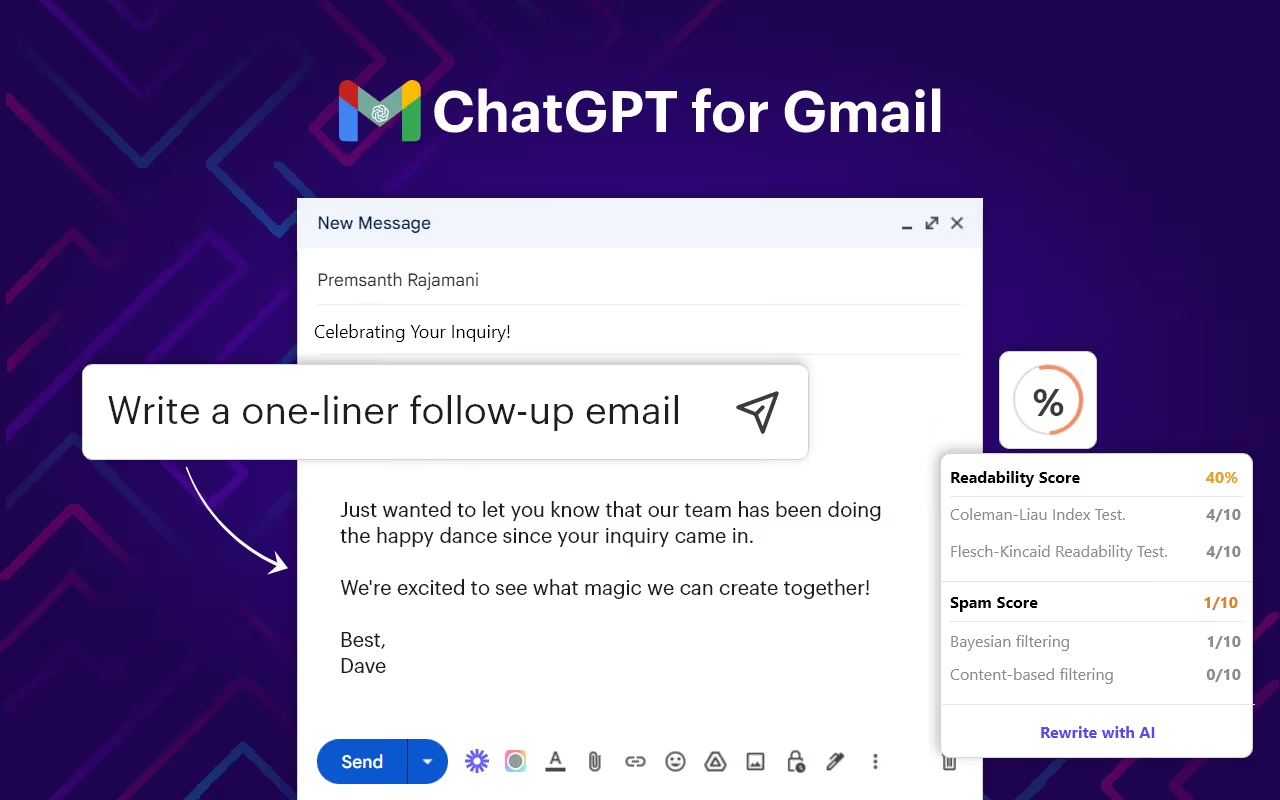
ChatGPT can be integrated with Gmail via browser extensions and third-party integrations, allowing users to generate email drafts directly in the compose window. These tools enable users to write prompts that generate full email responses or edit existing drafts.
Why ChatGPT is among the best AI writer tools for Gmail
The flexibility of this approach allows users to draft messages for a wide variety of scenarios, from professional correspondence to internal communication. Because the system operates through prompts, users can adjust tone, length, and structure to suit the specific context of the email.
Another advantage is the ability to summarize long email threads or rewrite messages in different formats. This can be useful for professionals who need to condense lengthy discussions into concise updates for colleagues or clients.
These capabilities make ChatGPT integrations a versatile option for Gmail users who want customizable drafting assistance.
Why it might not be for you
Using ChatGPT with Gmail typically requires installing browser extensions or connecting third-party tools, which may raise security considerations and is just plain inconvenient.
Or, you'll be switching between tabs, copy-pasting text, and losing context, which doesn't work in the long term.
How much it’ll cost
ChatGPT Plus currently costs around $20 per month, though some Gmail extensions may be priced differently.
6. Superhuman
Superhuman is a premium email client designed to help professionals manage their inbox more efficiently. The platform connects directly to Gmail accounts and offers an AI writer tool to speed up email composition and response times.
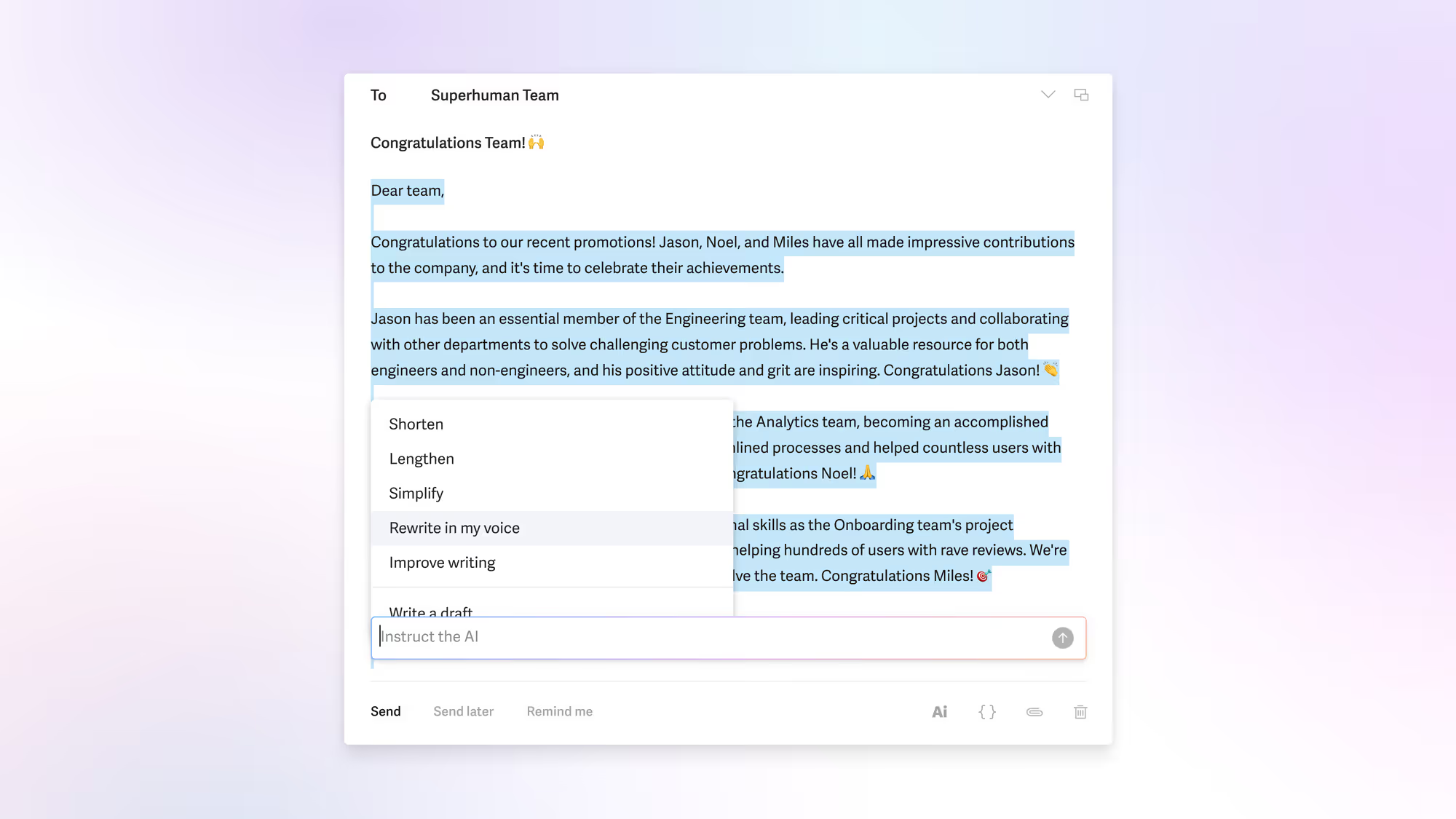
Why Superhuman is among the best AI writer tools for Gmail
One of Superhuman’s key advantages is its focus on speed. Keyboard shortcuts, streamlined navigation, and automated drafting assistance allow users to move through inbox conversations quickly while maintaining control over message content.
The platform also provides features such as read receipts, follow-up reminders, and conversation tracking. For solo users who rely heavily on email communication, Superhuman’s productivity-focused design can significantly streamline the process of writing and sending messages.
Why it might not be for you
Superhuman’s pricing places it firmly in the premium category of email tools. Organizations with large teams may find it expensive to deploy across the entire workforce.
Additionally, the platform functions as a replacement email client rather than a Gmail add-on, which means users must adopt a new interface rather than working directly within Gmail.
How much it’ll cost
Subscriptions start at $25 per user per month, with higher tiers available for teams requiring additional collaboration features.
7. Canary Mail
Canary Mail is an email client that offers AI-automated writing guidance alongside strong security features. The platform supports Gmail accounts and provides a simple but effective AI writer functionality.
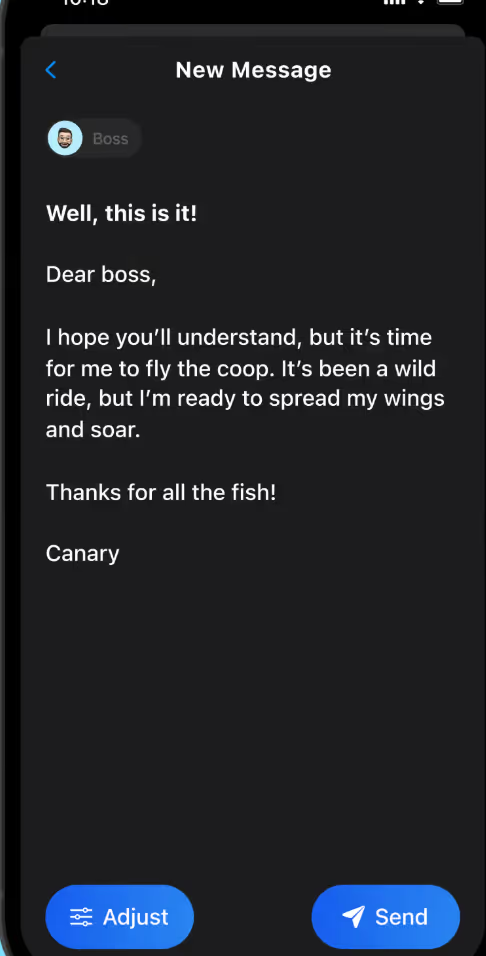
Why Canary Mail is among the best AI writer tools for Gmail
One notable feature is its built-in drafting assistant, which can generate responses or edit existing messages within the email composer. Canary Mail also emphasizes privacy, offering end-to-end encryption and secure message handling capabilities.
These features make the platform appealing for professionals who want both drafting assistance and enhanced security protections when managing email communication.
Because Canary Mail functions as a standalone client, users can manage multiple email accounts within a single interface while maintaining compatibility with Gmail’s infrastructure.
Why it might not be for you
Canalry Mail does not support shared inboxes, and if you work out of a shared mailbox, you’ll have to use a separate version of the app. Now that version comes with strict AI usage limits, starting from 100 AI-written emails a month.
Also, Canary’s main focus is inbox cleaning and not productivity, which means you can’t do much with the AI. There is no chat-based AI productivity assistant like Meli or ChatGPT.
How much it’ll cost
According to the official Canary Mail pricing page, paid plans start at $30 per year, though pricing may vary depending on platform and subscription options.
The Problem with One-Size-Fits-All Email Writers
AI writing tools can significantly reduce the time required to compose emails, but not every solution is designed for the same type of workflow.
Some tools focus on helping individual users draft messages quickly, while others prioritize collaboration, automation, or contextual communication across teams.
A one-size-fits-all writing assistant may work well for occasional email composition, but it often falls short in when you manage a corporate inbox, respond to customer inquiries often, or coordinate replies across departments.
In those cases, the ability to understand conversation history, assign responsibility, and maintain consistency becomes just as important as the drafting process itself.
So, when you evaluate AI writer tools for Gmail/Google Workspace, consider how each platform fits into your broader communication workflows. Tools that align with existing processes often deliver far greater value than those designed solely for message generation.
See the Gmelius Difference: Contextualized, Personalized, and Intuitive
For teams using Gmail for their primary communication, the ability to combine a powerful, custom-trained AI writing engine with productivity features can transform how workflows operate.
Rather than treating writing as a standalone task, platforms that integrate contextual message generation with task assignment, collaboration, in-app notes, and more is a much better choice.
That's why Gmelius embeds writing assistance into a 360-degree AI productivity experience, from prioritizing emails to assignments and scheduling.
Messages can be drafted, assigned, automated, and tracked inside the Gmail interface without requiring teams to adopt separate tools or interfaces. Try Gmelius today for free! Start here.


.png)

.png)
.png)

.png)





