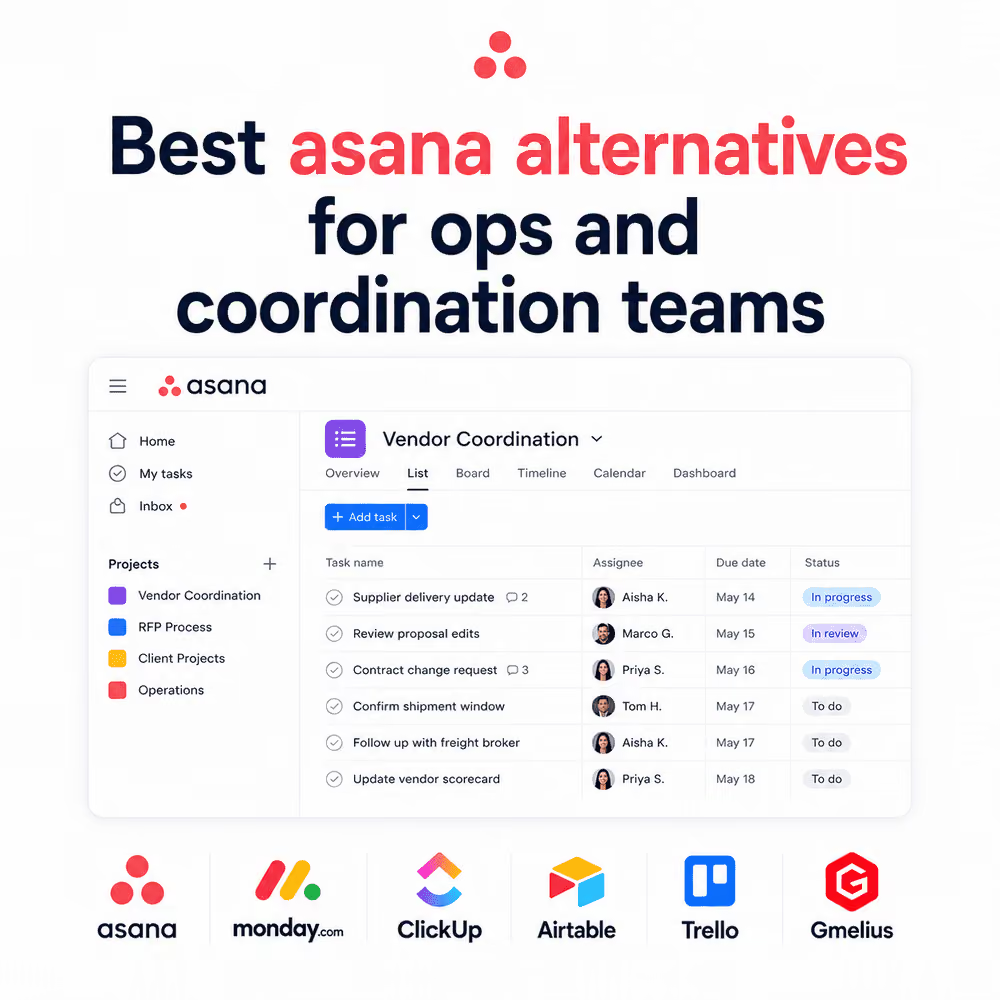



If you run vendor coordination, client services, or deal desk operations, you've probably already tried Asana. Most ops leaders have. And most of them hit the same wall: Asana is excellent for tracking internal tasks, but it falls apart the moment a workflow depends on people outside your workspace, like a vendor, a client, a broker, or a partner agency who will never log into your board.
That gap is why so many operations managers are actively searching for Asana alternatives in 2026. Not because Asana is a bad product, but because the work it was designed for and the work operations teams actually do are two different things.
This guide breaks down why Asana struggles with multi-party coordination, what to look for instead, and which tools are worth evaluating depending on how your team actually works.
Why Operations Teams Outgrow Asana
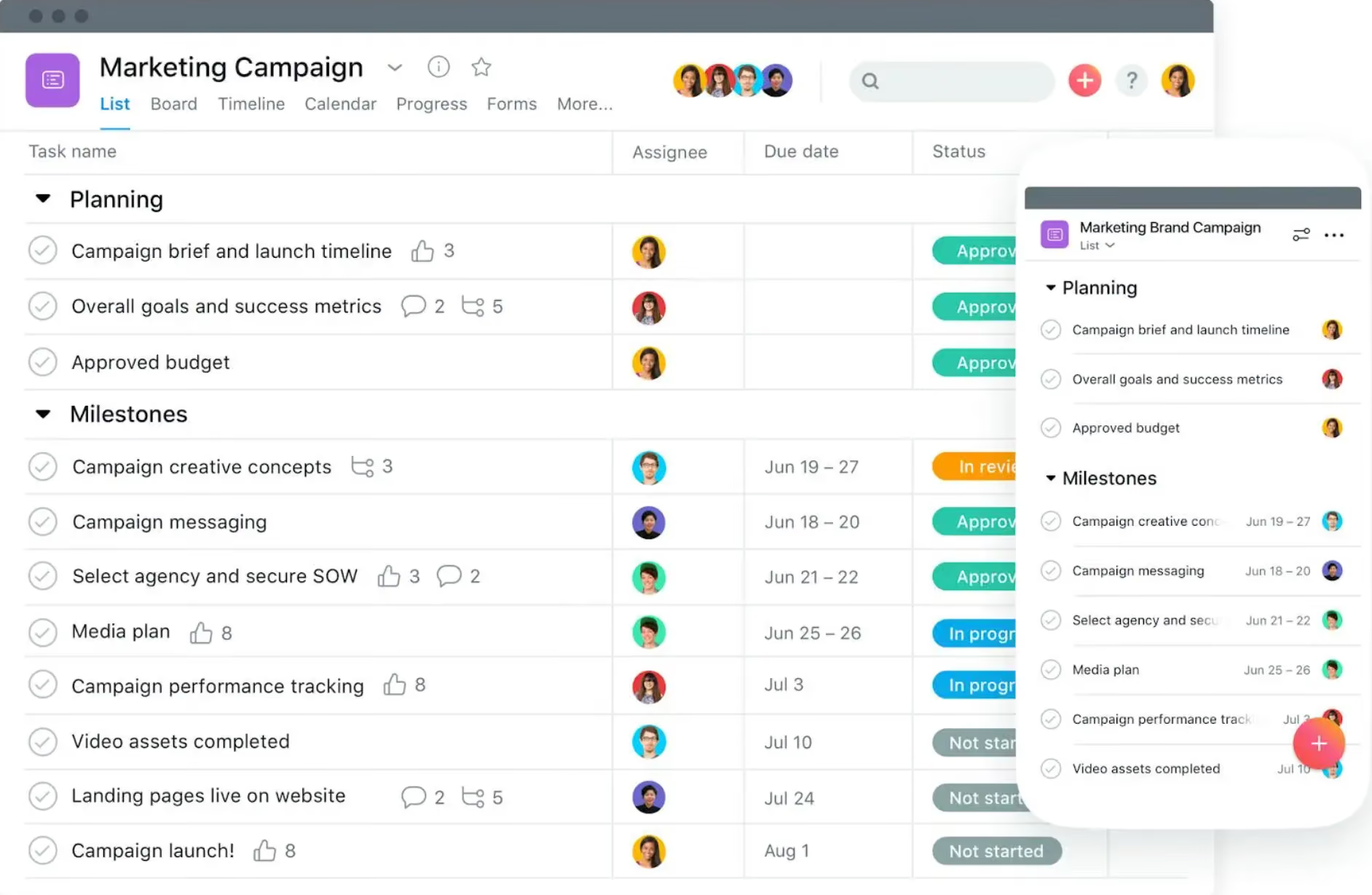
Asana was built to help internal teams plan, assign, and track tasks. That works well when everyone involved in a project has an Asana seat. It works far less well when a workflow depends on people who don't, and in operations, that's most of them.
Think about what a typical week looks like for a vendor coordination team, an agency account manager, or an RFP desk:
- A supplier sends a delivery update by email
- A client replies to a proposal with edits, also by email
- A partner requests a contract change through a forwarded thread
- A freight broker confirms a shipment window in a reply-all chain
None of this happens inside a task board. It happens in email, because email is still where external business relationships actually live. According to research from Project.co, email remains the single most-used tool for both internal and external business communication, ahead of chat tools and project management platforms combined.
Asana can hold a task that says "follow up with vendor." It can't read the vendor's reply, understand what changed, or tell you the contract terms that got renegotiated three emails ago. That's the real limitation, and it's structural, not a matter of adding more integrations.
The Real Limitation: Asana Wasn't Built for External Coordination
Vendors, Partners, and Clients Live in Email, Not in Your Board
Every integration Asana ships tries to pull external activity into the board. But the direction is backwards for ops work. The people you coordinate with outside your company will not adopt your internal tool, no matter how good the integration is. Vendors respond to email. Clients respond to email. Brokers, plants, and channel partners respond to email. Any tool that assumes otherwise is solving the wrong problem.
Handoffs Get Lost Between Systems
The second issue is handoffs. In multi-party work, a single request often passes through several people and several tools: someone triages it, someone routes it to the right owner, someone drafts a response, and someone tracks it until it closes. When that chain crosses from email into a task board and back again, information gets rekeyed, context gets dropped, and SLAs get missed. This is the same reason ChatGPT for email only solves half the problem: they help one person read an inbox faster, but they don't coordinate a workflow across a team and its external contacts.
What an Ops Team Actually Needs From an Asana Alternative
If the goal is replacing Asana for operations work specifically, the criteria change. Here's what actually matters.
Inbox Architecture, Not Just Another Silo
Rather than pulling operations work into a new tool, the better model is building structure directly on top of the inbox your team and your external partners already use. Call it inbox architecture: shared rules, ownership, and visibility layered onto email itself, instead of a separate system that email has to be copied into.
Automation Agents That Handle Routing and Handoffs
Static automation rules can file an email into a folder. What operations teams need are automation agents: logic that reads an incoming message, understands what it's about, and moves it to the right person or system without someone manually reassigning it. This is a meaningful step up from traditional "if this, then that" rules, and it's worth understanding what AI agents actually do differently before evaluating tools that claim to offer them.
Context That Follows the Work
The last piece is memory. A good ops tool should know a vendor's contract history, a client's account status, or an RFP's prior terms without someone digging through old threads. That's a knowledge graph problem, not a task management problem, and it's a different capability than what most single-user AI assistants for email are built to solve.
Comparing Asana Alternatives for Operations and Coordination Work
Here's a quick look at how the common alternatives stack up for ops-heavy, multi-party work:
- Monday.com: Strong visual boards and automations, but still assumes work happens inside the platform rather than in email threads with external parties.
- ClickUp: Highly customizable and feature-dense, which can help internal teams but adds overhead for anyone coordinating outside contacts who won't use the tool.
- Airtable: Excellent as a flexible database for tracking structured data like vendor lists or deal stages, but it doesn't manage the email conversations behind those records.
- Trello: Simple and lightweight, better suited to small internal projects than ongoing external coordination with SLAs and handoffs.
- Gmelius: Built around the inbox itself rather than around a separate board, so vendor, client, and partner communication stays in the system of record instead of being copied into a second tool.
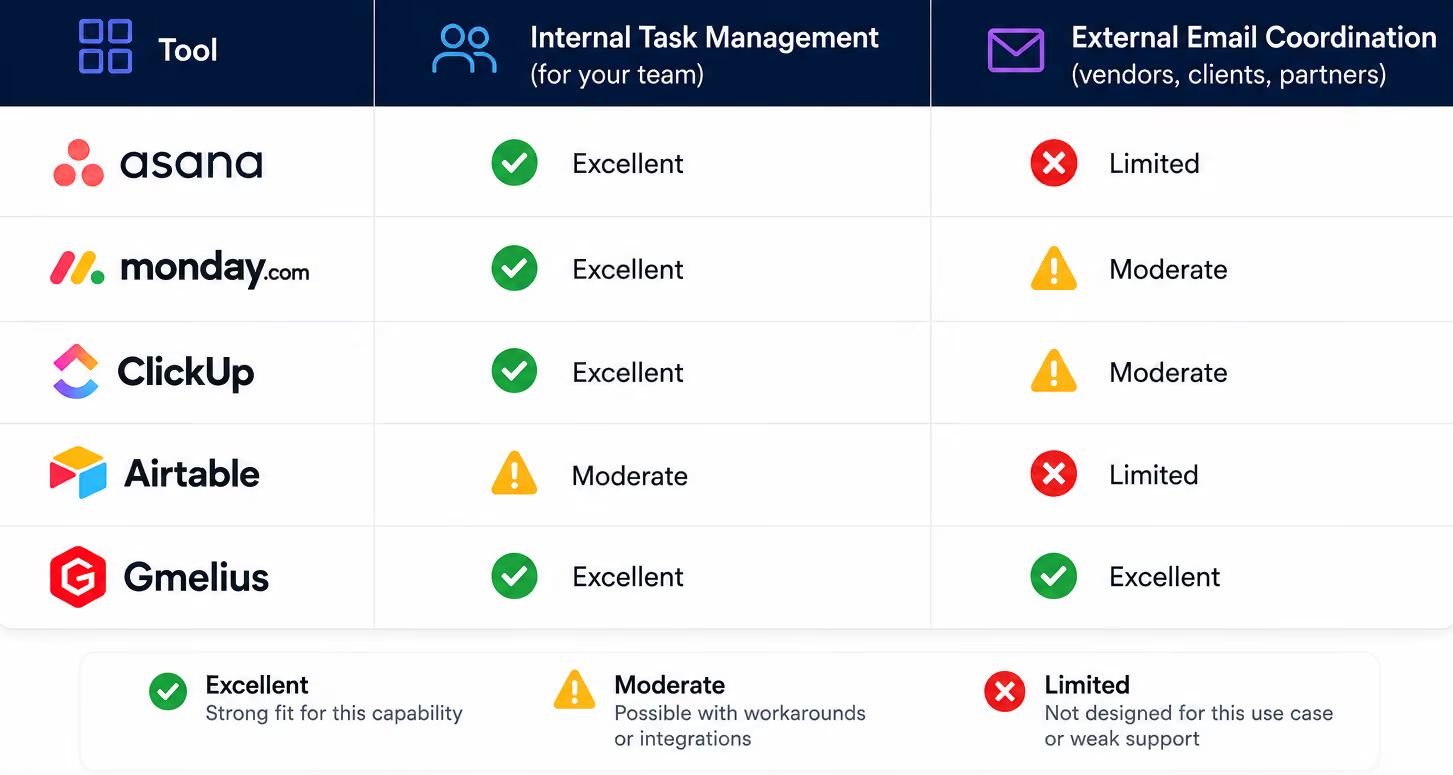
If your team's bottleneck is internal task visibility, Monday, ClickUp, or Airtable can genuinely help. If your bottleneck is coordinating people outside your company through email, none of them address the root cause the way an email-native operations layer can.
Where Gmelius Fits Differently
Gmelius isn't positioned as another shared inbox with a task list bolted on. It's built as the operations layer for teams that run vendor coordination, deal desks, RFP responses, partner management, and client services out of email, because that's genuinely where the work happens.
The Four Agents Running Behind Every Workflow
Instead of manual rules, Gmelius structures ops workflows around four coordinated agents:
- Triage reads an incoming message, classifies it, and pulls relevant history, contracts, and downstream impact.
- Routing assigns the work and loops in the right internal or external parties, including handoffs and outbound notifications.
- Drafting proposes the next step, whether that's a reply, a quote, a scope change, or an escalation, pre-loaded with the context Triage retrieved.
- Tracking monitors threads, deadlines, and exceptions, then rolls up patterns over time like vendor scorecards or RFP win rates.
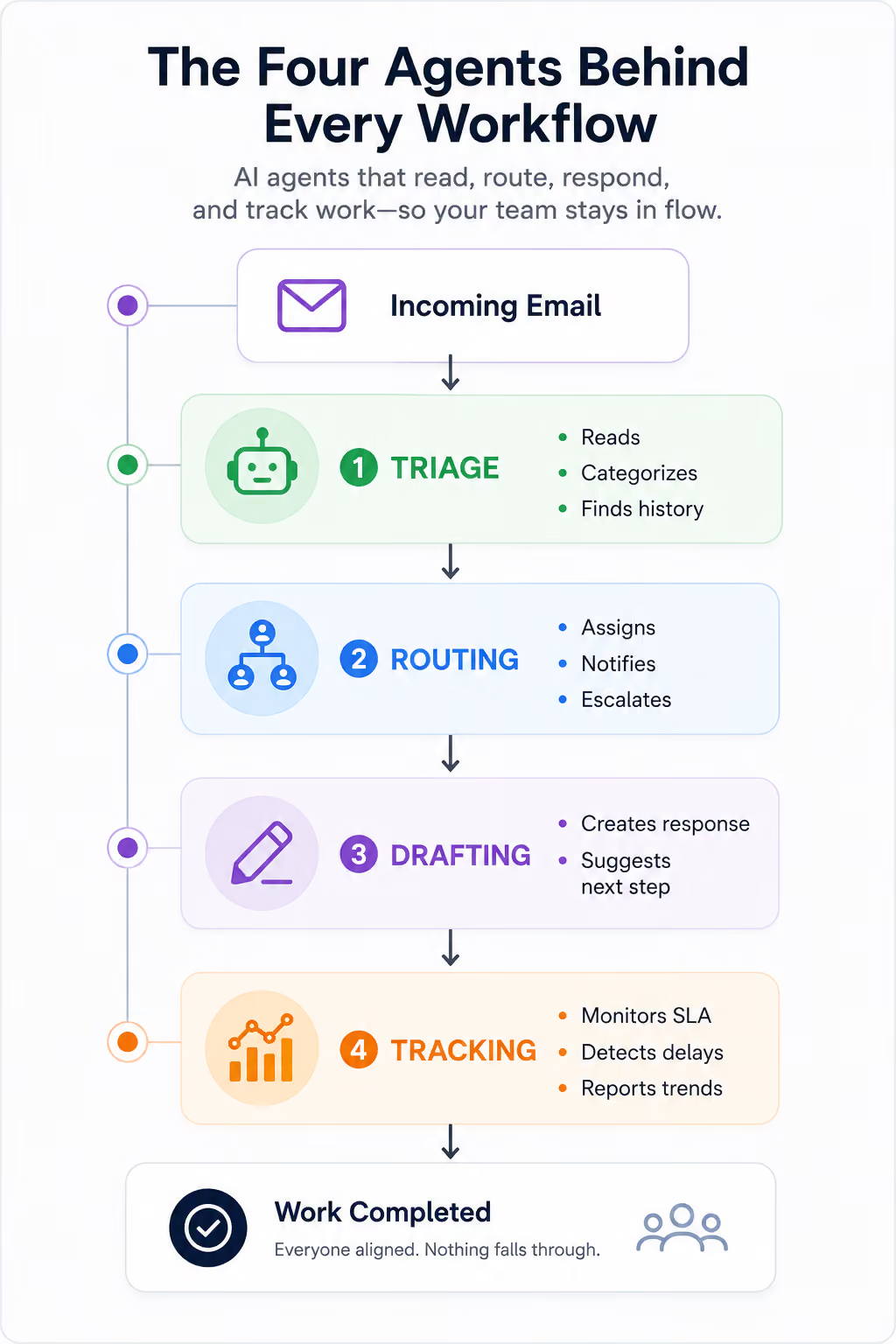
This is closer to agent orchestration than it is to a single AI writing assistant. The distinction matters, because a tool that helps one inbox and a system that runs a coordinated workflow across a team are solving two different problems, even when both get marketed as AI-powered.
How to Choose the Right Asana Alternative for Your Team
Before switching tools, it helps to ask a few direct questions:
- Does most of the back-and-forth in this workflow happen with people outside your company?
- Do handoffs currently break down between email and your task tool?
- Would visibility into vendor or client history actually change how fast you respond?
If the answer to any of these is yes, the fix probably isn't a better board. It's rethinking how AI fits into your operations and choosing a system built around the channel where the coordination actually happens.
The Bottom Line
Asana is a strong tool for internal task management, but it was never designed to coordinate vendors, clients, and partners who live in email by default. For teams running multi-party operations, that gap shows up as missed handoffs, lost context, and manual busywork that a task board can't fix.
That's the same conclusion behind most searches for Asana alternatives: the stronger option isn't another board with more integrations. It's an operations layer built on the inbox itself, with automation agents that handle routing and a knowledge graph that carries context forward automatically.
If your team is coordinating vendors, clients, RFPs, or partners through email every day, it's worth seeing what that looks like in practice.
Try Gmelius free and see how an inbox-native operations layer handles the coordination work Asana was never built for.


.avif)
.avif)
(1).avif)
.avif)