
![10 Best AI Email Automation Software Compared [Updated for 2026]](https://cdn.prod.website-files.com/6737568a4ac417efeb387e5a/69a06eee55f14c4ab2df6ddd_Robot%20at%20Control%20Panel%20(1).avif)



Managing an inbox in 2026 feels less like a chore and more like overseeing a digital assistant…or at least, it should. Unfortunately, most of us still overwhelmingly rely on email, and chaotic inboxes intrude upon our workday more often than we’d like to admit, despite the existence of AI email automation.
Modern AI email automation software goes beyond simple templates; today’s tools can draft entire replies in your voice, summarize long threads, schedule meetings, and even send entire emails without you lifting a finger. The challenge is, with so many options out there and new AI email automation tools launched every week, how do you pick the best one?
That’s why we tested 20+ AI email automation solutions to shortlist the best options. Here's what you need to know.
Intro to AI Email Automation: What You Need to Know
AI email automation uses machine learning to handle the repetitive parts of communication. In 2026, this technology generally falls into three categories:
- Generative drafting: Tools that automatically write replies based on the context of the conversation, your past writing style, and, optionally, a knowledge base you plug into it. Interestingly, we found only a handful of apps that fit all of these criteria.
- Inbox triage: Software that automatically labels, prioritizes, or archives emails so you only see what is important. Our analysis shows that this feature is common to most AI email automation software.
- Workflow automation: Systems that trigger actions, like updating a CRM or following up after three days, based on an incoming message. According to our evaluation, you can do this using AI (blackboxed but intuitive) or IF THIS/THEN THAT rules (more control) or both (which is the case for Gmelius).
The goal of AI email automation is to go from "Inbox Zero" to "Inbox Value," where your time is spent only on high-priority human interaction.
Top 10 AI Email Automation Software in 2026
The tools below range from simple Gmail extensions to full-service AI executive assistants. Whether you need to automate sales outreach, declutter a personal inbox, or manage a shared team address, this guide breaks down the top software to reclaim your time.
1. Gmelius
Gmelius turns Gmail into an automated collaborative workspace. It is particularly effective for teams that need to share an inbox, such as support@ or sales@ addresses, without leaving the standard Google interface.
Why Gmelius is among the best AI email automation software
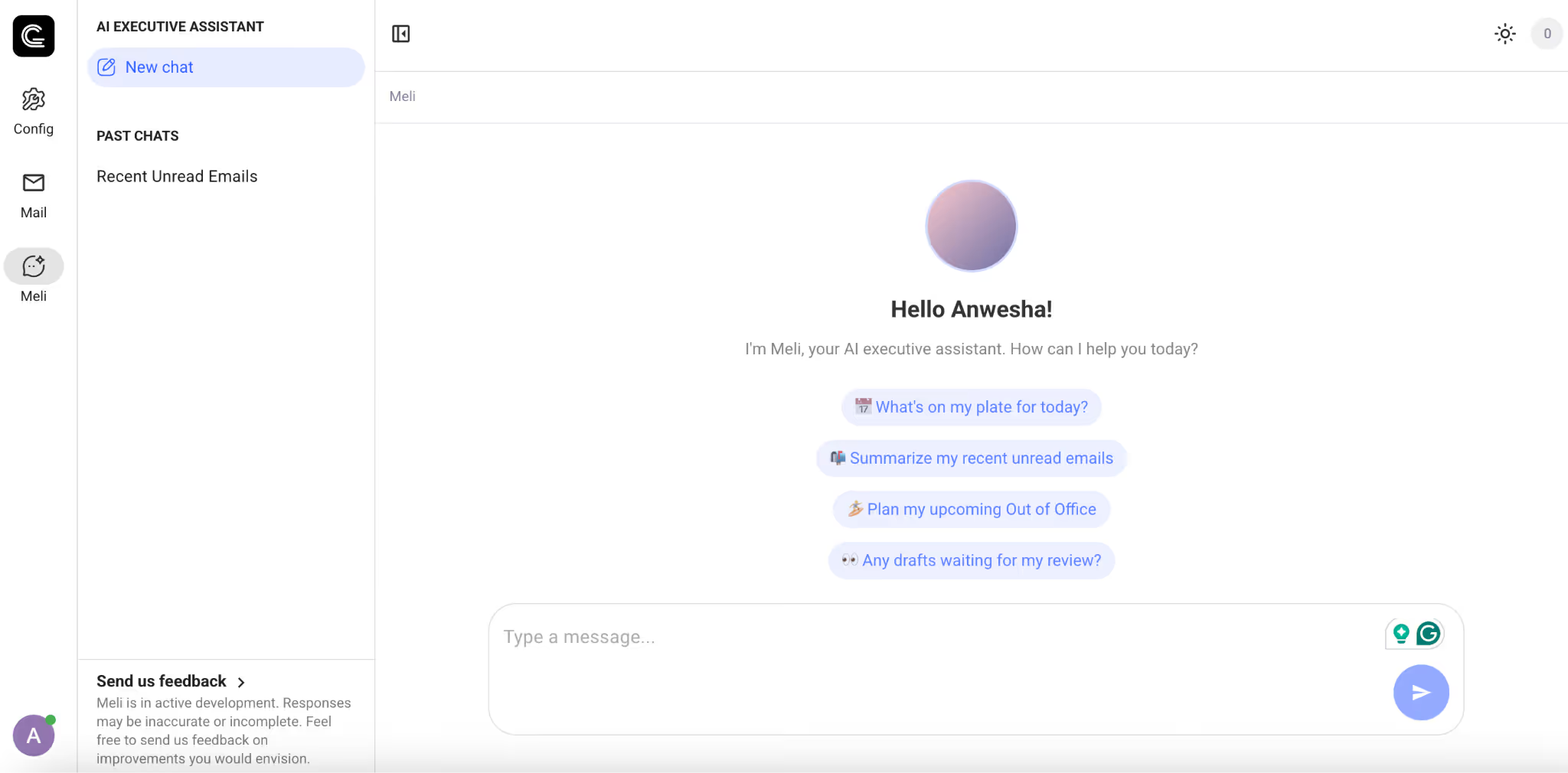
Gmelius supports both AI and rules-based automation. Its "Meli" AI assistant handles more than just summaries. It monitors shared folders to suggest drafts and automatically assigns emails to the right team member based on the topic. We are happy to report that Meli can generate drafts without your prompting and send emails right from the chat conversation.
For more complex email automation needs, it offers IFTTT rules. For instance, you can automatically follow up on emails based on your SLA period, send Slack messages for incoming emails from a client, assign emails as tasks automatically, and more.
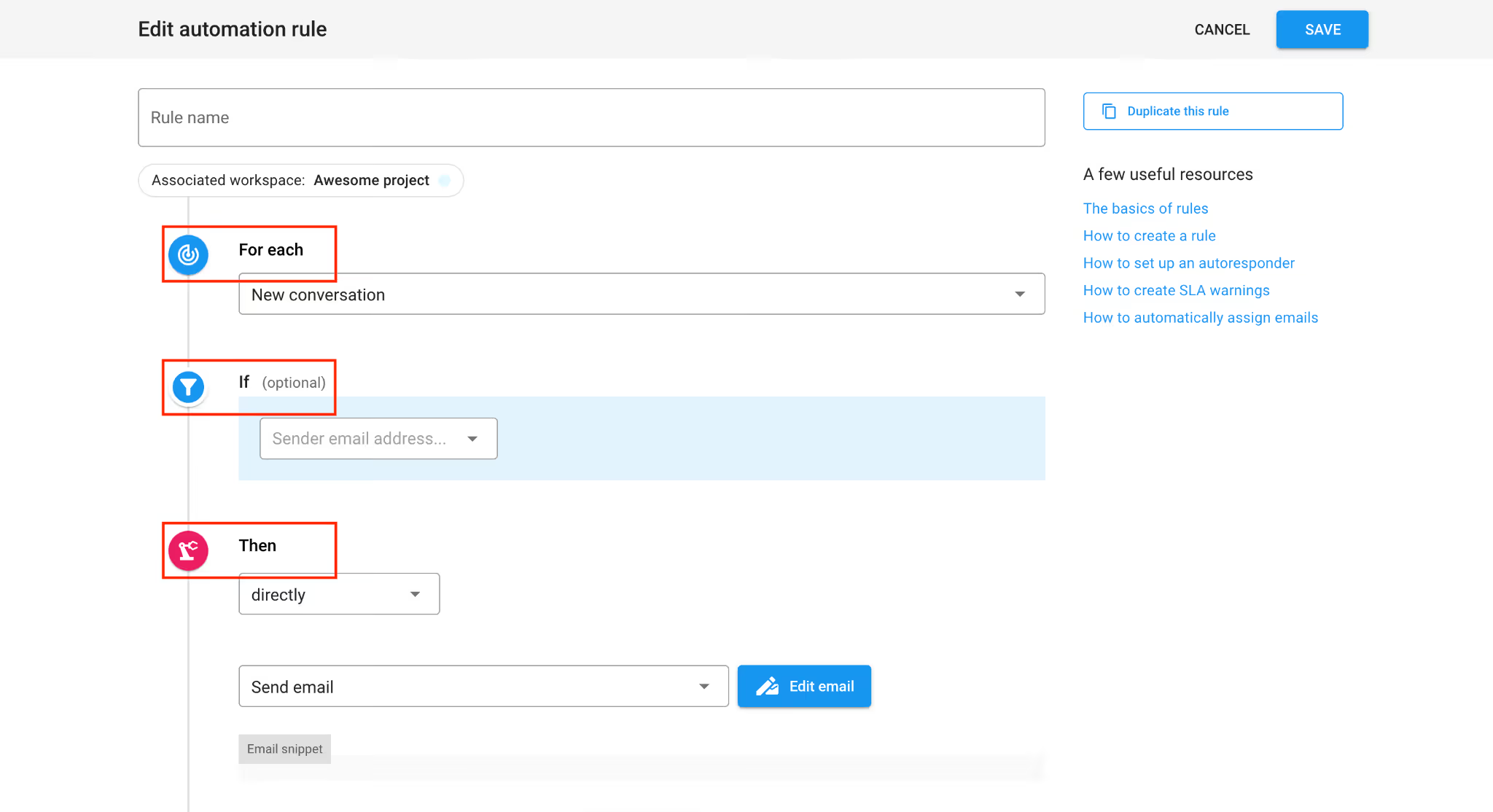
You can even instruct the AI to write IFTTT rules for you.
The integration is seamless, appearing as a sidebar within Gmail rather than a separate app.
The downside
There is no free tier. Also, Gmelius is built exclusively for Google Workspace, although an Outlook version is in the works. If your team uses Outlook or a mix of different providers, this software will not work for you just yet.
How much will this AI email automation software cost? Is it worth it?
The Meli plan starts at $19 per user/month (billed annually). For advanced automation and analytics, the Growth plan is $25 per user/month. For teams already embedded in the Google ecosystem, the price is easily justified by the time saved on internal coordination.
2. Fyxer
Fyxer positions itself as a digital executive assistant. It is designed for founders and executives who need someone (or something) to automatically manage the "noise" of a high-volume inbox.
Why Fyxer is among the best AI email automation software
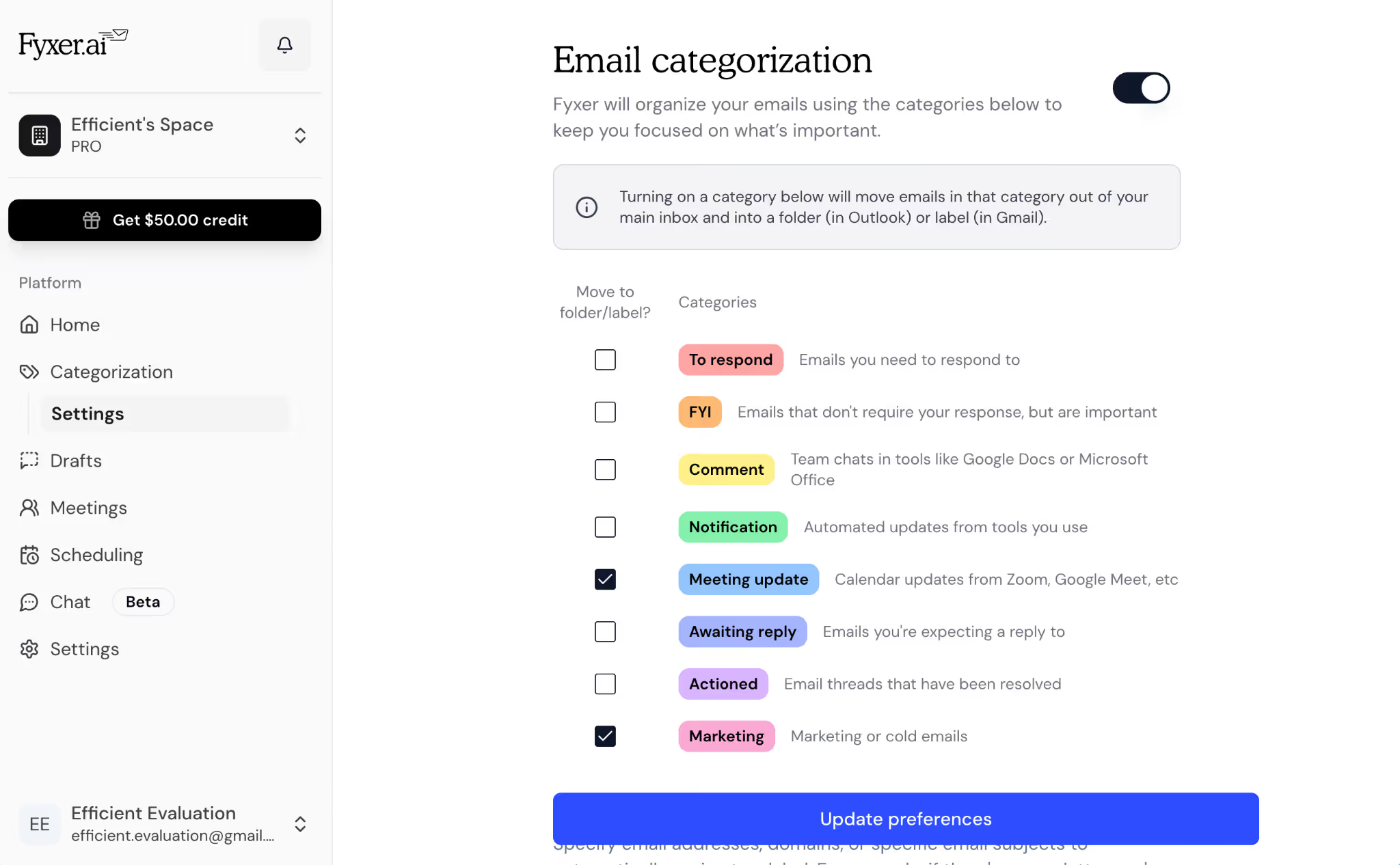
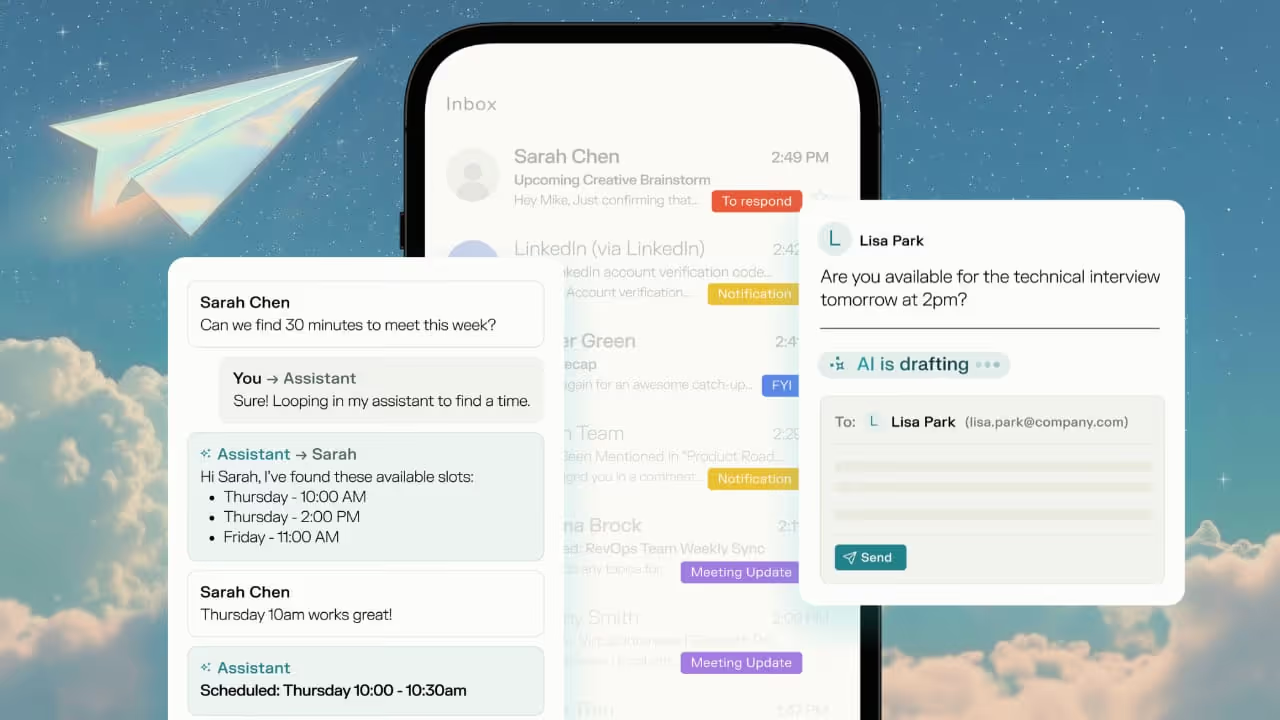
Fyxer excels at natural language commands. You can tell it to "Schedule a meeting with Sarah next week," and it will check your calendar, propose times, and handle the back-and-forth. It also automatically categorizes incoming mail into "To Respond," "FYI," and "Awaiting Reply" with high accuracy. Overall, we found it can auto-execute routine commands with ease.
The downside
Fyxer only integrates with HubSpot and not much else, which brings down the impact of email automation. You can’t manually configure rules either. Also, the entry-level plan is extremely limited – for instance, it doesn’t include the AI chat assistant, which we found to be a big miss.
How much will this AI email automation software cost?
The Starter plan is $22.50 per user/month (billed annually). It is a premium price point, but it aims to replace 5–10 hours of manual admin work per week.
Read our in-depth Fyxer review.
3. Superhuman
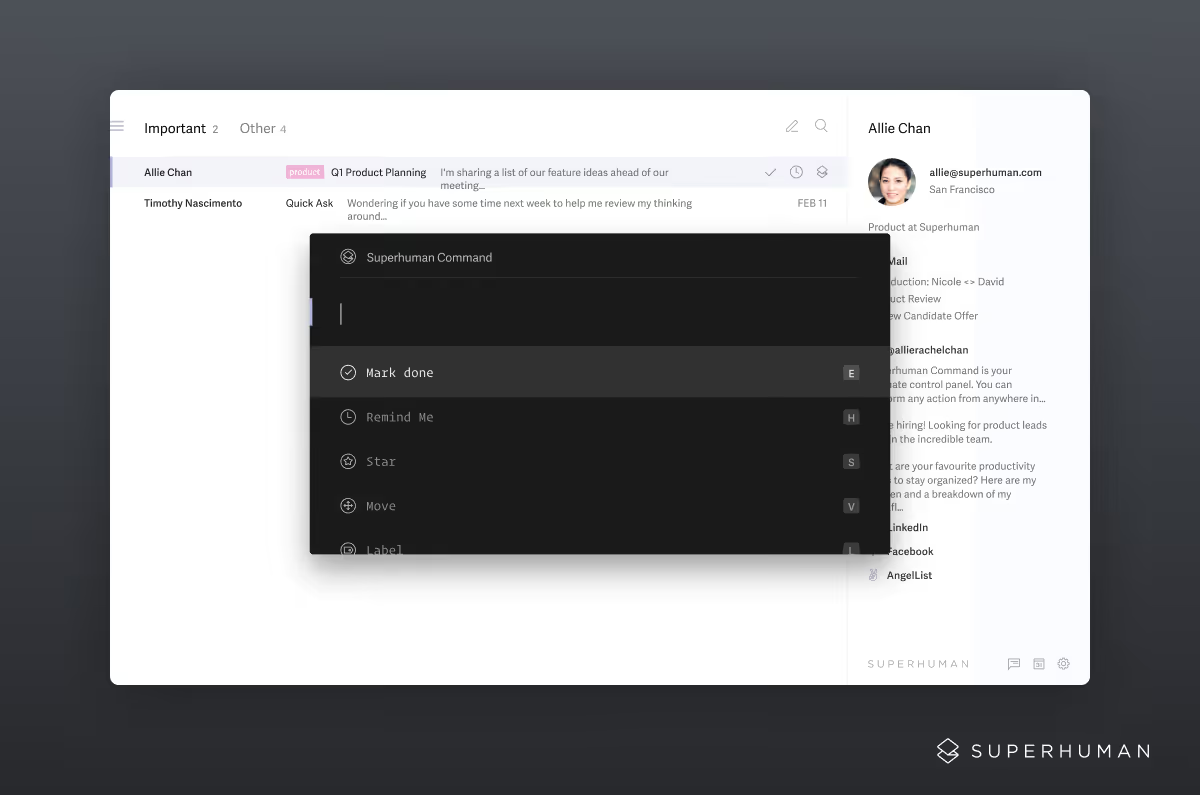
Superhuman promises to be the gold standard for speed. It is built for power users who want to navigate their email entirely via keyboard shortcuts, with Superhuman Mail as its AI email automation offering. The company was recently acquired by Grammarly.
Why Superhuman is among the best AI email automation software
The automation features, known as Superhuman AI, allow you to turn a few bullet points into a fully polished email instantly. Its "Auto Draft" feature prepares replies for your most important messages before you even open them, so you are always one click away from sending a response. Integrations include HubSpot and Salesforce, and emails are automatically labeled as well.
Find out more in our detailed Superhuman review.
The downside
The learning curve is steep. If you aren't willing to learn the keyboard shortcuts, you won't get the full value out of the software. It also lacks the deep team-collaboration and integration features found in tools like Gmelius.
How much will this AI email automation software cost?
Superhuman costs $25 per user/month. There is no free tier, though they do offer a 30-day trial. It is worth it if your job revolves around high-speed communication.
4. InboxPilot
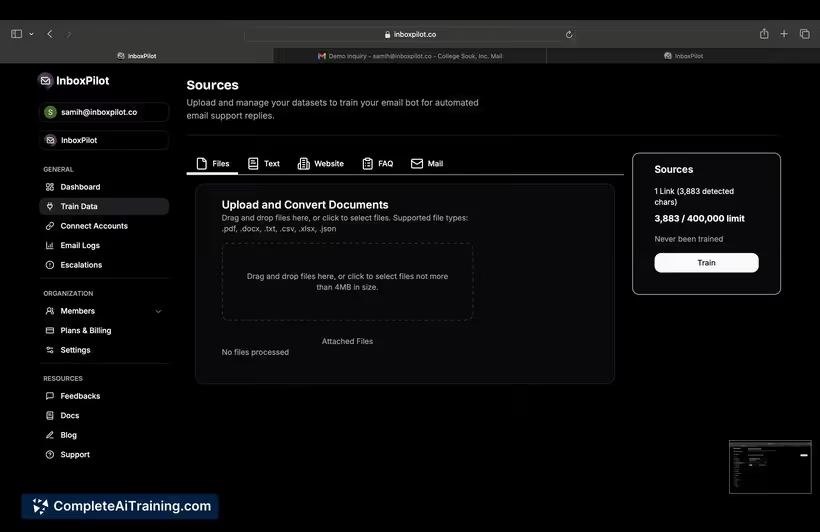
InboxPilot acts as an automated "gatekeeper" and responder. It is designed to handle customer inquiries 24/7 by training on your specific company data, a feature that we found only in a handful of email automation software like InboxPilot and Gmelius.
Why InboxPilot is among the best AI email automation software
You can upload PDFs or link your website to "teach" the AI about your business. When an email comes in, InboxPilot automatically drafts a response based on that data. We also liked that it includes a "Confidence Score"; if the AI isn't sure of an answer, it escalates the email to a human instead of guessing.
The downside
The setup process takes longer than other tools because you need to curate the data sources for the AI to read. The free plan supports a laughable 15 emails a month, which isn’t sufficient for any user. Also, the automated email actions don’t support external integrations.
How much will this AI email automation software cost?
The Hobby plan is $19 per month, allowing for 200 AI-processed emails. For larger businesses, the Standard plan is $149 per month for 1,500 emails.
5. Shortwave
Shortwave is built by former Google engineers to make Gmail feel like a messaging app. It treats threads more like chat conversations than formal documents and performs several actions automatically.
Why Shortwave is among the best AI email automation software
Shortwave’s "Ghostwriter" AI analyzes your sent folder to learn your unique voice. When it drafts a reply, it actually sounds like you, rather than a generic robot.
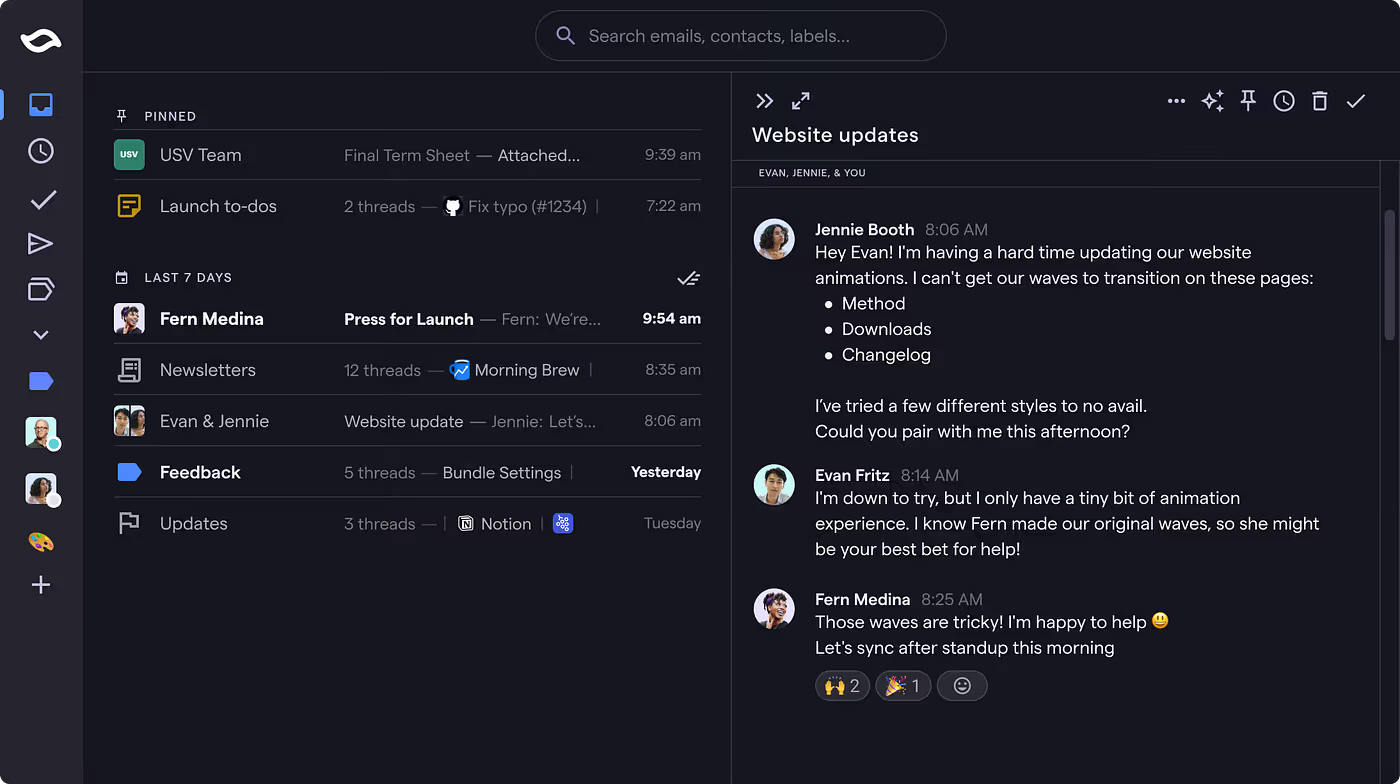
You can write automation instructions in plain English like, "Archive any newsletters that don't mention AI trends." It also includes Automatic Bundle Triage, which groups similar emails (like travel receipts) and allows you to "Done" them all with one click.
The downside
Like Gmelius, it is restricted to Gmail automation.
Additionally, the highest tier of AI usage is locked behind a very expensive plan.
How much will this AI email automation software cost?
The Business plan is $24 per user/month. If you want the "Max" intelligence with higher context limits, the price jumps to $100 per user/month.
6. Missive
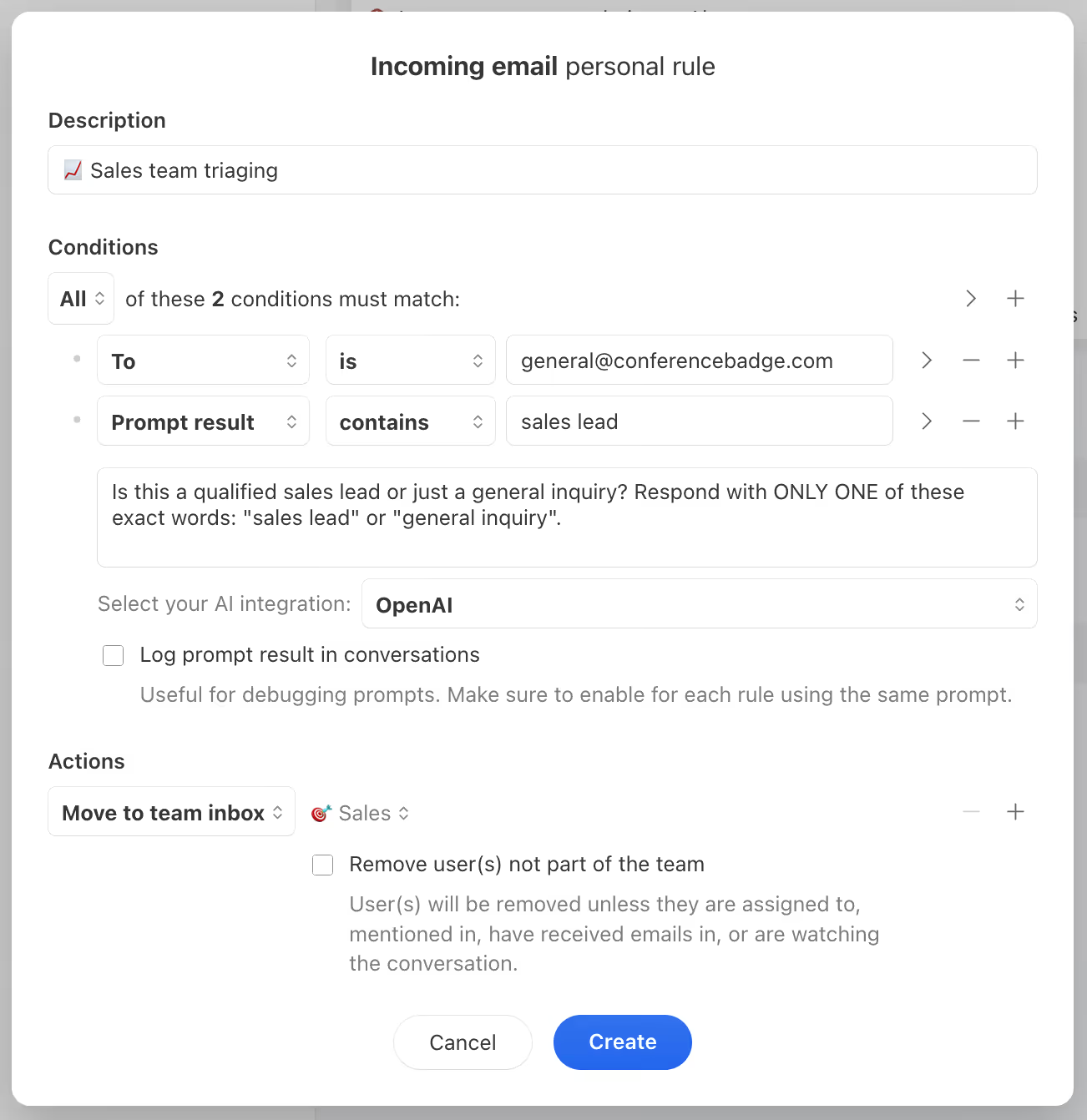
Missive combines email with team chat. At its core, we’d call it a multi-channel inbox that allows you to automate communication across email, SMS, and WhatsApp.
Why Missive is among the best AI email automation software
It offers highly customizable Rules and Hooks. You can create a rule that says: "If a WhatsApp message contains 'Price,' draft a reply and notify the sales team in our shared chat." Because you use your own OpenAI API key, you have granular control over the logic and the costs of the AI drafting.
The downside
Its biggest pro is also its con. In Gmelius, for instance, you pay for the platform and that’s it. Here, you’re paying for Missive AND the AI plugin, which adds to the costs. Plus, the setup is complex. To get the most out of it, you need to understand how to build logic-based rules and manage an API key.
How much will this AI email automation software cost?
The Starter plan is $14 per user/month. Since you provide your own API key for AI features, your total cost depends on your usage volume.
Read our complete Missive review.
7. Perplexity (AI Email Assistant)
In 2026, Perplexity has expanded from a search engine into a functional email assistant for Gmail and Outlook users, albeit at a cost.
Why Perplexity is among the best AI email automation software
Its strength is research-based drafting. If you receive an email asking for a market summary or a technical explanation, Perplexity can browse the web and automatically draft a response with cited sources instantly. It is the best tool for "knowledge work" emails. It eliminates the need to switch tabs to verify information.
The downside
It is an "add-on" experience rather than a dedicated email client. It doesn't have the deep inbox management features like snoozing or custom labels. The costing is also a drawback for most, in our opinion.
How much will this AI email automation software cost?
This feature is included in the Perplexity Max subscription, which is $200 per month. It’s worth it only if you already use Perplexity for search.
8. Spark
Spark is a cross-platform email client known for its "Smart Inbox" which separates personal emails from newsletters and notifications automatically. We also found its focus on "Quiet Automation" really interesting, which means you’re only notified when a human (rather than a bot) emails you
Why Spark is among the best AI email automation software
Spark is the most budget-friendly option for individual users. The "My Writing Style" feature is highly effective at mimicking your tone, and the "Gatekeeper" feature automatically blocks new senders until you approve them, effectively automating your privacy.
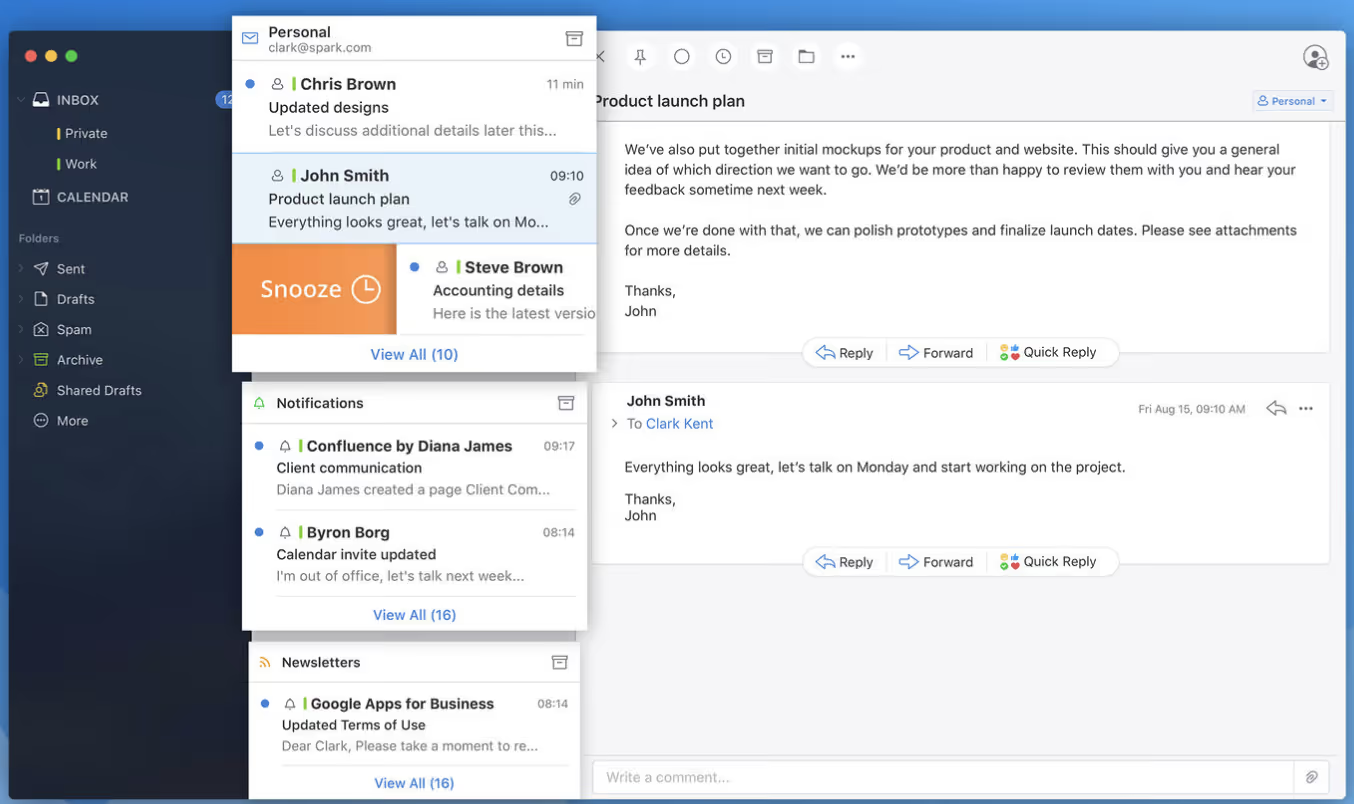
The Smart Inbox also uses AI to group emails into "Personal," "Notifications," and "Newsletters," ensuring the most important messages stay at the top.
The downside
While great for individual focus, it lacks the deep, multi-step automation sequences found in tools like DragApp or Gmelius.
How much will this AI email automation software cost?
Premium is just $4.99 per month, making it the most cost-effective AI automation tool on this list.
9. Mimestream
Mimestream is a native macOS app built by a former Apple engineer. It uses the Gmail API to provide a lightning-fast experience that feels like a part of the Mac operating system. Given how few Apple AI assistants there are, we believe it’s worth a look for any Apple user.
Why Mimestream is among the best AI email automation software
It is the fastest way to use Gmail on a Mac. It supports Gmail’s native categories (Primary, Social, Promotions) and labels perfectly. While its AI features are more subtle (focusing on smart summaries and template variables) the sheer performance speed is its biggest selling point.
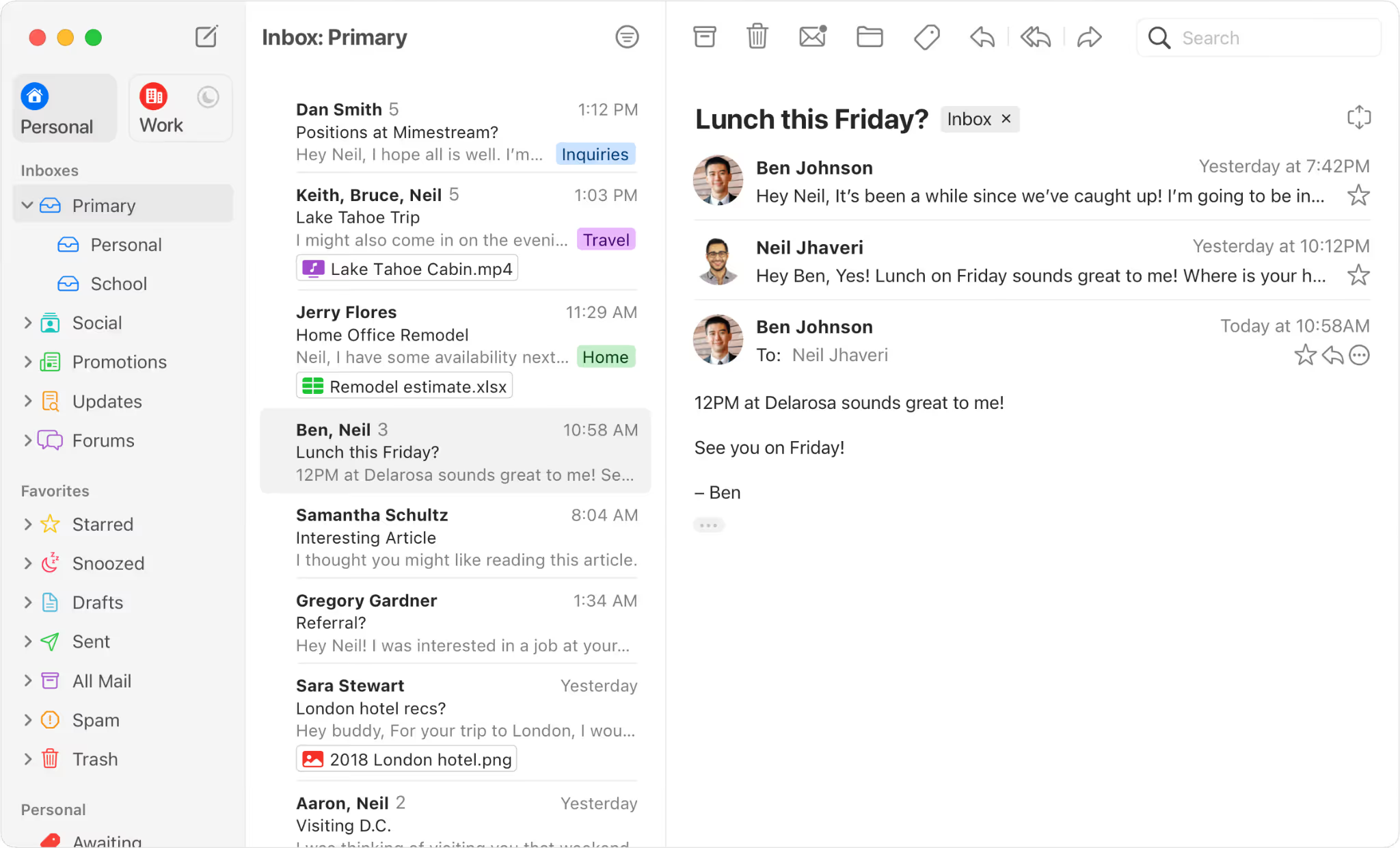
It automates the synchronization between macOS and Gmail’s native features. It supports Gmail Aliases and Server-Side Filters natively, meaning your automation rules work even when your computer is off.
The downside
It is only available for macOS. There is no Windows, Android, or iOS version currently available. Also, the AI features aren’t the most cutting-edge.
How much will this AI email automation software cost?
Mimestream is $4.99 per month or $49.99 per year. It is a great choice for Apple enthusiasts who want a clean, no-nonsense interface.
10. DragApp
DragApp transforms your Gmail into a visual board, similar to Trello. It is built for teams that manage tasks through their inbox.
Why DragApp is among the best AI email automation software
It allows you to drag emails into different stages, such as "In Progress" or "Done." Its AI assistant auto-summarizes long threads and provides "Intent Detection," highlighting whether an email is a question, a complaint, or a request for a meeting.
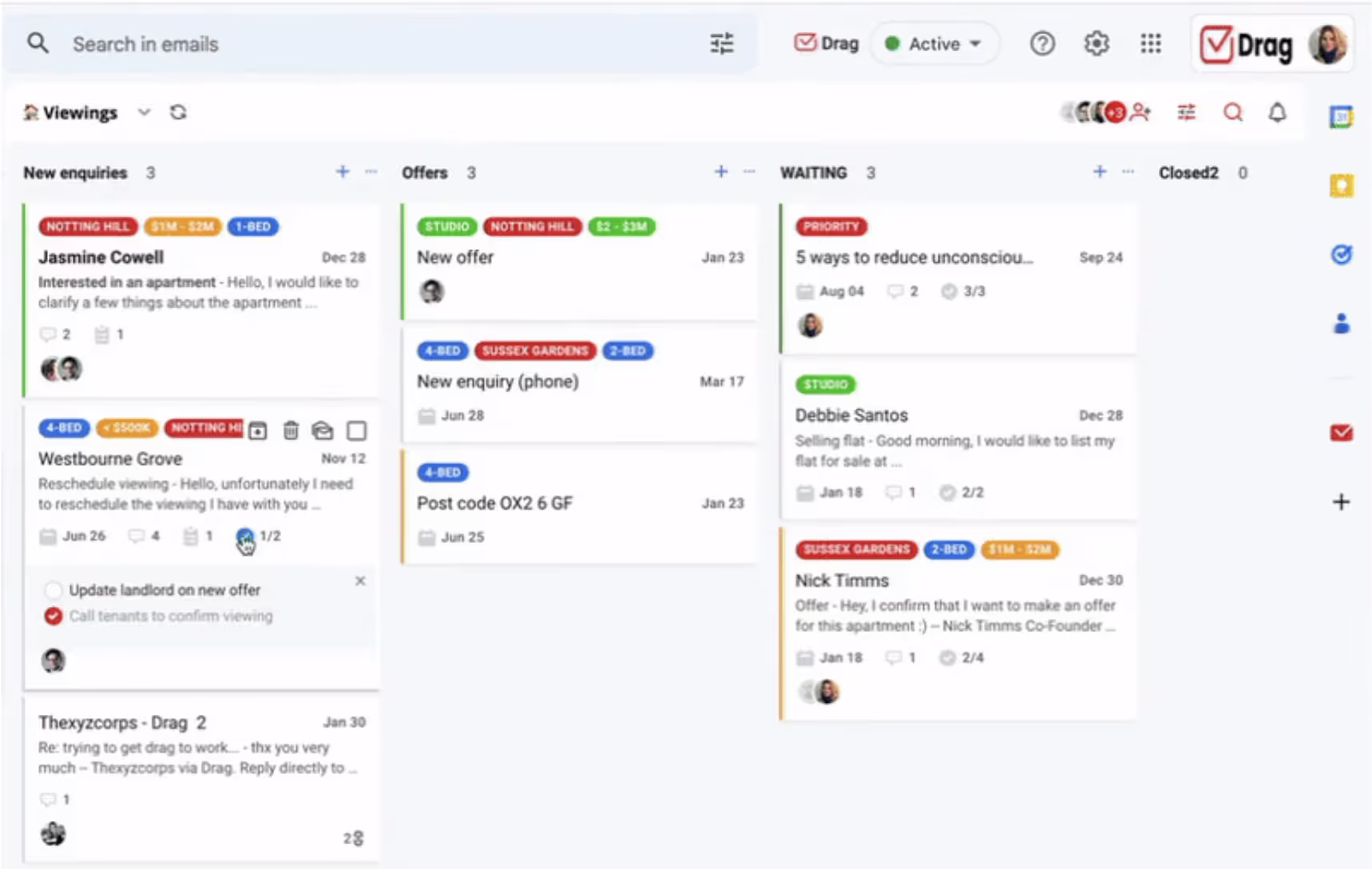
It features Round-Robin Assignment, which automatically distributes incoming emails to team members to ensure a balanced workload. You can also set up Email Sequences that automatically send follow-up messages if a lead hasn't responded after a certain number of days.
The downside
If you prefer a traditional list-view for your email, the Kanban-board style of DragApp may feel counterintuitive. We felt that the board layout is particularly messy if you have a high volume of unorganized tasks.
How much will this AI email automation software cost?
The Starter plan is $12 per user/month (billed annually). It is highly effective for project-based email management.
Get more information from our complete DragApp review.
Making Sure Email Automation is Right for Your Team
Before you subscribe, look closely at your primary email provider. If your company uses Outlook, you can immediately cross Gmelius, Mimestream, and Shortwave off your list, as they are built specifically for Gmail.
Similarly, consider the volume of your team. If you only receive 20 emails a day, a tool like Superhuman is likely an unnecessary expense. However, if you are a manager overseeing a support team, a tool with Collision Detection (like Gmelius or Missive) is vital to ensure two people don't reply to the same email at once.
Choose the tool that fits your current workflow rather than forcing your workflow to fit the tool.


.avif)
.avif)

.avif)

.avif)





